Martin Jørgensen
PacMan Adventures 3D: Classic Pac-Man in 3D for Windows
PacMan Adventures 3D is an old-school maze game that aims to recreate the Pac-Man feel—only in a 3D world with multiple modes, lots of levels, and local multiplayer on the same PC.
(Note: This is an unofficial take on “Pac-Man.” It can still be fun, but don’t expect the same polish as official releases.)
Gameplay and features: how PacMan feels in 3D
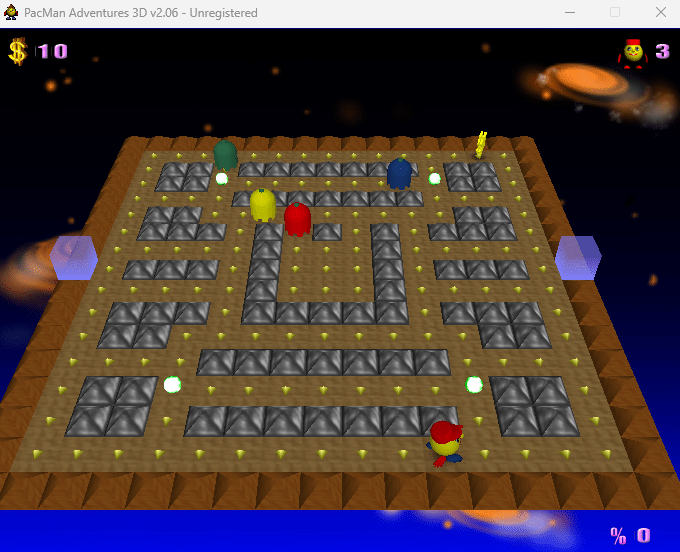
The core idea is familiar: move through a maze, eat all the pellets, and try to avoid the enemies—or chase them when you’ve grabbed a power pill.
What makes this version different is mainly:
✅ A 3D camera and depth that make it harder to read the maze at a glance
✅ Multiple game types/modes—so it’s not just classic pellet-chasing
✅ Lots of levels (the game really leans on having many stages)
✅ Local multiplayer if two players want to take turns/compete on the same PC
This hits best if you want that Pac-Man vibe but also want “a little more” than the original 2D experience.
Levels, pace, and difficulty
In practice, it’s all about rhythm: you quickly learn when to take risks and when to play it safe and just clear the level. The 3D perspective can actually make it more stressful than classic Pac-Man because corners and distances feel less predictable.
Difficulty typically ramps up via:
✅ Faster/smarter enemies
✅ More complex mazes
✅ More moments where you have to change direction at the last second
That’s exactly what makes it addictive: you often feel you were one tiny decision away from beating the level a little better.
Graphics and sound: retro charm with a mixed finish
The graphics clearly say “classic PC game from another time”—which can be part of the charm if you’re after retro vibe rather than modern AAA. The 3D environments add variety, but animations and the UI can feel a bit rough.
The audio/music is energetic and fits the arcade style, but it can also get a little repetitive during long sessions. (Tip: this is one of those games where the volume and music sliders are your friends.)
Our Windows test: installation and stability
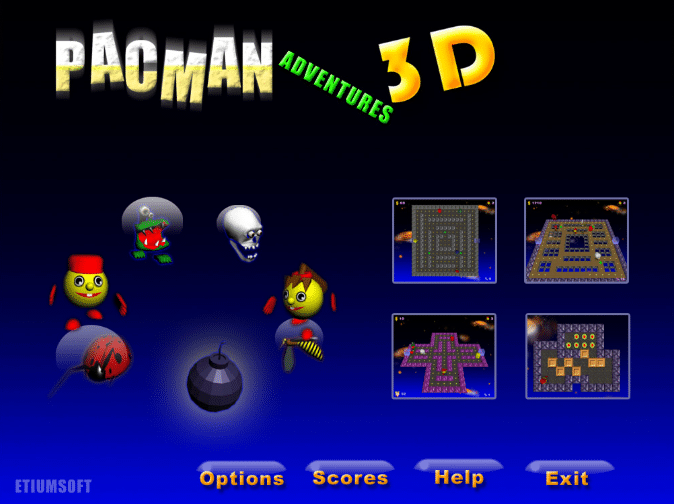
We installed PacMan Adventures 3D on a standard Windows 11 PC, and setup was straightforward. The game launched quickly and the controls felt responsive, but it’s clearly a title that can behave differently from PC to PC (classic older Windows game behavior).
If you see stuttering, a black screen, or the game closing, it’s usually graphics settings/compatibility acting up—see the tips section below.
Who is PacMan Adventures 3D best for?
This isn’t a “big new game” — it’s a cozy nostalgia trip that fits best if:
✅ You want a Pac-Man-like PC game you can jump into without overthinking it
✅ You love maze games, quick reactions, and those “I can do it!” moments
✅ You want to play two people on the same PC (retro-style local multiplayer)
✅ You collect classic/alternative arcade remakes
If you’re into official branding, perfect polish, and modern graphics, this is more of a curiosity than a must-have.