

 Martin Jørgensen
It’s all about taking good care of your computer so you get the most out of it for as long as possible. Computers are constantly exposed to threats that can make them slower and weaker, or even cause them to crash. That’s why you need a program that keeps your PC in top shape.
That’s exactly what Advanced 1 PRO is built for. It includes a wealth of features to keep your PC razor-sharp and even comes with an antivirus to keep malware and hackers away.
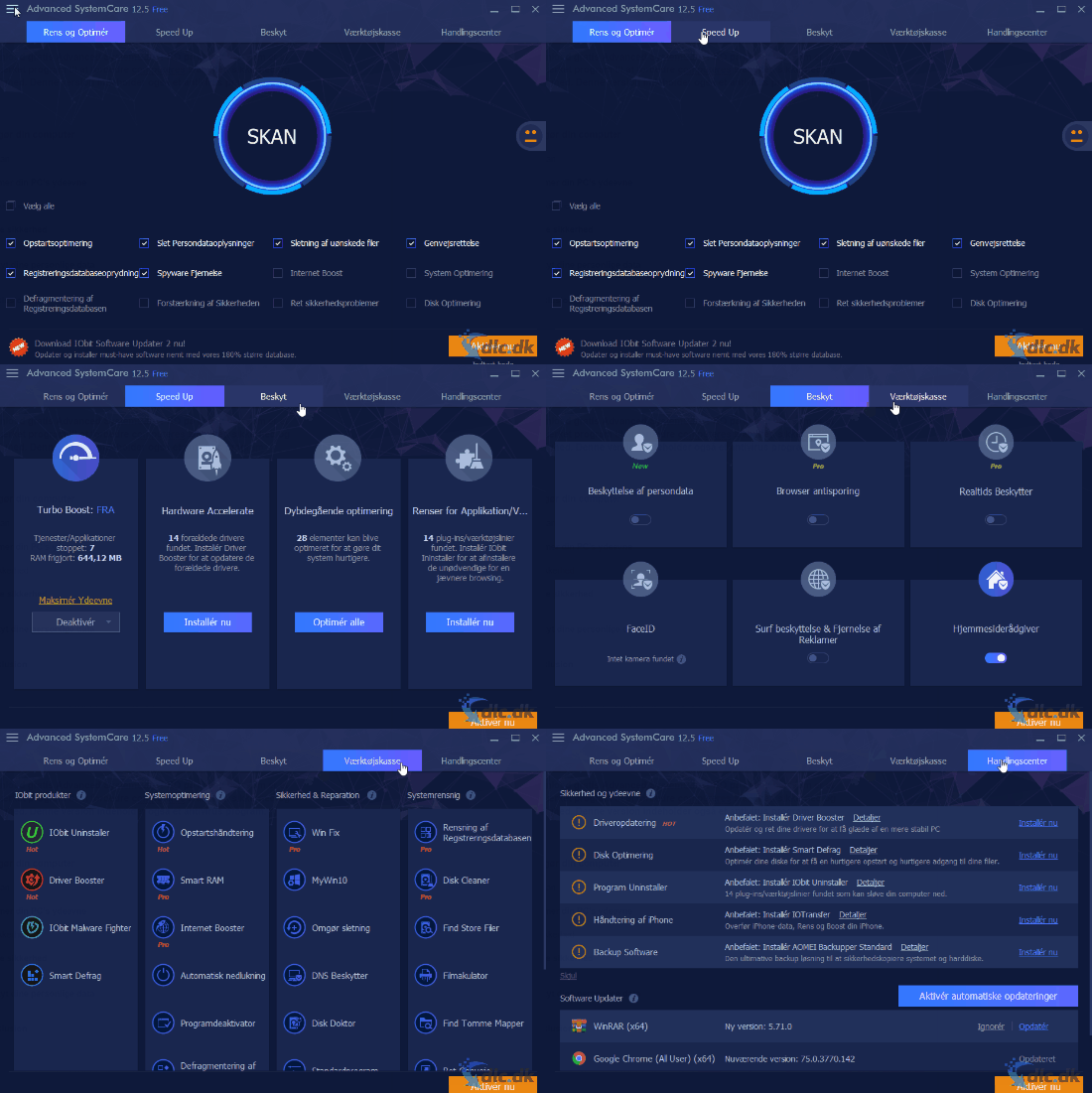
Clean your computer
With 1, you can remove the files that harm your computer. When you click Scan, your PC is thoroughly examined for harmful elements and they are removed automatically. This leaves your computer completely clean, so you don’t have to go out and buy a new one.
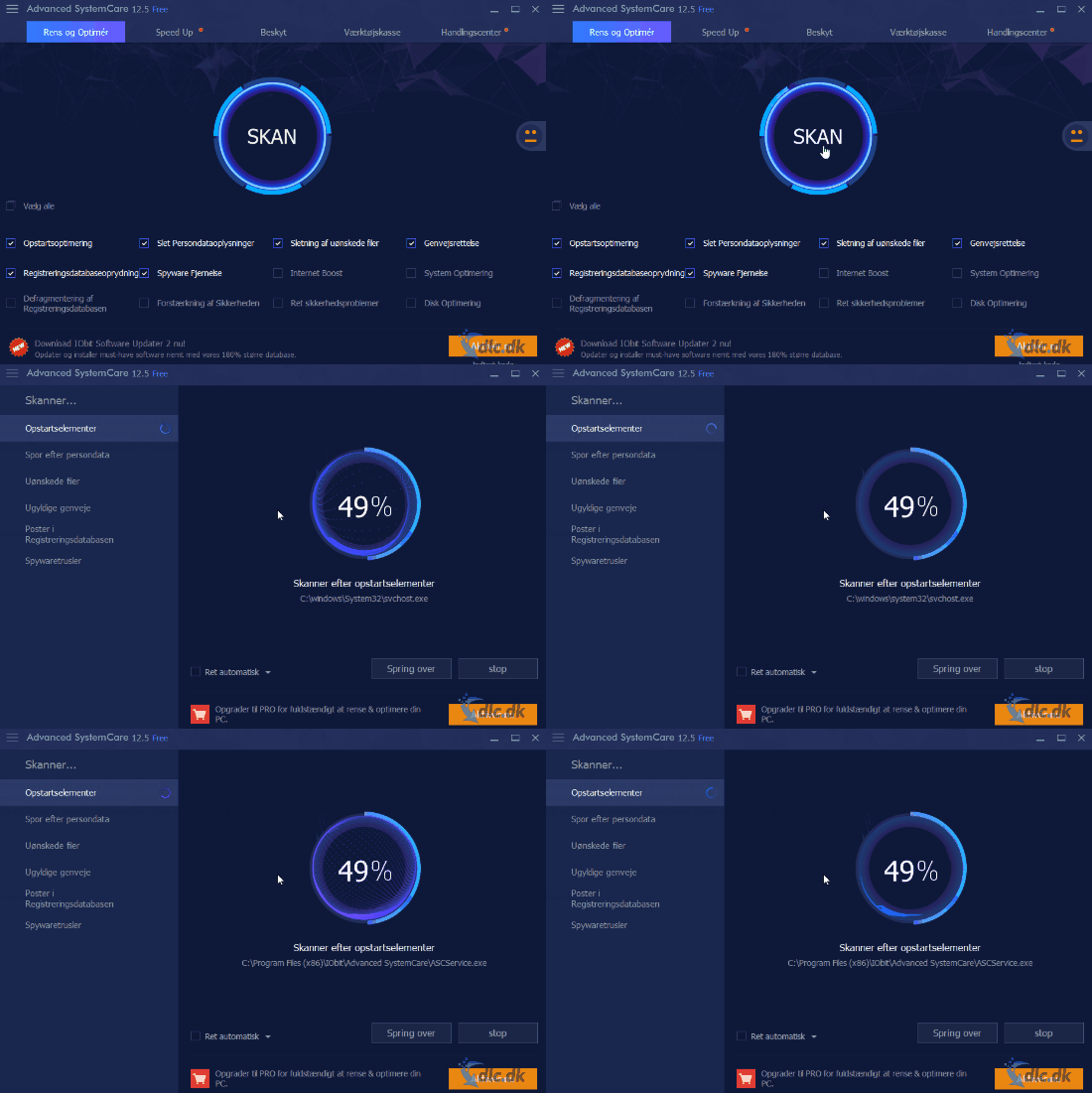
Optimize your PC’s performance with Advanced SystemCare PRO
When you first turned on your PC, it was almost certainly much faster than it is now. Hardware slows down over time, but even more often it’s because the system isn’t being optimized.
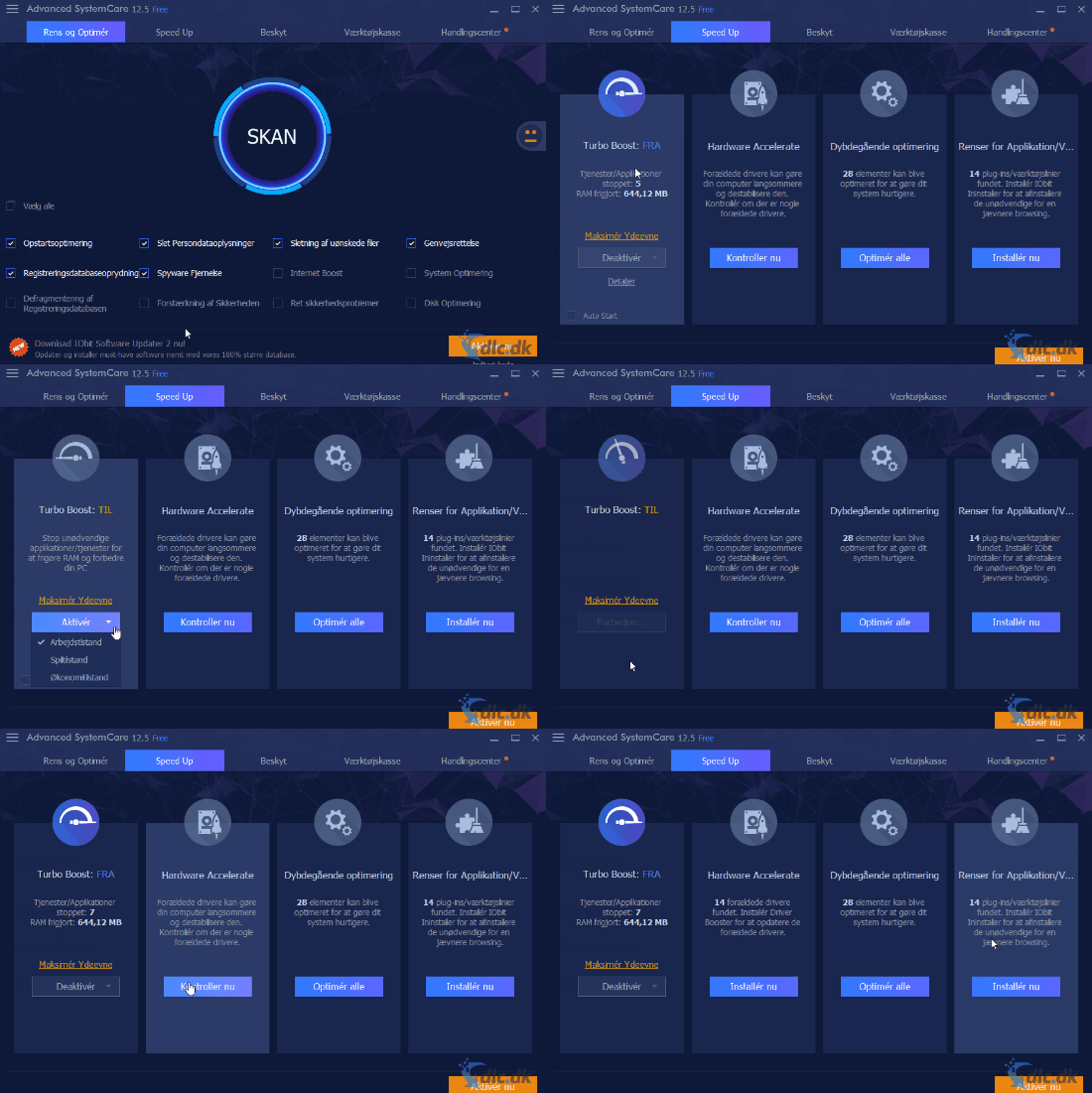
Advanced SystemCare PRO gives you several ways to make your computer faster. First, it becomes faster when you scan and remove harmful files. You can also use the Speed Up menu, where Turbo Boost can tailor your PC’s performance to your needs. Choose between three modes: Work Mode, Game Mode, and Economy Mode. Economy Mode conserves your computer’s resources to use as little power as possible. Work Mode gives you optimal settings for productivity tasks in apps like Word and Excel. Game Mode focuses your PC’s resources on gaming, delivering the best graphics and smoothest gameplay.
Better security
Beyond the core optimization tools, Advanced SystemCare PRO also includes a set of security features.
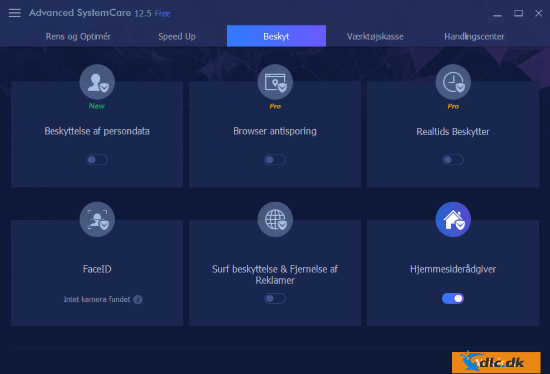
In this PRO version, you’re protected against viruses and similar threats, while your personal data is encrypted and safeguarded. A browser anti-tracking feature also keeps you private online so you can’t be tracked or hacked.
Ease of use in Advanced SystemCare PRO
The program is very well designed and simple to use. You can navigate the menus quickly, and every feature is clearly explained. It installs automatically in Danish, so you don’t have to worry about confusing translations or unfamiliar terms.
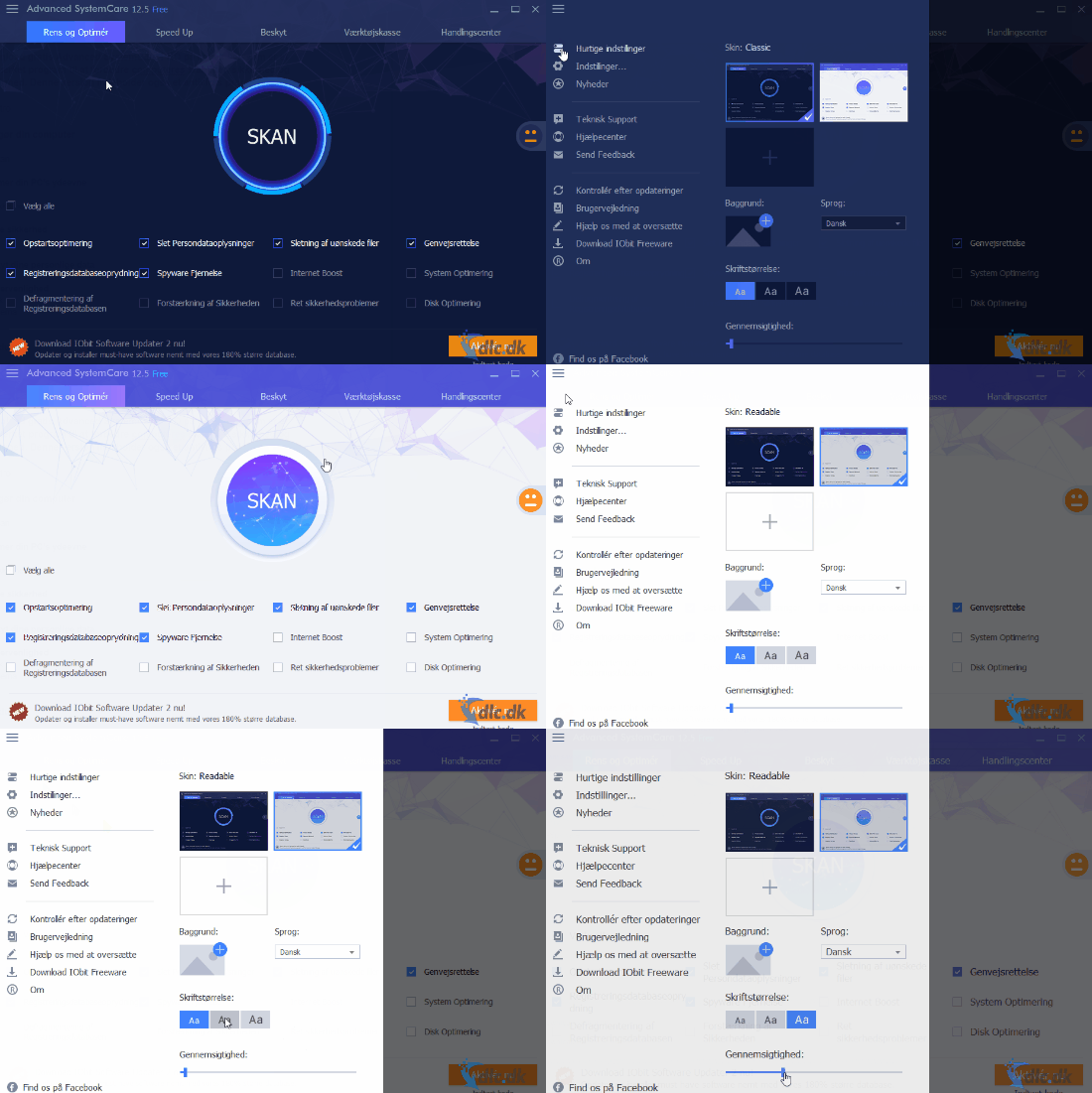
You can also customize the interface to suit you best. Switch between the two default themes or download more free themes from the developer’s website. You can increase the font size for better readability. It’s also possible to adjust the program’s transparency, so you can keep it open while other apps run without it getting in the way or taking up too much space.
The free edition of Advanced SystemCare
The program is also available in a Free version, which doesn’t include the same full set of features. For example, Browser Anti-Tracking and Real-time Protection are not included, which can be crucial for some users. You can read much more about Advanced SystemCare Free right here.
Optimize your computer with Advanced SystemCare PRO
Advanced SystemCare PRO gives you the tools to optimize your computer as effectively as possible. It can clean harmful files that slow your system down, so you get a lightning-fast PC again. The program also includes features that let you decide what your computer should focus its resources on. Switch between Work, Game, and Economy modes depending on the task. A set of security features protects your online activity and keeps viruses and hackers at bay. The program is in Danish and easy to use, and you can personalize it with themes plus adjustable options like font size and transparency.
Download Advanced SystemCare PRO in Danish—it’s an excellent program to improve PC stability, security, and speed. This version also includes an antivirus program.
Comparison: FREE vs. PRO vs. Ultimate
| Feature | FREE | PRO | Ultimate |
|---|---|---|---|
| System optimization | ✅ | ✅ | ✅ |
| Auto update | ❌ | ✅ | ✅ |
| Privacy protection | Partial | ✅ | ✅ |
| Real-time antivirus | ❌ | ❌ | ✅ |
| Protection | ❌ | ❌ | ✅ |
| Firewall protection | ❌ | ❌ | ✅ |
👉 The FREE version is a good choice if you want to try the basics. PRO is perfect for optimizing your PC without antivirus. Ultimate is for users who want an all-in-one solution with both optimization and security.



