
 Martin Jørgensen
AVG AntiVirus Free – Protect your PC for free
AVG AntiVirus Free is a free antivirus for Windows, Mac, and Android that protects you against viruses, spyware, ransomware, and phishing. We tested the program on a standard Windows 11 PC and found the installation quick, with AVG running quietly in the background without noticeable system impact. The interface is modern and straightforward, clearly designed to make antivirus protection simple—even if you’re not tech-savvy.
On Windows, AVG works as a complete security solution with real-time protection, email filtering, and a web shield. In our test, it detected potentially unwanted programs (PUPs) and phishing attempts from fake websites that some other free antivirus tools can miss.
On macOS, AVG is a bit more streamlined but still effective at detecting trojans, adware, and browser extensions that can compromise your privacy. The built‑in web protection worked reliably in both Safari and Chrome during testing.
The Android version impressed us with its light footprint. We tested the app on a midrange phone, where scans ran quickly and the app warned about unsafe networks. In addition, the mobile version includes some “smarte” extra features such as “App Lock” and “Wi‑Fi Security” to add another layer of everyday protection.
Overall, AVG AntiVirus Free is a solid pick if you want reliable, no-cost protection against common threats—without ad clutter or complicated settings. It’s a great “set it and forget it” tool for most users.
Features in AVG AntiVirus Free
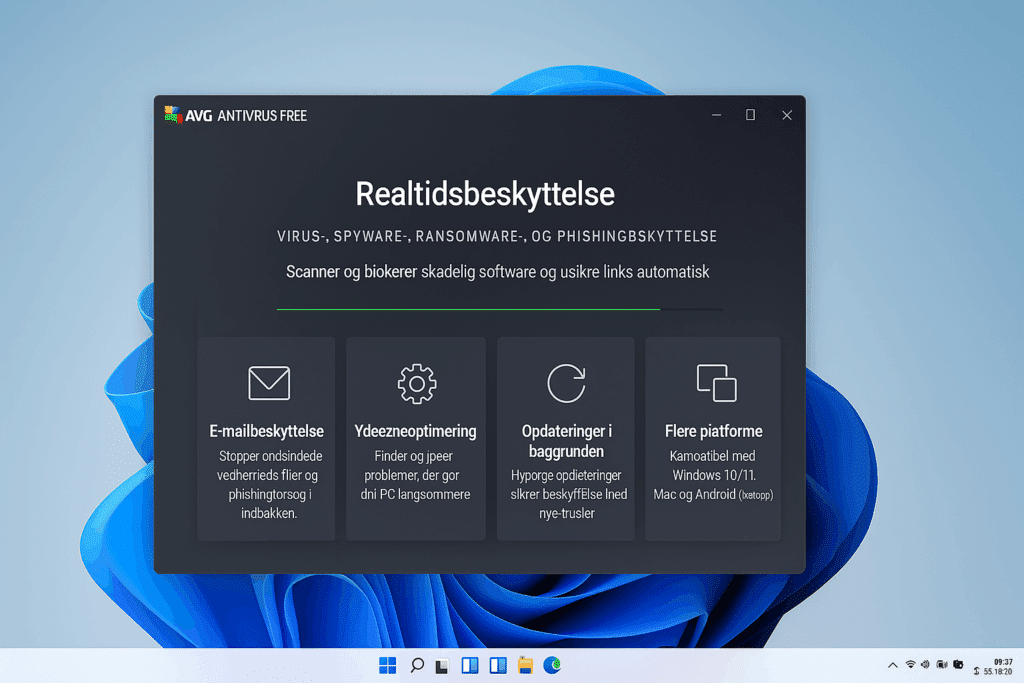
In our testing, AVG AntiVirus Free delivered surprisingly strong baseline protection against many types of threats—especially considering it’s completely free. It runs stably and requires minimal user input, making it suitable for beginners and anyone who wants peace of mind without paying for it.
Here’s what we experienced in practice:
🔒 Real-time protection: AVG reacted quickly when we attempted to open test files with malicious code and blocked harmful links in both Chrome and Edge. Background scanning ran smoothly without any noticeable slowdown.
📧 Email protection: In Outlook, AVG effectively caught phishing emails and infected attachments, inserting clear alerts right in the inbox so you could see at a glance that something was wrong.
⚙️ Performance optimization: AVG identified apps using excessive resources and suggested automatic optimizations, which helped our test PC start up faster and run more smoothly afterward.
🔄 Background updates: Throughout testing, AVG updated itself multiple times a day without interruptions, keeping protection current with no manual steps.
🧩 Multi‑platform support: We also tested on macOS and Android, where AVG delivered the same stable performance. On Android, the app warned about unsafe Wi‑Fi networks, while the macOS version kept the browser clear of unwanted extensions.
All in all, AVG AntiVirus Free provides comprehensive basic protection that works smoothly across platforms—perfect for users who want a reliable, lightweight antivirus without extra costs.
Premium features (optional upgrade)
If you want more “avanceret beskyttelse,” you can upgrade to AVG Internet Security with:
- Ransomware protection: Shields personal files from encryption and attacks.
- Webcam Shield: Prevents unauthorized access to your webcam.
- Enhanced firewall: Beskytter mod hackere and network attacks.
- Fake website detection: Stops fraudulent shops and banking phishing.
Ease of use and design
In our test, AVG AntiVirus Free offered a clean, intuitive interface that makes it easy to get started—even for first‑time users. Everything is available in English, and the menus are logically organized so you can quickly find the most important features without digging around.
Installation took just a few minutes on our Windows 11 test machine, and once set up, the program immediately began protecting the system without getting in the way. AVG ran silently in the background—even while gaming and working with large files—showing it’s a well‑optimized, lightweight antivirus solution.
Top 5 tips for AVG AntiVirus Free
Although AVG automatically performs a quick scan after installation, we recommend running a full system scan manually. It can uncover hidden threats that a quick scan might miss—especially if you suspect past malware or have installed apps from outside the Microsoft Store.
Open Settings and make sure both real-time protection and the web shield are enabled. These features automatically protect you against viruses, phishing, and dangerous downloads while you browse.
You can schedule regular scans in AVG so you don’t have to remember. We recommend at least once a week—ideally at night—so your PC stays clean without interrupting your work.
If you game, watch movies, or work in full screen, AVG’s Do Not Disturb mode can automatically pause pop‑ups and scans. You keep full protection without interruptions.
AVG AntiVirus Free can integrate with your email client (e.g., Outlook or Thunderbird) to automatically scan attachments. This helps protect you from malicious emails and phishing attempts.



