
 Martin Jørgensen
AVS Video Converter for Windows makes video conversion easier
AVS Video Converter is a classic Windows app for anyone who wants to convert video quickly without fussing with overly technical settings. The software is actively maintained, available directly from AVS4YOU, and combines video conversion with light editing plus the option to work with DVD and Blu-ray.
It’s especially for users who want to make a video file compatible with another device or platform without learning advanced video editing first. In our testing, it felt like a tool built to get the job done fast: choose a file, pick a format, adjust the key settings, and start the conversion.
Features and capabilities
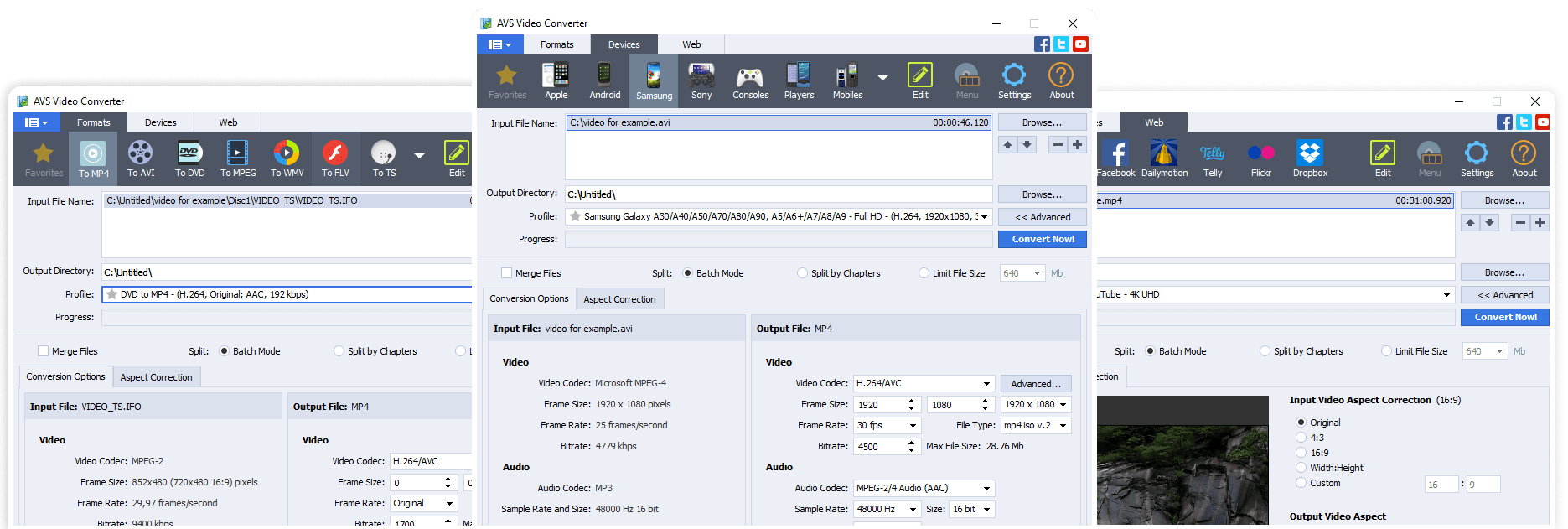
AVS Video Converter supports many of the formats most users encounter in everyday use, including MP4, AVI, MOV, WMV, MPEG, MKV, and several other popular video formats. The program also handles HD video, which is useful if you work with larger or newer video files.
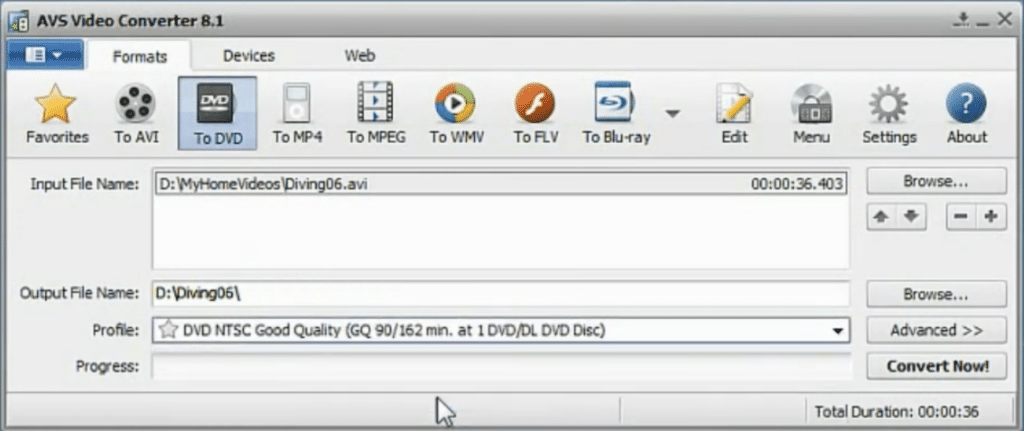
One of the things that makes it easy to use is the collection of ready-made presets for different devices and purposes. That means you can quickly pick settings for, for example, a smartphone, tablet, or online video without needing to know codec and bitrate details in advance.
AVS Video Converter also includes basic editing tools. You can trim clips, crop the frame, merge segments, add simple effects, and make small adjustments before exporting. That makes it more flexible than many bare-bones converters.
It’s also worth noting that the software still caters to users working with physical media. If you have older video projects or home videos you want to burn to DVD or Blu-ray, that capability can still be quite useful.
Performance and ease of use
One of the best things about AVS Video Converter is that it doesn’t try to be more complicated than it needs to be. The interface is straightforward, and the key features are easy to find. That makes it a great fit for beginners or anyone who just wants to convert a video without spending half an evening on setup.
We think the program strikes a good balance between control and simplicity. You can use quick presets, but you can also adjust parameters yourself if you want more control over the output. That makes it suitable for both very simple tasks and slightly more specific needs.
On newer PCs, the workflow typically feels smooth enough for standard home use. It’s not a benchmark-topping app you’d pick to squeeze maximum professional performance out of a workstation, but for classic Windows video conversion it makes solid sense.
Pricing and availability
AVS Video Converter is offered as a free download, but the free edition has limitations. Most importantly, exported videos are watermarked unless you purchase the full version or the AVS4YOU suite.
That means the free edition is great for testing the app and seeing if the workflow matches your needs. If you plan to use it regularly, expect to pay for it. Keep that in mind—especially if you’re looking for a completely free video converter with no restrictions.
Who AVS Video Converter is best for
AVS Video Converter is best for users who want an overskueligt program til videokonvertering on Windows. It’s a solid pick if you often work with video files in different formats but don’t necessarily need advanced editing features.
The program makes particular sense if you:
✅ want to convert video between many different formats
✅ want to use ready-made presets for mobile, tablet, or online video
✅ want let videoredigering i samme program
✅ still work with DVD or Blu-ray
✅ prefer classic desktop software over browser tools
It’s less ideal if you:
❌ need watermark-free exports in the free edition
❌ use Mac or Linux
❌ need professional video editing
❌ want the most modern interface on the market
A sensible choice for fast video conversion
AVS Video Converter remains relevant because it solves a concrete problem for many users: getting videos into the format or onto the device you actually need. It’s not a flashy hype app, but a practical tool that does what many everyday users need.
If you’re looking for a Windows video converter that also offers some light editing and lets you work with DVD and Blu-ray, AVS Video Converter is still worth a look.
Top 5 tips for AVS Video Converter
Choose MP4 by default if you’re unsure
If you just want a video to work on a phone, tablet, smart TV, or in the browser, MP4 is almost always the safest choice. It causes fewer compatibility issues than older formats like AVI or WMV.
Use presets before changing bitrate manually
AVS Video Converter includes built-in presets for many devices and purposes. Start with those first—especially if you don’t work with video every day. It saves time and reduces the risk of an unnecessarily large file or avoidable quality loss.
Trim the video before you convert
If you only need part of a clip, crop or trim it first. Exports will be faster, and you’ll avoid saving unnecessary seconds of black screen, intros, or bad takes.
Close heavy apps during conversion
Large video files use a lot of processing power. If you close other demanding programs during conversion, the process often runs more smoothly—especially on older Windows PCs or laptops with limited RAM.
Always keep the original file elsewhere
Even if the converted file works fine, it’s a good habit to store the original separately. That way you can export again later in higher quality, a different format, or for another device without starting from scratch.



