
 Martin Jørgensen
ChatGPT is a free AI assistant from OpenAI that helps with everything from quick questions and translations to image analysis, research, coding, and fully formatted documents.
We’ve used ChatGPT regularly on Windows 11, Mac, and iPhone, and the difference from the earliest versions is significant. It no longer feels like just a chatbot you ask random things. ChatGPT can now work with files, remember relevant details, search the web, analyze images, and in certain plans carry out longer tasks through ChatGPT Work.
Danish still works very well. However, don’t be fooled by its confident tone: ChatGPT can still be wrong, and important information should always be verified.
Last fact-checked: July 19, 2026.
What is ChatGPT?
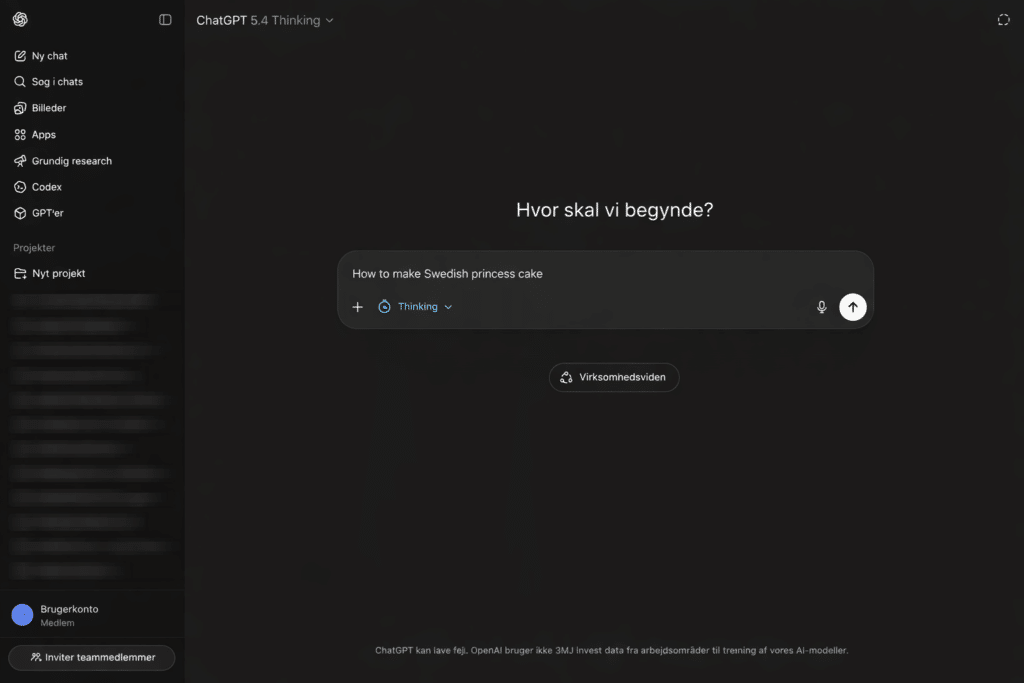
ChatGPT is a cloud-based AI service developed by OpenAI. You write or speak to it in natural language, and it tries to understand the task and deliver a relevant answer.
For example, you can ask ChatGPT to:
- explain a difficult topic in plain English
- write or improve an email
- summarize a document
- analyze a spreadsheet
- review an image or screenshot
- find up-to-date information on the web
- help with code and debugging
- create a travel plan or work schedule
- generate and edit images
- produce presentations, reports, and documents
ChatGPT’s biggest strength is its low barrier to entry. You don’t need to learn special commands. We do get clearly better results, though, when we explain the purpose, audience, and desired format instead of just typing a very short message.
ChatGPT in Danish feels surprisingly natural
ChatGPT understands Danish very well and can usually switch between formal, casual, and more technical language without major issues.
In daily use, Danish works especially well for emails, explanations, brainstorming, translations, text polishing, and summaries. It also understands Danish references and common idioms better than before.
However, the result can quickly become a bit too glossy if you just ask it to “write a good text.” That’s especially true for marketing and web copy, where wording can otherwise get filled with clichés like “effective,” “innovative,” and “user-friendly.”
A simple trick is to write:
Skriv naturligt dansk med varieret sætningslængde. Undgå salgsklichéer, gentagelser og overdrevent polerede formuleringer.
That typically produces a draft that needs less editing afterward.
The current version of ChatGPT
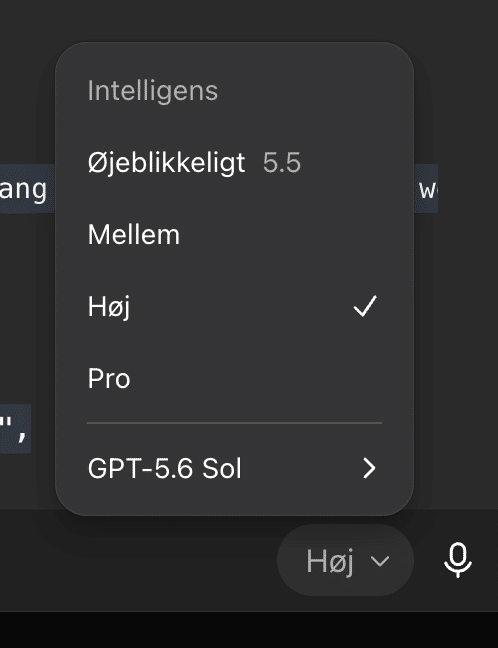
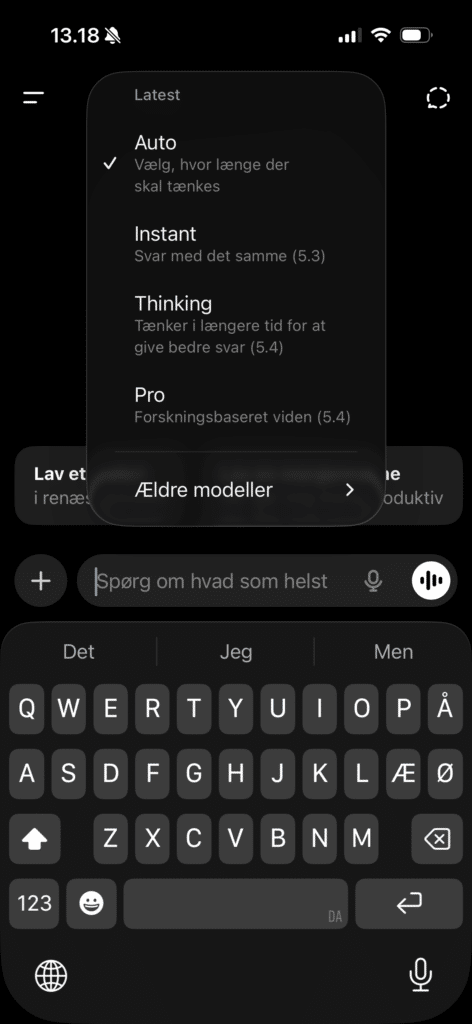
ChatGPT is updated so often that model names get outdated quickly. Instead of choosing among a long list of technical models, most users now see simpler choices between hurtige svar and different levels of deeper reasoning.
The free tier and ChatGPT Go primarily use GPT‑5.5 Instant with limited capacity. ChatGPT Plus unlocks more advanced reasoning models in the GPT‑5.6 generation, while Pro subscriptions raise usage limits and provide access to the most demanding Pro models. Use the fast setting for everyday questions, email, and brainstorming. For research, longer documents, calculations, and complex decisions, the more thorough reasoning is worth the wait.
OpenAI continuously changes both names and availability. Your account’s model picker shows exactly which models and settings you currently have access to.
ChatGPT for free – how much do you get without a subscription?
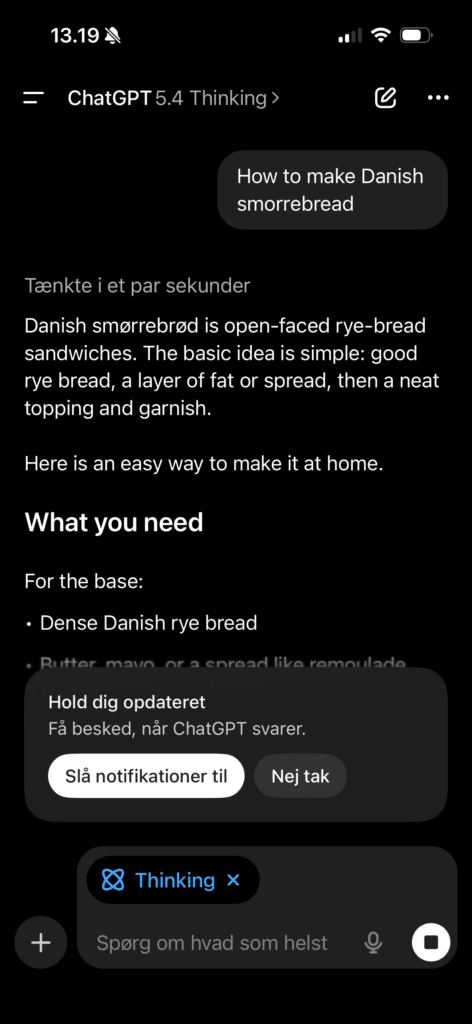
You can still use ChatGPT for free, and the free version is far more capable than before.
Among other things, you get limited access to:
- GPT‑5.5 Instant
- web search
- image and file uploads
- image generation
- data analysis
- Deep Research
- Codex for programming
- memory and longer conversations
- ChatGPT Work in the desktop app
You’ll mostly notice limits if you use ChatGPT many times a day, upload larger files, or generate lots of images. Some tools have their own quotas, so you might run out of image generation, for example, even if regular text chat still works. For everyday questions, schoolwork, writing help, and general curiosity, the free version is still a great place to start.
ChatGPT Go, Plus, and Pro – which plan should you choose?
ChatGPT now comes in four personal plans: Free, Go, Plus, and Pro. ChatGPT Go was introduced in 2025 as a lower-cost middle option between the free version and Plus. l | What it’s best for | What you mainly get |
|—|—|—|
| Free | Occasional use | Limited chat, files, images, research, and memory |
| Go | Regular everyday use | More messages, larger uploads, more images, and longer memory |
| Plus | Work, school, and productivity | GPT‑5.6 reasoning, Projects, tasks, Work, Deep Research, Codex, and higher limits |
| Pro | Heavy research, coding, and professional use | Pro models, maximum research, larger context windows, and much higher usage |
ChatGPT Go
Go is relevant if you often hit the free tier’s limits but don’t need the most advanced models and work features.
The plan raises message limits, file upload sizes, image generation, and memory length. It may include ads and doesn’t provide the same access to advanced reasoning, automatisering og ChatGPT Work as Plus. The exact price is shown in your account, as pricing can vary by country, currency, and payment platform.
ChatGPT Plus
ChatGPT Plus costs $20 per month before any local taxes or platform fees.
Plus raises usage limits, speeds up responses, adds advanced reasoning, larger file uploads, better image generation, Projects, scheduled tasks, custom GPTs, Deep Research, Codex, and broader access to ChatGPT Work. For most people who use ChatGPT professionally several times a week, Plus is still the best balance of price and features.
ChatGPT Pro
ChatGPT Pro is aimed at users who work heavily with AI and often hit the limits in Plus.
OpenAI currently offers Pro subscriptions at $100 and $200 per month. They include the same overall Pro features but provide roughly five or twenty times more usage than Plus. For typical personal use, the price can be hard to justify. For developers, researchers, agencies, and companies that rely on ChatGPT every day, Pro can make sense.
ChatGPT Work can handle longer tasks
The biggest change in the new version is ChatGPT Work.
Regular Chat is best for questions and conversation. Work is designed for longer tasks where ChatGPT needs to research information, work with files, and deliver a finished result.
ChatGPT Work can:
- perform research and gather sources
- analyze information from connected apps
- work with local files with your permission
- create documents and reports
- produce spreadsheets and presentations
- build simple websites and tools
- continue tasks through scheduled runs
You can follow the process, add information along the way, and approve important actions before they happen. That makes Work more controllable than a fully autonomous agent.
On web and mobile, Work is primarily available on paid plans from Plus and up. Free and Go users have limited access through the desktop app. The difference is noticeable. ChatGPT is no longer just a place to get an answer—it can increasingly take over parts of the actual workflow.
The new ChatGPT app brings Chat, Work, and Codex together
OpenAI launched a new desktop app for Windows and macOS in July 2026. It combines three distinct workspaces:
- Chat for everyday questions and conversations
- Work for longer tasks and finished deliverables
- Codex for development and programming
Chats, Projects, and cloud-based Work tasks can sync across desktop, web, and mobile. On your computer, Work can also interact with local files, apps, and on‑screen content when you grant permission. The previous desktop app may still be installed as ChatGPT Classic, but new agent features like Work and Codex are only in the new app.
On Mac, the current app requires macOS 14. It now supports both Apple Silicon and Intel processors—an improvement over the earlier version that was limited to newer Apple computers.
ChatGPT works directly in your browser, but the official apps are convenient if you use the service regularly on Windows, Mac, iPhone, and Android.
ChatGPT for Windows
Download the Windows app from OpenAI or Microsoft Store. The new app includes Chat, Work, and Codex and can work more directly with files and apps on your PC.
Only download the app from OpenAI or Microsoft Store. There are many unofficial apps and browser extensions using the ChatGPT name without being developed by OpenAI.
ChatGPT for Mac
The Mac app requires macOS 14 and now supports both Apple Silicon and Intel. The Option + Space shortcut gives quick access to ChatGPT without opening your browser first.
ChatGPT for iPhone and iPad
The official iOS app supports regular chat, image generation, camera, files, voice conversations, and account sync. The app is free to download; subscriptions are purchased separately.
ChatGPT for Android
The Android app is available in Google Play. Always check that the developer is listed as OpenAI before installing.
Projects keeps large work areas organized
Projects is easy to overlook but makes a big difference for longer workflows.
In a Project, you can collect related chats, documents, and instructions. Examples include course materials, a company report, a trip, or a website.
We use Projects for tasks where ChatGPT needs to understand the same background over time. It saves a lot of repetition because files and special instructions live inside the project.
The new desktop app also shows existing Projects, so you can start a regular chat or kick off a Work task with the project’s material as context, making answers more personalized.
ChatGPT can save relevant details about your preferences and use prior chats to tailor answers more closely.
That’s helpful if you often work with the same company, training plan, or writing style. On the other hand, you should periodically review what’s saved. Old details can otherwise influence new answers in unhelpful ways.
Memory can be edited or turned off in Settings. You can also use Temporary Chat when a conversation shouldn’t be saved to history or create new memories.
Scheduled tasks and automatic reminders
On supported plans, ChatGPT can create one‑off tasks, recurring jobs, and monitors.
For example, you can ask it to:
- remind you of an appointment
- send a daily news digest
- track a price or other change
- generate a recurring report
- check connected services for relevant updates
Scheduled tasks live in a dedicated area where you can edit, pause, or delete them. Monitors can search the web and check for changes, but they run at most once per hour. The feature is rolling out to Plus, Pro, Business, and Enterprise. Across chats, images, and documents.
You can now store a lot of material in ChatGPT, so the improved search is a welcome update.
From the sidebar, you can search across previous conversations, Projects, images, and documents. Results can be filtered by content type, and the feature is available on all plans on web, iPhone, and Android.
It’s a much better way to find a specific file or conversation—ChatGPT feels more like a real working archive than an endless list of old chats.
How we use ChatGPT in practice
ChatGPT is most valuable when you use it as a tool in a process rather than a source of absolute answers.
We especially find that it saves time on:
- first drafts for emails and copy
- rewriting clumsy wording
- structuring notes and ideas
- comparing different options
- explaining complex topics
- analyzing screenshots and documents
- research with clear sources
- debugging code and spreadsheets
A very short prompt often produces a middling answer. Results improve when you include context and a clear goal.
Instead of:
Write about heat pumps.
you could write:
Explain the difference between an air‑to‑air and an air‑to‑water heat pump to a US homeowner. Use plain language, mention noise and energy use, and end with three questions to ask the installer.
That extra information takes seconds to type but makes a big difference.
Can you trust ChatGPT?
ChatGPT has improved on factual questions, but it can still invent details, mix up information, or build a convincing explanation on a wrong assumption.
We follow a simple rule of thumb:
It’s fine for ChatGPT to help find and structure information. Important facts must still trace back to a trustworthy source.
This is especially important for:
- law and government rules
- medicine and health
- investing and finance
- school assignments with source requirements
- current news
- technical changes and pricing
Ask ChatGPT to search the web and cite sources. Then open the key sources and confirm that they actually support the answer.
Privacy and security in ChatGPT
Avoid uploading passwords, Social Security numbers (SSNs), confidential customer data, and other information that isn’t necessary for the task.
On personal accounts, conversations can be used to improve OpenAI’s models depending on your settings. You can turn this off under Settings → Data Controls → Improve the model for everyone. When disabled, your conversations still appear in history but aren’t used for model training. Temporary Chat is useful when a conversation shouldn’t be saved to history or influence memory. OpenAI states that temporary chats are deleted from systems after 30 days and aren’t used for training, although they may be reviewed in limited ways to prevent abuse. For everyday questions and non‑sensitive documents, the security level is reasonable. For a company’s confidential material, consider the extra controls in the Business or Enterprise plans.
ChatGPT or an alternative?
Google Gemini, Microsoft Copilot and Claude are all strong alternatives. The best tool depends on the task.
Gemini is a natural fit if you work closely with Google services. Copilot integrates well in Microsoft’s ecosystem, while Claude is often strong for long‑form writing and document work.
In our view, ChatGPT is still the most complete default choice. The combination of strong Danish, mobile and desktop apps, image features, voice, files, web research, Projects, Work, and Codex lets you handle very different tasks without switching services.
ChatGPT is still the safest first choice for most people
ChatGPT isn’t flawless, and it won’t become an oracle just because the model name changes. It can phrase a wrong answer so convincingly that you might want to believe it.
Even so, it has become a much stronger work tool overall. The free version is enough to get to know the service, Go gives you more room for everyday use, and Plus is the plan we recommend for most professional users.
ChatGPT Work and the new desktop app also point to the biggest shift: the AI assistant no longer just suggests what to do—it increasingly helps carry out the task itself.
Top 5 tips and FAQ for ChatGPT
1Create a Project for larger work
Group chats, documents, and standing instructions in a Project. It’s far easier than re‑explaining the same background in new conversations.
2Use Work for finished deliverables
Regular chat is best for questions. Choose Work when ChatGPT should review material and produce a document, spreadsheet, report, or presentation.
3Match reasoning depth to the task
Use the fast model for email and small questions. Pick deeper reasoning for analysis, research, coding, and multi‑factor decisions.
4Say how the answer will be used
State audience, purpose, length, and tone right in your prompt. It almost always beats asking for a “good text.”
5Review memory and data sharing
Regularly check saved memories, and turn off model training under Data Controls if your everyday chats shouldn’t be used to improve the models.
Is ChatGPT free?
Yes. The free version includes regular chat, web search, files, images, and several other tools, but with lower usage limits than paid plans.
Can I use ChatGPT in Danish?
Yes. ChatGPT generally understands and writes fluent Danish. Results are best when you clearly specify tone, audience, and purpose.
How much is ChatGPT Plus?
ChatGPT Plus costs $20 per month. The final charge may vary due to taxes, currency, and payment platform.
What’s the difference between ChatGPT Go and Plus?
Go increases messages, uploads, and images over the free tier. Plus adds advanced reasoning, Projects, scheduled tasks, Deep Research, Codex, and more access to ChatGPT Work.
What is ChatGPT Work?
Work is built for longer tasks. It can research information, work with files, and create finished documents, spreadsheets, reports, and presentations.
Can ChatGPT remember previous chats?
Yes, if memory and references to chat history are enabled. You can view, edit, or delete saved details in settings.
Can I download ChatGPT for Windows and Mac?
Yes. The official desktop app is available for both Windows and macOS and combines Chat, Work, and Codex in one program.
Is ChatGPT always correct?
No. ChatGPT can still be wrong or invent information. Verify important facts in trustworthy sources—especially for health, law, and finance.



