
 Martin Jørgensen
Private Internet Access is a powerful VPN for privacy, streaming, and secure browsing
Private Internet Access is a VPN service for Windows, Mac, Linux, Android, iPhone, browsers, and routers that hides your IP address, encrypts your connection, and gives you more control over your privacy online.
We tested Private Internet Access on a Windows 11 PC with a high-speed fiber connection in the U.S., and our first impression was that PIA feels more like a real tool than a polished “one-click” VPN. That’s a plus if you want to control protocol, kill switch, split tunneling, and server selection. The tradeoff is that the app invites a bit more curiosity than the simplest VPNs on the market.
Private Internet Access, often shortened to PIA, has been around for many years and emphasizes a strict no-logs policy, open-source apps, WireGuard support, a kill switch, and the ability to use the VPN on many devices without bandwidth limits. PIA also states it offers a strict no-logs policy, open-source software, and a 30-day money-back guarantee.
What is Private Internet Access?
Private Internet Access creates an encrypted tunnel between your device and the internet. When the VPN is active, websites and online services typically see the VPN server’s IP address instead of your own. You can use it to stay safer on public Wi‑Fi, reduce tracking, mask your IP address, and get a more private connection day to day.
In practice, you install the app, sign in, pick a server location, and hit Connect. In our tests, getting started was fast, and the connection stayed stable for everyday browsing, streaming, and downloading. It took a bit longer to explore all settings, because PIA gives you more options than many competing VPN apps.
Fast VPN with WireGuard and OpenVPN
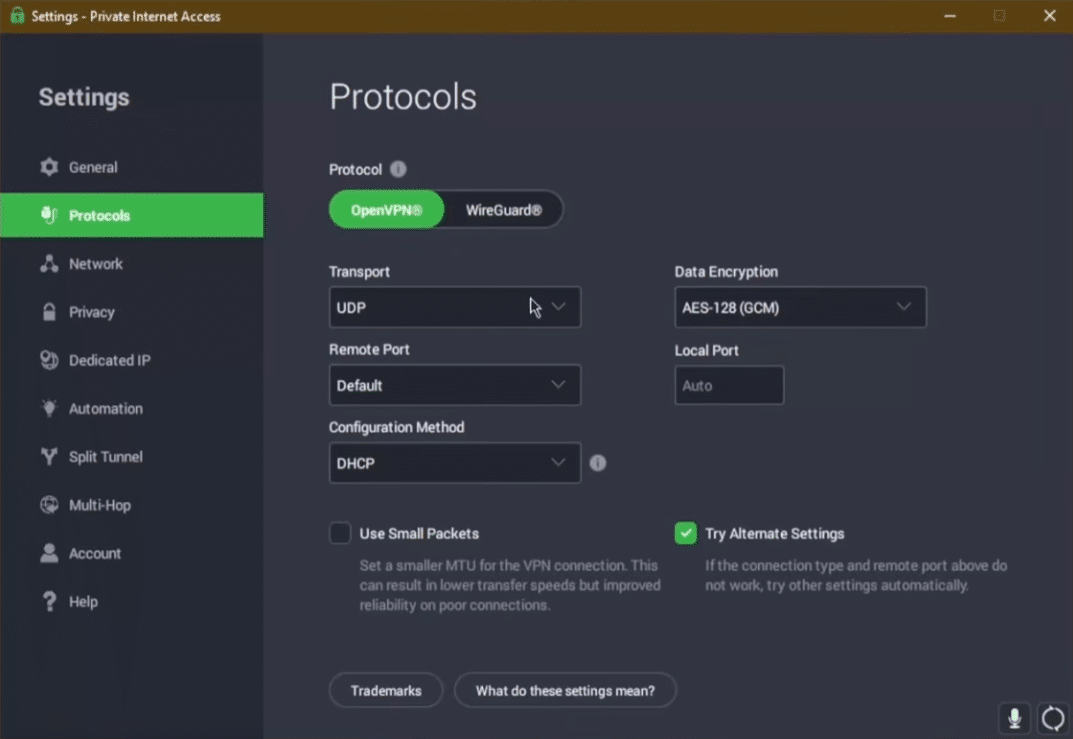
One of Private Internet Access’s key strengths is support for WireGuard, a modern VPN protocol that often delivers an excellent balance of speed and security. PIA says all of its apps support WireGuard, and you can use it on Windows, macOS, Linux, Android, iOS, plus browser extensions for Chrome, Firefox, and Opera.
In our tests, WireGuard felt like the best choice for everyday use. Pages loaded quickly, the connection didn’t drop, and we didn’t experience the sluggishness you sometimes get with slower VPN configurations. OpenVPN is still available—and that’s great if you want extra control—but for most users WireGuard will be the obvious pick.
Split tunneling makes PIA more practical day to day
Split tunneling is one of the features that makes Private Internet Access more flexible than a basic VPN. It lets you decide which apps or websites should use the VPN connection and which should use your regular internet connection.
That’s especially useful in the U.S., where some services can be sensitive to VPNs. Online banking, government ID/verification portals, local streaming services, and certain game launchers can work better without a VPN. With split tunneling, you can route your browser through PIA while letting selected apps bypass it. PIA highlights split tunneling as part of its advanced privacy features.
Kill switch protects if the connection drops
Kill switch is an essential security feature you should enable right away. If the VPN connection fails, the kill switch can block internet traffic so your real IP address doesn’t suddenly become visible.
It’s especially relevant on public Wi‑Fi, for example at hotels, cafes, airports, or open networks on campus and at work. In our test, the setting was easy to find and adds extra peace of mind if you rely on the VPN for more than just watching content abroad.
No-logs policy, RAM-only servers, and open-source apps
PIA puts strong emphasis on privacy. The company says it doesn’t collect browsing data, that its no-logs policy has been audited by Deloitte and upheld in court, and that its server infrastructure is RAM-only so data is wiped on reboot. PIA also notes that its apps are open source, allowing the code to be inspected.
Not every user will directly benefit from open-source code, but it’s still a plus. It’s more transparent than VPNs where everything happens behind closed doors. For privacy-conscious users, PIA remains one of the more compelling options.
Streaming with Private Internet Access
Private Internet Access lets you connect through servers in other countries, which can help if you need access to services or content that vary by location. That said, streaming platforms frequently update their VPN blocks, so no VPN can guarantee permanent access to all content.
In our experience, PIA works best if you manually try a few different servers in your target country. Sometimes the first server works; other times you’ll need to switch. It only takes a few seconds, but it makes PIA a little less plug-and-play than the most streaming-focused competitors.
On the other hand, PIA shines if you want a VPN that’s not just about streaming, but also about privacy, flexibility, and technical controls.
Interface and test impressions on Windows 11
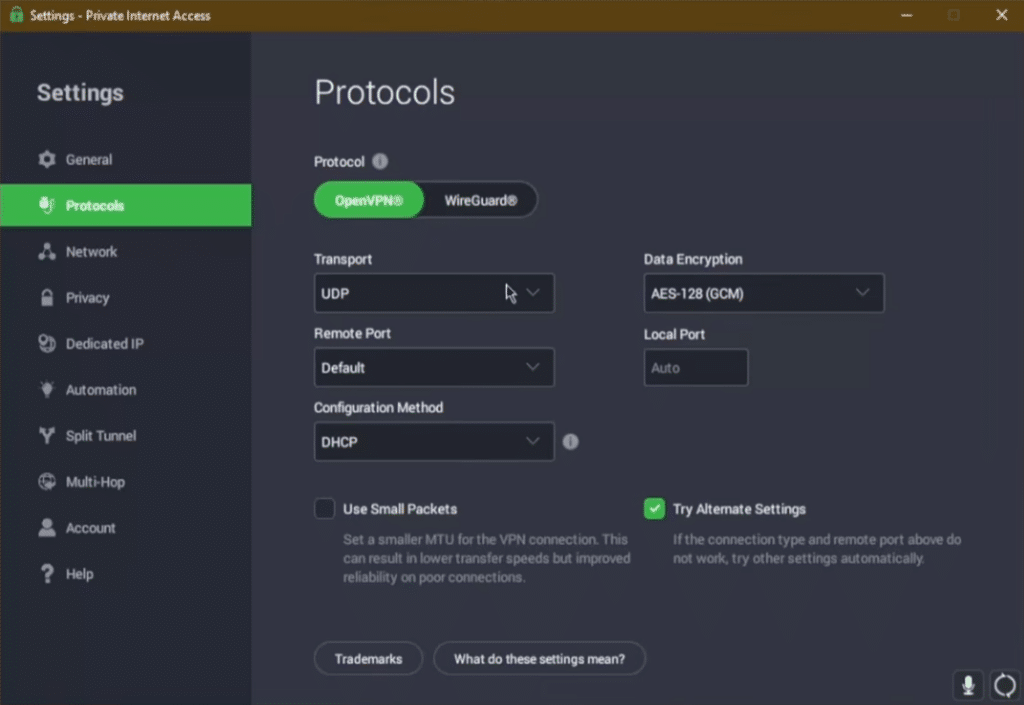
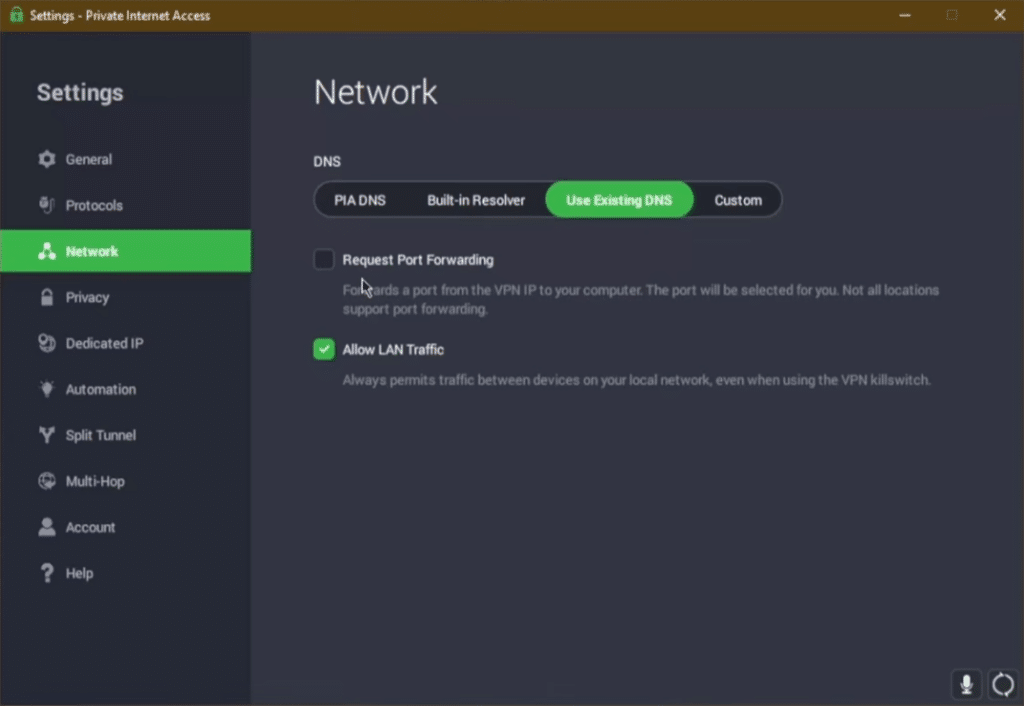
Private Internet Access has a user interface that’s functional rather than luxurious. The app isn’t unattractive, but it feels more practical than elegant—and that suits the product. PIA doesn’t try to hide every setting; instead, it gives you access to most of them if you want to tweak.
On Windows 11, we could quickly change servers, enable the kill switch, switch protocols, and find split tunneling. The server list was easy to navigate, and connections established quickly. We did wish for a bit more in‑app guidance for the more technical features. If you’re brand-new to VPNs, expect to spend a couple of minutes learning the menus.
PIA MACE blocks ads and trackers
Private Internet Access also includes MACE, which can block selected ads, trackers, and suspicious domains. It’s not a full replacement for antivirus, good judgment, or a robust browser-based ad blocker, but it’s a useful extra layer.
During everyday browsing, it was nice to have MACE on—especially on pages loaded with ad networks and tracking scripts. Not every ad disappears, so don’t expect a perfectly ad-free experience.
Who should choose Private Internet Access?
Private Internet Access is best for anyone who wants a VPN with lots of settings, a strong privacy stance, and solid flexibility for the price. It’s especially compelling if you use Windows, Linux, or Android and want finer control than a super-simple app typically allows.
PIA is also a good pick if you want split tunneling, a kill switch, WireGuard, open-source apps, and the ability to use your VPN across many devices. It’s less ideal if all you want is the most polished, minimal-button VPN experience.
Alternatives to Private Internet Access
Private Internet Access excels on privacy, price, and technical features, but there are strong alternatives depending on your needs.
✅ NordVPN is a great choice if you want a very polished VPN with high speeds, strong streaming performance, and plenty of extra security features.
✅ ExpressVPN fits if you prefer a simple, beginner-friendly VPN with a streamlined app experience across devices.
✅ Surfshark is appealing if price matters and you want to protect many devices with a modern VPN app.
✅ Mullvad is worth a look if privacy matters more to you than streaming, promotional deals, and extra marketing features.
PIA hits a nice balance between a power‑user VPN toolkit and an affordable everyday VPN. It’s not necessarily the most elegant option, but it’s flexible, battle‑tested, and great value for the money.
Top 5 tips for Private Internet Access
Use WireGuard for everyday browsing
WireGuard is often the best choice in Private Internet Access if you want a fast, stable VPN connection for streaming, downloading, and general browsing. In our tests, the connection felt most responsive with WireGuard enabled.
Enable the kill switch immediately
The kill switch protects you if the VPN connection drops. It’s especially important on public Wi‑Fi, where you don’t want your real IP or unencrypted traffic suddenly exposed.
Use split tunneling for apps that misbehave
If online banking, government ID/verification sites, game launchers, or local streaming services don’t work smoothly over a VPN, let them bypass PIA while keeping the rest of your traffic protected.
Try multiple servers within the same country
If a streaming service doesn’t work with your first server, switch to another location in the same country. It only takes a few seconds and often fixes the issue with no extra setup.
Turn on MACE to cut ads and trackers
PIA MACE can block many ads, trackers, and suspicious domains. It doesn’t replace common sense or antivirus, but it’s a helpful extra layer for daily use.
Is Private Internet Access worth it?
Private Internet Access is a strong VPN for users who want more control than average. It’s fast enough for daily use, includes solid security features, and gives you access to the key VPN tools without feeling heavy or dated.
It’s not quite as beginner-friendly as the most streamlined VPN apps, and streaming can sometimes require a bit of manual server switching. In return, you get a flexible VPN with a strong privacy profile, open-source apps, and plenty of configuration options. For many users in the U.S., that’s a very sensible combination.



