
 Martin Jørgensen
CPU-Z download – the little tool every hardware enthusiast ends up using
CPU-Z is a compact Windows utility that gives you a quick overview of your processor, motherboard, RAM, and other key hardware details without putting unnecessary load on your system. It’s exactly the kind of program many people install when checking a new PC, double-checking specs, or confirming that an upgrade is actually running as expected.
What CPU-Z is great for in practice
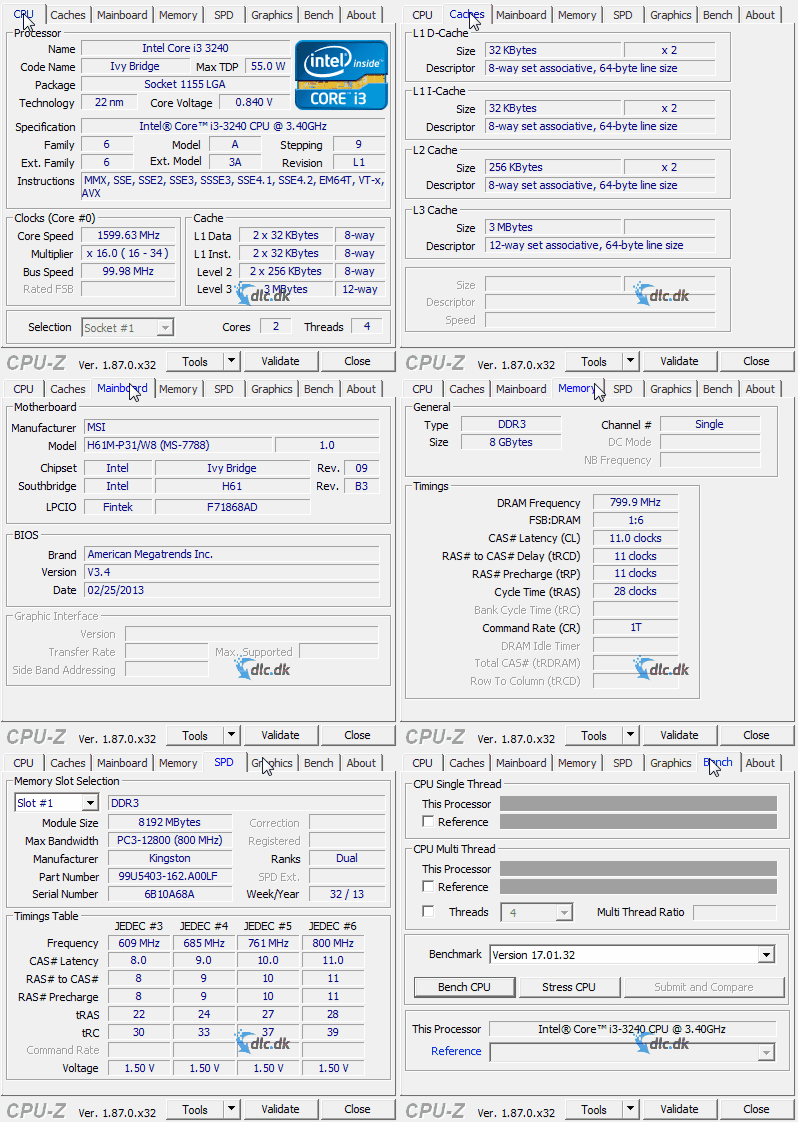
The smart thing about CPU-Z is that it doesn’t try to be everything at once. It’s not a heavy diagnostic suite with 40 menus and complex graphs everywhere. Instead, it’s a fast reference guide to your own hardware.
In our test on a standard Windows 11-PC, the program’s speed stood out. Installation was quick, it launched instantly, and the most important details were right in front of us—no account, no login, no confusing setup. That’s a big part of why CPU-Z remains popular with both enthusiasts and everyday users who just want to know what’s actually inside their machine.
You can typically use CPU-Z to:
✅ see exactly which CPU you have
✅ check clock speeds and cache
✅ get an overview of your motherboard, BIOS, and chipset
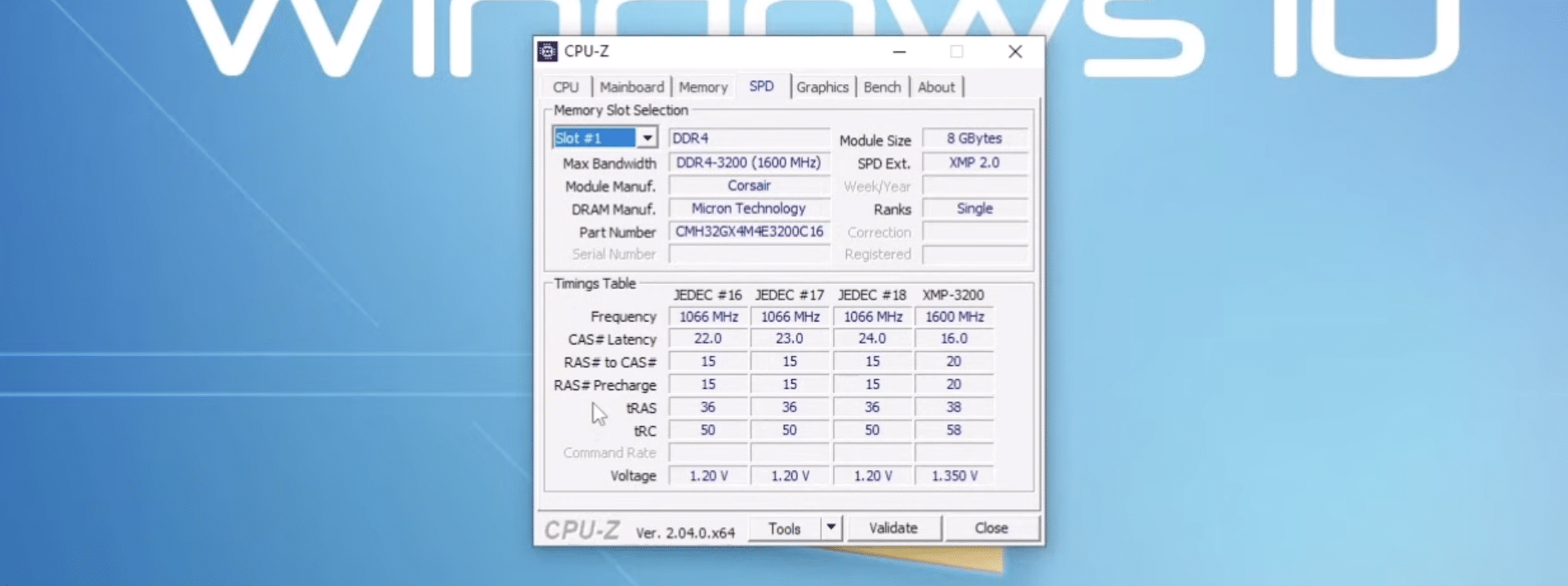
✅ verify RAM type, frequency, and timings
✅ compare hardware details against what the manufacturer claims
It’s especially useful if you bought a used PC, built your own system, or want to confirm that your RAM is actually running at the speed you expect.
Hardware info without noise or bloat
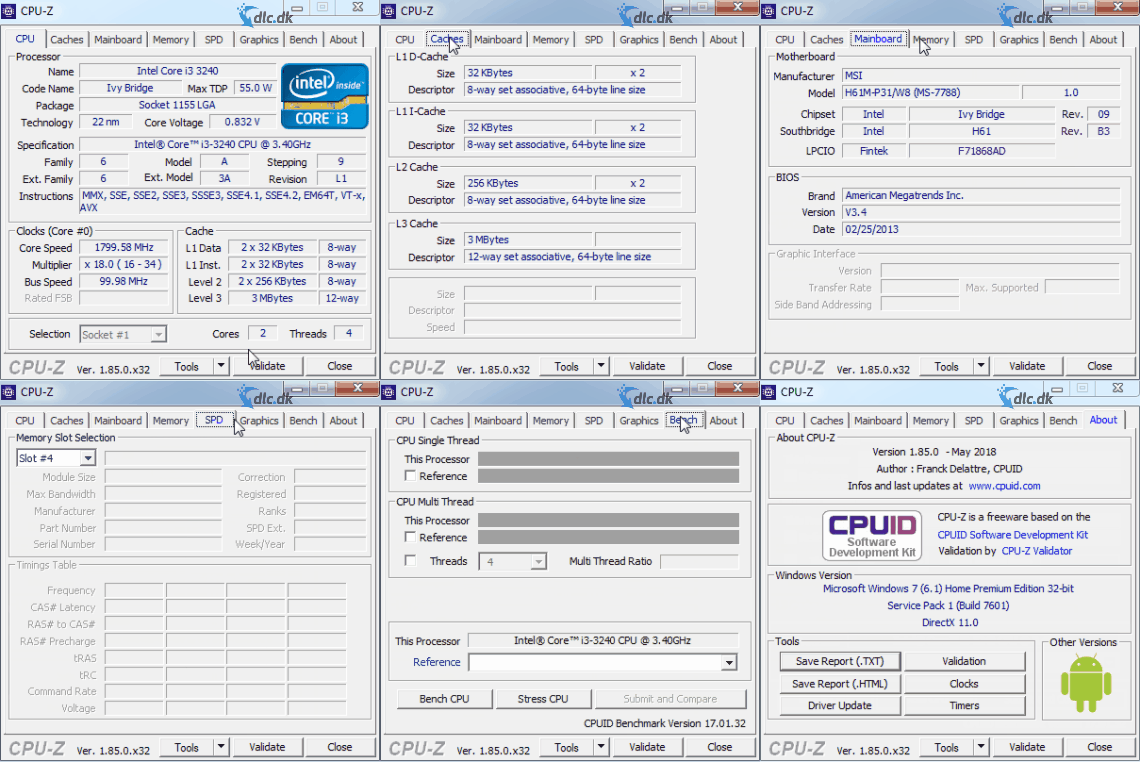
There are many system tools out there, but CPU-Z hits something rare: it shows a lot of information without making the experience heavy. The interface looks dated, sure—but it’s also direct and efficient.
You don’t install this for the visuals. You install it because you want answers fast.
We also found that CPU-Z is especially handy for the quick “checkup” you often do after a hardware change. Installed new RAM sticks? Swapped the CPU? Want to see if the motherboard is detecting things correctly? CPU-Z is still one of the fastest places to start.
CPU-Z for overclocking and troubleshooting
CPU-Z isn’t a complete overclocking suite, but it’s a really good companion tool if you’re already tuning for performance.
When you change voltage, multipliers, or memory settings in the BIOS, CPU-Z is perfect for verifying that those changes actually apply in Windows. Real-time readouts make it easy to follow frequencies and essential hardware data while the system is in use. CPU-Z also includes benchmark and validation features, and CPUID still runs an official validator for sharing and verifying system data.
It’s important to note that CPU-Z isn’t the whole package. If you want to track temperatures, fan speeds, and voltages in more detail, it’s best to pair it with HWMonitor from the same developer.
That actually makes CPU-Z more trustworthy as a tool. It doesn’t try to be everything. It focuses on showing accurate hardware info quickly and clearly.
Benchmarking and quick comparisons
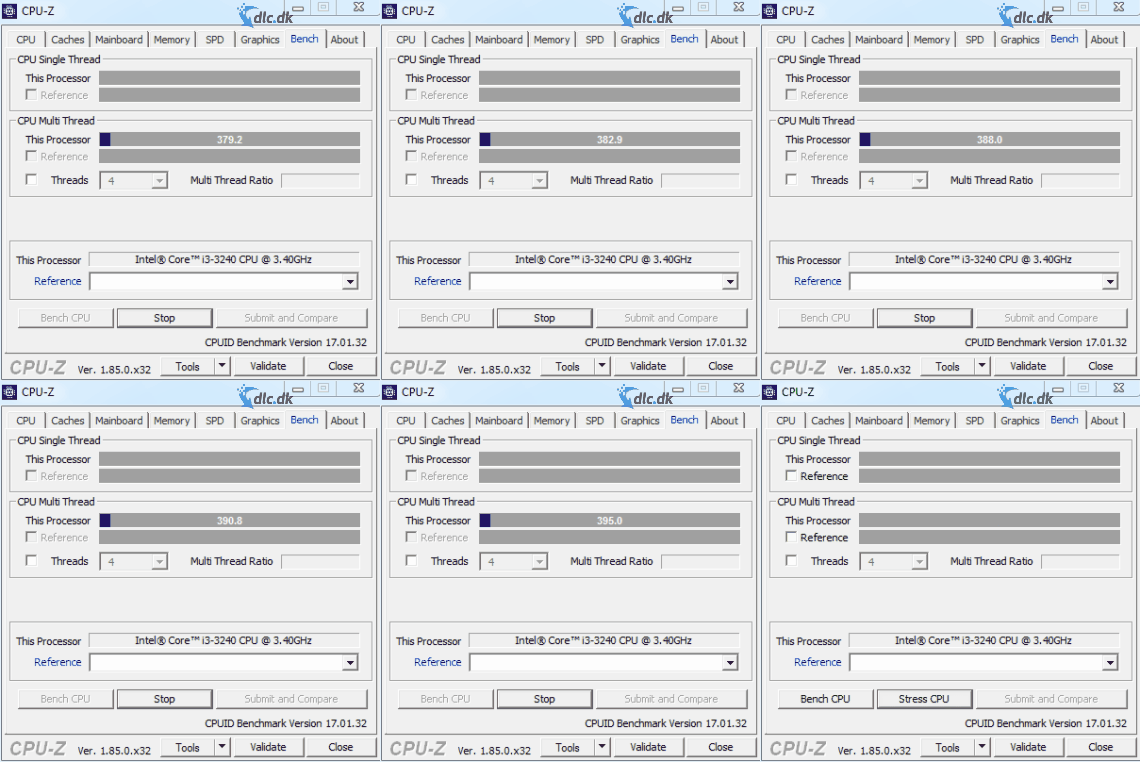
CPU-Z isn’t just an information viewer. It also includes benchmark features for quick comparisons of CPU performance, and CPUID continues to highlight benchmarking as part of the CPU-Z ecosystem.
In practice, that means you can get a quick sense of where your CPU stands without installing a heavyweight test suite. It doesn’t replace the biggest benchmark packages, but for everyday checks and enthusiast comparisons, it’s more than good enough.
For many U.S. PC users, that’s enough. They don’t necessarily want to run hours of stress tests—they just want to see whether that “new” processor or RAM upgrade is performing roughly as expected.
Old-school design – and that’s okay
CPU-Z isn’t winning design awards. It still looks like a classic Windows utility from another era—and that’s almost part of the charm.
The upside is that the program feels focused. No ad clutter. No overdesigned dashboards. No heavy onboarding. Just tabs, data, and quick access to what you came for.
If you’re used to modern apps with slick animations and big icons, CPU-Z might feel a bit dry. But it’s the kind of tool you end up keeping installed for years because it’s so easy to use when you need it.
Why CPU-Z is still worth downloading
CPU-Z doesn’t need to shout to be useful. It’s tiny, starts fast, and gives you exactly the kind of hardware information that many other tools hide or bury under extras.
For everyday users, it’s a great way to identify hardware and verify specs. For enthusiasts, it remains a staple in the toolkit—especially for troubleshooting, upgrades, and overclocking.
It’s not pretty. It’s not modern on the surface. But it’s efficient, reliable, and still relevant.
Top 5 CPU-Z tips
Check whether your RAM is actually running at the right speed
Many people only discover in CPU-Z that their RAM isn’t running at the speed they expected. Look under the Memory tab and compare it to what you set in the BIOS or what the manufacturer advertises.
Use CPU-Z after hardware upgrades
If you installed a new CPU or RAM modules, CPU-Z is one of the hurtigste værktøjer (fastest tools) to verify that parts are detected correctly in Windows.
Compare your CPU with other systems
Use the benchmark feature as a quick temperature check on whether your processor is performing roughly as expected. It’s not the whole story, but it’s a great first check.
Pair CPU-Z with HWMonitor
CPU-Z excels at specs and frequencies, but if you want to track temperatures and fan speeds, it makes the most sense to use CPU-Z alongside a temperature monitoring tool.
Save a screenshot before you troubleshoot
Before changing BIOS settings or starting any troubleshooting, take screenshots of the CPU-Z tabs. It makes it much easier to compare before and after.



