
 Martin Jørgensen
ElevenMusic makes AI-generated music far more practical
ElevenMusic is ElevenLabs’ take on a modern AI music generator that lets you create music from a text prompt instead of spending hours in a traditional music program. It might sound almost too easy, but after testing the tool, it’s clear it’s more than a gimmick. It’s especially useful for content creators, marketers, small businesses, and creative users who want to quickly make background music, intros, or mood tracks.
We tested ElevenMusic right in the browser on a standard Windows 11 PC, and our first impression was how approachable the platform is. There’s no heavy workflow getting in the way. You get started fast, and it’s obvious the tool is built for people who want to go from idea to audio file with minimal steps.
AI music generator for content, videos, and creative ideas
The most compelling thing about ElevenMusic is that it doesn’t just feel like a “fun AI experiment.” In our tests, it behaved like a tool you can actually use in real work. If you make YouTube videos, social media content, podcasts, or presentations, it makes sense to write a prompt and get a usable music track moments later.
We also quickly noticed that quality depends heavily on how you write your prompts. When we typed something broad like “upbeat electronic music,” the result often felt a bit generic. But when we described mood, tempo, and use case more precisely, the output was clearly more interesting. For example: “calm, modern background music for a tech video with light piano and a subtle electronic beat.” That’s where ElevenMusic really started to show its potential.
How ElevenMusic performed in our testing
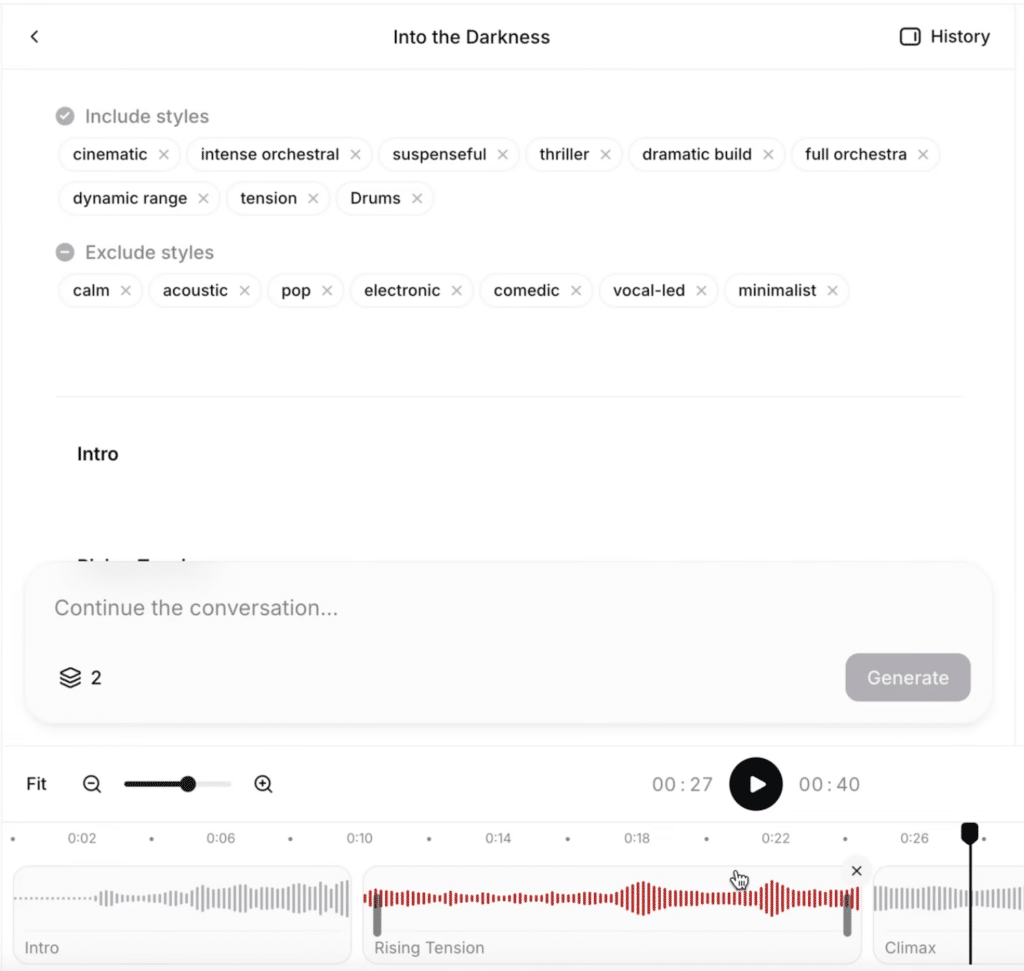
In practice, ElevenMusic worked best as a creative shortcut. For short musical ideas, soundbeds, intros, and background music, it was far more convincing than we expected. It felt especially useful when we had a fairly clear idea but didn’t have the time or skills to build the track from scratch in a classic DAW.
We also noticed the whole experience feels more polished than many smaller AI music sites that pop up and disappear. That likely ties back to ElevenLabs already being a strong name in AI audio. That credibility matters. It feels more like a real platform than a half-baked demo.
That said, ElevenMusic doesn’t replace traditional music production software if you want very detailed control. During our test we sometimes missed the precision professionals expect when they work on arrangement, mixing, and fine-tuning down to small details. ElevenMusic is more about speed, inspiration, and output than total control.
Is ElevenMusic good enough for commercial use?
For many, that’s the key question—and this is where ElevenMusic gets especially interesting. The whole idea behind the tool suggests the music should be usable in real projects, not just for personal play. That makes the platform relevant for everything from small online stores and promo videos to podcasts and freelance work.
Still, we’d be careful about exporting and publishing without double-checking the terms on your chosen plan—especially if the music will be used in ads, client work, or larger commercial productions. That’s not unique to ElevenMusic, but it’s worth calling out because many users overlook it when they get excited about how quickly AI can generate something useful.
Who benefits most from ElevenMusic?
Based on our test, ElevenMusic is most obvious for users who want to save time. If you need music for videos, short branded clips, PowerPoint presentations, or social media, the tool makes a lot of sense. The same goes if you often have ideas for sounds or songs but don’t produce music the traditional way.
It’s less ideal for people who want to spend hours polishing and working deeply on every single detail of a track. Classic music programs are still stronger there. ElevenMusic is best when the goal is speed, ideation, and quick production.
Where ElevenMusic really hits the mark
What we liked most about ElevenMusic wasn’t just the AI itself—it was how usable the tool felt. There are plenty of AI products right now that impress for five minutes but are hard to use in practice. ElevenMusic is more interesting because it solves a concrete problem: you can quickly get original music for your content without starting from a blank project in an advanced music app.
In the United States, it’s a name worth watching, especially if interest in AI tools for video, audio, and content keeps growing. It might not become a mass-market product overnight, but search interest around AI music is strong, which also makes it relevant for Holyfile.com.
When you want to make music faster than before
ElevenMusic is one of the more interesting AI tools in audio right now because it makes music generation concrete and truly useful. In our testing, it especially shined for quick ideas, background music, and short productions where time matters more than total micro-control. It’s not a full alternative to classic music production—and it doesn’t really try to be. Instead, it’s a tool that can save time, spark creativity, and make it easier to turn a loose idea into a finished track.
Top 5 tips for ElevenMusic
Get better results with ElevenMusic by writing sharper prompts, testing variations, and using AI music more strategically.



