
 Martin Jørgensen
Hugo 2 – Whodunit? review
Hugo 2 – Whodunit? is a classic adventure game where you, together with Hugo and his wife Penelope, must solve a murder mystery in their uncle’s old manor. It’s the second entry in the iconic Hugo series many remember from the ’90s—bringing a charming reunion with the little troll in a more puzzling, thoughtful setting.
Gameplay and story
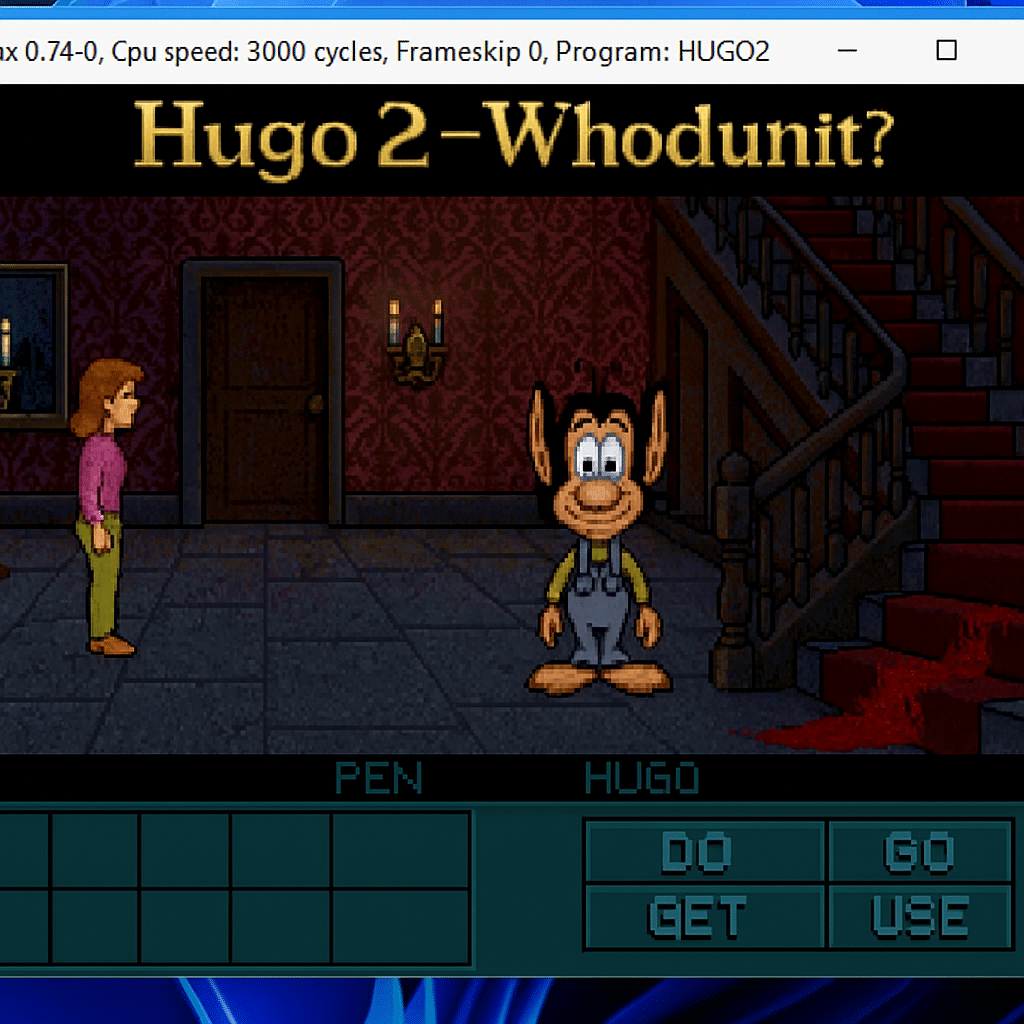
The story begins as Hugo and Penelope arrive at a large Gothic mansion where a murder has just been committed. You’ll search for clues, question suspects, and solve logic puzzles to unmask the murderer. It all plays out through classic point-and-click gameplay—navigate rooms, pick up items, and combine them to progress.
We tested the game on a Windows 11 PC, and it ran flawlessly via DOSBox emulation. It does take a bit of patience to get used to the old-school controls, but that’s part of the charm. The sound effects are simple, yet the atmospheric soundtrack sets the stage perfectly for a good old-fashioned mystery.
Graphics and atmosphere
The graphics are, of course, retro—nicely done in pixel-art style with clear inspiration from classic Sierra games. Animations are simple, but the many small environmental details bring each room to life. The atmosphere is both cozy and mysterious, almost like playing a Danish take on Clue.
Challenge and gameplay
Hugo 2 demands logical thinking and careful note-taking. Some puzzles may feel frustrating for newcomers because the game offers few hints, but for fans of classic adventure games, that’s exactly what makes it so satisfying.
Pro tip: Save often! You can get stuck, and the game doesn’t always allow backtracking if you miss a crucial action.
The Hugo series’ charm lives on
Hugo 2 – Whodunit? stands apart from the earlier action‑oriented Hugo titles by being more story‑driven. It’s a fun experience for both nostalgic players and newcomers looking for a glimpse of ’90s gaming’s golden age. It’s easy to install and runs flawlessly on modern systems via DOSBox or ScummVM.
Top 5 tips for Hugo 2 – Whodunit?
Click every object in each room—many clues are hidden in the background, and some only appear after repeated clicks. Watch for small changes in the environment.
Some puzzles can only be solved by combining multiple items you’ve collected. Experiment—even seemingly illogical combinations can work in Hugo 2.
There’s no autosave. Save manually after major actions so you avoid replaying long sections if you get stuck or make a mistake.
New answers often appear after you’ve found specific clues. Go back and talk again—dialogues can unlock the next step in the mystery.
Run the game via DOSBox or ScummVM for stable audio, correct speed, full screen, and easy controls on modern Windows, macOS, and Linux.



