

 Martin Jørgensen
Icy Tower is a well-crafted, addictive, and wildly fun game that you can download completely free and super fast right here on this page for Windows PC. First released in 2001 by Swedish developer Free Lunch Design, it quickly became a smash hit. Since then it has been updated, and its popularity has only grown.
There are many reasons for its success, but being 100% free to play obviously helps. Games with endless levels you can never finish—only master—are incredibly popular. Think Flappy Bird, Temple Run, Subway Surfers, and the godfather of them all: Tetris.
How to play
The game gets you off to a good start. If you click Instructions in the start menu, the screen below appears, briefly explaining the basics. It tells you exactly how to control your character and how to score points.
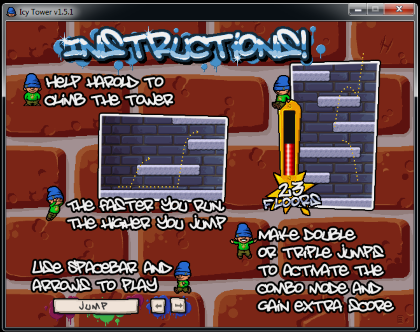
You control the little character Harold with the left and right arrow keys, and you jump with the spacebar. Once you’ve got the hang of it, the goal is simply to get Harold as high as possible by jumping from platform to platform without falling.
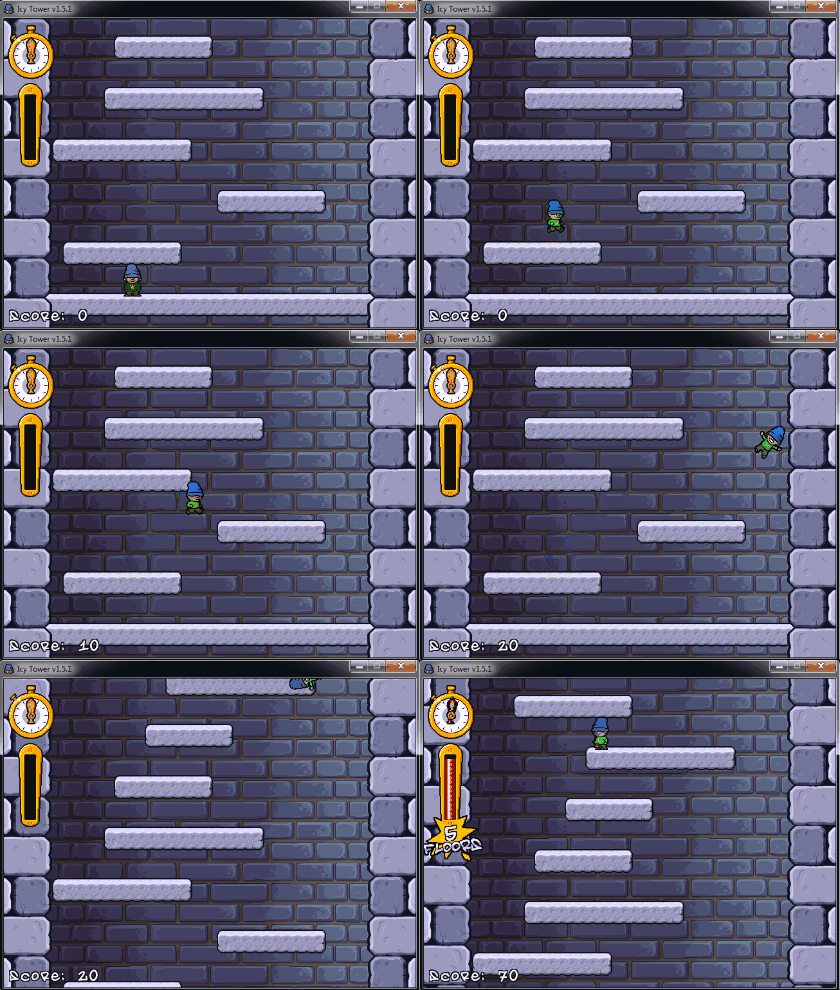
As shown above, you can also trigger combo mode by wall-jumping and skipping platforms. You need speed to wall-jump—the faster you run, the higher you can jump. If Harold misses a platform and falls off the screen, you lose. The camera continuously scrolls downward, so if you don’t keep climbing, Harold will drop out of view and it’s game over.
Reach endless heights
The higher you climb, the harder it gets. Platforms spread farther apart, shrink in size, and the screen scrolls down faster and faster. There’s no top platform to reach—the run goes on forever—but things do change along the way. In addition to the increasing difficulty, platform materials change every 100 platforms: it starts with stone, then ice, followed by wood, metal, chewing gum, bone, branches, pipes, clouds, and rainbows. At platform 1000 it switches to glass, which continues indefinitely.
The real draw is improving your skills while beating your high score. You earn points for every platform you reach and even more by chaining combo jumps.
Lightning-fast install
Because the game is small and simple, it doesn’t take up much space. It downloads in a flash and installs itself in just a few seconds.
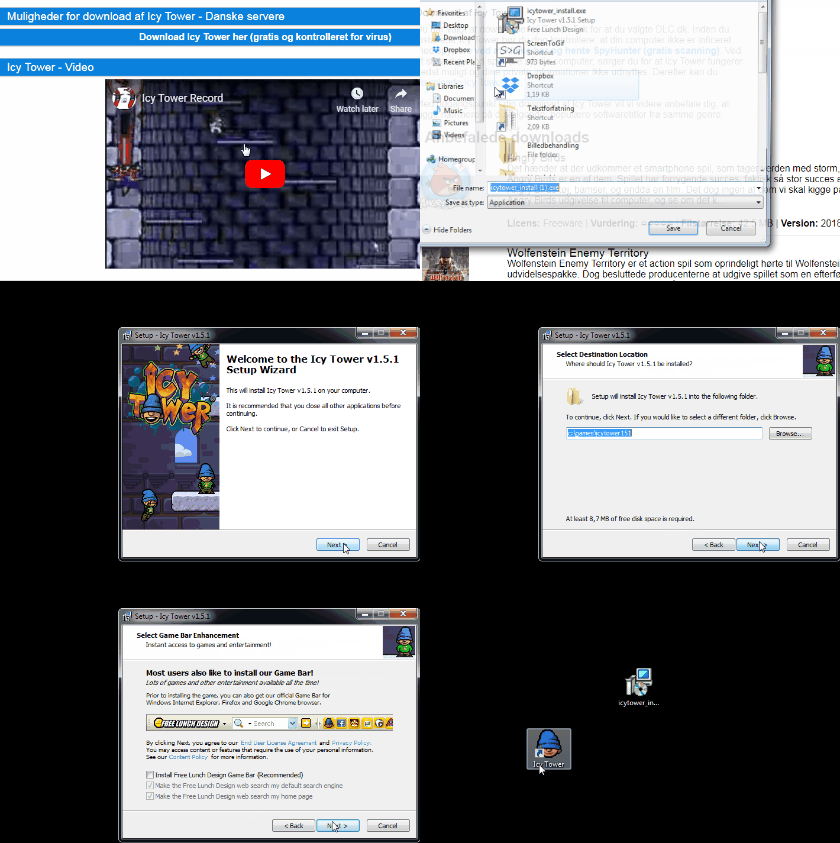
After downloading, it takes only a couple of seconds to launch once you click the icon. The game runs perfectly smoothly and is very easy to get into.

As mentioned, the game was developed by Sweden’s Free Lunch Design, which took inspiration from Xjump. Xjump was a similar game available only on Linux, so Free Lunch Design decided to build a comparable title for PC and Mac.
Availability
The version of Icy Tower you can download here is the latest release. It’s compatible with Windows operating systems, including Windows 98, Windows Me, Windows 2000, Windows XP, Windows Vista, Windows 7, and Windows 8.
If you’re using a Mac operating system, you can’t download Icy Tower from this page. However, you can find a Mac version elsewhere on the internet—for example, by clicking right here.
Alternatives
Looking for other games? Take a look at the many free titles you can download here on the site. You can find the full selection by clicking right here.
For example, you can download the popular Angry Birds completely free—find it right here. You can also download the hugely popular online strategy/card game Hearthstone for free. Read more about it right here.
We can also highly recommend taking a look at The Sims 4. The version of The Sims 4 you can download from us is a free trial of the full game. It works for 48 hours, and you’re not obligated to buy afterward. You also don’t need to enter any payment details to play. All it requires is creating an account on EA’s Origin platform. You can read much more about The Sims 4 and how to download it right here.
Conclusion
If you’re looking for a game with endless hours of fun, Icy Tower might be for you. It’s completely free and quick and easy to download here. In Icy Tower, your goal is simply to jump onto as many platforms as possible with the little character called Harold. There’s no top platform to reach, so you can never complete the game. Instead, you can keep improving and beating your high score, which means you never really finish and can play far more than in games with a final level. You control Harold with the arrow keys and the spacebar, and you can earn extra points by performing combo jumps as described above.
The version on this page is for users of Windows operating systems, while you can find a Mac version of Icy Tower by clicking right here. If you’re looking for other games, we’ve given a small sample above of the many titles you can download for free here, including Angry Birds, Hearthstone, and The Sims 4. You can also find all our games by clicking right here.
Download the game Icy Tower for free here and follow Harold the Homeboy, who has found a skyscraper he wants to reach the top of.
Download Icy Tower


