

 Martin Jørgensen
Need a video tool to record your screen? Read about iTop Screen Recorder for Windows right here! Download the free version or buy the Pro edition to unlock all features.
On this page you can read our review of the Windows program iTop Screen Recorder, which lets you record videos and take screenshots of your screen. There are also a number of extra features, including a built-in video editor and a video compression tool. In addition, the app supports multiple languages, including Danish.
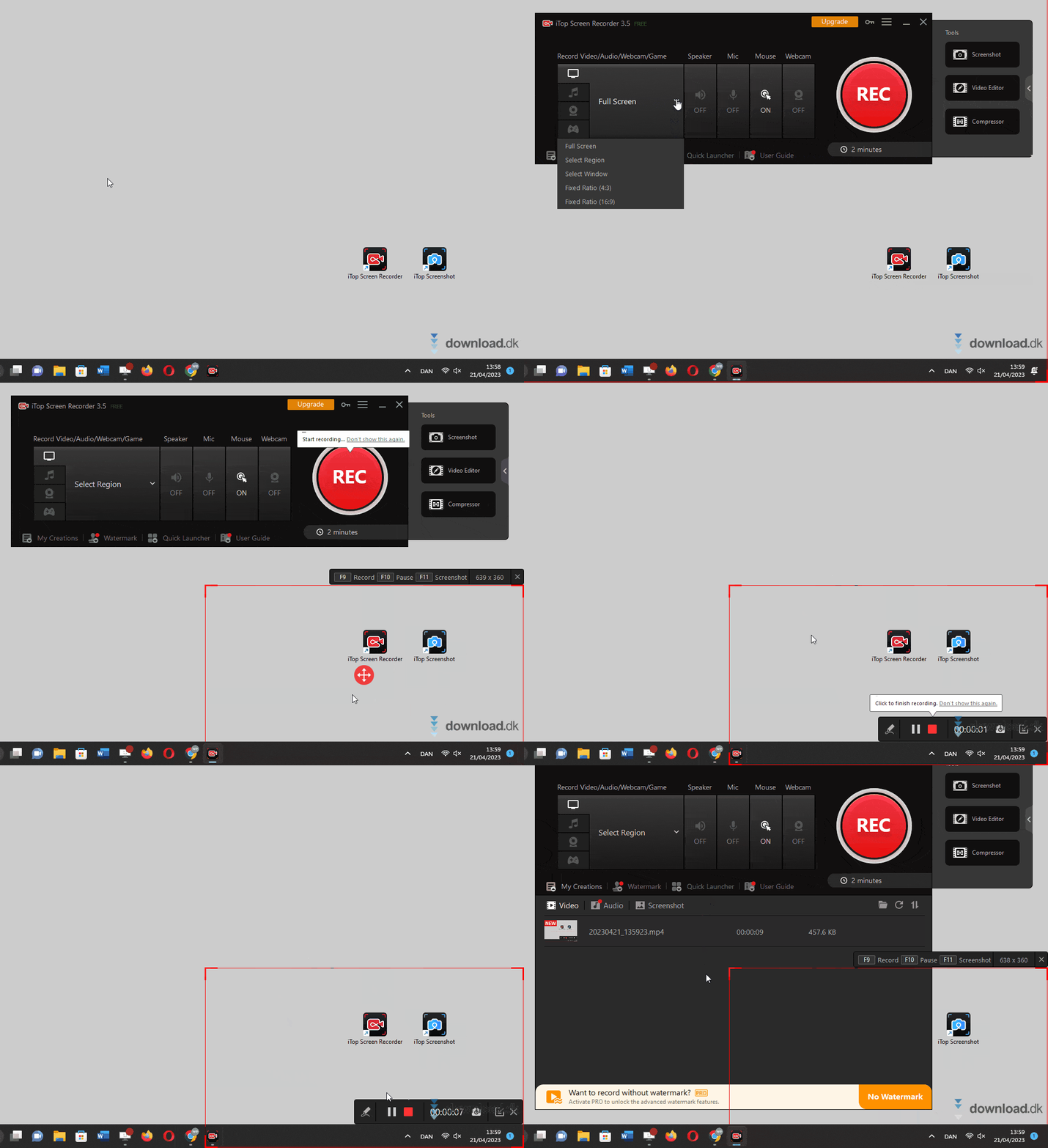
Get a feel for the interface and functionality in the GIF below, which we recorded on our own PC.
iTop Screen Recorder comes in two editions: a free version and a paid version. As you will read in this review, the free edition is quite limited and mostly a teaser for the Pro version. You can purchase it by clicking the upgrade button inside the app or by visiting this link. A yearly license currently costs about $40.
This review covers the free version only, as we unfortunately have not tested the Pro edition.
Availability and installation
iTop Screen Recorder is developed exclusively for Windows. If you use a Mac, we recommend browsing the many other programs here on Download.dk. Also note that macOS already includes a built-in screen recorder, which you can read more about on Apple’s official website by clicking right here.
Installing iTop Screen Recorder is easy. As shown in the GIF below, simply click the Install button, and the program is ready to use a minute or two later.

Grab the installer by clicking the download button at the bottom of this page. It takes you to iTop’s official website, where you can download the latest version.
Interface and functionality
iTop Screen Recorder has a simple interface that’s easy to use. The main window, shown below, is a slim panel with a set of large buttons. The biggest is the red Record button, which you use to start a new screen recording.
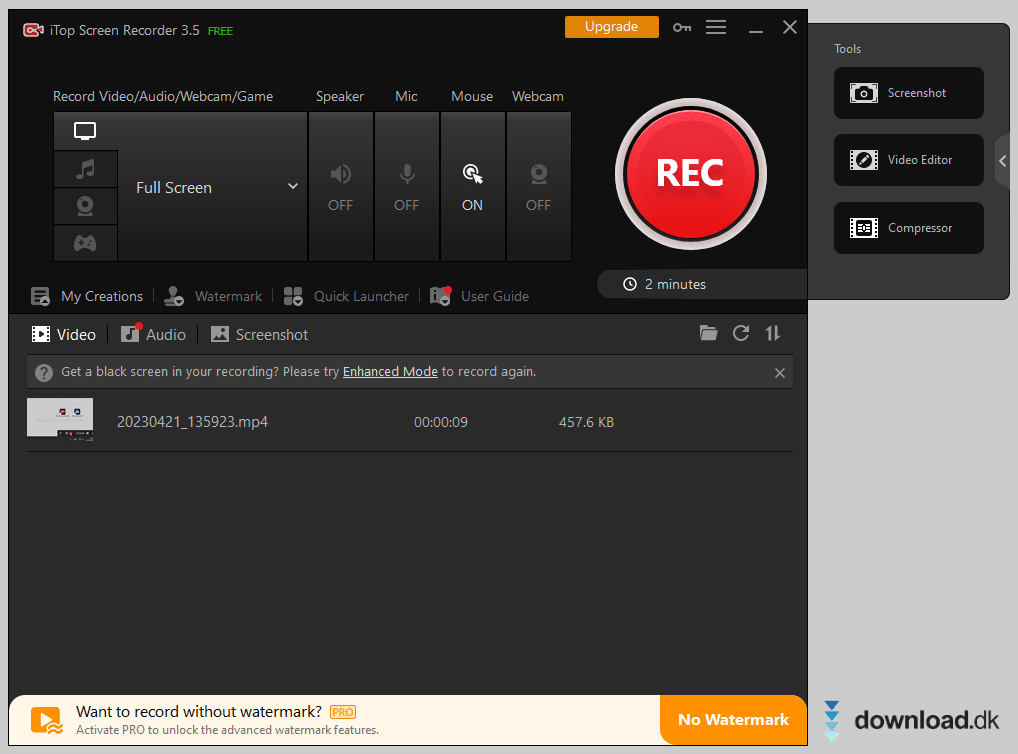
By default, iTop Screen Recorder is set to capture the entire screen, but you can also record a window or a specific area. The latter can be seen in the GIF at the top of this review, where we record the right corner of our desktop. You can also use the tool to capture audio and your webcam, and there’s a small companion tool for taking screenshots.
After recording, you can edit your video with the built-in video editor. It’s not the most advanced editor in the world, but it still gives you access to a range of basic editing functions. There’s also a compression tool you can use to reduce the file size of your recordings.
A common theme with many features in the free version is that they’re quite limited. For example, each recording can be a maximum of 2 minutes long, and a watermark is always applied and cannot be removed. The compression tool is also restricted. You can read more about the benefits of the Pro version and other alternatives further down the page.
Settings
Inside the settings you can tweak various options to change how iTop Screen Recorder works on your PC.
There’s a wide selection of languages to choose from, including Danish. You can also decide whether iTop Screen Recorder should launch automatically with Windows and set up the keyboard shortcuts you want the program to use.
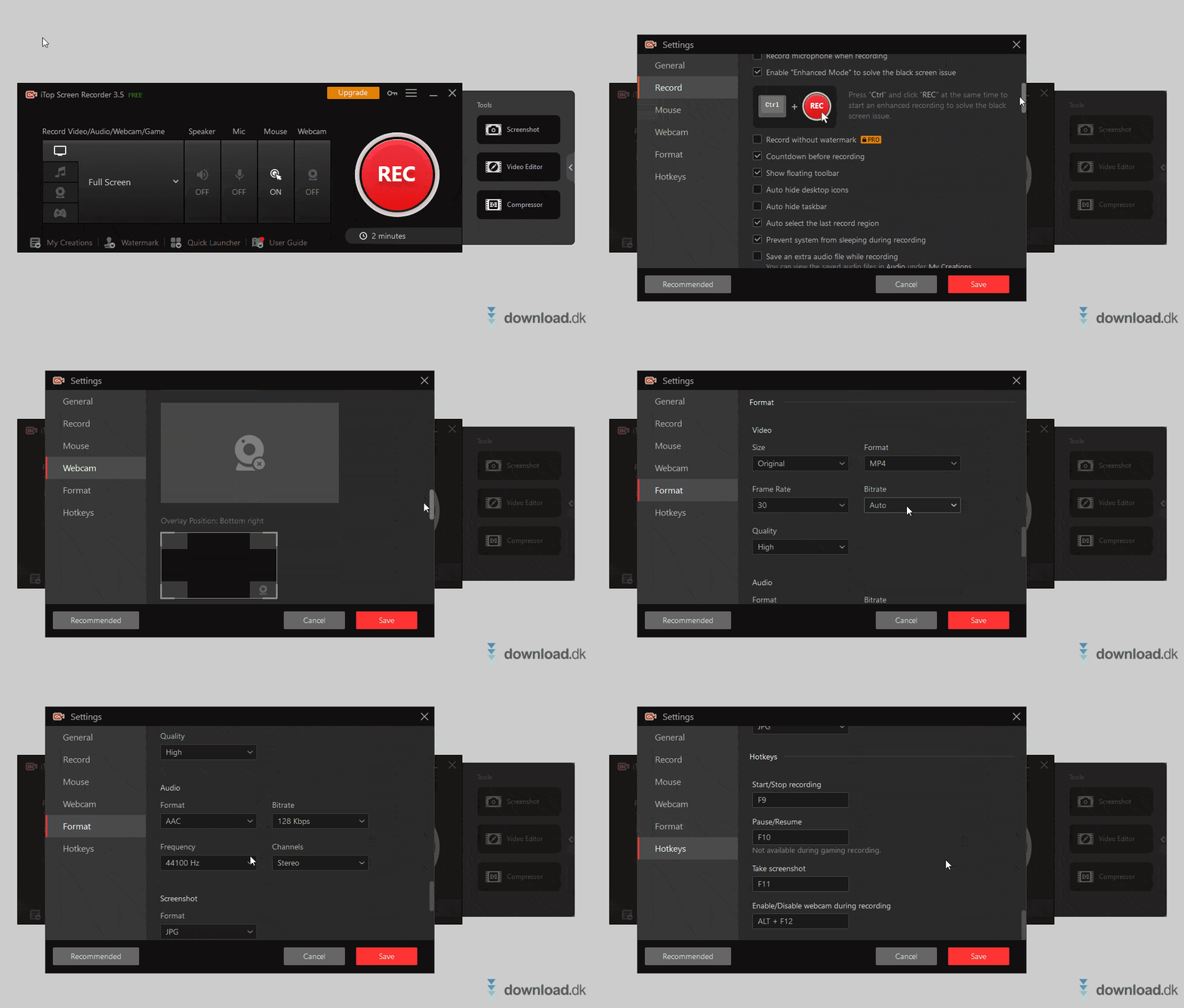
If you’re looking for a screen recorder that lets you fine-tune technical parameters, iTop Screen Recorder may be just the right program for you. For video you can adjust resolution, format, frame rate, bitrate, and quality. For audio you can set the format, bitrate, sample rate, and the number of channels (stereo or mono). You can see all of the settings in the GIF above.
Benefits of the Pro version and other alternatives
The functionality in the free edition of iTop Screen Recorder is very bare-bones. While it’s fine for some tasks, it’s frustrating that recordings are limited to 2 minutes and include a watermark. If you want to use iTop Screen Recorder as your primary tool, our assessment is that you’ll need to buy the Pro edition or choose another program instead.
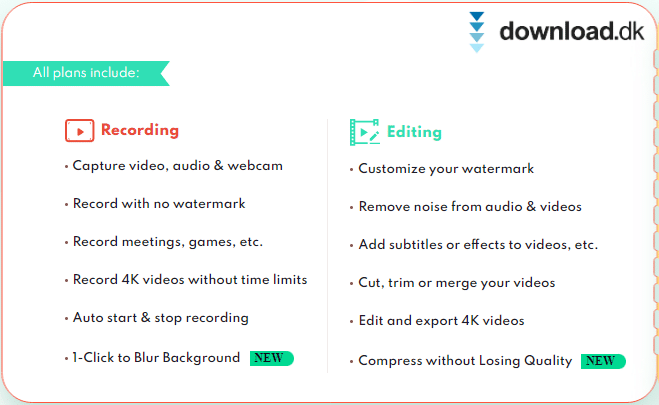
The benefits of the Pro version are listed in the image below, which is a screenshot from the developer’s official website.
Payment for the Pro edition works on a subscription term. The license expires after the chosen period, and you’ll need to buy a new license to keep using it. A yearly license currently costs about $40.
If you want to explore alternatives, you’ll find many similar video tools here on our site in our Screen Capture software category. Many of them are completely free!
If you don’t need a bunch of fancy features and just want to record a quick video of your desktop, you may not need to install anything at all if you’re on the latest version of Windows. Microsoft has added video capture to the built-in Snipping Tool. Open the Start menu, search for “Snipping Tool,” select the program, click the video camera icon, and you’re ready to record. Smart!
Conclusion
Overall, we think iTop Screen Recorder is an okay tool, and we’ve chosen to give it 3 stars.
Our rating is a combined assessment of iTop Screen Recorder. In short, we’re not big fans of the free version—it’s too limited and contains too many restrictions. On the other hand, the Pro edition seems like a solid screen recorder with many of the features and settings most users will need, although it does cost money.
It’s entirely up to you whether you think iTop Screen Recorder is worth paying for or if you’d rather use one of the free alternatives, which you can also find right here on Download.dk.
Download iTop Screen Recorder


