
 Martin Jørgensen
McAfee LiveSafe – antivirus for all your devices with one license
<!-- wp:rank-math/toc-block {"title":"","headings":[{"key":"5baa9f30-6bd1-4e2c-95a7-b0112860ccbe","content":"McAfee LiveSafe – antivirus til alle dine enheder med én samlet licens","level":2,"link":"#mc-afee-live-safe-antivirus-til-alle-dine-enheder-med-en-samlet-licens","disable":false,"isUpdated":false,"isGeneratedLink":true},{"key":"60c3d5fd-6a04-4284-b85d-b1b5b6f32276","content":"Fuld sikkerhed på tværs af enheder","level":3,"link":"#fuld-sikkerhed-pa-tvaers-af-enheder","disable":false,"isUpdated":false,"isGeneratedLink":true},{"key":"ae3ff7f5-a25e-44cb-8ea6-f4a8987a271e","content":"VPN og privatliv i praksis","level":3,"link":"#vpn-og-privatliv-i-praksis","disable":false,"isUpdated":false,"isGeneratedLink":true},{"key":"cad19c95-cb3a-4699-887f-5b33c6489c11","content":"Adgangskodeadministrator og identitetsbeskyttelse","level":3,"link":"#adgangskodeadministrator-og-identitetsbeskyttelse","disable":false,"isUpdated":false,"isGeneratedLink":true},{"key":"f7179677-19de-4348-a56c-31b2d2bdcc99","content":"Ydeevne og daglig brug","level":3,"link":"#ydeevne-og-daglig-brug","disable":false,"isUpdated":false,"isGeneratedLink":true},{"key":"ba097b05-6d79-4b06-8cc7-55e476ccdceb","content":"Hvem passer McAfee LiveSafe bedst til?","level":3,"link":"#hvem-passer-mc-afee-live-safe-bedst-til","disable":false,"isUpdated":false,"isGeneratedLink":true},{"key":"5c48cdf0-3b34-41f1-bdca-646657a1d0f4","content":"Top 5 tips til McAfee LiveSafe","level":3,"link":"#top-5-tips-til-mc-afee-live-safe","disable":false,"isUpdated":false,"isGeneratedLink":true},{"key":"86abce84-4ea8-4d42-b146-65121216676a","content":"Sådan får du mest ud af din McAfee-konto","level":4,"link":"#sadan-far-du-mest-ud-af-din-mc-afee-konto","disable":false,"isUpdated":false,"isGeneratedLink":true},{"key":"6165accf-adfb-4673-b26d-3f9d30a8fa5d","content":"Sørg for at realtidsbeskyttelsen er aktiv","level":4,"link":"#sorg-for-at-realtidsbeskyttelsen-er-aktiv","disable":false,"isUpdated":false,"isGeneratedLink":true},{"key":"a3f630af-fd7c-425e-9f87-850c63b66952","content":"Planlæg scanninger uden for arbejdstid","level":4,"link":"#planlaeg-scanninger-uden-for-arbejdstid","disable":false,"isUpdated":false,"isGeneratedLink":true},{"key":"f356494b-bf1e-4bc6-a239-fa336eea0b0e","content":"Gennemgå trusselsloggen jævnligt","level":4,"link":"#gennemga-trusselsloggen-jaevnligt","disable":false,"isUpdated":false,"isGeneratedLink":true},{"key":"1b7dfc07-d356-4800-825e-23db36aa3208","content":"Tilpas notifikationer","level":4,"link":"#tilpas-notifikationer","disable":false,"isUpdated":false,"isGeneratedLink":true},{"key":"fcbabdeb-f422-49bf-9928-e036c6b364d5","content":"McAfee LiveSafe FAQ","level":3,"link":"#mc-afee-live-safe-faq","disable":false,"isUpdated":false,"isGeneratedLink":true}],"listStyle":"ul"} -->
McAfee LiveSafe is McAfee’s most complete security suite, designed especially for households with multiple devices. You get antivirus, firewall, VPN, a password manager, and identity protection under one license that covers an unlimited number of personal devices. That makes LiveSafe an obvious choice for families or users who own a Windows PC, Mac, phone, and tablet.
We tested McAfee LiveSafe on a standard Windows 11 PC as well as on Android and macOS. Installation was quick on all platforms, though the initial setup takes a bit of patience if you want every feature configured correctly—especially the VPN and identity components.
Comprehensive security across devices
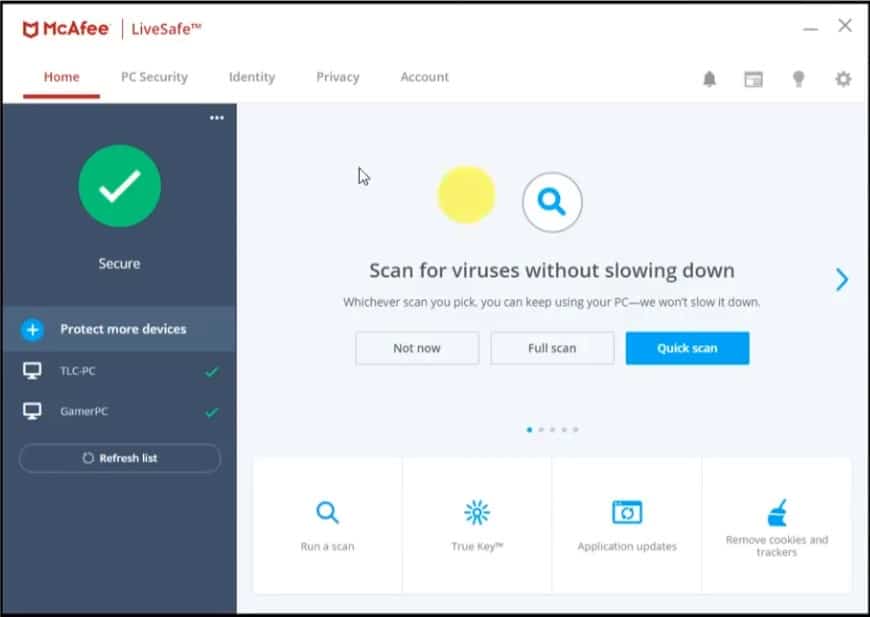
McAfee LiveSafe brings all the classic security features together in one solution. Real-time protection continuously monitors files, downloads, and apps, and reacts quickly to suspicious activity. In our tests, both sample malware and fake phishing links were consistently blocked.
The firewall runs quietly in the background without requiring manual intervention, which suits everyday users who don’t want to tinker with advanced network settings. Protection is managed from a single account, making it easy to handle all your devices in one place.
VPN and privacy in practice
The built-in VPN is a clear advantage, especially if you often use public networks at cafes, hotels, or when traveling. Traffic is encrypted automatically, and the connection is enabled with one click.
Speeds are solid for everyday browsing and streaming, but this isn’t a VPN aimed at heavy torrenting or advanced anonymity. For day-to-day privacy, it works reliably without major dropouts.
Password manager and identity protection
McAfee LiveSafe includes a password manager that saves and auto-fills your logins across devices. It works well in the browser and on mobile, but needs a bit of setup before it feels as smooth as dedicated password tools.
Identity protection monitors email addresses and personal details for data breaches. The monitoring is particularly tailored to the U.S. market—great news if you live in the United States.
Performance and everyday use
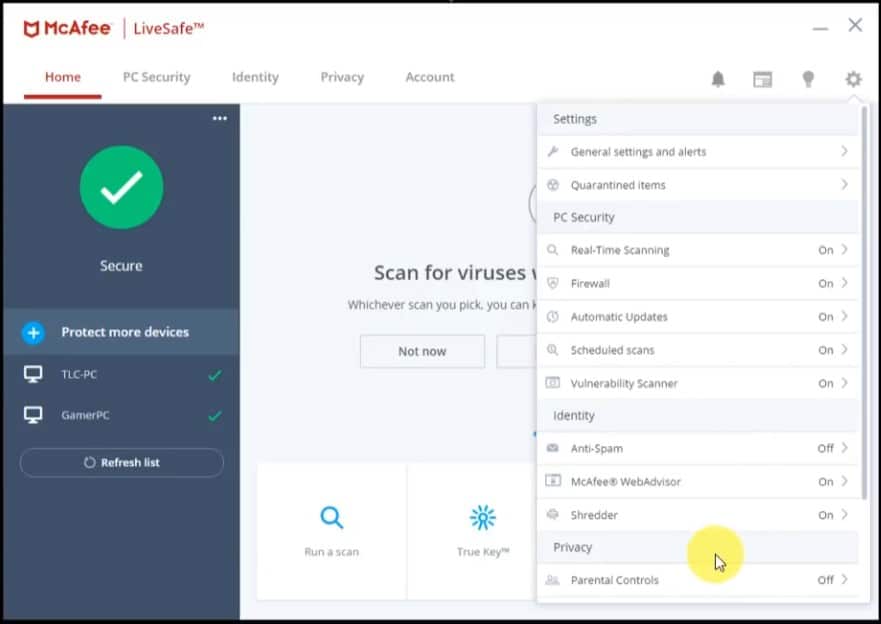
On newer computers, McAfee LiveSafe runs quietly in the background. We noticed no lag during normal browsing, work, or streaming. Full scans can tax older machines a bit, but you can schedule them overnight.
Notifications are relatively chatty by default, but you can easily adjust them so you’re only alerted about important events.
Who is McAfee LiveSafe best for?
McAfee LiveSafe is ideal for users who want a single solution for the whole household. If you have many devices and want antivirus, VPN, and essential privacy protection without buying multiple subscriptions, LiveSafe is a solid pick. If you only need lightweight antivirus for one PC, there are cheaper alternatives.
Top 5 tips for McAfee LiveSafe
How to get the most from your McAfee account
Create your McAfee account right after installation. From your account, you can manage all devices in one place, reinstall without hassle, and move the license if you get a new computer or phone. In our testing, this saved time when activating LiveSafe across multiple devices in the same household.
Make sure real-time protection is on
Real-time protection is the core of McAfee LiveSafe. After major Windows, macOS, or Android updates, certain modules can rarely be disabled. Open the security dashboard regularly and verify that virus protection, web protection, and the firewall are still enabled.
Schedule scans outside your work hours
Full system scans can slow down older computers. Schedule scans for nighttime or early mornings when the computer isn’t in use. You’ll get maximum protection without sacrificing day-to-day performance.
Review the threat log regularly
The threat log shows exactly which files, websites, and actions McAfee blocked. It gives a clear picture of any risky download types or sites. During our tests, we used the log to fine-tune our browsing and download habits.
Customize notifications
Default settings trigger many pop-ups, which can be distracting. Adjust notifications so you’re only alerted about critical events such as malware detections or security breaches. You’ll get a calmer experience without compromising security.
McAfee LiveSafe FAQ
McAfee LiveSafe is McAfee’s most complete security suite and covers an unlimited number of personal devices. Unlike products such as McAfee Total Protection, LiveSafe is designed for households with many devices that want antivirus, VPN, and identity protection under one license.
Yes. McAfee LiveSafe supports Windows, macOS, Android, and iOS. We tested it on PC, Mac, and Android, and all devices were managed from the same McAfee account.
Yes. McAfee LiveSafe includes a VPN that encrypts your internet connection. It’s well-suited for everyday browsing and public Wi‑Fi, though it isn’t geared toward heavy torrenting or advanced anonymity.
During everyday use, McAfee LiveSafe runs quietly in the background. In our tests we saw no noticeable slowdown, but full scans can tax older machines. Scheduling scans outside working hours is recommended.
Yes. From your McAfee account you can remove old devices and install LiveSafe on new ones. This made reinstallation much easier when we switched test machines.



