
 Martin Jørgensen
NordVPN – Security and online privacy
Download NordVPN here, and protect your online privacy with one of the most reliable VPN services on the market. Access geo‑restricted content, secure your connection, and enhance your anonymity—all with a simple, user‑friendly app.

What is a VPN, and why does NordVPN matter?
A VPN (Virtual Private Network) creates a secure, private tunnel between your device and the internet by routing your traffic through a remote server. This technology hides your IP address and encrypts your data, so your online activity stays anonymous and protected from prying eyes. With NordVPN, you can choose from thousands of servers in over 60 countries, letting you browse the web as if you were in another location. That gives you a unique combination of security and flexibility.
This software is not just a privacy tool—it also helps you overcome common online restrictions. For example, a VPN can bypass geographic blocks that limit access to streaming services or websites based on your location. NordVPN’s advanced technology, including features like SmartPlay, lets you access blocked services without delays or hassles. Whether you want to watch US streaming libraries while traveling abroad or access region‑locked sites, NordVPN can help.
Benefits of a VPN like NordVPN:
- Access geo‑restricted content: Watch streaming services like Netflix, Hulu, and BBC iPlayer in other regions, even if the content is normally blocked where you are.
- Privacy protection: Your traffic is encrypted and your IP is hidden, making it very difficult for third parties to track you.
- Secure connections: Ideal for using public Wi‑Fi at cafés, airports, or hotels without risking hacks.
- Improved anonymity: With NordVPN’s strict no‑logs policy, none of your online activity is stored or tracked.
- Versatile use: Great for streaming, gaming, torrenting, or simply protecting everyday browsing.
NordVPN is one of the most advanced and reliable VPN services available. With robust features and high security standards, it gives you full control over your privacy and internet experience.
Features of NordVPN
1. Access to global content:
NordVPN lets you access geo‑blocked content from countries like the United States, the United Kingdom, or Canada—perfect for streaming. The SmartPlay feature combines DNS and VPN tech to bypass even advanced geoblocks.
2. Privacy protection:
- Double VPN encryption: Ensures your data is inaccessible to third parties.
- No‑logs policy: The software stores no activity data, verified by PwC Switzerland.
- Kill switch: If the VPN connection drops, all internet traffic is halted to protect your data.
3. Fast, stable connections:
The NordLynx protocol delivers high speeds—even on distant servers—making it ideal for gaming, streaming, and torrenting.
4. Torrenting:
NordVPN offers P2P servers in 40+ countries, purpose‑built for safe, anonymous 1.

How does NordVPN protect you from surveillance?
As surveillance and data leaks grow more common, NordVPN offers advanced security features that prevent your data from being intercepted or shared without consent. When you use NordVPN, all your traffic is encrypted—so not even your internet provider can see what you do online.
NordVPN also shields you from trackers used by websites and advertisers to map your browsing habits. With its Threat Protection feature, NordVPN blocks malicious sites, malware, and annoying ads before they reach your device—delivering a safer, smoother experience.
NordVPN protects against DNS leaks that could expose your identity, even when connected to a VPN. It uses dedicated DNS servers to keep all traffic inside the VPN tunnel. If the connection unexpectedly drops, a kill switch immediately halts all internet activity so your data isn’t exposed.
What extra features does NordVPN offer?
Beyond core privacy and security, NordVPN includes extra tools that make it a complete solution for online protection. These features enhance your experience and add even more value:
- Dark Web Monitor: Scans the dark web for leaked info tied to your email. If something is found, you’re alerted so you can act fast.
- Split tunneling: Choose which apps use the VPN while others use your regular connection—ideal for streaming or gaming where low latency matters.
- Dedicated IP: Need a fixed IP for remote access or payment systems? NordVPN lets you purchase a dedicated IP.
- Meshnet: Connect devices directly via VPN as if they were on the same network—perfect for file sharing or private servers.
These extras make this software one of the most comprehensive VPN services around—protecting your data while adapting to your specific needs.
Ease of use and design
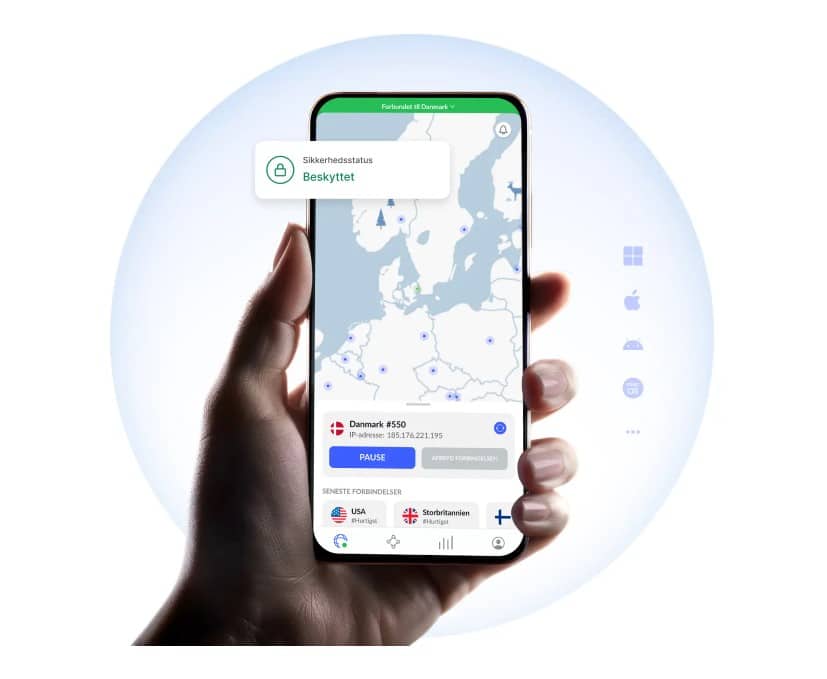
The app features an intuitive design that makes it easy to use:
- Sidebar: Pick from hundreds of servers in specific countries or access specialized servers.
- Animated map: Click a country to connect to the fastest available server.
- Toolbar: Quick access to settings like auto‑start and the kill switch.
The simple layout ensures even beginners can get started quickly.
Is this VPN the right choice for you?
Individuals: Protect your browsing and access streaming content from around the world.
Gamers: Play with low lag thanks to stable, fast connections.
Torrent users: Share large files safely and anonymously.
Businesses: Secure remote staff with safe VPN access.
One of the best VPN services
This VPN is among the best on the market, combining military‑grade security with blazing speeds and an easy interface. Whether you want to protect your privacy, access geo‑restricted content, or secure torrenting, this software is a reliable choice.
Advantages:
- Secure and anonymous browsing.
- Access to content worldwide.
- Fast, stable connections.
- Intuitive design and quick setup.
Click here to download NordVPN and take control of your online privacy today!
Top 5 tips for using NordVPN in the USA
1. Use nearby US servers for maximum speed
If you just want to stay anonymous at home, pick a server in cities like New York or Chicago for high speeds and low ping.
2. Stream Netflix libraries and BBC iPlayer
Switch to a UK server for BBC iPlayer or other regions of Netflix and Hulu when titles are geo‑blocked.
3. Enable Threat Protection Lite
Block ads, trackers, and malware—even when you’re not connected to a VPN server—by enabling it in the app settings.
4. Use Auto‑Connect on public Wi‑Fi
Set NordVPN to connect automatically on unsecured networks like cafés, hotels, and airports.
5. Install it on your router
Protect your whole home network—including devices that don’t support VPNs, such as smart TVs and game consoles.
Q&A about NordVPN
1. What is it?
This software is a VPN service that protects your privacy online by encrypting your internet connection and hiding your IP address.
2. What can I use it for?
Use it to protect your privacy, access geo‑restricted content, and secure your data on public networks.
3. Is it safe?
Yes. It offers double encryption, a strict no‑logs policy, and a kill switch for maximum protection.
4. Can I use it for streaming?
Yes—features like SmartPlay help bypass geoblocks and access streaming content from other countries.
5. Is it good for torrenting?
Yes. It offers P2P servers built for safe, anonymous torrenting.
6. Will it slow down my internet?
The NordLynx protocol keeps speed loss to a minimum—even on distant connections.
7. Which platforms does it support?
The software works on Windows, Mac, Linux, iOS, Android, and as browser extensions.
8. Can I use it on public Wi‑Fi?
Yes—the encryption protects you from hackers and threats on open networks.
9. Does it have a kill switch?
Yes—the kill switch stops all internet traffic if the VPN connection drops.
10. How do I download it?
You can easily download it via the link here and follow the simple installation guide.



