
 Martin Jørgensen
Password Safe: the classic approach that still works
Password Safe is a classic password manager that lets you store login details in an encrypted database unlocked with a single master password. The program is free, open source, and officially available for Windows, while the project also points to compatible solutions on other platforms.
A local password manager with no subscription
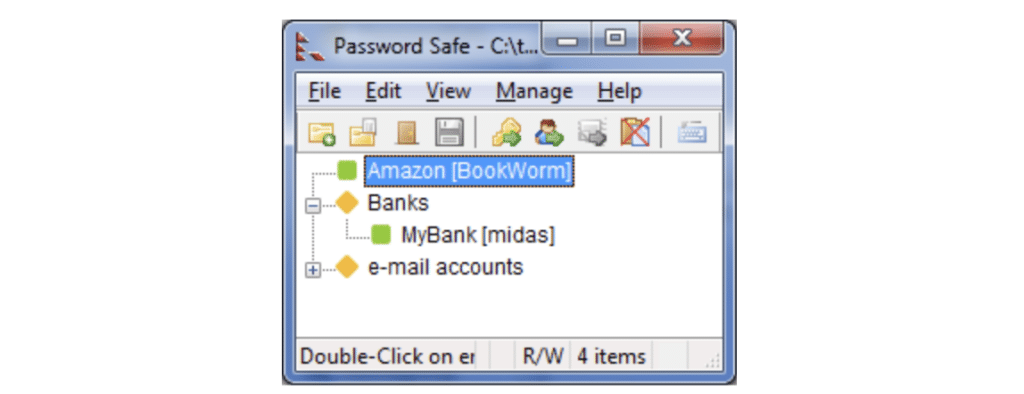
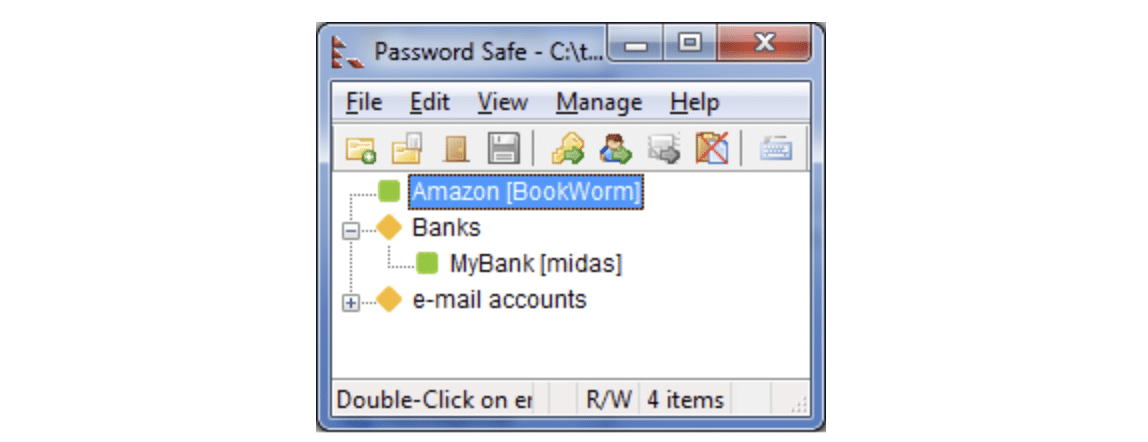
The strength of Password Safe is its focus. You create a database, choose a master password, and then store your logins, notes, and other details in the encrypted vault. According to the project’s documentation, you can use a single database or several separate ones—for example, one for work and one for personal use. The database is encrypted with a key derived from your master password, and the master password itself is not stored in the database.
That local-first approach is what makes the program compelling in 2026. Many people default to a browser’s built-in password manager or a cloud-based service. Password Safe goes the other way. You own your password file, and that still appeals to users who want full control over their data.
Security in Password Safe
Security is the entire point of a tool like this. Password Safe uses Twofish with a 256-bit key, and the project notes that the V3 format has undergone academic review and is considered secure. The source code is also publicly available for inspection.
That doesn’t make the program magical or foolproof. The biggest weakness is still the person at the keyboard: if your master password is weak, the whole idea falls apart. Password Safe is best for users who understand the value of a long, unique master password. The app helps with a built-in password generator and the ability to organize entries with custom fields and categories.
An extra plus: Password Safe supports YubiKey/2FA in its Windows and Linux editions if you want to raise your security level even further. Not every free, lightweight password manager offers that option.
Interface and day-to-day use
Let’s be honest: Password Safe won’t win any design awards. The interface feels old-school, which can be refreshing or a bit clunky depending on what you’re used to. If you come from Bitwarden, 1Password, or browser-based solutions with autofill everywhere, Password Safe will feel more manual.
On the other hand, that’s exactly why many people stick with it. The program is fast, straightforward, and free of distractions. Once your database is set up, it’s smooth sailing. For users who just want a stable app to store passwords, account names, notes, and secure codes locally, it still works surprisingly well.
Is Password Safe still relevant in the US?
Yes—mainly as niche software. This isn’t a massive mainstream hit in the US, but it’s a strong long-tail topic because search intent is very specific. People looking for Password Safe aren’t just after “another app”—they want a well-known, free, secure, local password manager.
Keywords worth focusing on:
password safe
free password manager
local password manager
password generator
secure password manager for Windows
master password app
It’s also worth noting that the project is still active. The homepage shows over 5 million downloads, and the news page was updated as recently as March 2026 with new features and fixes. That matters, because many older security tools online are effectively abandoned. Password Safe is not.
Who should choose Password Safe?
Password Safe is a great fit if you:
have lots of passwords and want them in one place
want a free password manager with no subscription
prefer local storage over cloud by default
can live with a somewhat old-fashioned interface
want a tool that does one job and does it well
If you want automatic syncing, a top-tier mobile experience, and modern browser integration out of the box, you’ll likely find newer alternatives more convenient.
A solid choice for users who want reliability over flashy features
Password Safe isn’t flashy—and that’s the point. It’s a solid, free, time-tested tool for people who want to manage passwords without subscriptions or heavy cloud dependencies. For Holyfile.com, it makes sense to keep this page updated because the project is active, the search intent is clear, and the audience knows exactly what they’re looking for.
Top 5 tips for Password Safe
Create a master password you can actually remember
It sounds simple, but your master password is everything. Choose a long passphrase instead of a short, “clever” password. It’s far better to remember a strong phrase than to lock yourself out.
Split your logins into groups from day one
Build a simple structure with categories like work, personal, shopping, and finances. It makes Password Safe much faster to use day to day—especially as the database grows.
Use the built-in generator for new accounts
One of the best features is how quickly you can create strong, unique passwords. Use it consistently, especially for email, online banking, and other critical logins.
Keep a secure backup of your database
Because many people use Password Safe locally, backups are extra important. Store a copy of the database somewhere safe so you don’t lose everything to a drive failure or a Windows reinstall.
Consider YubiKey if you want higher security
For especially sensitive data, hardware-based protection is worth a look. Password Safe supports YubiKey on relevant desktop platforms, adding a layer on top of your master password.



