
 Martin Jørgensen
PDF Annotator makes PDF annotations feel more natural on Windows
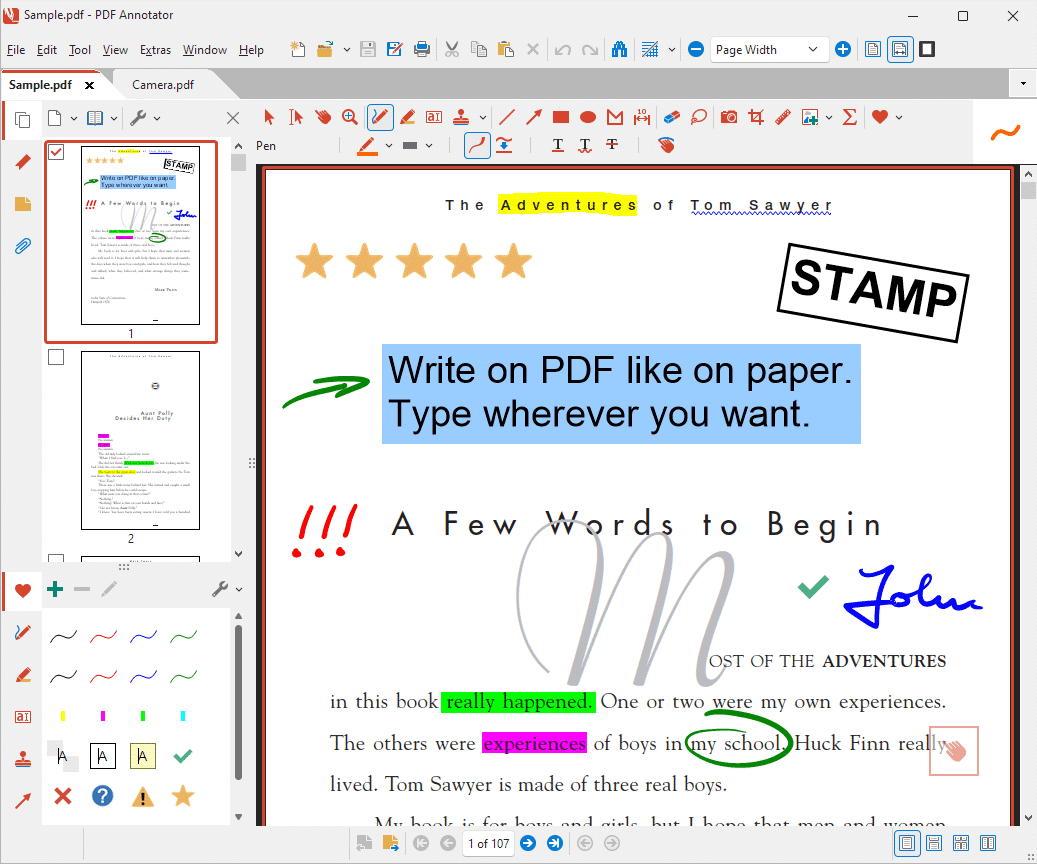
PDF Annotator is a specialized Windows program for anyone who wants to write, draw, highlight, and comment directly in PDF files without switching between multiple apps. The software is actively maintained, offered as a free trial, and continues to be developed for Windows 10 and 11. The official pages highlight handwriting, highlights, stamps, shapes, text boxes, and saving directly inside the PDF file.
It’s also worth noting that Windows 7 is no longer supported. The current version requires Windows 10 or Windows 11, and there’s support for graphics tablets as well as certain ARM-based Windows devices with some limitations.
What can PDF Annotator be used for?
In practice, the app targets a very clear need: you open a PDF and work right on top of the document. That could be notes for classes, contract edits, comments on quotes, feedback on assignments, or quick signatures and markups in internal documents. The publisher states that comments, highlights, handwriting, drawings, images, and other annotations can be saved directly back into the PDF, so the file can be shared and opened in other PDF programs.
In our assessment, this is the kind of tool that makes the most sense for people who work hands-on with documents. Not necessarily because it’s the cheapest option, but because the workflow is more focused than in many broad PDF editors. It feels more like a tool for active document review than a traditional office-style PDF suite.
Features for notes, handwriting, and visual feedback
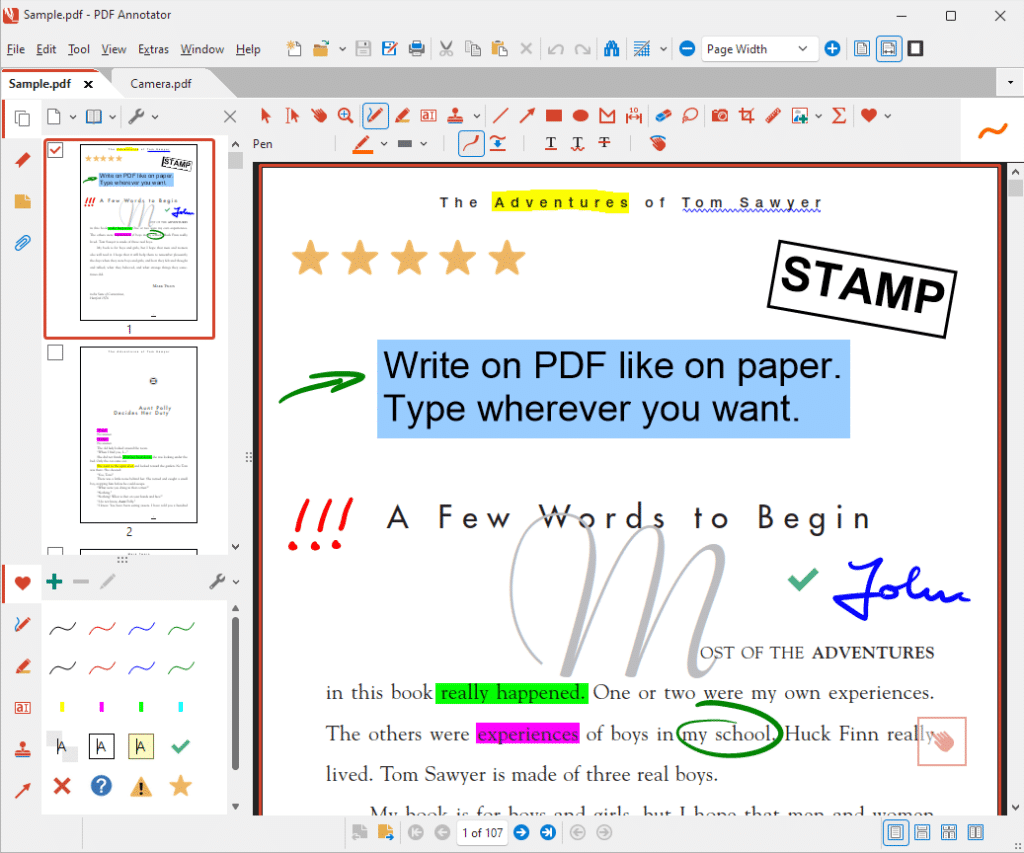
PDF Annotator emphasizes that you can write comments directly in the document and use pen tools, highlighting, text boxes, arrows, lines, rectangles, ellipses, stamps, and image insertion. The manual also mentions tools to select, edit, group, and lock annotations, work with snapshots, perform measurements, and import/export annotations.
It’s a strength that the app doesn’t stop at simple comments. There’s a clear focus on a more markup-oriented workflow, letting you review documents visually and leave unmistakable feedback. For teachers, proofreaders, project managers, and technicians, that can be a real advantage.
One thing that still makes PDF Annotator stand out is its focus on digital handwriting. The developer highlights high ink quality and pressure-sensitive digital ink, which is especially relevant on touch devices or with a stylus. A mouse still works, but the software clearly shines for people who actually want to write or draw on the PDF.
Newer version with modern design and better performance
PDF Annotator recently received a major version 10 update. The developer describes it as a modernization with better performance, an updated user experience, and new productivity features. They also mention sharper rendering in other PDF programs because annotations are now saved as vector-based content in the PDF whenever possible. That’s an important detail if you share files and want to avoid blurry or “baked-in” markups for recipients.
All this makes the review more relevant today than older write-ups that treated it like a niche tool. PDF Annotator now comes across as a mature, continuously maintained specialist solution.
Everyday user experience
What usually determines whether a PDF tool is worth using isn’t just the feature list, but how quickly you can get started. PDF Annotator feels built to move from opening to marking in seconds. You open the file, choose a tool, and work directly in the document.
For U.S.-based users, it’s especially useful in education, offices, and small businesses where you’re frequently handling edits, quotes, forms, drawings, or PDF materials that don’t need heavy editing but do need fast, clear comments.
It’s not an all-in-one PDF universe like some big competitors. If you’re looking for advanced PDF conversion, OCR-heavy workflows, or full document editing on par with enterprise suites, PDF Annotator is more narrowly focused. For many, that focus is the point.
Who should download PDF Annotator?
PDF Annotator is best for:
✅ Students who want to take notes directly in textbooks and articles
✅ Teachers and proofreaders who need to provide feedback in PDF files
✅ Office staff who comment on contracts, quotes, and internal documents
✅ Users with a touchscreen or stylus on Windows
✅ Anyone who wants a more natural note‑taking workflow than classic PDF readers
It’s less suited to:
❌ Users who only need to read PDFs
❌ Anyone who needs a permanently free solution
❌ Mac, iPad, iPhone, or Android users, since the app is Windows‑only
Top 5 tips for PDF Annotator
Top 5 tips for PDF Annotator
Get more out of PDF Annotator with five simple tips that make it faster to comment, highlight, and work directly in PDF files.
On long PDFs, everything gets messy if all markups look the same. Use different colors for edits, questions, and approvals. It makes the document much easier to scan, especially when others will review your comments later.
Although PDF Annotator makes it easy to edit and add notes directly in the file, it’s good practice to save a clean copy first. This is especially helpful with contracts, assignments, or documents you may later need without comments.
PDF Annotator works fine with a mouse, but it feels more natural with a stylus or touchscreen. Handwritten notes and quick markups feel direct—almost like writing in the margin of a printed document—ideal for classes, meetings, and reviews.
If you often leave the same notes like “Approved,” “Needs changes,” or “Sent for review,” save time with custom stamps or preset markups. It sounds simple, but it makes a noticeable difference when you process many PDFs in a row.
When a PDF is going to colleagues, clients, or instructors, keep comments clear and consistent. Use short notes, simple arrows, and clean highlights instead of overloading the page. It’s easier to understand and looks more professional.



