
 Martin Jørgensen
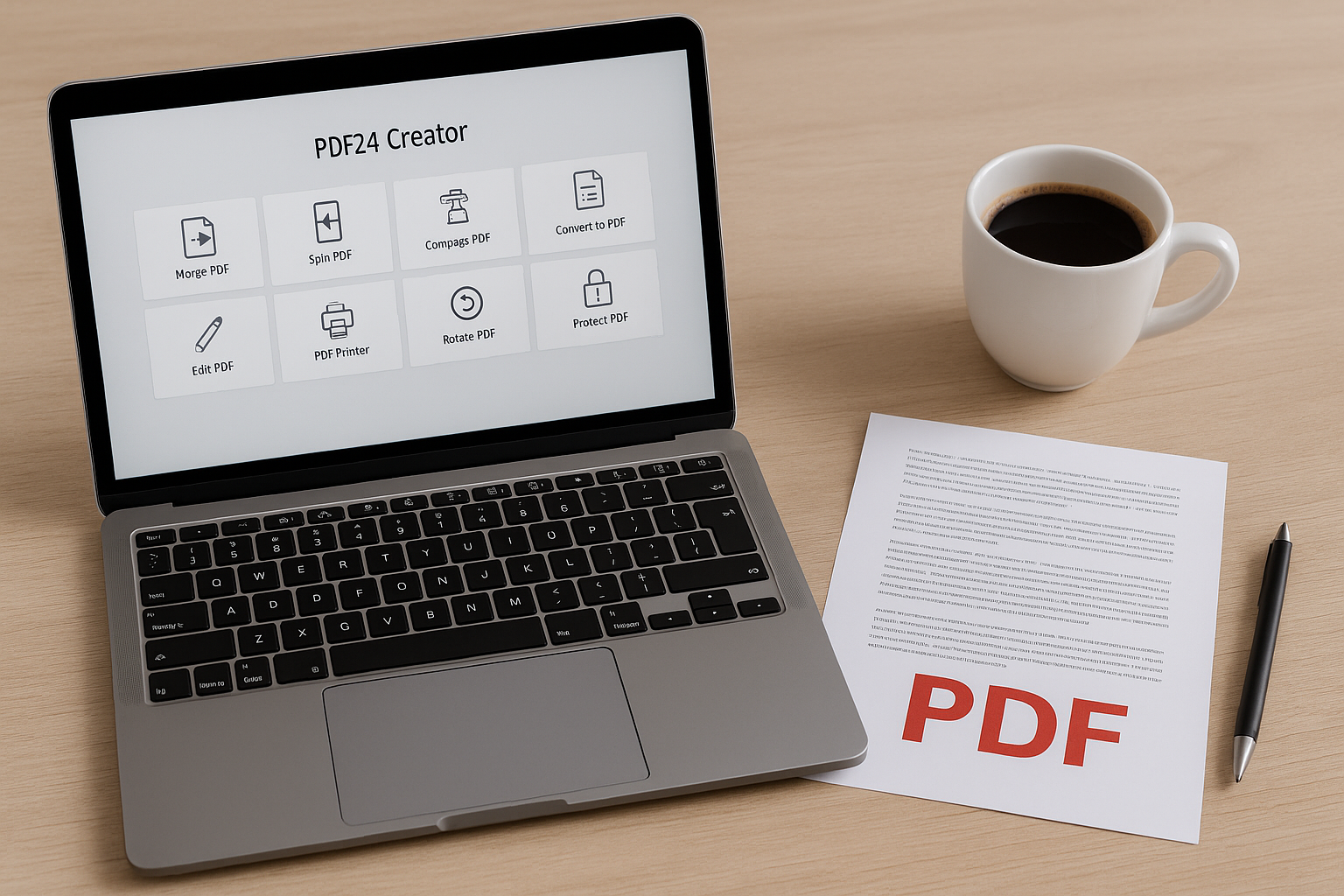
🧩 Take control of your PDFs with PDF24 Creator.
PDF24 Creator is a free PDF tool for Windows that makes it easy to edit, merge, split, and convert PDF files—no Adobe Acrobat required. It’s especially popular with students, office workers, and anyone who handles documents in their daily workflow.
Features in PDF24 Creator
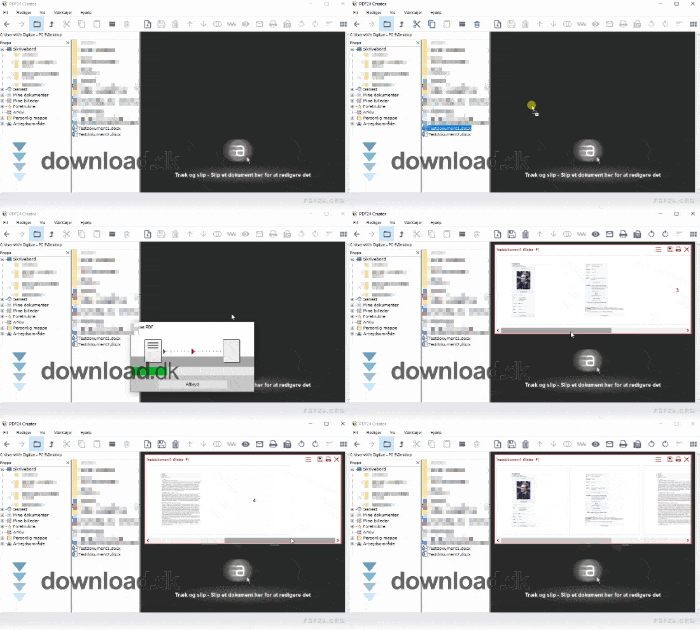
PDF24 Creator offers a suite of tools that covers most needs when it comes to working with PDFs:
- Merging and opdeling: Slå flere PDF’er into one, or split large files into smaller chunks.
- Conversion: Create PDFs from other file formats like Word, Excel, and images.
- Editing: Add or remove pages, rotate pages, and insert text or notes.
- Compression: Reducer filstørrelsen på dine PDF’er without a noticeable loss in quality.
- Security: Add a password, encryption, or watermark.
All of this is wrapped in a simple, intuitive interface.
Interface and design
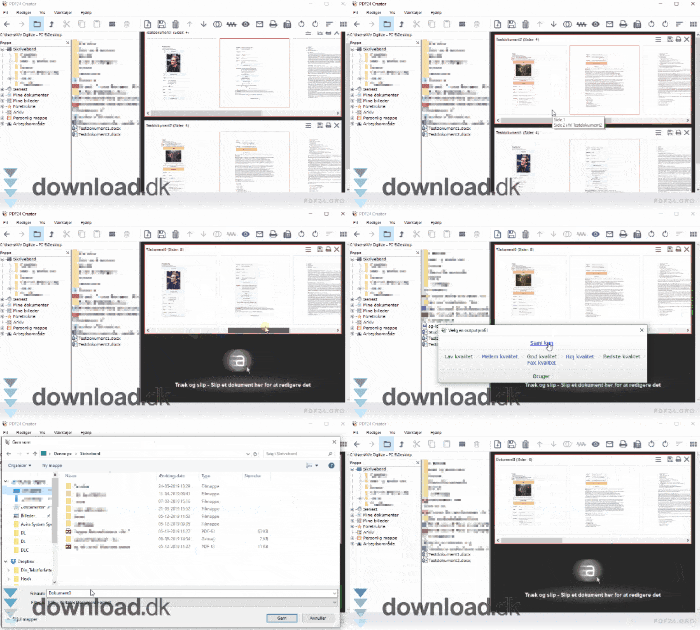
The design is clean and straightforward, inspired by classic Windows programs. You won’t encounter intrusive ads or confusing menus. The entire app is divided into two main sections:
- Filhåndtering: Here you can drag and drop your files into the app and quickly get an overview of the document’s pages.
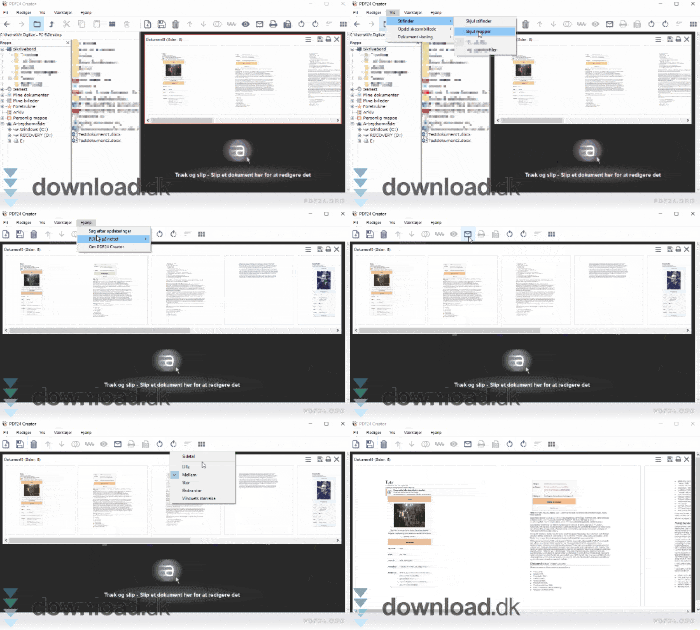
- Editing and save: Once you’ve arranged the pages, you can save the file in exactly the quality and resolution you want—or send it directly via email or fax.
Everything happens offline, so you don’t have to upload sensitive documents to a cloud service.
System requirements and compatibility
PDF24 Creator works on the following operating systems:
- ✅ Windows 11
- ✅ Windows 10
- ✅ Windows 8 and 7
- ❌ Not available for Mac, Linux, iOS, or Android
The program requires no special hardware and uses very little disk space.
Who should use PDF24 Creator?
This program is ideal for:
- Students who need to submit assignments in PDF format
- Office users who need to compile reports or send documents
- Anyone who wants a free, ad-free PDF solution that works offline
Alternatives to PDF24 Creator
Want to try something else? Then PDF Editor et nærliggende alternativ is a solid pick. It also offers split/merge features and a more modern interface, but it lacks PDF24’s explorer and fax options. Another option is PDFsam Basic, which is also open source and great for splitting and merging.
Top five tips to get the most out of PDF24 Creator
🛠️ 1. Use drag-and-drop for quick merging
Instead of browsing folders manually, simply drag your PDFs directly into the app window. Then arrange them in the desired order and save a single combined file.
🧩 2. Split large files by page selection
If you have a long PDF with several chapters or sections, use the split feature to break it into smaller parts. Just select the pages, and the program does the rest—perfect for exam sets or contracts.
📉 3. Compress without visible quality loss
PDF24 Creator lets you reduce file size without sacrificing quality. This is especially useful when emailing PDFs or uploading them to platforms with file size limits.
🔒 4. Protect your documents with a password
Make your PDFs private by locking them with a password. During the save process, you can enable encryption and add both read and edit protection.
📤 5. Send directly via email or fax
After editing, save time by sending the file directly from the app—either via your default email client or fax (if configured). A real time-saver for office workflows.



