
 Martin Jørgensen
Perplexity AI – search with AI instead of Google
Perplexity AI is an AI-powered search engine that replies like a chatbot—with one thing Google often lacks: clear sources you can verify instantly. Instead of 10 blue links, you get a concise answer, an explanation, and citations showing where the information comes from. That makes Perplexity great for research, homework, journalism, and quick “what does this actually mean?” questions.
Search and features
Perplexity works best when you ask in full sentences—as you would ask a person. In our testing on a Windows 11 PC, it was especially strong at:
✅ Quick explanations of concepts and news
✅ Comparisons (e.g., software, products, and services)
✅ Topic overviews with sources you can open right away
✅ Follow-up questions where it keeps context well
It’s not just “a chatbot with the internet.” It’s more focused on giving you a mini‑summary first, then letting you dig into the sources.
Sources and credibility
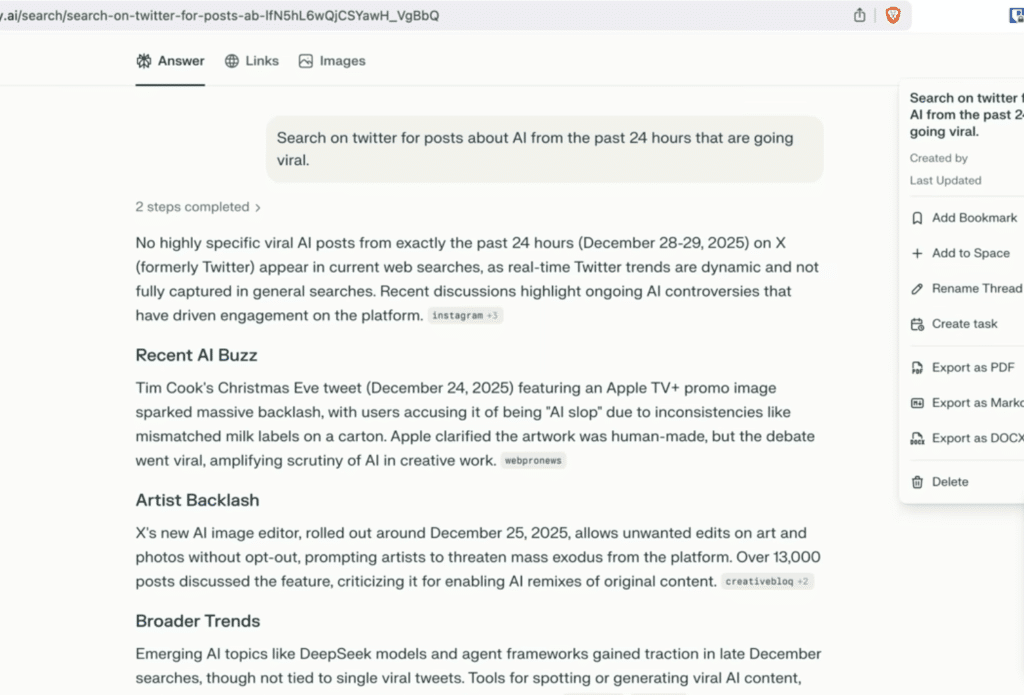
What makes Perplexity compelling as a Google alternative is its handling of sources. In practice, that means you can:
✅ See where the answer comes from (not just “trust me”)
✅ Cross‑check facts fast
✅ Avoid wading through SEO pages that say the same thing with more words
We tested it with classic “gotcha” queries (e.g., technical specs and things that often get outdated), and it was clear that answer quality usually tracks source quality. When Perplexity hits strong sources, it’s excellent. When it lands on mediocre ones, answers get more superficial—but at least you can see that and change course.
Language support and interface
You can use Perplexity in English or many other languages (including Danish). In our tests, English is naturally the strongest—especially when most of the sources are in English. The interface is refreshingly simple: no clutter, no banner‑like distractions, and a focus on the answer.
Who is Perplexity best for?
Perplexity makes the most sense if you often Google to understand something—not just to find a specific page.
It’s especially good for:
✅ Students who want answers with sources (and to save time)
✅ People researching products, software, policy, health, or technology
✅ Anyone tired of clicking through five pages to find one sentence
✅ Journalists and comms pros, where citations are a must
On the other hand, if you mainly use ChatGPT for creative writing, longer conversations, or iterative coding, ChatGPT will usually feel better. Perplexity is more “find the answer + document it.”
Free vs. paid (what do you actually get?)
The free version is enough for most people if you just want to search and get source‑backed answers. Paid tiers typically give you more power and advanced options, but for everyday research in English the free tier is already quite strong.
A quick practical tip from our testing: you’ll get the most out of Perplexity by using it as the “first stop” for an overview—then clicking through 1–2 of the sources when something is important.
Also read our guide to the best AI search engines
Top 5 tips for Perplexity AI (faster research in English)
Write the way you’d ask a person
Use full sentences in English (e.g., “What’s the difference between X and Y, and when does each make sense?”). That usually produces better structure and more precise sources.
Use follow‑up questions in the same thread
Once you have an overview, ask “can you expand…” or “show concrete examples.” Perplexity often keeps the context, so you don’t have to start from scratch.
Check the sources before you cite anything
Click through 1–2 sources—especially for numbers, dates, or regulations. It’s the fastest way to avoid “AI answers that sound right.”
Ask for a short outline for your task
Try “make a brief 5‑point outline and suggest what I should read next.” It feels like getting a mini reading guide immediately.
When in doubt, compare with “vs”
Search “Perplexity AI vs ChatGPT” or “Perplexity vs Google” and follow up with “what’s best for English?” It often yields the most useful conclusions.



