
 Martin Jørgensen
Videos and movies come in many different formats. MPEG, MP4, AMV, and WMV are some of the best-known, but there are many more. That’s why it’s a good idea to get a video converter that can change the videos you download to your preferred format.
Some formats play better with specific media players, while some are so obscure that they only work in a specific medieafspiller. That’s why you should always choose a converter that can handle all popular formats. Prism Free Video Converter can convert to all these formats, from MP4 and APNG to iPhone and iPad formats.
Lightning-fast conversion
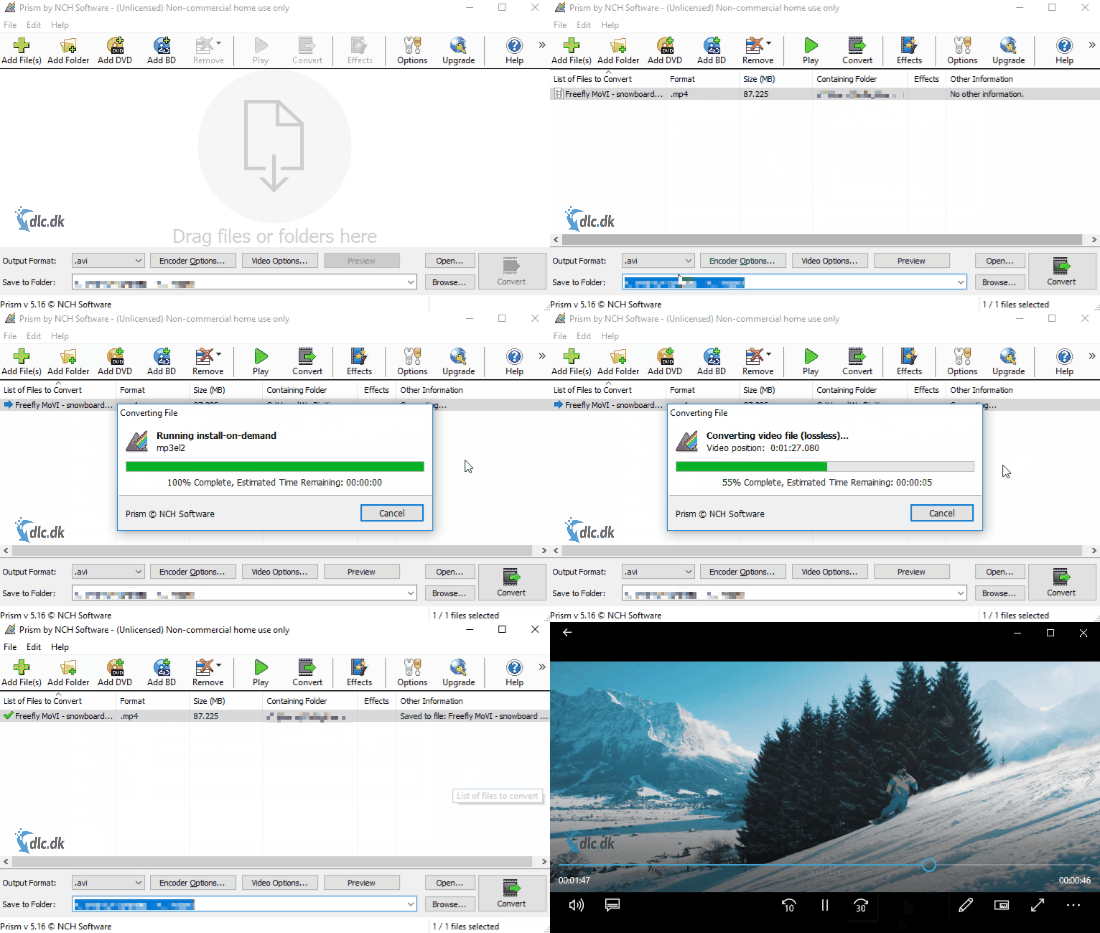
The conversion itself is incredibly simple. Click Add File(s) to choose the file(s) you want to convert, or drag and drop them into the program. Then choose where you want the files saved and which format to convert to, and click Convert in the bottom-right corner. Processing time varies depending on the number and size of files, but overall it’s a very fast converter.
Play and edit with Prism Free Video Converter
The main purpose of the program is conversion, but that doesn’t mean there aren’t other features. You can both play and edit videos inside the app.
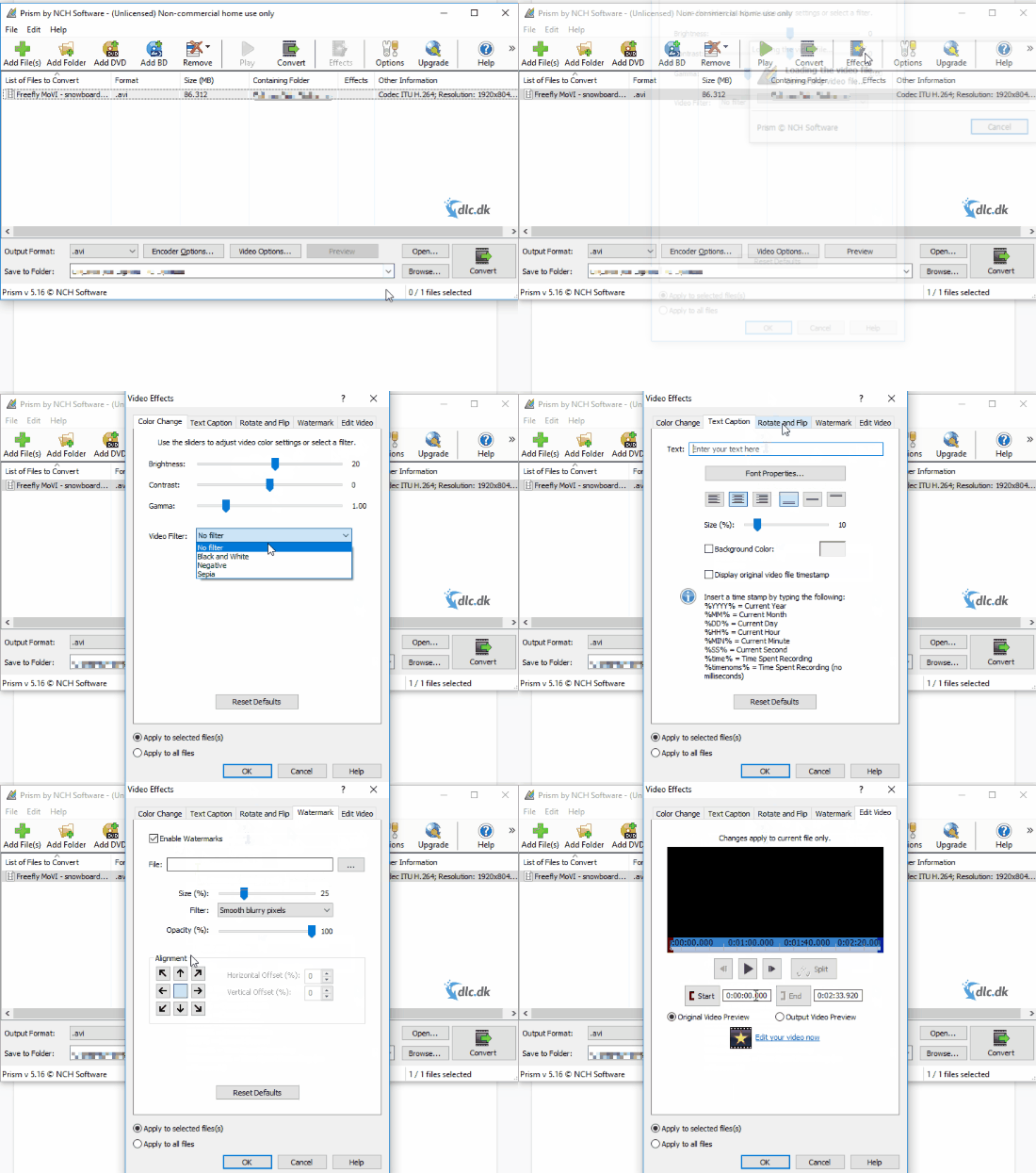
After you’ve added a file, simply click the Play button to preview it in the program. You can also click Effects to open a window where you can adjust and add a range of options. Tweak brightness and color contrast, apply filters like Black & White and Sepia, add text and watermarks, and of course rotate or flip the video.
DVD, Blu-ray and sharing
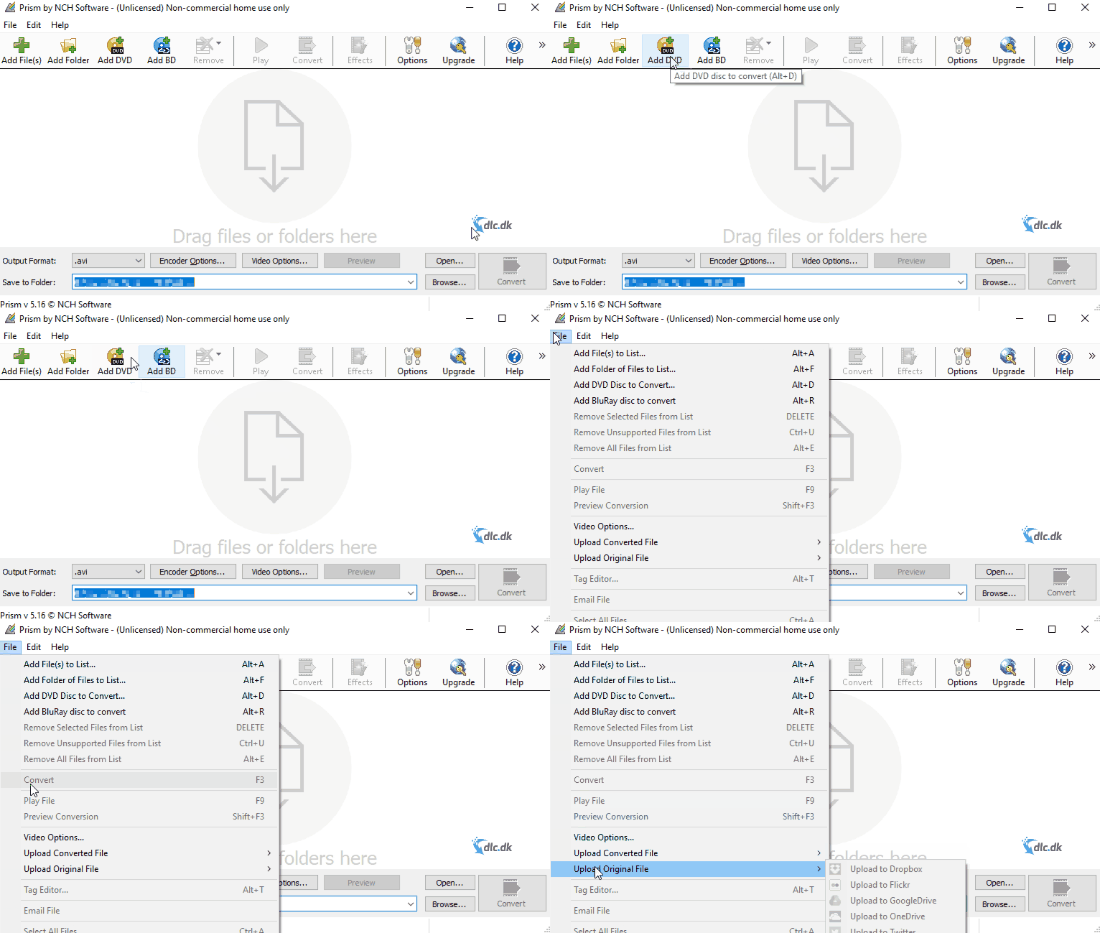
In addition to converting files stored on your computer, you can also convert them directly from your CD/DVD drive. If there’s a DVD in your PC, you can convert it. The same goes for Blu-ray files.
You can also share your video directly from the program. It’s possible to upload straight to platforms like YouTube, Twitter, and Dropbox, which saves time when you need to convert and then upload to a website.
Ease of use
The interface is very straightforward. It’s easy to navigate the menus, and the drag-and-drop feature for adding files makes life much easier. Unfortunately, the program isn’t available in Danish, so you’ll need to use the English version. The language is clear and avoids heavy technical jargon.
Alternatives
There are many video converters on the market, so it’s smart to try a few before deciding which one matches your needs. Prism Video Converter is a very good tool, but there are several solid options. You can also look at Pavtube HD Video Converter and 1. They differ from Prism in some areas, so take a moment to identify the features you need most.
Prism Free Video Converter is a solid choice
Prism Free Video Converter is an all-around useful video converter that supports all popular formats. It’s easy to use and extremely fast. You can convert files from your computer as well as DVD and Blu-ray files. While there’s no Danish version, the English interface is easy to understand and not overly technical. In the section above, you’ll also find alternative converters to consider before choosing the best option for you.



