
 Martin Jørgensen
RoboForm – free password manager for Windows, Mac, and mobile
RoboForm is a password manager that securely stores your passwords, signs you into websites, and automatically fills forms on Windows, Mac, Android, and iPhone.
Tired of resetting passwords, reusing the same one in multiple places, or pulling out your credit card every time you shop online? RoboForm aims to make all of that a bit easier.
The app has been around for many years, but it’s no longer just a small tool for filling fields on websites. Today, RoboForm is a complete password manager with encrypted storage, a password generator, passkey support, and the option to sync across devices.
One feature that makes RoboForm especially compelling is its advanced form filling. The app still shines here, which is particularly useful if you frequently place orders, create accounts, or work with many different websites.
What is RoboForm, and how does it work?
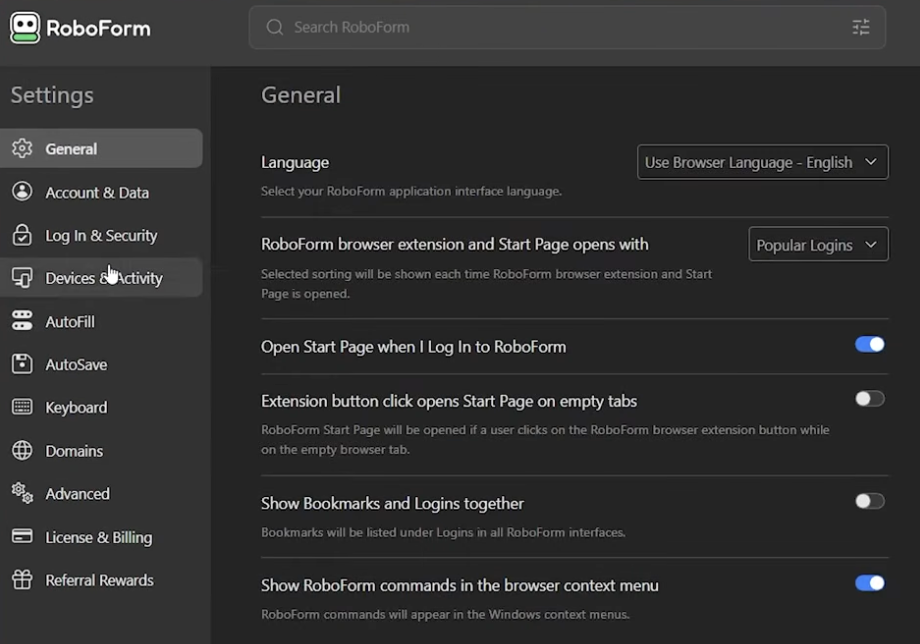
RoboForm keeps your passwords in an encrypted digital vault. Instead of remembering a long list of different passwords, you mainly need to remember one strong master password.
When you visit a website where you have a saved account, RoboForm can suggest the correct login details. That means you don’t have to search for the password or copy it from a document.
Key features include:
- Password manager: Stores and organizes your login credentials.
- Auto-login: Fills in username and password on supported websites.
- Password generator: Creates long, unique passwords.
- Form autofill: Automatically inserts your name, address, and other details.
- Secure storage: Protects sensitive data with encryption.
- Passkeys: Supports modern passwordless sign‑in on compatible services.
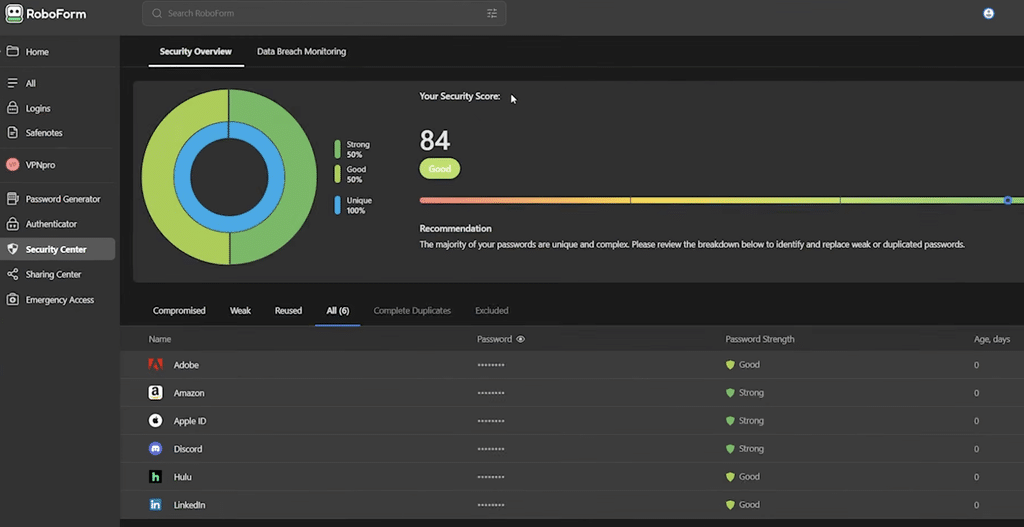
- Security checkup: Helps identify weak, reused, and compromised passwords.
- Sync: Makes your data available on multiple devices with the appropriate plan.
A handy detail is that RoboForm doesn’t just focus on passwords. You can also save identities with address information you can reuse when filling forms.
RoboForm Free – what do you get without paying?
RoboForm offers a free version that’s sufficient if you primarily use one computer or device.
The free edition includes:
- Unlimited saved passwords.
- Autofill for login details.
- Generation of secure passwords.
- Automatic form filling.
- Checks for compromised passwords.
- Built‑in TOTP authenticator.
- Support for two‑factor authentication.
The main limitation is that the free version is intended for one device.
If you want to use RoboForm on a Windows PC, a Mac, and your smartphone with access to the same data, the Premium plan is more relevant.
RoboForm Premium and Family – when is it worth it?
RoboForm Premium adds multi‑device sync, secure sharing, emergency access, and additional security features.
The Family plan provides up to five separate Premium accounts so different family members can have their own passwords.
That’s especially convenient because you don’t have to share a single, common password vault. Each person can keep personal logins separate and share selected items when needed.
RoboForm lists a regular annual renewal price of $29.88 for Premium and $47.75 for Family. Prices and introductory offers are subject to change.
RoboForm Free vs. Premium vs. Family
Here’s a mobile‑friendly comparison. The code is ready for WordPress and shows standard table columns on larger screens and easy‑to‑read cards on mobile.
| Feature | Free | Premium | Family |
|---|---|---|---|
| Passwords | Unlimited | Unlimited | Unlimited |
| Number of devices | 1 | Unlimited | Unlimited |
| Auto-login | ✅ | ✅ | ✅ |
| Password generator | ✅ | ✅ | ✅ |
| Sync | Limited to one device | ✅ | ✅ |
| Secure sharing | Limited | ✅ | ✅ |
| Family accounts | 1 account | 1 account | Up to 5 accounts |
| Regular renewal price | $0 | $29.88/year | $47.75/year |
Form autofill – RoboForm’s standout strength
One of the most interesting parts of RoboForm remains its form autofill.
Many password managers are great at storing passwords, but RoboForm also handles details like your name, address, phone number, and payment information.
That means you can create an identity and reuse those details across different websites.
Imagine you’re ordering from an online store you haven’t used before. Instead of typing everything manually, RoboForm can help populate the relevant fields.
It’s not perfect, though. Some websites use special forms or JavaScript that means fields aren’t always recognized correctly. Always review your details before submitting a form or completing a payment.
Is RoboForm safe to use?
When you keep your passwords in one place, security naturally becomes critical.
RoboForm uses AES‑256 encryption to protect your vault and employs an architecture where your master password isn’t sent to the developer in readable form.
That means your data is protected, but it’s still essential to choose a strong master password.
RoboForm also underwent external security assessments in 2023 and 2025 by Secfault Security. That’s positive, though any review can’t guarantee a program is free from vulnerabilities.
We especially recommend three precautions: use a long, unique master password, enable two‑factor authentication, and make sure you have a secure method to regain access to your account.
Can RoboForm be hacked?
No password manager is completely risk‑free.
Even if your vault is encrypted, malware on your device, phishing, or a compromised computer or phone can still pose risks.
However, a password manager makes it far easier to use different, strong passwords on every website. That’s a major improvement compared to reusing the same password across multiple sites.
RoboForm for Windows, Mac, Chrome, Android, and iPhone
RoboForm is available for the major operating systems and browsers.
On Windows, you can install a desktop client that supports Windows Hello and access to saved data without an internet connection.
The Mac version integrates with Safari, and browser extensions are available for Chrome, Edge, Firefox, and more.
On Android and iPhone, RoboForm can handle passwords and logins in supported apps and browsers.
Syncing across devices is especially worth considering if you often switch between your computer and phone.
RoboForm 2Go – what happened to the USB version?
RoboForm used to offer a special version, RoboForm2Go, which let you carry the password manager on a USB drive.
It was useful at a time when many people switched between computers without access to modern syncing.
Today, the standard RoboForm setup with browser extensions and password syncing is more relevant.
The old RoboForm2Go installers shouldn’t be used as the basis for a new installation. Choose the current version from the developer’s official download page.
RoboForm or Bitwarden, 1Password, and NordPass?
If you’re considering a password manager, RoboForm is far from the only choice.
Bitwarden is appealing if you prefer open source and want a free solution with multi‑device access.
1Password delivers a more modern user experience and a strong, all‑round solution for both individuals and businesses, but it doesn’t offer a comparable permanently free personal tier.
NordPass is also an interesting alternative with a simple interface.
Password manager comparison
This table uses the rf-tbl CSS class from the first table.
| App | Free version | Key strengths |
|---|---|---|
| RoboForm | ✅ Yes | Form autofill and auto‑login |
| Bitwarden | ✅ Yes | Open source and free sync |
| 1Password | ❌ Trial only | Design, family use, and security features |
| NordPass | ✅ Yes | Simple interface and password management |
If you primarily want free sync across devices, Bitwarden is hard to beat.
If, on the other hand, you regularly complete complex forms and want a password manager that pays special attention to that, RoboForm is definitely worth a try.
Top 5 tips for RoboForm
Here are five practical tips that improve security and make RoboForm easier to use.
1. Import your passwords from Chrome or Edge
You don’t have to start from scratch when moving to RoboForm. The app supports importing passwords from Chrome, Edge, and other password managers.
Use RoboForm’s import tool, then verify that your most important accounts came through correctly.
If you export passwords to a CSV file along the way, be extra careful. The file typically contains passwords in readable form and should be securely deleted after import.
2. Find reused and weak passwords
Use RoboForm’s Security Center to identify passwords that are weak, compromised, or reused across multiple sites.
Start with your most important accounts: email, online banking, social media, and any accounts with payment details.
Change them one by one to long, unique passwords generated by RoboForm.
3. Create an identity for automatic form filling
RoboForm can save you time if you create an identity with your name, address, and phone number.
It’s especially useful for online orders and when creating new user accounts.
Consider separate identities for personal and work use to avoid inserting a home address into a work‑related form.
Always review the filled details before you submit.
4. Enable two‑factor authentication
Your RoboForm account potentially unlocks many other accounts, so secure it well.
Enable two‑factor authentication in your account settings and choose an authentication method that fits your needs.
It adds an extra layer of protection in case your master password is ever compromised.
5. Use secure sharing instead of sending passwords
If you need to share a password with a family member or colleague, avoid sending it in plain email or text message.
With an appropriate RoboForm plan, you can share credentials through its secure sharing features.
That gives you better control over who has access and makes it easier to change or revoke sharing later.
RoboForm FAQ
Is RoboForm free?
Yes. RoboForm offers a free version with unlimited password storage on one device. If you want to sync across multiple devices, choose Premium or Family.
Is RoboForm secure?
RoboForm uses AES‑256 encryption and supports two‑factor authentication. The developer has also commissioned external security assessments. It’s still important to use a strong master password and keep your devices up to date.
Does RoboForm support multiple languages?
Yes. RoboForm supports multiple languages (including Danish) in the relevant clients. Language availability can vary by platform and browser extension.
Can I use RoboForm on both computer and mobile?
Yes. RoboForm is available for Windows, macOS, Android, and iOS. If you want access to the same saved passwords on multiple devices, Premium or Family is usually the right choice.
What happens if I forget my master password?
RoboForm offers account recovery options under certain conditions, but recovery isn’t guaranteed in every situation. Know your options before you get locked out, and store your master password securely.
Is RoboForm better than Bitwarden?
RoboForm stands out for its advanced form autofill. Bitwarden, on the other hand, has a very attractive free tier with multi‑device syncing. The best choice depends on your needs.
Can RoboForm autofill payment details?
Yes. RoboForm can store and fill payment details in supported forms. Functionality depends on the specific website. Always check your details before paying.
Does RoboForm support passkeys?
Yes. RoboForm supports passkeys on compatible platforms and websites. Passkeys can simplify sign‑in and reduce risks associated with traditional passwords, but support varies by service.
RoboForm is still a strong choice – especially for forms and passwords
RoboForm may not be as visible as Bitwarden or 1Password, but it still has plenty to offer.
Its biggest strength is the combination of secure password management and robust form autofill. That makes RoboForm a compelling option for personal and work use, especially if you regularly sign in to many different websites.
The free version is a fine place to start. The one‑device limitation, however, means many users will likely prefer Premium once they begin using the app daily.
If you want a free password manager with syncing across multiple devices, Bitwarden is worth comparing. But if form autofill is high on your wishlist, RoboForm definitely deserves a chance.
Download RoboForm free – official download
Always download the current version of RoboForm from the developer. That ensures you get an up‑to‑date installer and the right version for your device.



