
 Martin Jørgensen
Slim PDF Reader – The lightest PDF reader for Windows, Mac, and Linux.
Slim PDF Reader is an ultra-lightweight PDF reader for Windows that focuses on the essentials: opening and displaying PDFs quickly and efficiently—without ads, bloatware, or confusing extras.

Simple, fast PDF viewing without distractions
Slim PDF Reader is ideal if you don’t need heavy features like editing, form filling, or cloud integration. It opens your PDFs fast, uses very few resources, and works great on older or slower PCs, in schools, and on workstations where performance and simplicity matter.
That makes it especially useful for students, office work, or as a secondary PDF app alongside, e.g., Adobe 1.
Features and user experience
Slim PDF Reader has the core features you expect:
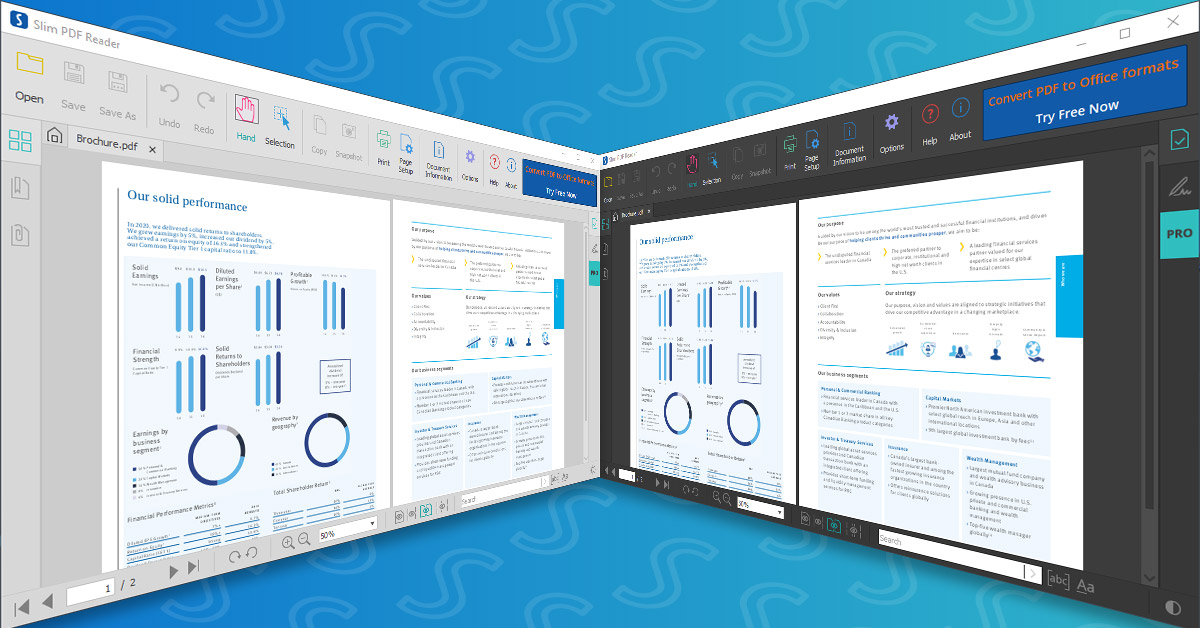
- Tabbed interface: Open multiple PDFs at the same time, each in its own tab.
- Dark and light themes: Switch the layout to match your lighting.
- Snapshot, printing, and copy: Save pages as images, take notes, or print directly.
- Search: Find text quickly within the document.
- Zoom and fit: Adjust the view to your screen and needs.
There’s also a minimalist toolbar with clear icons, and you can customize layout and navigation under “Preferences.”

Which systems does Slim PDF Reader support?
Slim PDF Reader is compatible with:
- Windows 10 and 11
- macOS (version 10.13 and later)
- Linux (major distributions—such as Ubuntu and 1)
That makes the app a great choice no matter which operating system you use—ideal for home, office, or study environments with mixed platforms.
An alternative if you need to convert PDFs
Slim PDF Reader does not support converting PDFs to Word, Excel, or other formats. If you need that, we recommend Icecream PDF Converter. It’s user-friendly, available in Danish, and can convert both to and from PDF. However, advanced features require a paid license.

Top five tips and tricks for Slim PDF Reader
The best PDF reader for older PCs
If you’re running Windows on an older machine where modern software slows things down, Slim PDF Reader is optimized for speed and low resource usage—perfect for school PCs, older workstations, or the home office.
How do you open a PDF without Adobe?
If you’re tired of Adobe Acrobat Reader and want a lighter alternative, Slim PDF Reader is a perfect choice. No registration is required, installation takes seconds, and it opens your PDFs without hassle.
Use a free lightweight PDF reader for Windows, Mac, and Linux
Slim PDF Reader is among the lightest PDF readers on the market. It takes up under 20 MB and uses virtually no system resources—ideal for older or low-powered devices.
Choose a fast app to open PDF files
While heavier programs may take several seconds (or minutes!) to open large files, Slim PDF Reader loads documents instantly so you can keep moving without delays.
Choose a PDF viewer without ads and distractions
Slim PDF Reader is 100% free and free of ads and nag screens. You get a clean interface and a focused reading experience—without prompts to buy anything.



