
 Martin Jørgensen
Smart Defrag – optimize your hard drive and boost speed for free
Smart Defrag is a free, user-friendly defragmentation tool for Windows that helps consolidate fragmented files on your hard drive to improve system speed and performance. The program is developed by IObit, which also makes popular tools like Advanced SystemCare.
With an intuitive English interface, startup optimization, and options for both manual and automatic defragmentation, Smart Defrag is an obvious choice for both beginners and more experienced users who want a faster PC.
Why defragment your hard drive?

As you install and delete programs and files over time, data gets scattered across different parts of your hard drive. That forces the system to work harder to read files, which leads to slower startup and reduced performance.
Defragmentation brings those files back together so your computer can access them faster. It’s a bit like organizing a messy filing cabinet — you spend less time finding what you need.
Features and options in Smart Defrag

- One-click defragmentation: Click "Defrag" and let the program analyze and optimize automatically.
- Analyze without defragmenting: See whether your system needs a defrag before you start.
- Boot-time defrag: Defragment critical system files at startup — including the Windows Registry.
- Scheduling: Automatic defragmentation on a set schedule or when the PC is idle.
- Custom defragmentation: For power users, it’s possible to choose specific drives and file types.
Ease of use and English interface
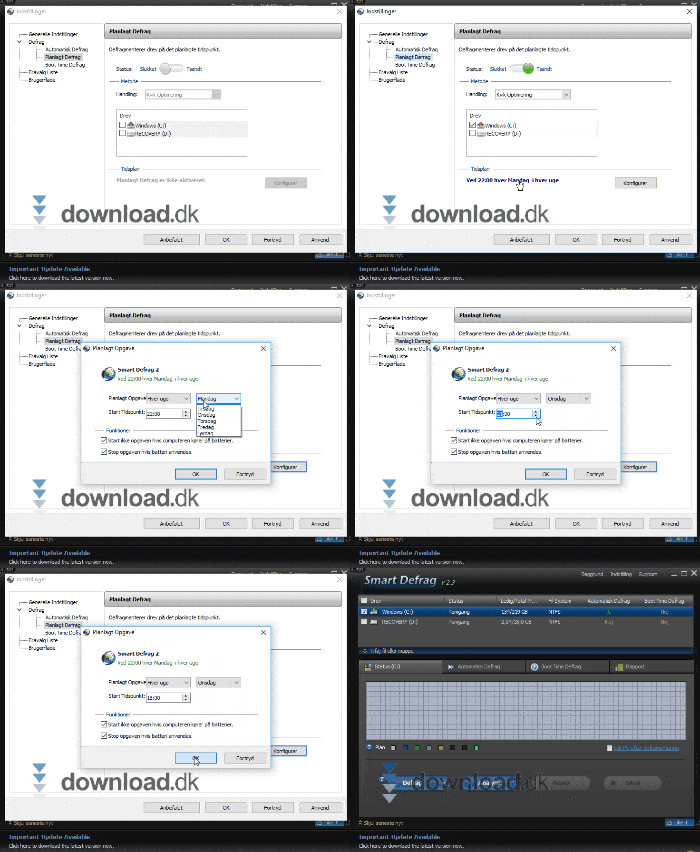
Smart Defrag installs with an English interface by default, making it easy for anyone to use. The program has a simple layout with four main menus at the top. You can also choose between dark and light themes — whatever you prefer.
In Settings, you’ll also find access to reports and helpful guides.
Free vs. PRO version
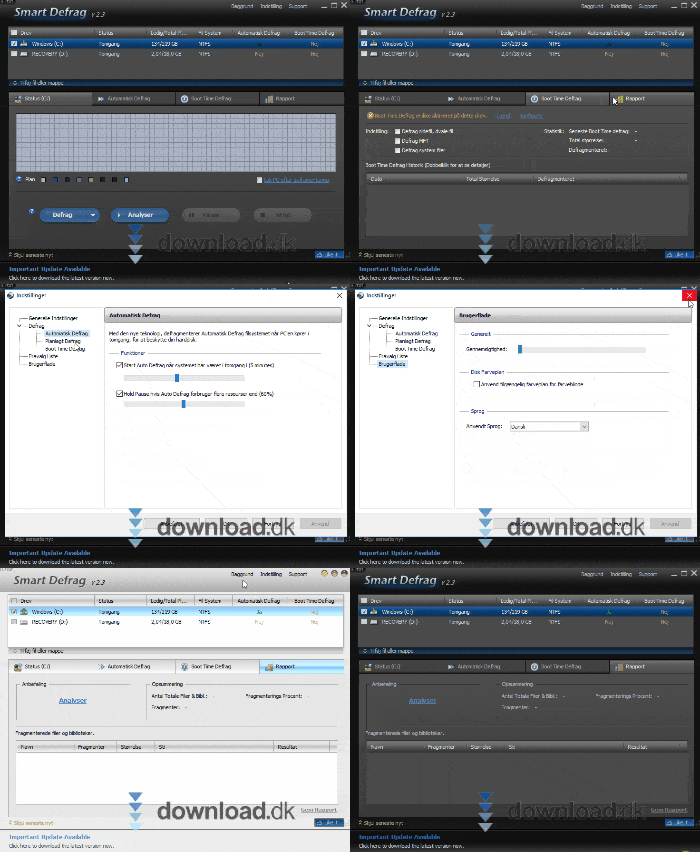
The standard version of Smart Defrag is completely free and includes the essential features for everyday users. You can upgrade to PRO, which adds:
- Enhanced boot-time defrag
- Automatic updates
- Faster defragmentation engine
- Premium support
Most people will be fine with the free version.
Alternatives to Smart Defrag
If you’re not completely satisfied with Smart Defrag, try:
- 1: Fast and effective with visual reporting.
- Defraggler (by Piriform): Simple tool with deeper control over selected files and drives.
Top 5 Smart Defrag tips
Don’t forget it — set Smart Defrag to run when your PC is idle.
Set the program to optimize the Windows Registry and system files during boot.
First check whether your drive actually needs defragmentation before you spend time on it.
Avoid unnecessary work by selecting only active drives (often C:).
New versions often improve performance and fix bugs — especially if you use PRO.
Smart Defrag is a solid solution for a faster PC
Smart Defrag is one of the most accessible and effective free tools for defragmentation. It does exactly what it promises without overwhelming you with technical details. IObit has created software that both technical and non-technical users can easily get value from. If your computer feels slow, Smart Defrag is one of the easiest places to start.



