

 Martin Jørgensen
Over time, all programs naturally slow down. Often there isn’t much you can do, but in some cases the slowdown is caused by a fragmented database used by the app. For certain programs, there’s an easy fix.
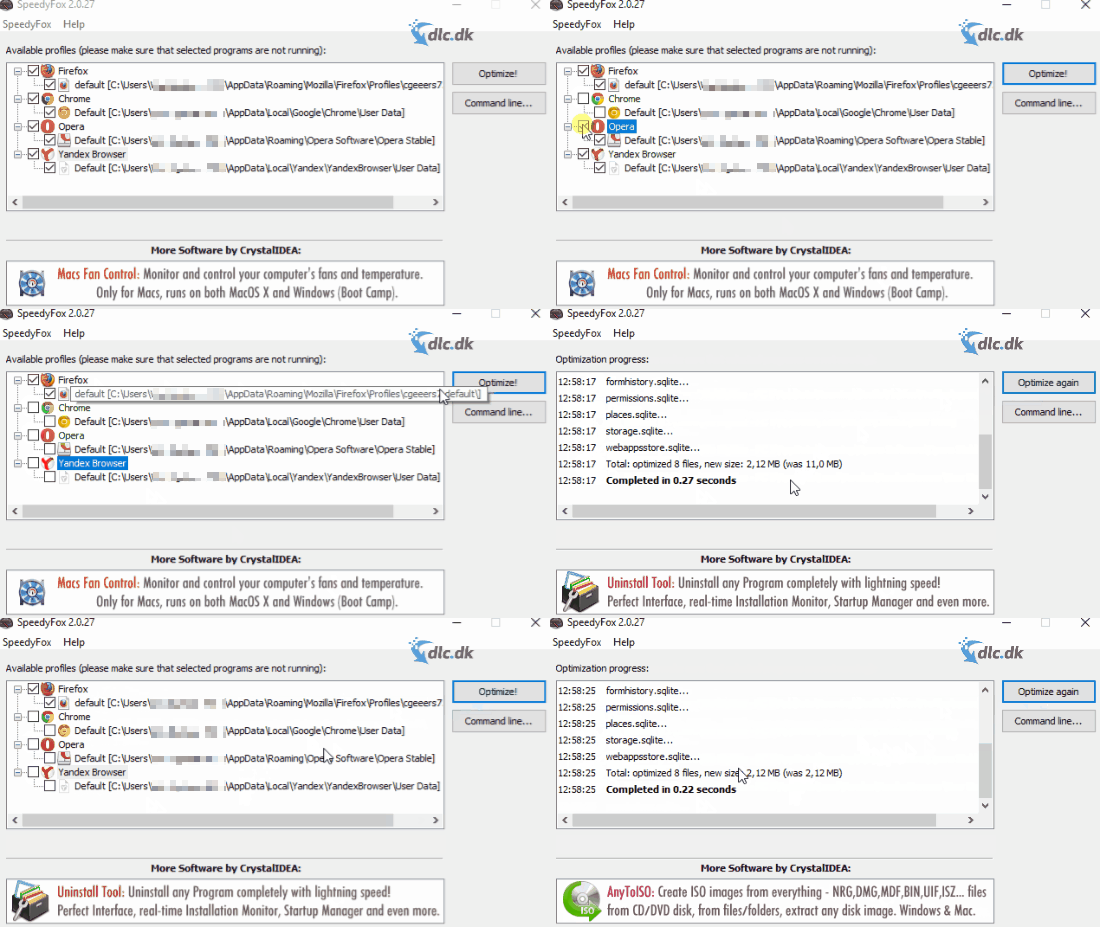
With SpeedyFox you can optimize programs that use an SQLITE database so they launch faster and take up less space. You can download SpeedyFox here for free.
How to use it
Once you’ve downloaded SpeedyFox, you’re almost done. The app has a single purpose, making it super easy to use. Select the programs you want to optimize from the list, click the optimization button, and SpeedyFox does the rest.
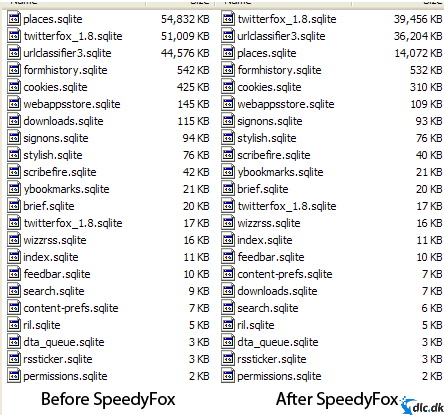
As shown above, the SQLITE databases are significantly reduced in size, and you’ll notice that the program starts up faster and runs more smoothly overall.
Supported programs
Below is a list of programs supported by SpeedyFox that you can optimize.
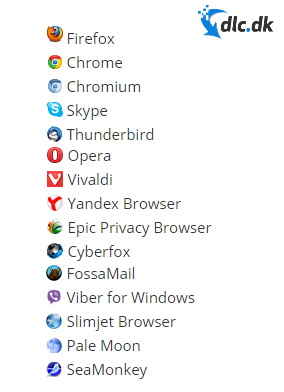
The tool is primarily tailored for browsers, but it also handles chat apps like Skype and Viber. You don’t need to research whether your software works with SpeedyFox—simply open it and the list will show which of your installed programs are supported.
Ease of use
As mentioned, the program is very simple and straightforward. Because it has just one function, you’ll quickly learn how it works. If you run into trouble, you can always get help from the guide on the developer’s website. The program isn’t available in Danish, but since it’s so simple, the language barrier shouldn’t be a problem.
When should I optimize?
The developers recommend optimizing weekly if you browse a lot. If you browse less, optimizing every other week is sufficient.
Conclusion
SpeedyFox is a simple utility that lets you optimize a range of programs so they run faster and take up less space on your computer. The optimization takes only a few seconds, and the app is extremely easy to use.
With SpeedyFox, you can optimize programs like Skype, Google Chrome, and Firefox to make them even faster. Download it for free here.
Download SpeedyFox


