

 Martin Jørgensen
Download the SPlayer media player for free here
Is it time to find a new and efficient media player? It can be quite difficult to find a good one. This is the kind of software where hundreds of companies compete for your attention.
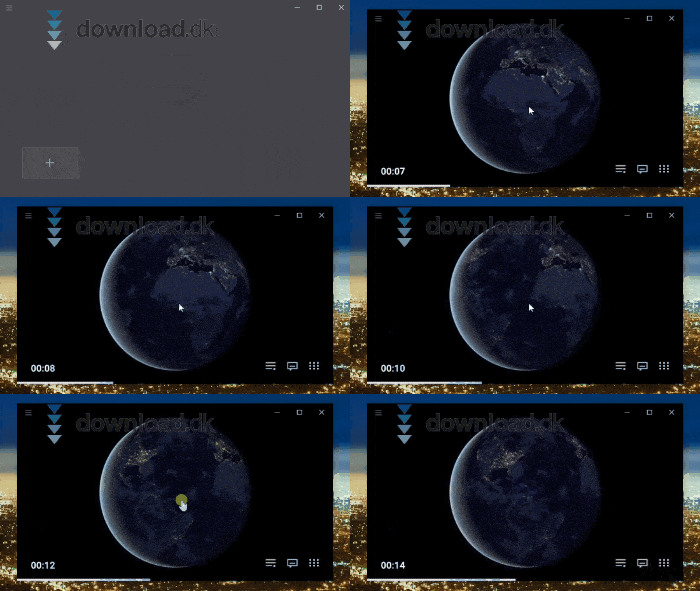
A program like SPlayer offers you a solid medieafspiller that also includes a few extra goodies along the way.
Most video formats are supported
SPlayer is a media player/video player, making it an ideal program for playing your video clips. SPlayer supports many different video file formats. You can, for example, use MP4, AVI, MOV, OGG, and WMV. So you don’t have to worry about whether the program supports your preferred video format.

SPlayer also gives you robust options to tweak video and audio. For example, you can boost the volume by up to 1000%. It’s hard to say why you’d need that, but you can. The program can also auto-generate English subtitles.
You can also create a playlist with your video files. This is handy if you have recordings from a big event like a wedding, a milestone birthday, or anything else you want to review yourself or show others.
Create a hub for your streaming sites
SPlayer is, as the name suggests, a media player—of course. But it can also do a bit extra that you’ll likely find useful.
In SPlayer, you can gather all your favorite streaming sites so you can access them quickly and switch between them as you wish. This includes, for example, YouTube, Twitch, MasterClass, Tencent Video, etc. A good mix of entertainment and learning.

So not only can you play your own videos—you also get access to a wealth of online content you can watch whenever it suits you, all in one place.
Designed with user-friendliness in mind
SPlayer has an incredibly simple design. It’s actually so simple that the developers have omitted adding a help section for this. When you start the program, you’re greeted by a black screen with a large plus button in the bottom-left. Click here to add a video clip, or simply drag it in.

At the top-left there’s a button symbolized by three bars. Click here to view your site manager. It comes with YouTube and Twitch selected by default, but you can open a list and add more as you like.
If you want to edit something about the video you’re watching, you can either right-click the screen or use the small buttons that appear at the bottom-right of your video.
Alternative software
SPlayer is a program that requires many system resources—it’s fairly heavy to run. If you want something more lightweight, consider VLC Media Player.
The program works as a simple media player without the extra resource-heavy features. VLC Media Player can be downloaded for free her.
Conclusion
SPlayer is a solid media player that does what it promises. With the extra options to use streaming services such as YouTube and Twitch from within the program, it becomes even more useful. It’s easy to recommend.
Download SPlayer


