

 Martin Jørgensen
Udio – create your own songs with AI in seconds
Udio is an advanced AI music generator that lets you create complete songs — with lyrics, vocals, and music — just by writing a short prompt. The tool has become extremely popular in 2024 and 2025, especially as an alternative to Suno AI, and Udio is already used by hobbyists, content creators, and professional musicians.
With the software, you can create everything from pop and rock to classical and rap — even with Danish vocals if you craft your prompt correctly.
Top 5 tips to get the most out of Udio
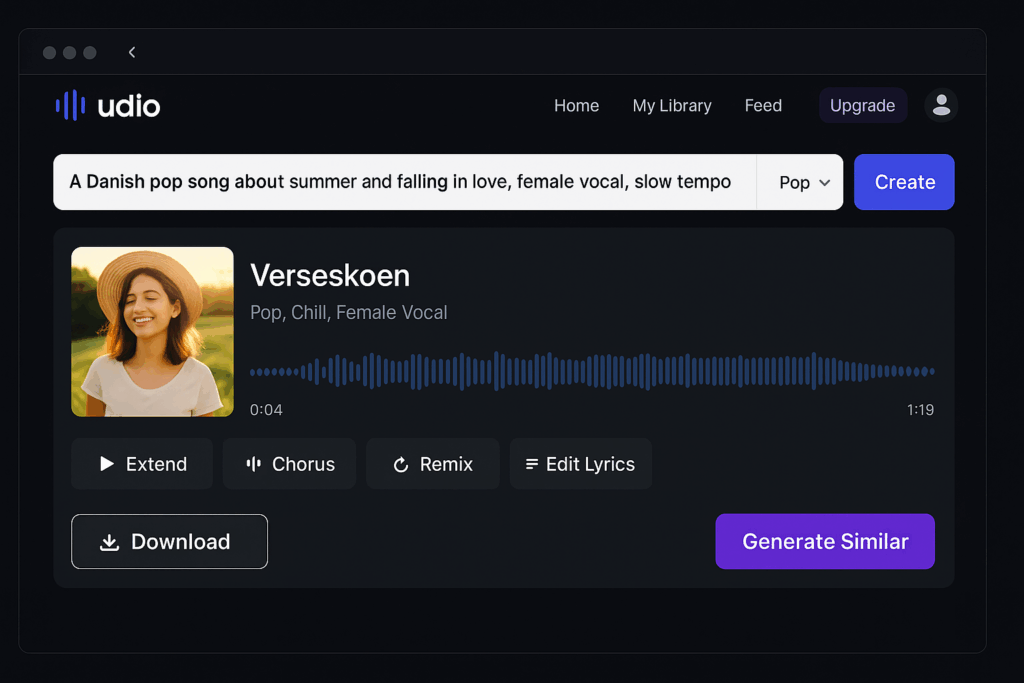
The more precise your prompt is, the better the result. Avoid long, complex sentences. Use clear, concrete descriptions instead, such as: “A Danish pop song about summer and being in love, female vocal, slow tempo.” Think like a copywriter and use keywords related to genre, mood, and language.
With Extend, you can build on an existing song and add new verses or an outro. Remix lets you change mood, style, or vocal while keeping the lyrics. This makes it easy to version and experiment without starting from scratch.
If you plan to continue working on the track in an audio editing program (DAW) like FL Studio, Logic, or Ableton Live, always export as WAV instead of MP3. WAV is lossless and ideal for further mastering and mixing.
To generate songs with Danish vocals, include phrases like “sung in Danish” or “Danish female vocal” in your prompt. You can also describe the voice more precisely, e.g., “soft, bright voice like Medina” or “deep male voice like Rasmus Seebach.”
Udio is perfect for short jingles, intros, and background tracks for YouTube videos, Reels, TikToks, and podcast intros. The fast workflow makes it possible to create custom audio without expensive composers or complicated software.
Features and options in Udio

It runs directly in your browser and requires no installation. Log in (with Google or Apple ID), write a short description of your song, choose genre, style, and tempo — and a few seconds later you have a finished track.
Core features:
- Choose language, genre, and voice type
- Generate up to 4 minutes of music for free (can be extended in the paid version)
- Supports verses, choruses, and structure
- Edit lyrics and regenerate parts of the song
- Export as WAV or MP3
- Create cover art automatically
The most impressive part is how natural the vocals sound — often like a real human. There are even Danish voices that sound surprisingly realistic, especially in pop and electronic styles.
Free vs paid version
Free version:
- 10 generations per day
- Limited to shorter songs (typically 30–90 seconds)
- No commercial use
Paid version (from about $12/mo):
- Unlimited generations
- Songs up to 4 minutes
- Commercial license for YouTube, Spotify, etc.
For most users, the free plan is plenty for experimenting, but musicians and content creators will quickly get value from the paid plan.
Udio vs. Suno
1 and Udio are the two biggest players on the market. Udio stands out with:
- More natural vocals and better lyric coherence
- Better Danish vocal rendering
- More flexible song structure (verses/chorus)
- Options for post-editing and regeneration
Suno is slightly stronger on beats and intensity in genres like hip-hop and metal.



