
 Martin Jørgensen
UltraViewer – free remote support on your PC
UltraViewer is a free remote desktop program for Windows that lets you control another computer remotely. It was developed as an alternative to TeamViewer, with a focus on simple setup and support‑friendly features.
We tested UltraViewer on a standard Windows 11 PC, and the installation took under two minutes. The interface is clean and distraction‑free. Unlike many other solutions, UltraViewer is designed for users who help others—such as family, friends, or customers—with computer problems.
Features and ease of use
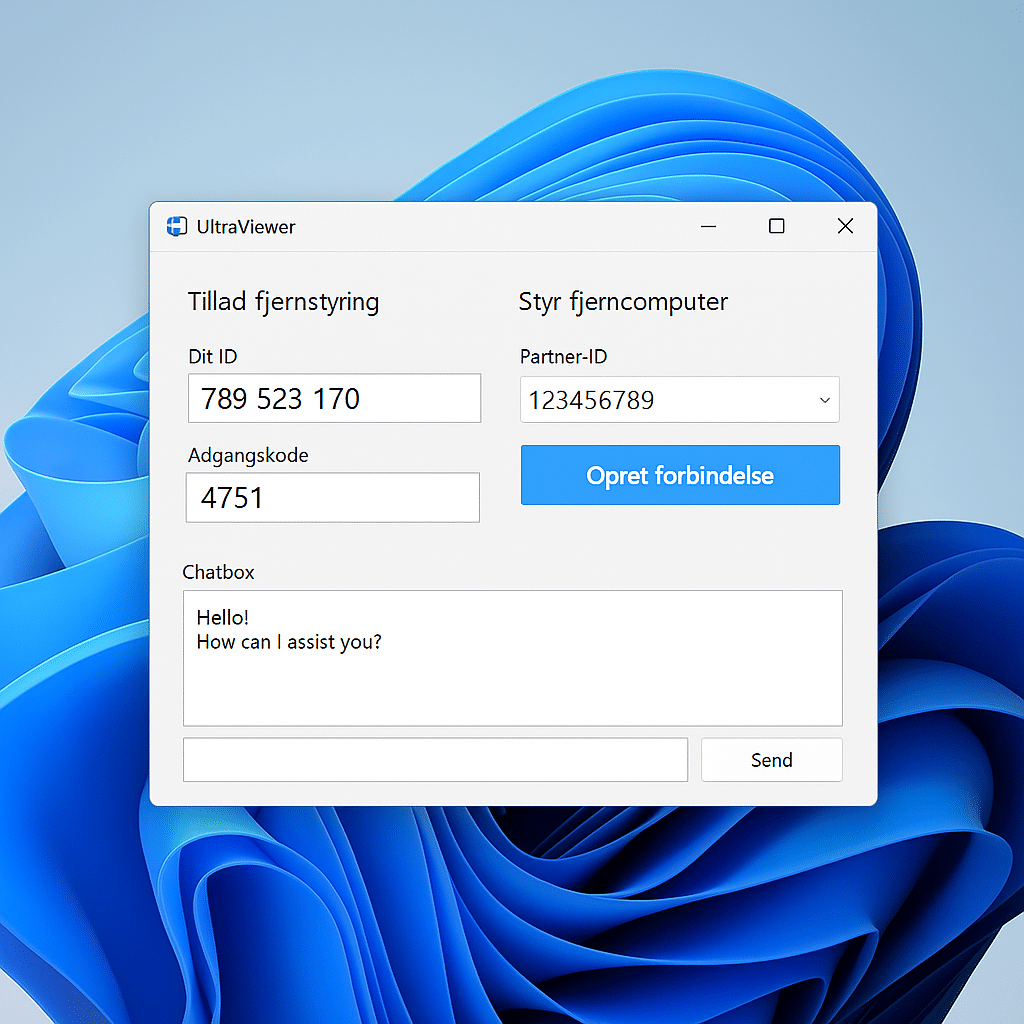
UltraViewer uses a simple ID and password model: the person who needs help shares their ID and password with the supporter. You then gain remote access, can control the mouse and keyboard, and even transfer files between the two machines. The system is similar to TeamViewer but is more minimalist and quick to set up—especially for personal use.
An integrated chat box makes it easy to communicate along the way, which is especially helpful if you’re assisting less experienced users. In our tests, chat was stable and lag‑free, letting us give instructions and receive feedback without interruptions. In practice, this makes a big difference because you can guide the user while you perform actions on their screen.
We also tested file transfer and found it useful for installing software, sharing manuals, and small documents. It’s drag‑and‑drop based, which keeps things straightforward—even for non‑technical users. The combination of remote control, chat, and file transfer means UltraViewer can cover most everyday remote support needs without paying for pricier alternatives.
Performance and security
Performance‑wise, UltraViewer isn’t quite on the same level as AnyDesk when it comes to speed on weak connections. That said, our overall experience was stable, even while transferring files and working in heavier applications.
Connections are encrypted, but UltraViewer doesn’t market “bank‑level security” like some competitors. For personal use and everyday support, however, it’s more than sufficient.
When does UltraViewer make the most sense?
UltraViewer is ideal if you primarily need a simple tool for remote support. It’s free, requires no complicated setup, and works reliably in practice. If you need professional remote administration in a business with many clients, it may be worth considering alternatives like AnyDesk or TeamViewer.
Top 5 tips for UltraViewer
Yes, UltraViewer is free to use for personal and small business support. There are no hidden fees or limits on the number of sessions.
Download the installer from the official website and run the setup. It takes under two minutes to install on a typical Windows PC.
Yes, UltraViewer includes built‑in file transfer, letting you share documents, software, and other files directly between two computers.
No, UltraViewer currently supports Windows only. Mac and Linux users should use alternatives like TeamViewer or AnyDesk.
UltraViewer uses encryption to protect the connection but doesn’t offer the same advanced security level as the biggest competitors. For personal use, it’s sufficient.



