
 Martin Jørgensen
Create self-extracting ZIP files that open without WinZip
WinZip Self-Extractor is a specialized tool for creating self-extracting ZIP files. This lets you send compressed files as a single EXE that unpacks itself—even if the recipient doesn’t have WinZip or any other archiving software installed.
The software is aimed primarily at professional users, but it’s also useful for individuals who often share files with less tech-savvy recipients.
How WinZip Self-Extractor works in practice

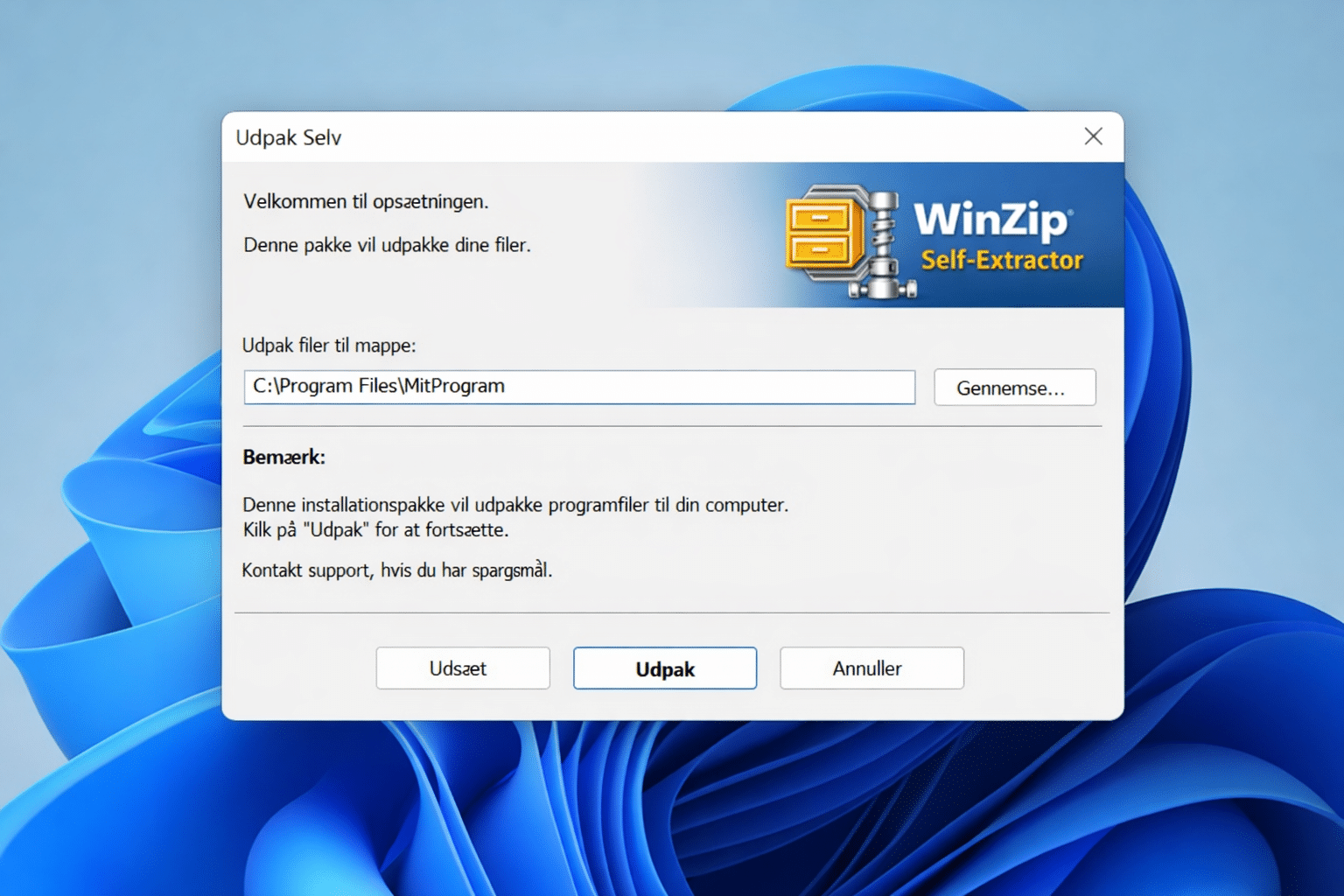
WinZip Self-Extractor works as an add-on to WinZip. You start with a standard ZIP file and convert it into a self-extracting file. When the recipient opens it, a guided extraction launches automatically.
We tested WinZip Self-Extractor on a Windows 11 PC to send installers and document bundles. The process was fast and stable, and the ability to control the extraction folder and display custom messages made the tool ideal for professional use.
Ideal for file delivery and software distribution
One of WinZip Self-Extractor’s biggest strengths is the level of control. You can, for example:
• Set a default extraction folder
• Show license terms before extraction
• Add explanatory text or instructions
• Ensure files are always extracted correctly
That makes it especially suitable for internal IT rollouts, client deliveries, and scenarios where you want to keep support costs low.
Security and compatibility
Self-extracting files can sometimes be flagged by antivirus tools, but in our tests we had no issues as long as the files were properly signed and came from a trusted sender.
The software targets Windows users and fits well in US businesses where EXE-based distribution is still common.
Top 5 tips for WinZip Self-Extractor
Always create the ZIP file first
Create and thoroughly test your ZIP before making it self-extracting. It prevents issues later.
Use clear messages for recipients
Add a brief explanation in the extraction window—it reduces confusion and support requests.
Choose the default folder carefully
Avoid system folders. A clear default location makes files easier to find afterward.
Test the file on a clean PC
Always test the self-extracting file on a computer without WinZip installed.
Avoid too many files in one package
Large, complex packages can overwhelm recipients—split them up when possible.



