

 Martin Jørgensen
WordMat Download - Free – The ultimate math tool for Word
Looking for an easy way to handle math problems directly in Word? With WordMat, you can integrate advanced math features into Microsoft Word and make math assignments easier than ever. The program is popular among students and educators and is downloaded by thousands of users every month. Learn more here and download WordMat for free today.
What is WordMat and how does it work?
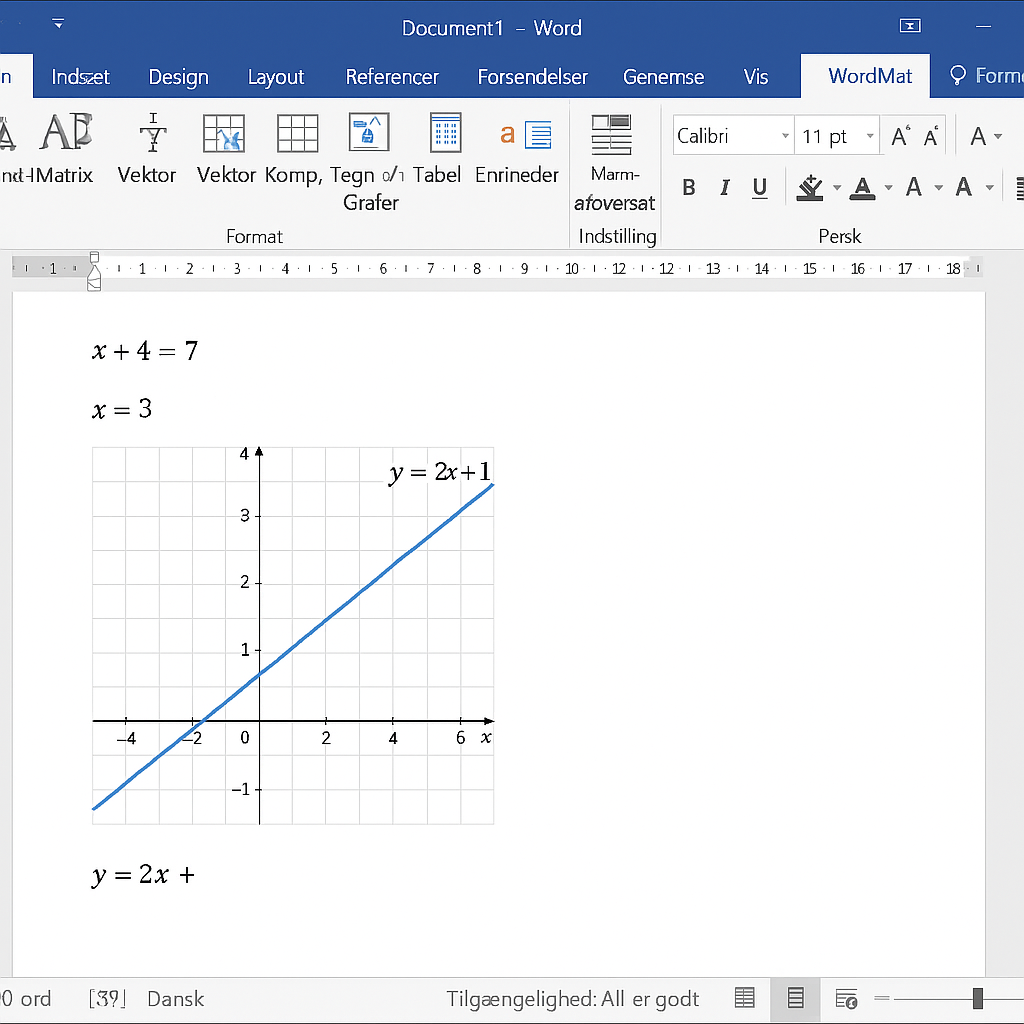
WordMat is a free add-in for Word, designed to help students and educators solve math tasks. When you install WordMat, a new tab is added to Word that gives you access to a wide range of math tools. The program supports everything from equation solving and graphing to statistics and probability. It’s the ideal tool for assignments and math projects.
Benefits of downloading WordMat
- Advanced features: WordMat includes numerical and analytical equation solving, regression, and graphing.
- Efficiency: Work on all your math tasks directly in Word without switching between multiple programs.
- User-friendly design: The familiar Word interface makes it easy to get started.
- Danish language: The interface is in Danish, which makes it especially user-friendly for Danish-speaking students and educators.
- Free: WordMat is completely free to download and use.
What can you use WordMat for?
With WordMat you can:
- Plot function graphs and visualize data.
- Calculate statistics such as mean, quartiles, and standard deviation.
- Perform probability calculations and statistical analyses.
- Work with regression types like linear, exponential, and polynomial.
- Solve complex equations with just a right-click.
These features make WordMat a powerful solution for high school and college students who need advanced math tools.
Alternatives to WordMat
If you’re looking for other math tools, the following alternatives are worth considering:
- GeoGebra: A free program for mathematical visualizations and geometry.
- Graph: Perfect for drawing graphs and saving them as images or copying them to other programs.
These alternatives can be useful, but WordMat offers the most comprehensive solution directly in Word.
Indispensable tool for mathematicians
WordMat is an indispensable tool for students and educators working with math. It integrates advanced math features directly into Word, so you can solve complex tasks without switching between multiple programs. With its Danish interface and user-friendly design, it’s ideal for Danish-speaking students at the high school and college level.
WordMat download - How to do it
Download WordMat quickly and easily via the download link below. The program is compatible with Mac and Windows, but it requires that you have an older version of Microsoft Office installed.
WordMat officially works with Microsoft Office 2007, 2010, 2013, and 2016 on Windows, and with Office 2011 and 2016 on Mac. By default, it does not work with newer versions like Office 2019 or Microsoft 365—although some users have had success with unofficial solutions. We recommend using one of the officially supported versions to ensure full functionality.
Note that WordMat does not work with Word Online or mobile versions of Word.
Top five WordMat tips and tricks
Use WordMat together with GeoGebra for better graphing
Install and connect GeoGebra with WordMat to get interactive graphs directly in Word. It makes it easy to plot functions and visualize geometry and algebra. A perfect tip if you’re searching for “how to make graphs in Word with WordMat and GeoGebra”.
Enable macros correctly in Word to get WordMat working
WordMat only works if macros are enabled. Go to File → Options → Trust Center and allow macros. This is a common cause when WordMat doesn’t work in Word 2016 or newer.
Do math calculations directly in Word with WordMat
You can solve equations, work with matrices, and perform CAS computations right in your Word document. Use the WordMat toolbar and select the functions you need. A popular long-tail keyword here is: “how to solve equations in Word with WordMat”.
Use WordMat with the right versions of Microsoft Office
WordMat is optimized for Office 2007, 2010, 2013, and 2016 on Windows. On Mac, it only works partially with Office 2011 and 2016. WordMat does not reliably support Office 2019 or Microsoft 365 unless you use a workaround.
WordMat is ideal for high school math assignments and capstone projects
WordMat is one of the most widely used tools for written math assignments in high school, especially for senior capstone or research projects. It helps students write clean mathematical expressions and perform correct calculations directly in Word.
Q&A – WordMat
What is WordMat, and how can it be used in teaching?
WordMat is a free add-in for Microsoft Word that integrates advanced math features directly into the word processor. It enables students and educators to perform calculations, CAS analysis, graphs, and equation solving without leaving Word.
How does WordMat work in Microsoft Word on Windows?
WordMat adds an extra tab in Microsoft Word that gives you access to math tools such as GeoGebra, Maxima, and other CAS systems. These can be used directly in the document for equation solving, integration, or graphing.
How do you install WordMat on Windows 10 or Windows 11?
You can download the installer from WordMat’s official website (wordmat.dk) and follow the setup guide. It requires a supported version of Microsoft Word installed on your computer.
Is WordMat free to use for school and exams?
Yes, WordMat is 100% free for both students and teachers in educational settings. There are extended options such as institutional support or partnerships that may be paid.
Which versions of Word and Windows does WordMat support?
WordMat works best with Microsoft Word 2016, 2019, and Microsoft 365 installed on Windows 10 or Windows 11. Older versions (e.g., Word 2010) may work in some cases but are no longer officially supported.
Does WordMat work on MacBook or macOS?
No, WordMat is not officially supported on Mac. There have been workarounds in the past, but functionality is very limited. Mac users should consider alternatives like GeoGebra, Maple, or virtual Windows setups via Parallels.
Where can I find help, support, and guidance for WordMat?
You can find support in the official WordMat FAQ. It includes answers to installation issues, user guides, and frequently asked questions.
How can a school or business become a WordMat partner?
WordMat offers partnerships to educational institutions and companies seeking customized versions, extra support, or integration with their own systems. Contact WordMat directly via their website for more information.



