
 Martin Jørgensen
Yoast SEO – The most popular SEO plugin for WordPress
Yoast SEO is one of the most widely used WordPress plugins for search engine optimization. It has over 13 million active installations worldwide, and in Denmark it’s practically the standard for bloggers, online stores, and businesses that want better visibility in Google. We thoroughly tested Yoast on a Danish WordPress site and share all our findings here.
Installation and setup
Installation is straightforward. After installing Yoast via the WordPress plugin library, you’re guided through a setup wizard. Yoast helps you choose SEO settings, sitemaps, metadata, and search engine visibility. We found that even beginners can configure the basics in under 10 minutes. For more advanced users, there are plenty of extra settings to fine‑tune.
Features and capabilities
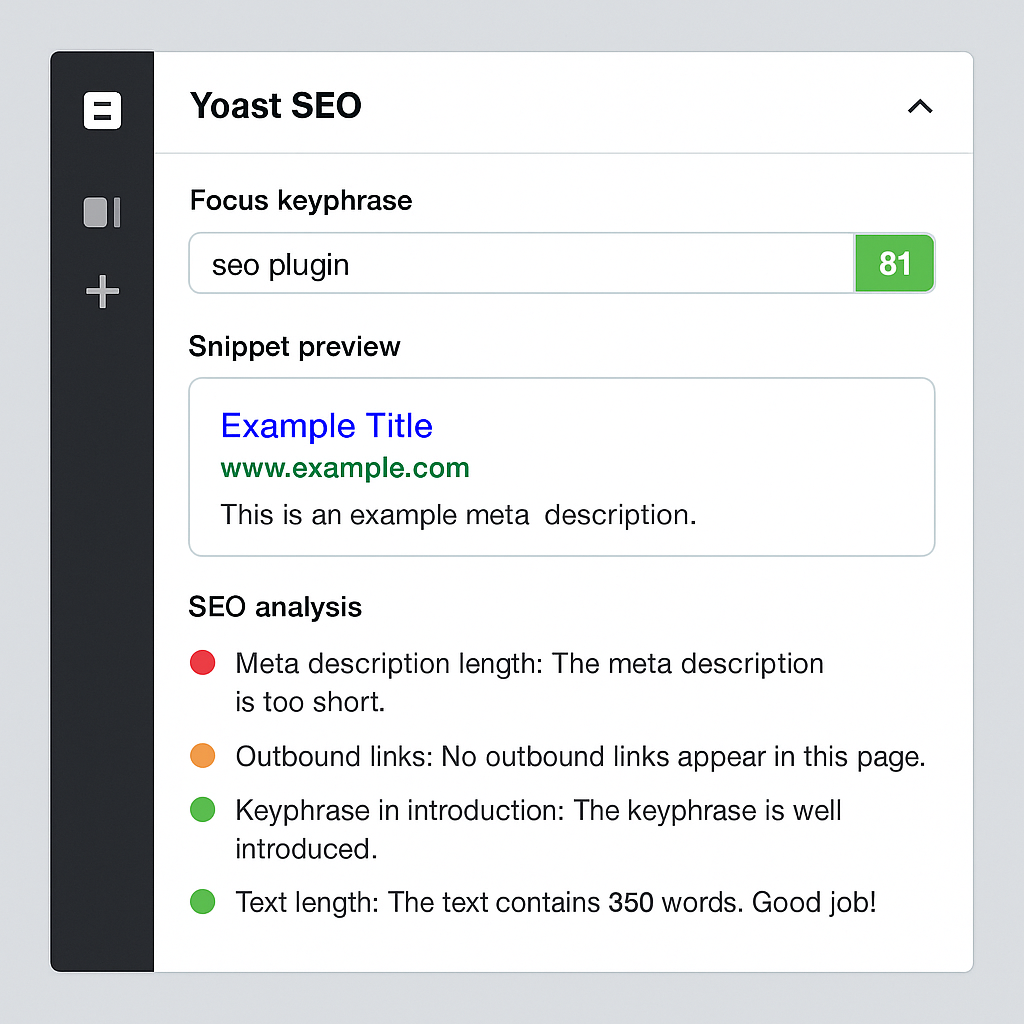
Yoast SEO provides tools to optimize your posts and pages directly in the editor. The most used feature is the content analysis, where Yoast evaluates your text based on keywords, length, headings, links, images, and more. We found it especially useful for writers, as it offers quick suggestions to make content more SEO‑friendly.
In addition, Yoast offers:
- Automatic XML sitemap generation
- Control over canonical links
- Easy setup of schema markup (articles, breadcrumbs, etc.)
- Preview of titles and meta descriptions as they’ll appear in Google
Yoast also integrates with social media, so you can manage Open Graph data and Twitter Cards directly from the plugin.
Yoast SEO Premium – is it worth it?
The free version of Yoast SEO is more than enough for most users, but Premium adds several advantages. You can optimize for multiple keywords on the same page, get internal link suggestions, 24/7 support, and a redirect manager we found very useful. If you run a store or a larger site, Premium can save time — but for small blogs, the free version is still strong.
Benefits for Danish websites
In our test on a Danish WordPress blog, we saw that Yoast especially helps with:
- Better content structure, making it easier to rank in Google.
- Improved CTR by optimizing meta descriptions and titles.
- Avoiding technical issues like duplicate content or missing sitemaps.
Yoast also supports WooCommerce, which makes it a great fit for Danish online stores.
Top 5 tips for Yoast SEO
1. Always use the keyword analysis, but write naturally
Follow Yoast’s recommendations, but don’t over‑optimize. Google rewards natural content, so let the text flow even if Yoast doesn’t give you a full green light.
2. Customize your meta descriptions manually
Yoast can auto‑generate meta descriptions, but they’re rarely optimal. Always write unique descriptions focused on earning the click.
3. Enable breadcrumbs
Breadcrumbs help both Google and users understand your site structure. They can also improve click‑through rate in the results.
4. Use the schema features
Yoast SEO can insert schema markup automatically. Use this feature to earn rich results such as FAQ, Article, and Product in Google.
5. Update content regularly
Yoast reminds you about outdated content. Use this to keep your pages fresh so they don’t lose positions in Google.



