
 Martin Jørgensen
Google Search Console – The most important SEO tool from Google
What is Google Search Console and what can it do?
Google Search Console is a free analytics tool from Google that helps you understand how your website performs in search results. We tested Search Console in depth on a Danish WordPress site with both blog content and e-commerce, and here we share the practical insights that make the tool indispensable to any SEO strategy.
Insights into keywords and clicks
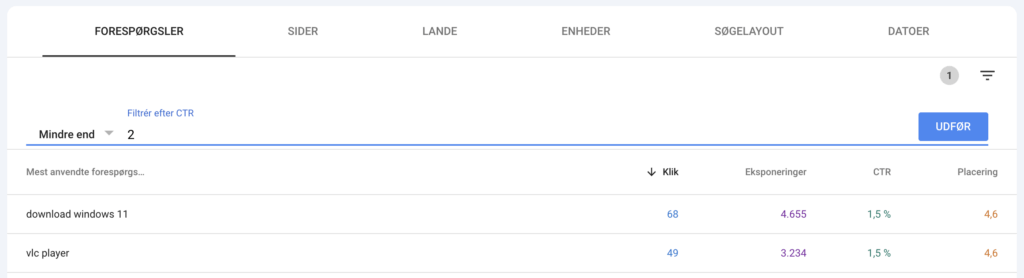
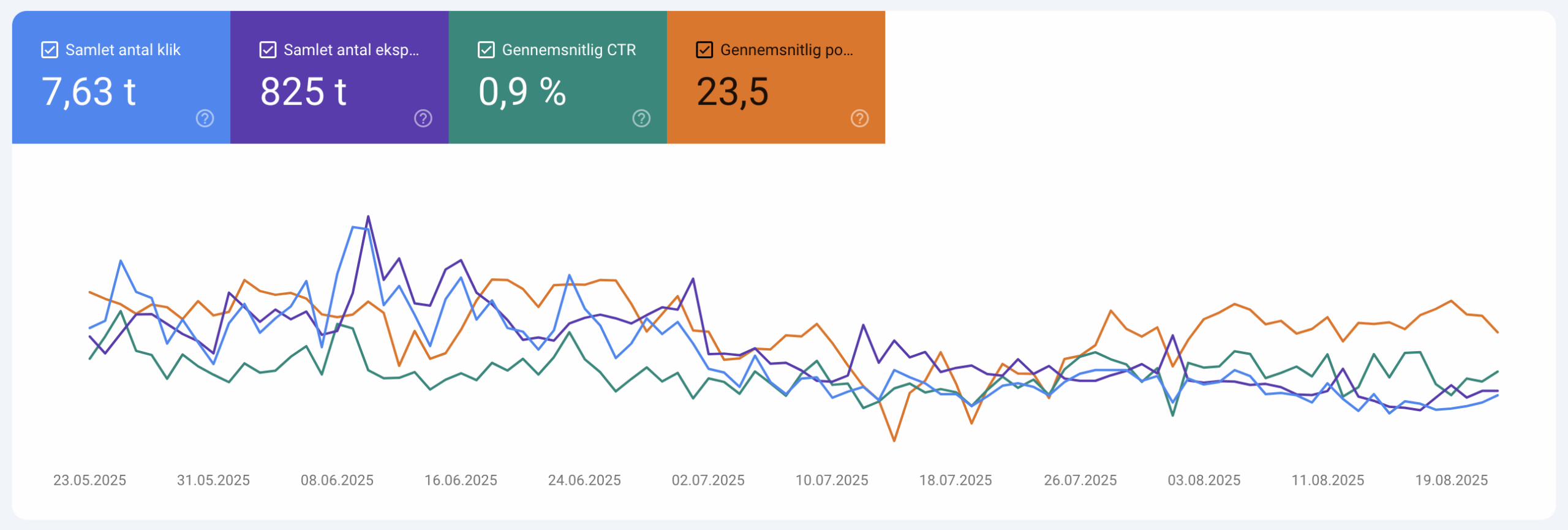
When you log in to Search Console, you get detailed data on which keywords your site is found for on Google and how users interact with your listings. It’s not just a list of keywords; it also shows impressions, clicks, CTR, and average position. We quickly found that this view provides a much better overview than generic keyword tools because the numbers are based on actual searches and real users.
In our test, we filtered for keywords with a CTR below 2%, and the results were eye-opening: some pages had thousands of impressions but almost no clicks. By simply updating meta descriptions with more compelling calls to action and adding keywords that better matched search intent, we saw a clear improvement in CTR within a few weeks. This feature isn’t just useful for reporting—it’s directly actionable, especially if you’re strategically working to grow organic traffic.
Errors and technical issues
One of the features we use the most is the coverage report, which shows whether pages are indexed correctly. On our test site, we discovered a number of outdated URLs returning 404 errors. Search Console makes it easy to submit a new sitemap to Google and validate fixes—a feature that saves a lot of time.
Core Web Vitals and speed
Google’s focus on user experience means Core Web Vitals have become critical. We measured large swings in LCP and CLS, and Search Console made it clear which site templates needed optimization. Combined with PageSpeed Insights, we got concrete tasks for the developer.
Link and security reporting
Search Console shows which sites link to you—though without the same detail as Ahrefs or Moz. But for a free tool it’s useful, especially for discovering spam links. We were pleasantly surprised by how quickly the system alerts you if a website is hit by malware or hacking attempts.
Integrating it into your SEO workflow
For us, Search Console works best alongside other tools. We connected it to both Screaming Frog and SurferSEO, which gave us an overview of pages with low impressions but high potential. This integration is exactly why Search Console is the foundation of any serious SEO effort.
Top 5 tips for Google Search Console
Use filters proactively
Filter for keywords with high impressions but low CTR—this delivers quick SEO wins because you can optimize titles and descriptions on those pages.
Check coverage weekly
Watch for indexing errors, remove 404 pages, and submit an updated sitemap to Google regularly to ensure full visibility.
Monitor Core Web Vitals
Use the report to spot templates or plugins that slow your website down. Fixes here can improve both user experience and rankings.
Analyze landing pages
Identify the pages that get the most clicks and impressions. Then use internal links and stronger content to maximize their SEO potential.
Enable email notifications
Turn on emails so you get alerted quickly to security issues, major traffic drops, or other critical changes to your website.



