

 Martin Jørgensen
Download Zoom — Meetings, webinars, and virtual collaboration made easy.
Video meetings are now part of everyday life—at home, at school, and at work. Zoom has cemented its place as one of the most reliable and user-friendly platforms. If you’re looking for an efficient, stable solution for online meetings, conferences, remote learning, or webinars, Download Zoom is an excellent choice.
What is Zoom?
Zoom is a cloud-based communications platform that offers video meetings, voice calls, webinars, chat, and 1 in one place. It’s available for Windows, Mac, Linux, iOS, and Android—and it also has a web version. Zoom is known for its ease of use and stable connections, even on low bandwidth.
Zoom features
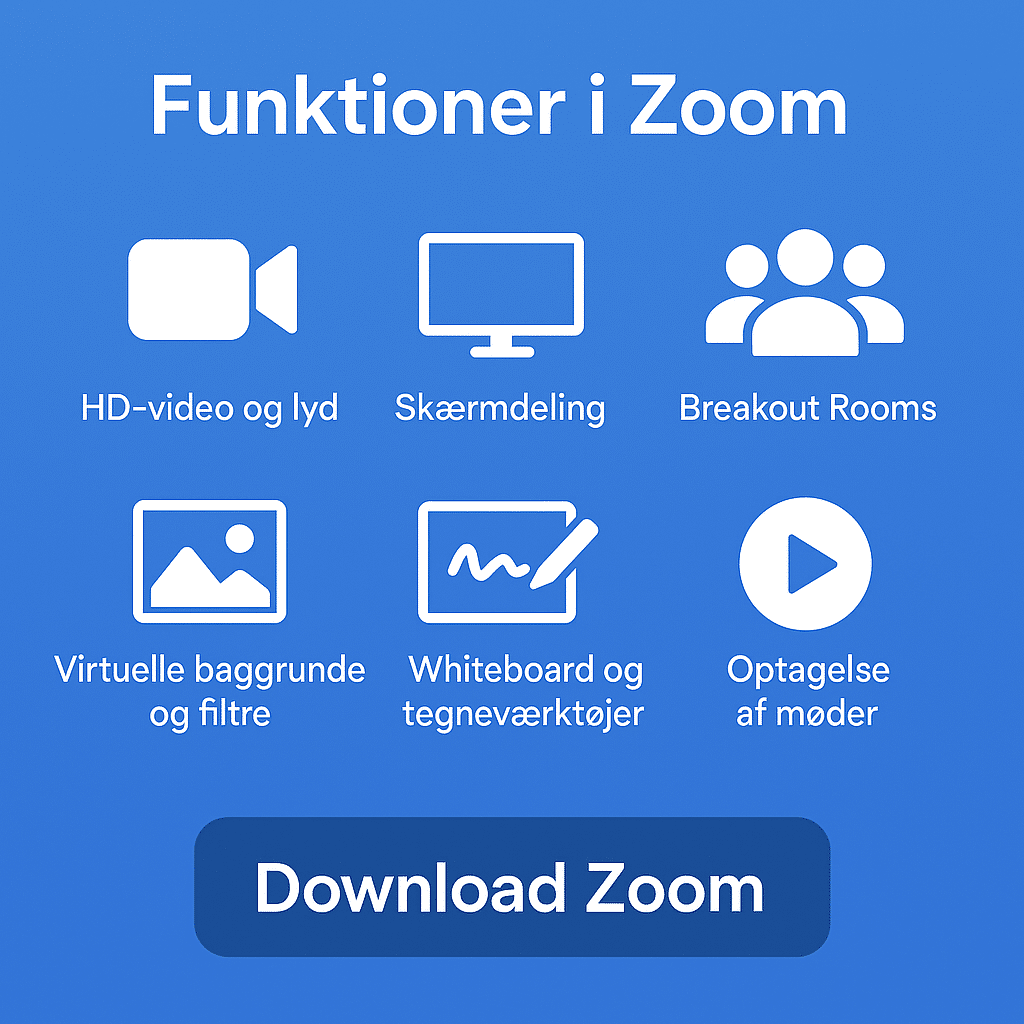
Zoom isn’t just for video meetings — it’s a complete communications platform that combines video conferencing, file sharing, real-time collaboration, and webinar technology in one solution. Here’s an overview of the most used and appreciated features when you choose to download Zoom.
HD video and audio
Zoom delivers crystal-clear video and audio that make online meetings feel almost like being in the room. You can switch between Speaker View, which focuses on the active speaker, and Gallery View to see everyone at once — great for teamwork.
Screen sharing
Share your entire screen or specific apps and windows — perfect for presentations, software demos, or document walkthroughs. Participants can also annotate directly on the shared screen.
Breakout Rooms
Split participants into smaller breakout rooms — ideal for workshops, classroom group work, and brainstorming in larger organizations. Hosts can move between rooms and assign tasks.
Virtual backgrounds and filters
If your space isn’t meeting-ready — or you want to add some personality — choose a virtual background or use built-in video filters. Pick from professional or fun options, or upload your own images or videos.
Annotation tools and whiteboard
Zoom includes an interactive whiteboard where you can draw, write, and brainstorm in real time — solo or with participants. It’s especially popular in education and creative fields.
Built-in chat og filoverførsel
Whether you’re in a meeting or collaborating between calls, you can send text messages, links, and files via chat — publicly or privately. That makes it easy to share documents, links, or notes without leaving the platform.
Record meetings
Record your meetings locally to your computer or to the cloud with a Pro plan or higher. Save recordings as video, audio, and text (via automatic transcription) — perfect for notes and documentation.
Webinar features
Zoom isn’t just for meetings — it also powers professional webinars with thousands of attendees. Use registration, Q&A, polls, presenter mode, and even stream live to social media.
Scheduling and integrations
Zoom integrates with calendar systems like Google Calendar and Microsoft Outlook. Create and send meeting links right from your calendar. Zoom also works with Slack, Trello, Dropbox, Zapier, and many more.
Security and host controls
Zoom has invested heavily in security. Protect meetings with passwords, waiting rooms, and host approvals. You can limit screen sharing and disable participants’ video or audio when needed.
Live captions and transcription
Accessibility is built in. Real-time closed captioning is available, and Zoom can automatically generate searchable transcripts you can save and share.
Zoom Apps and extensions
Make meetings more interactive with Zoom Apps — lightweight third-party tools you can use right inside a meeting. Add quizzes, whiteboards, notes, project management, and more.
Top 5 tips for Zoom
Use Zoom without installing
Did you know you can join Zoom meetings without downloading anything? If you’re on a borrowed computer or don’t want to install software, join directly from your web browser. When you click a meeting link, choose “Join from your browser” at the bottom of the pop-up. This works in Chrome, Firefox, Edge, and Safari — but the host must allow web participation. Ideal for quick meetings and guest attendees.
Use virtual backgrounds wisely
Messy bookshelf or laundry in the background? Zoom’s virtual backgrounds can save the day. Choose from the built-ins or upload your own — a neutral office, company logo, or a creative theme. It looks professional and removes visual distractions. For best results, use good lighting and a solid-color wall — or a green screen if you have one. Find it under Settings > Backgrounds & Effects.
Optimize audio — especially for music and voice
Zoom’s defaults reduce background noise and echo, but that can hurt quality for singing, music, or podcasts. Improve sound dramatically by enabling “Original sound for musicians” under Audio Settings > Advanced. It disables noise suppression and preserves your audio — ideal for music lessons, readings, and concert streaming.
Reuse meeting links with recurring meetings
If you meet with the same people regularly — team check-ins, classes, or online courses — use a “recurring meeting” when scheduling. You’ll get one fixed link that works every time, so you don’t have to create a new link each week. Find it in the Zoom client under Schedule Meeting > Recurrence. Pair it with a calendar invite so participants always have the link handy.
Zoom in Danish — and other languages
Zoom supports dansk brugerflade, hvilket gør det meget nemmere at finde your way around for non-English speakers. To change the language, right-click the Zoom icon in the system tray (Windows) or menu bar (Mac) and select “Switch Languages” > “Dansk.” Zoom will restart with translated menus, buttons, and settings. It also supports 15+ languages, so you can tailor it across your organization.



