
 Martin Jørgensen
🔄 AlterPDF – Free PDF conversion and editing for Windows.
AlterPDF is a free Windows app that makes it fast and easy to convert and edit PDF files. Whether you need to turn a Word file into a PDF, merge multiple PDFs, or add watermarks and encryption, AlterPDF handles it all in one tool.
Features: Convert, edit, and protect your PDFs
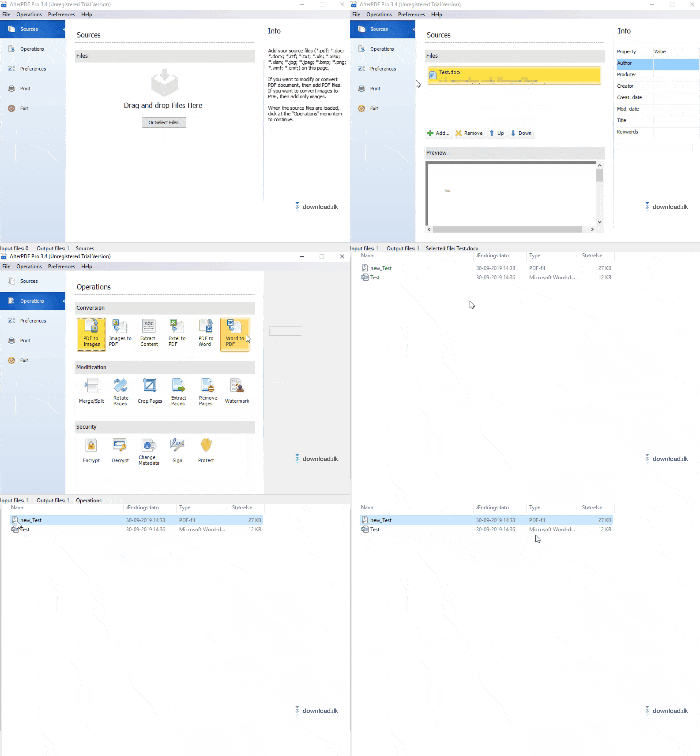
The app packs 18 different PDF tools into a clean interface. The most popular features include:
- Convert between PDF and Word, Excel, and images — both ways.
- Merge and split PDFs — merge several files into one, or extract individual pages.
- Add watermarks or encryption — perfect when you need to send documents securely.
- Extract text or images from PDFs — quickly grab the content you need.
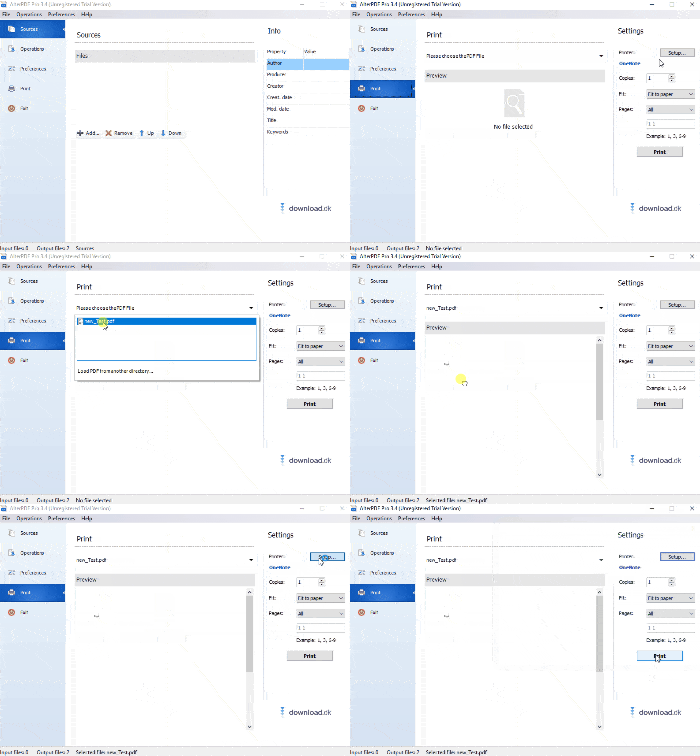
- Print PDFs directly from the app — includes print preview.
Every feature is easy to use, and you don’t need any technical experience to get started.
Compatibility and ease of use
AlterPDF works on the following operating systems:
- ✅ Windows 11
- ✅ Windows 10
- ✅ Windows 8 and 7
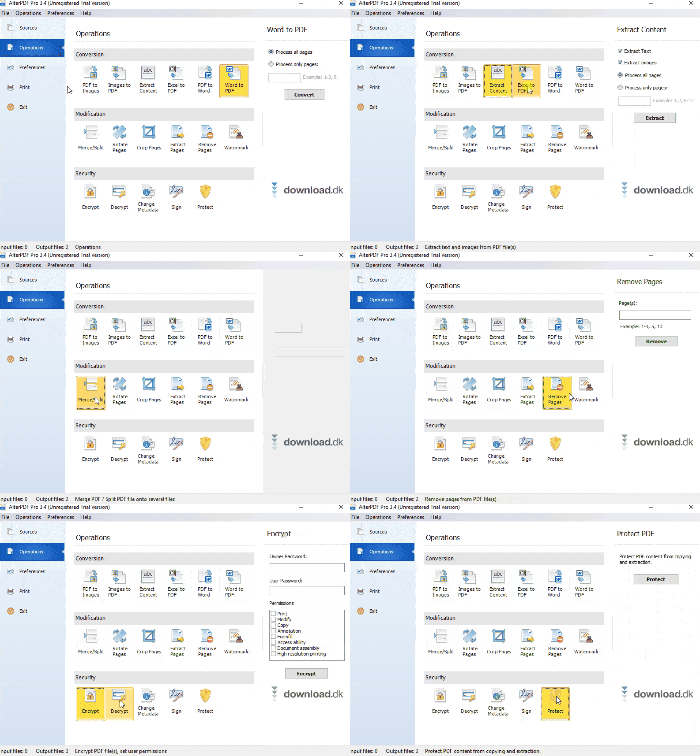
The interface is simple and intuitive, with a clean, modern menu layout. It’s in English and easy to understand, with no complex jargon. Note: it’s English-only at the moment.
Free alternative with no watermarks or limits
Unlike many other free PDF tools, AlterPDF has no watermarks or file limits in the free version. There is a paid Pro edition with a few extra features, but for most everyday tasks the free version is more than sufficient.
🛠️ Top five tips to use AlterPDF effectively
Save images from a PDF: If you’ve scanned documents to PDF, you can extract the images separately with "Extract Images". It’s an easy way to reuse or analyze graphics.
Back up as images: Use "Convert PDF to Images" to save the entire PDF as high-resolution images. Ideal for archiving, sharing, and viewing without a PDF reader.
Combine attachments with Merge PDF: If you have multiple PDFs, e.g., receipts or contracts, you can quickly combine them into a single file with "Merge PDF".
Extract text as TXT: Use "Extract Text" to convert a PDF’s content into a simple text file you can edit in Notepad, Word, or any other text editor.
Encrypt your files: Sending sensitive information? Use "Encrypt PDF" to protect your documents with a password so unauthorized users can’t read them.
Download AlterPDF for Windows directly from the developer here



