 Martin Jørgensen
Learn to Master Bridge with Bridge Baron
Bridge Baron is a comprehensive, user-friendly bridge game that blends entertainment with learning. Whether you’re a beginner or an experienced card player, you’ll appreciate the many features, challenges, and online options the game offers. It’s one of the few bridge programs that works well for both training and competitive play.

Game modes and features
Bridge Baron offers multiple game types, including classic bridge, tournament play, and challenges where you can test your skills against hands played by past masters. For example, the Kit Woolsey Challenge lets you face one of the world’s most respected bridge experts in a simulation based on his actual decisions.
The game also includes a learning mode where hints and analysis help new players get started. You’ll find detailed stats and the option to review your hands afterward—great for anyone who wants to improve.
Design and interface
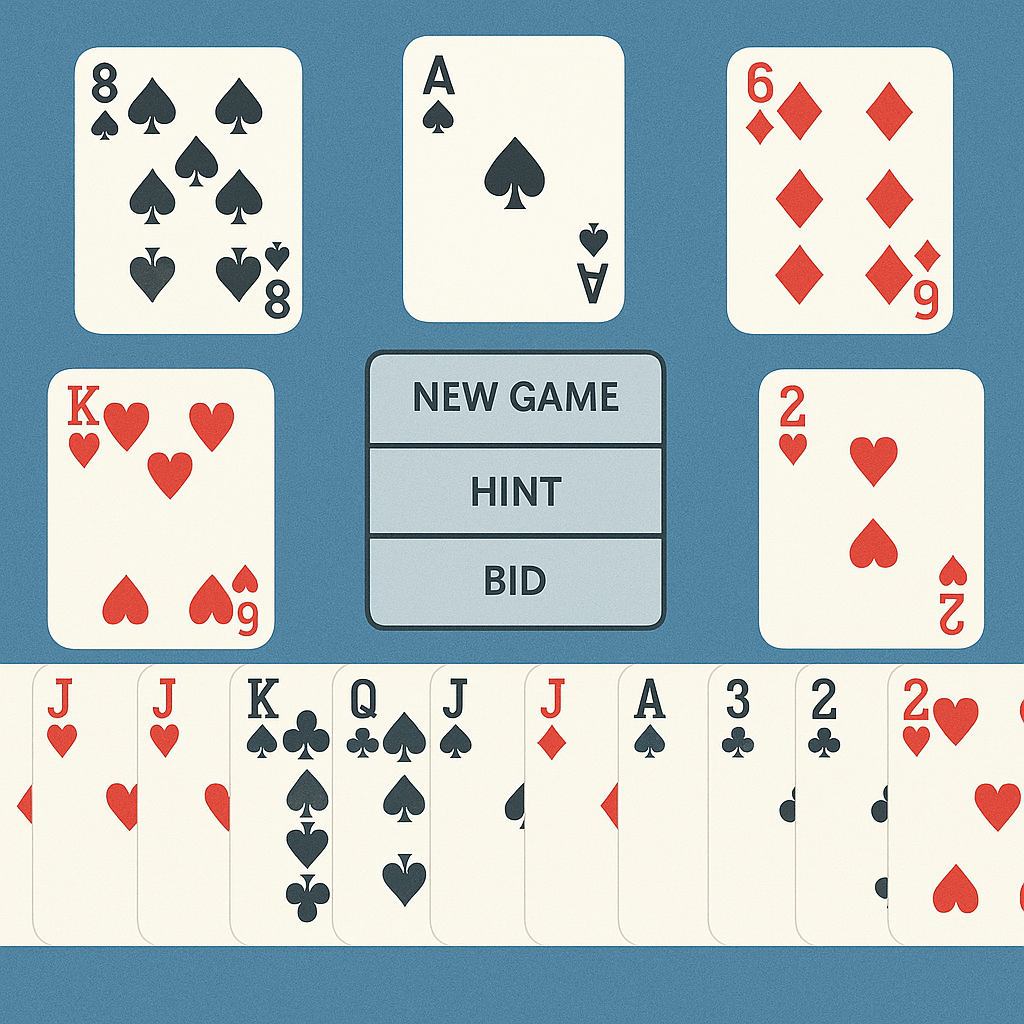
The design is simple and classic with an intuitive interface. Menus are easy to navigate, and the start screen quickly highlights options like new games, settings, tournaments, and challenges.
You can customize the look with different table themes and card designs, and even add player photos for a more personal touch. The integrated drop-down menu makes it quick to adjust game parameters and enable in-game assistance.

Online bridge and multiplayer
When you install Bridge Baron, you also get access to Bridge Baron Online, where you can play against others around the world. All you need to do is create an account, and you’ll gain entry to an active online platform packed with tournaments and open tables.
This makes Bridge Baron an obvious choice if you want to test your skills against real opponents rather than only the computer.
Availability and platforms
You can download Bridge Baron for Mac OS, Android, and iOS via the developer’s website. A Windows download will also be available on Holyfile.com soon. That makes Bridge Baron a flexible choice for players across platforms.
Tips and tricks for Bridge Baron

Customize rules and the game’s look
Bridge is played differently depending on region and skill level, and Bridge Baron lets you tailor both rules and appearance. You can adjust how cards are dealt, which bidding systems are used, and how scoring is calculated. You can also choose different table themes and add images to the virtual players to give the game a personal touch.
Turn on hints as a beginner
If you’re new to bridge, the hints feature is your best friend. It works like a built-in coach and suggests which cards to play—both during the auction and the play. That way you learn as you go without constantly reading up on rules and strategy. You can, of course, turn it off once you feel more confident.
Try “Challenges” and learn from the best
Under the “Challenges” tab, you’ll find three curated scenarios designed to sharpen your skills. You can test yourself against legendary plays from Kit Woolsey, one of the biggest names in bridge. It’s both educational and entertaining—and it gives you insight into how top players think and act.
Use the replay feature for analysis
One of the most powerful learning tools in Bridge Baron is the replay feature. You can review the entire hand and see where you might have chosen a better line. Analyze your mistakes and explore alternatives that could have produced a stronger result—perfect if you want to improve rather than just play casually.
Play online and face real opponents
When you’re ready, jump online and play against bridge enthusiasts worldwide. This is where you can truly test your skills, and it’s far more dynamic than playing the computer. Choose from open tables, tournaments, and friendly matches, and continually learn from others while refining your own strategies.