
 Martin Jørgensen
Chromium makes browsing the web faster, safer, and more stable.
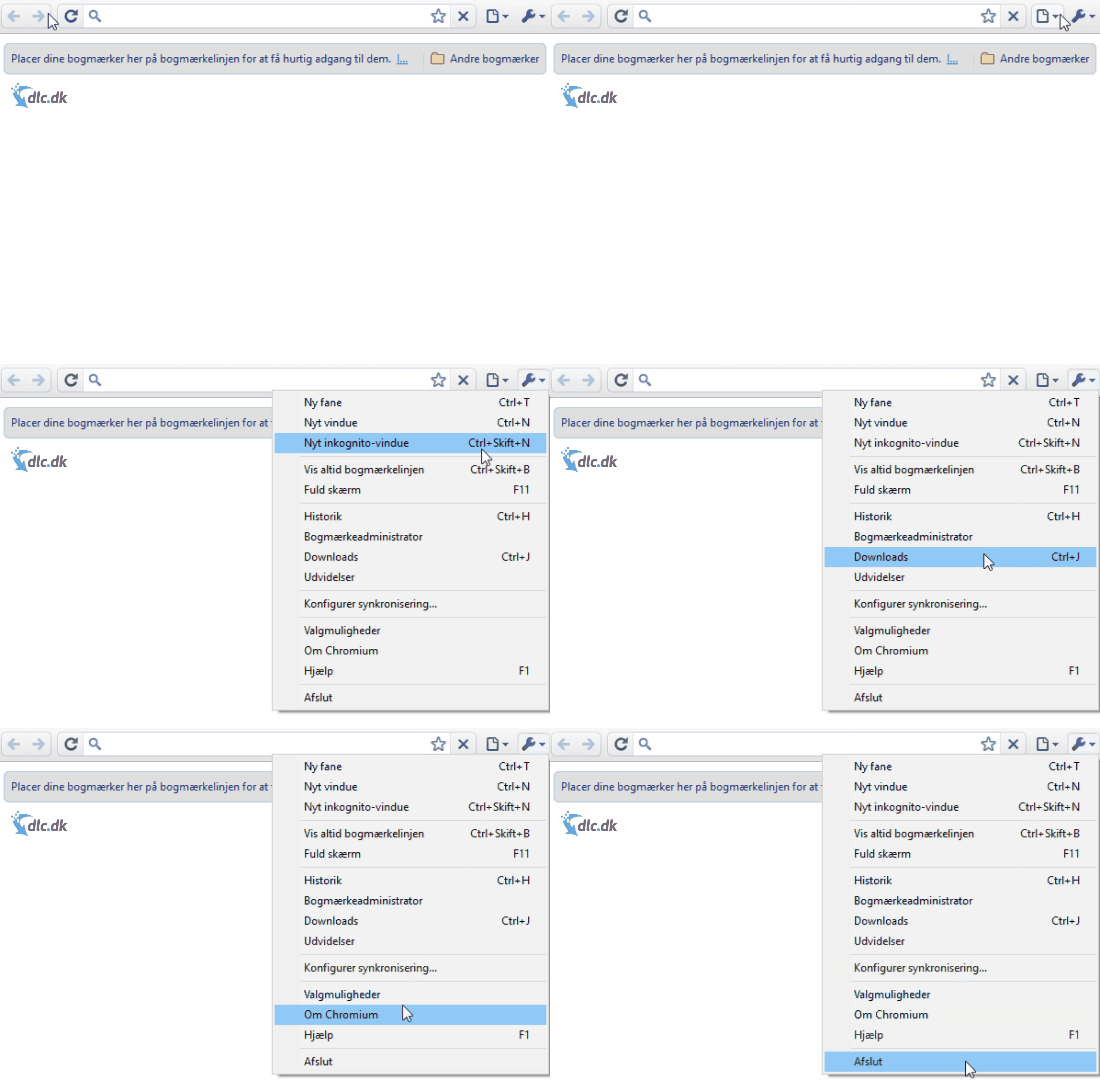
On this page you’ll find Chromium, Google’s open-source edition of its popular Chrome web browser. Chromium shares many of the same qualities as Chrome—as the name suggests—but there are also some clear differences. In Chromium, Google has chosen a very minimalist interface to make the browser feel lighter and to avoid taking up too much space on your screen. In addition, the lack of unnecessary extra features helps the browser run better and faster.
Is it better than Google Chrome?
There are a few major differences between Chromium and Chrome, and the biggest is that Chromium is open source. Beyond that, there are a few elements from Chrome that you won’t find in Chromium. For example, Google Chrome historically included Adobe Flash Player for browsing legacy web content. Chromium also isn’t tracked the same way as Chrome; for instance, it doesn’t send crash reports, so there’s no built-in telemetry showing why the program might occasionally freeze or crash.
Some of the features that aren’t included in Chromium can be added manually if you want. In short, Chromium can be described as a simpler build of Chrome, which can make it faster and more secure because it ships without many add-ons. Also, Chromium’s logo is the same as Chrome’s, just in blue tones. Whether these differences are pros or cons depends on your needs. The program isn’t for everyone, and some users may be happier downloading Chrome or another browser.
What is open source?
As mentioned, the biggest difference between Chromium and Chrome is that the former is open source. Open source means the developer has released the program with an open codebase so other developers can study it, modify it, and redistribute it to anyone. This turns users into co-developers, ideally for the good of the program, since they use it every day and can spot bugs and shortcomings. For the owners of an open-source project, it also means free improvements and contributions—an advantageous model for them.
The history of Chromium
In September 2008, Google released its Chrome browser. At the same time, they also released Chromium, which shared the same codebase as Chrome. This allowed users to analyze and build on Chromium’s source code without changing the codebase in Chrome. It also enabled developers to modify Chromium so the browser could run on macOS and Linux.
At that time, Chrome had only been released for Windows operating systems. Today, Chromium is a useful tool for Google to see which features users around the world integrate and rely on—features they can later bring into the Chrome browser. In many ways, Chromium serves as a testbed for Chrome without burdening Google directly, since Google isn’t the one extending every part of the program.
Alternatives to Chromium
If you’re not sure whether Chromium is the right browser for you, consider a few alternatives. The obvious alternative is of course Google Chrome, Google’s closed-source browser that, among other things, included Adobe Flash Player—something Chromium does not.
Another very popular browser is Mozilla Firefox, a favorite for many. It’s fast, reliable, and well designed. Like Chromium and Chrome, it’s free to download.
A third option worth a look is Opera. Developed in Norway, it puts a strong emphasis on speed and security—often the two most important factors for internet users. Like the browsers mentioned above, Opera is also completely free to download.
Another alternative could be Microsoft Edge.
An open-source version of Chrome
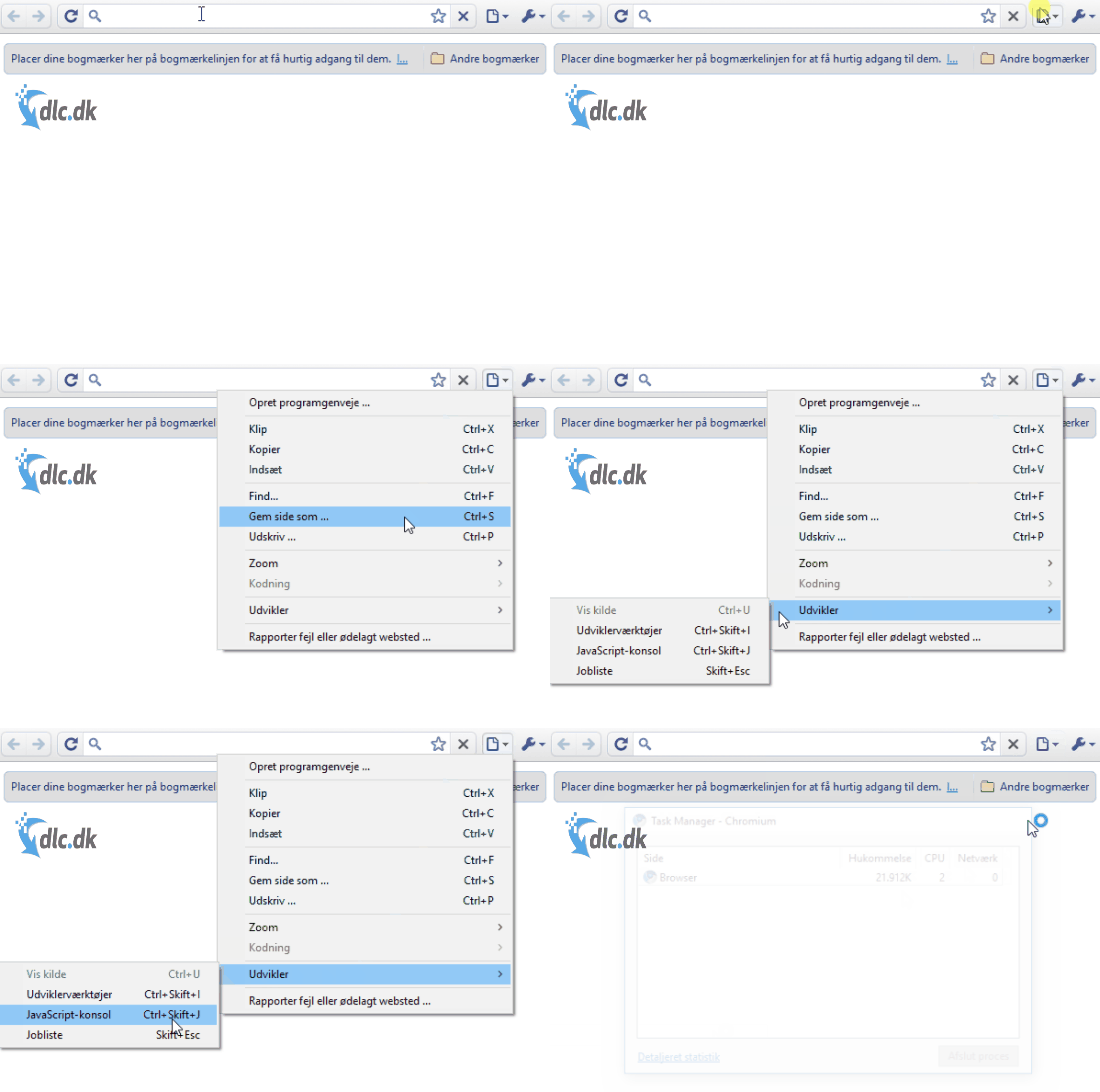
Chromium is Google’s open-source version of the Chrome web browser, giving developers worldwide free access to the source code so they can build on it with few constraints. That gives you a browser created by Google but further refined by its users. Since they use the browser daily, they quickly find any bugs and improve areas they don’t find optimal. A major advantage of Chromium is its minimalist interface, which not only looks clean but also frees up more screen space for what you want to see by removing clutter. This can also make the browser feel faster because it isn’t spending resources on built-in updaters and extras.
Chromium is a browser project from Google that we can all benefit from. Well-known Google Chrome features like Chrome extensions are supported in Chromium.
A couple of differences between Chrome and Chromium are that Chrome includes Adobe Flash Player, which lets you view multimedia content on the web, and Chromium doesn’t include Google’s automatic update system—something some may see as a drawback while others find it liberating. Always consider what you want in a browser before deciding which one to download. Earlier in this article, Google Chrome, Mozilla Firefox, and Opera were briefly described. They’re all free browsers that can be alternatives to Chromium if you prefer something else.
Download Google’s open-source Chromium browser for free
Top 5 tips for Little Fighter 2
Hold a key and combine it with arrow inputs to trigger special attacks. Practice timing and spacing—they can turn a fight in seconds.
Every character has unique abilities—some are fast, others are strong. Experiment and find your favorite to dominate in both single and multiplayer.
The game gets more fun—and easier—when two of you take on enemies. Use co-op to flank opponents and share power-ups wisely.
Throw enemies into walls or use objects as weapons. Watch your surroundings and use them tactically in the heat of battle.
Battle Mode lets you train against the computer. It’s perfect for learning new moves and mastering the controls before multiplayer.



