
 Martin Jørgensen
DeepL is one of the best translators for more natural-sounding sentences
DeepL is a translation tool and AI-powered language service that makes it easy to translate text, documents, and short messages without the stiff machine language many remember from older translators. The service is available in the browser, as apps for Windows and Mac, on mobile, and as a browser extension—great for school, work, and everyday use.
In our testing on Windows 11, DeepL performed especially well for Danish–English and English–Danish, where the tone often felt more natural than many quick alternatives. It’s not a miracle tool, and you should still proofread, but for emails, short texts, job applications, product copy, and articles, it’s a tool that truly saves time in practice.
What can DeepL be used for?
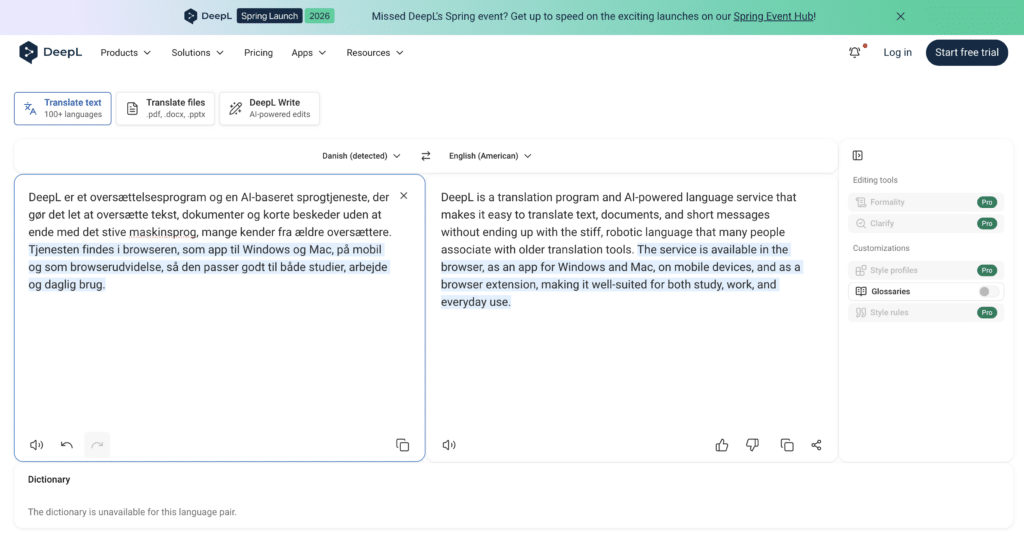
DeepL can translate regular text right in your browser, but the strengths don’t stop there. You can also translate entire documents, use DeepL Write to improve wording and grammar, create glossaries with fixed terminology, and install desktop apps so you can work faster without constantly switching tabs. DeepL also offers mobile apps, browser extensions, and API solutions for developers and businesses.
It’s the combination of translation, writing assistance, and document handling that makes DeepL more interesting than a simple copy-and-paste translator. If you work with resumes, emails, customer support, study materials, or international collaboration, it feels like a tool built for real work—not just quick lookups.
DeepL download for Windows, Mac, and mobile
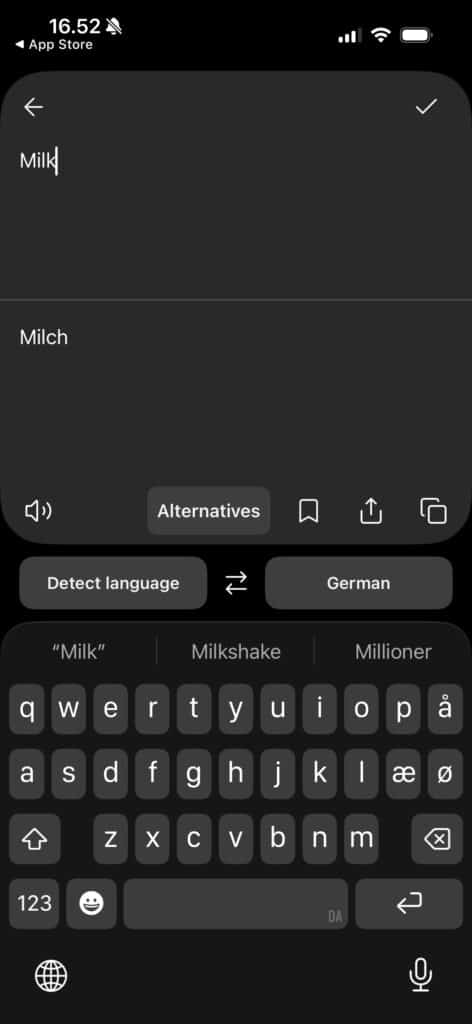
DeepL offers official apps for Windows and Mac, and there are also mobile apps for iPhone, iPad, and Android. In addition, you can use browser extensions for Chrome, Edge, and Firefox if you often translate directly on websites, in webmail, or in online documents.
On Windows, the desktop app is especially practical because you can work faster with keyboard shortcuts and translate while staying in the program you’re already using. On Mac, the experience is similarly smooth, and on mobile it’s great that you can use text, voice, and in some cases photo-based translation when you’re on the go.
DeepL Translate and DeepL Write in practice
DeepL’s classic strength is translation itself, but DeepL Write is just as relevant for many users. Here, you can polish sentences, fix grammar, and get help writing more clearly. It makes a real difference if you work in English daily but don’t always write fluently.
We tested both regular translation and short rewrites in English emails, and DeepL was best when the source text already had some structure. If your input is messy, ambiguous, or full of niche jargon without context, the output can still miss the mark. It’s a powerful tool—but not a replacement for human judgment.
Document translation is one of its biggest strengths
One of the features that makes DeepL especially useful is document translation. The service supports translating entire files and emphasizes that layout and visual structure are preserved in many workflows. On the Pro side, DeepL highlights translation of Word, PDF, PowerPoint, Excel, and image files as a core part of the platform.
That feature is far more valuable than it sounds. If you’ve ever sat copying tekst ud af et dokument in chunks, you know how much time disappears. Here, DeepL is more efficient than many free alternatives—especially if you regularly work with reports, presentations, or material from international vendors.
DeepL vs Google Translate
The most obvious alternative is still Google Translate, and there will always be situations where that solution is good enough. But DeepL has a reputation for more fluent phrasing, and in our tests that’s where we most often felt the difference: less textbook language, better rhythm, and fewer sentences that sound word-for-word translated.
Google is often strong on speed, broad ecosystem integration, and familiarity. DeepL, on the other hand, feels like the tool you pick when the text actually matters afterward. If you just need to understand a single sentence on a website, the difference is smaller. If you’re sending an email, translating a text, or polishing phrasing, DeepL is often the more pleasant choice. DeepL also offers glossaries, tone/formality in relevant languages, desktop apps, and integrations across work platforms.
Languages, features, and limitations
DeepL supports a large number of languages in the translator, and the help center and documentation show that language support has steadily expanded. At the same time, not all funktioner er tilgængelige for alle sprog. For example, features like glossary, formality, alternatives, and certain writing controls are only available in selected languages and combinations.
It’s worth knowing that limitation before you expect the same experience across all languages. For Danish, the core translation works well, but some advanced features may be more mature in larger languages like English, German, French, and Spanish.
Is DeepL worth installing?
Yes—especially if you often write, read, or work in more than one language. DeepL isn’t just relevant for translators and office workers. It’s also great for students, online store owners, support teams, freelancers, and everyday users who simply want to avoid odd translations.
The best thing about DeepL is that it’s quick to get started, yet it has enough depth that you won’t outgrow it after two days. The downside is that some of the most interesting funktioner virkelig only start to make full sense when you begin using it more deliberately or pay for the more advanced options. But even the free version is strong enough to be worth keeping.
Top 5 tips for DeepL
If you often translate emails, documents, or short texts during the workday, DeepL’s desktop app is usually faster than using only the browser. In our Windows 11 testing, it was noticeably easier to switch between text, copy content, and get translations without constantly jumping between tabs—plus you get handy keyboard shortcuts.
If you work with product names, technical terms, or specific formuleringer igen og igen, bør du bruge the glossary feature. It makes a big difference when you want consistent translations across emails, articles, descriptions, and customer-facing copy, so the style doesn’t shift from one piece to the next.
Many people only think of DeepL as a translator, but its writing help is one of the most useful parts. It’s especially good if you want to make English emails, applications, or short texts more fluent—without sounding artificial or overly polished.
DeepL is great at natural-sounding sentences, but it’s still smart to read the result carefully—especially for professional use. Nuance, tone, and small domain details can slip, and it’s often only when you read the final text aloud or in context that minor issues become clear.
If you often work in Gmail, documents, online stores, or research in the browser, DeepL’s extension can save a lot of clicks day to day. It’s especially handy when you want to translate snippets on the fly without breaking your flow.



