
 Martin Jørgensen
Codename: Panzers – Cold War is classic tactical warfare with an alternate-history twist
Codename: Panzers – Cold War is a real-time strategy game for Windows that leaves World War II behind and throws you into a fictional, dramatic clash between NATO and the Soviet Union at the dawn of the Cold War.
We tested the game on a Windows 11 PC via Steam, and the first impression is clear: this isn’t a modern strategy game that holds your hand. Codename: Panzers – Cold War feels like a game from an era when the real-time strategy genre still dared to be a bit rough around the edges, somewhat heavy, and laser-focused on tanks, units, terrain, and timing. That’s both its charm and its challenge.
An alternate Cold War of tanks, chaos, and tough calls
The story begins after World War II, where tensions between East and West erupt far earlier and more violently than in reality. Instead of diplomacy, intelligence work, and decades of political pressure, the conflict in Codename: Panzers – Cold War plays out across open battlefields, shattered city blocks, and tightly designed tactical missions featuring both NATO and Soviet forces.
The game includes a single-player campaign with 18 missions, where you’ll help NATO halt the Soviet advance while also seeing missions from the other side. The Steam page also highlights a scenario mode, 25 multiplayer maps, and three multiplayer types: Domination, Multiplayer Mission, and Team Match.
Gameplay: More armor, less base-building
If you expect classic base-building like in Command & Conquer, adjust your expectations. Codename: Panzers – Cold War leans heavily on tactical unit control, positioning, repairs, ammunition, and smart use of terrain. You don’t just blob your troops forward and hope for the best – well, you can, but it rarely ends gracefully.
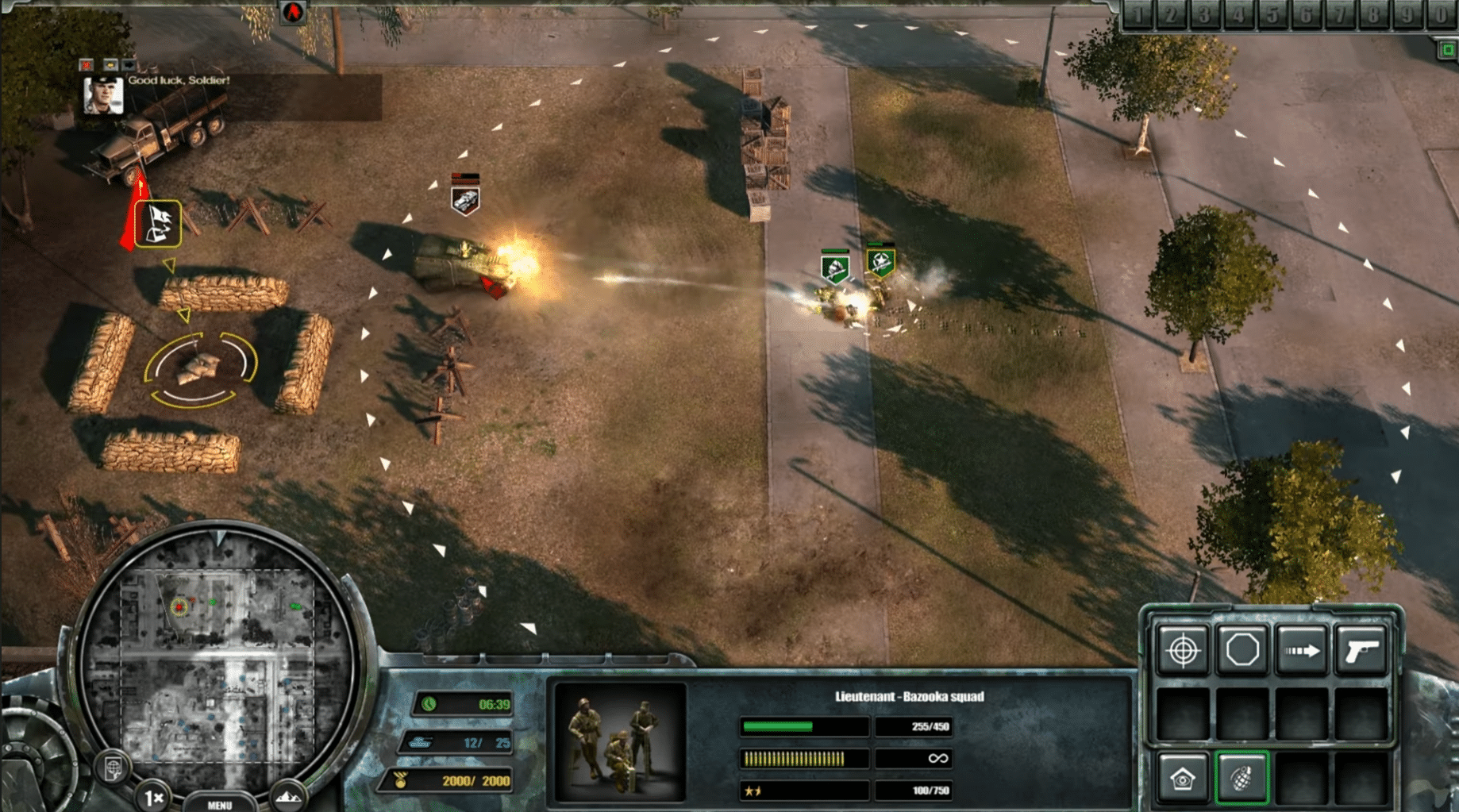
In our testing we noticed tanks and armored vehicles take center stage. Infantry still has its role, especially when clearing or holding buildings and flushing enemies from cover, but it’s obvious the game’s heart beats for heavy armor. That gives battles a satisfying mechanical weight, though some missions can feel a bit one-note if you prefer more varied micro.
Destruction and physics make battles feel alive
One thing that still holds up surprisingly well is the game’s focus on destruction. Buildings crumble, environments react to combat, and the battlefield feels more dynamic than in many older strategy titles. Steam describes it as physics-based building destruction, which you’ll really feel in urban fights where a solid position can change in an instant.
Visually, Codename: Panzers – Cold War isn’t on par with modern strategy games, but it retains a certain raw charm. Vehicles are readable, explosions have heft, and the cold color palette fits the alternate Cold War mood.
How Codename: Panzers – Cold War runs on modern Windows
The game is built for Windows, and getting it through Steam remains the most straightforward and reliable option. In our Windows 11 test, the game started without major issues, but as with many older RTS titles your experience can vary based on resolution, GPU, and drivers.
It’s a good idea to launch with default settings before tweaking resolution and compatibility options. If you hit snags, Steam Community is a solid place to look for user-made fixes and guides, with active threads and advice from fellow players.
Who should download Codename: Panzers – Cold War?
Codename: Panzers – Cold War is ideal if you miss older tactical war games that aren’t wrapped in modern live-service elements, battle passes, or constant microtransactions. It’s an old-school PC game: install it, start the campaign, learn the systems, and accept that it can be a little rough around the edges.
It’s not the best entry point if you’re brand new to real-time strategy. But if you love war games, alternate history, and tank-heavy tactical battles, there’s still plenty to enjoy here.
Top 5 tips for Codename: Panzers – Cold War
1Use repairs proactively
Keep your most important units alive
Tanks and armored vehicles are often decisive. Pull damaged units back in time and repair them instead of throwing fresh forces forward indiscriminately.
2Capture buildings with care
Urban fights can flip fast
Infantry in buildings can be strong, but structures can also be destroyed. Treat them as a temporary advantage, not a permanent bunker.
3Save often
Old-school RTS doesn’t always forgive mistakes
Objectives can change quickly, and poor placement is costly. Save before major pushes, especially when trying a new tactic.
4Don’t stack every unit in one spot
Spread out and flank the enemy
It’s tempting to form one big armored ball, but distributed forces give you better control and reduce the risk of being crushed by a single counterattack.
5Check Steam Community for tech issues
Older games sometimes need small tweaks
If the game acts up on a modern PC, Steam Community often helps with resolution tips, compatibility settings, and small user-made fixes.
A solid pick for fans of tactical war strategy
Codename: Panzers – Cold War doesn’t feel new or streamlined, but it still has plenty to offer fans of tactical war games. Its alternate Cold War framing gives it a different flavor than the many World War II strategy titles, and the battles still have satisfying weight when armored units, destructible buildings, and mission goals come together.
The biggest downside is that it can feel old-fashioned in controls, pacing, and technical polish. Then again, that raw, PC-centric RTS experience is exactly what makes it appealing to the right audience.



