

 Martin Jørgensen
EA App / Origin download – EA’s gaming platform for PC and Mac
EA App / Origin is Electronic Arts’ official gaming platform where you can buy, download, and play some of the biggest titles on the market. We tested Origin on a standard Windows 11 PC and experienced a fast installation, a modern design, and a library full of classics like The Sims 4, the Battlefield series, and FIFA/EA Sports FC.
Popular game titles in one place
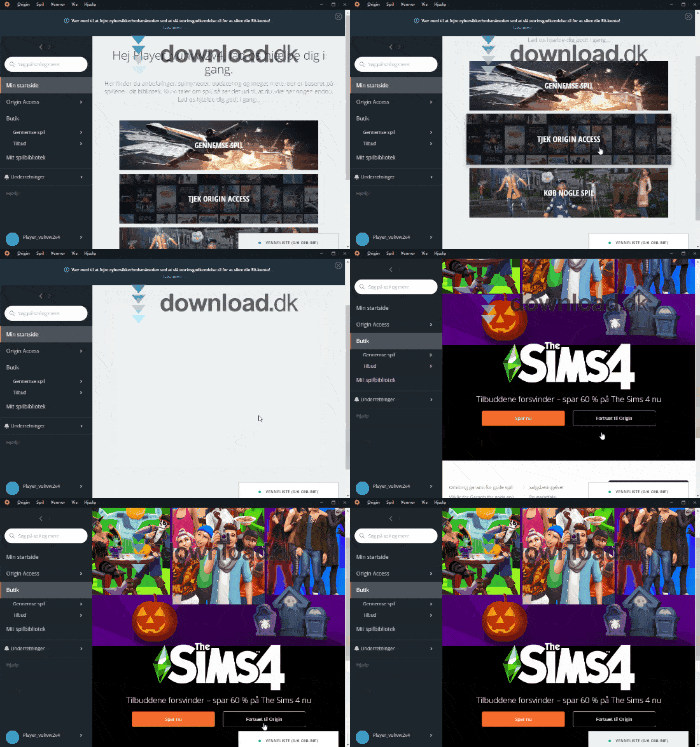
Unlike Steam, which features games from many developers, Origin primarily focuses on EA’s own titles. That means you’ll find the blockbuster series EA is known for. The advantage is that everything lives in one library, and you can always re-download your games without keeping track of DVDs or codes.
Social overlay and friends across platforms
Origin isn’t just about buying games. With the built-in overlay, you can chat with friends, see what they’re playing, and quickly join their matches. We tried the feature in Battlefield 5, and it worked smoothly—especially because voice and chat are integrated directly into spiloplevelsen.
EA App / Origin Access – play as much as you want

One of the most interesting features is Origin Access (now called EA Play). You pay a fixed monthly fee and get access to a large library of games.
- Basic (EA Play): approx. $5/month or $30/year.
- Premier (EA Play Pro): approx. $19/month or $120/year — includes access to new games on release day and all DLC.
We tested the Basic plan and quickly gained access to a long list of classics at no extra cost. Premier is ideal for gamers who want the newest releases from day one.
Design and usability

The interface uses black, white, and orange—minimalist and modern. Navigation is straightforward:
- Left menu for Store, Library, and EA Play
- Bottom-right for friends list and chat
- Quick access to purchases and installations
It feels both intuitive and professional, making it easy to find your way—even if you’ve never used Origin before.
Top 5 tips for Origin
1. Use EA Play to try new games for less
Before you buy a game at full price, you can often try it with EA Play. It saves money and lets you test the game first.
2. Enable two-factor authentication
Turn on 2FA in your EA account settings to protect your game library and personal information from hacking.
3. Turn on automatic updates
Let Origin (EA App) download patches in the background so your games are always ready when you want to play—no waiting.
4. Watch for seasonal sales
Keep an eye on EA’s big seasonal offers. You can typically save 30–70% on The Sims 4 expansions, FIFA, and other titles.
5. Use the overlay for quick invites
With the overlay hotkey, you can invite friends straight into your games without leaving the gameplay.



