
 Martin Jørgensen
What is Google Drive?
Google Drive is Google’s cloud storage service where you can save documents, photos, videos, and more. We tested it on Windows 11, macOS Sonoma, and Android, and in every case the experience was fast and seamless.
The only requirement is a free Google account, which instantly gives you 15 GB of cloud storage.
Features and options in Google Drive
Google Drive is actually much more than just a place to put your files in the cloud. In our testing, it quickly felt like a complete workspace that’s always with you—whether you’re at your PC, on your phone while commuting, or presenting on a tablet.
Automatic sync
We added a few documents to our Windows 11 PC, and seconds later they were ready on both our Android phone and a MacBook. Everything happens automatically in the background, so you don’t have to email files back and forth.
Offline access
We tested offline mode on a laptop without internet and could open and edit documents we had marked for offline use with no issues. As soon as we went back online, changes synced automatically without us doing anything.
Version history
Version history was a pleasant surprise. We intentionally edited a Word document, then changed our minds—within a few clicks we rolled it back to an earlier version from the same day. It took under 10 seconds and clearly showed the benefit of working in the cloud.
Sharing and collaboration
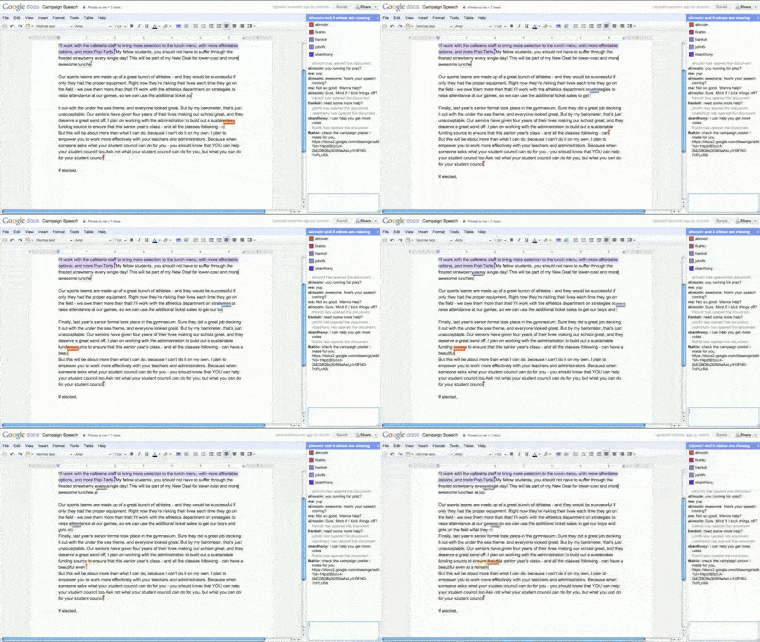
We tried sharing a folder via email address and through a shareable link. Both worked smoothly, and we could easily control whether people could only view files or also edit them. When we edited the same document simultaneously from two different PCs, we could see each other’s changes in real time—it almost felt like sitting in the same room.
Integration with Google’s office suite
Much of Google Drive’s power comes from Docs, Sheets, Slides, and Forms being built right in. Click a document and it opens instantly in Google Docs—no extra software needed. The same goes for spreadsheets in Sheets and presentations in Slides, without installing heavy desktop apps.
Real-time collaboration
One of the most impressive features from our tests is the ability to co-edit a document with others in real time. We wrote in the same Google Docs file from two different PCs, and edits appeared instantly with no lag.
This makes Google Drive ideal for group projects, education, and workplace teamwork.
Integration with other apps
Google Drive can open and save many file formats. We tested DOCX, XLSX, and PPTX from Microsoft Office—all opened without issues and could be saved back in the same format.
ODT from OpenOffice also worked fine. If you share documents with colleagues who use Office, Google Drive fits in without friction.
Storage and pricing
You get 15 GB for free by default, and in our testing we didn’t even come close to using it up—even after years of typical use.
If you store lots of photos and videos, you can buy extra space via Google One, with plans starting at about $2 per month for 100 GB.
Our experience
We used Google Drive in everyday scenarios—from school assignments to larger project folders and photo sharing. It worked flawlessly, and we never ran into access or speed issues. The only drawback is there’s no official desktop client for Linux—you’ll need to use the browser.
Top 5 Google Drive FAQs
Yes, Google Drive is free to use with 15 GB of storage included. If you need more space, you can upgrade to Google One for a fee.
You can share documents and folders with others via email or a link. Multiple people can edit the same document in real time, and changes appear instantly.
Yes. You can mark files for offline use in both the browser and the mobile app. On desktop, you can install the Google Drive client so files are always available locally.
Yes. Google Drive supports DOCX, XLSX, and PPTX. You can 1 files directly in Drive and save them in the same format or convert to Google formats.
Google Drive works in any browser and has apps for Windows, macOS, iOS, and Android. There’s no official Linux client—use the browser instead.



