

 Martin Jørgensen
Google’s memory game is a simple brain game that’s hard to put down
Google’s memory game is a free browser game where you memorize and repeat a sequence of sounds and icons in the correct order. There’s no installation, no account, and it runs directly in your browser—making it one of the fastest ways to play a quick memory game online. Google’s own version is fully browser-based and opens instantly.
The beauty of the game is that it’s simple enough for anyone to jump in, yet challenging enough that you’ll quickly want another try. In our tests on both mobile and desktop, it worked best as a quick break in your day—two minutes of fun without downloading an app first.
How to play Google’s memory game
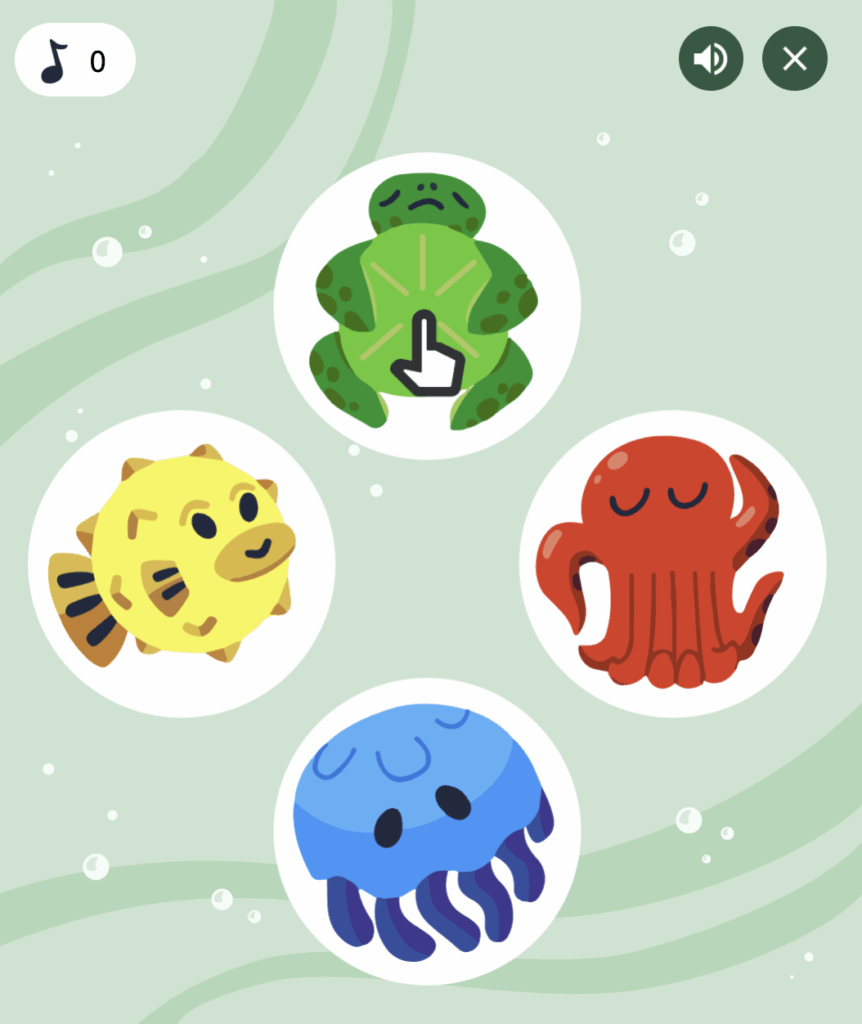
When the game starts, it shows a short sequence of icons that light up and play little sounds. Then it’s your turn to repeat the pattern. Each correct answer makes the sequence longer—and that’s when it becomes addictive.
It may sound simple, and that’s exactly why it works. There are no complicated rules, no menus, levels, or annoying distractions. You just jump right in.
How it works
✅ Start the game in your browser
✅ Watch and listen to the order of the icons
✅ Click the icons in the same order
✅ Keep going as the sequence gets longer
✅ The game ends when you press the wrong one
We quickly found the game works best with sound on. Combining the visual and audio cues makes it easier to remember the pattern—especially in longer rounds.
Why Google’s memory game works so well online
There are plenty of quick browser games, but Google’s memory game stands out because it’s fast, clean, and low on distractions. You’re not met with a wall of banners, pop-ups, or login demands. That matters more than you might think—especially when you just want to play right away.
That makes it great for both kids and adults, and it works well as:
✅ a quick brain teaser on a break
✅ a small challenge between friends or family
✅ a simple game for kids
✅ a free online game with no installation
In the U.S., lots of people look for free browser games that work instantly on both mobile and PC. Google’s memory game hits a sweet spot between fun and accessibility.
Experience on mobile and desktop
On desktop, the game is most comfortable because you get a better overview and can react faster. On mobile, it also works surprisingly well thanks to its simple interface. There’s nothing to install and everything runs in the browser—part of the charm of Google’s small interactive games. Google’s Games and Play sections showcase browser-based experiences within Google Arts & Culture.
In our testing, the instant access really stood out. We could start playing immediately without an account and without unnecessary steps—exactly the kind of experience that makes you return later.
Similar games if you like Google’s memory game
If you enjoy Google’s memory game, there’s a good chance you’ll also like other quick memory and reaction games in the browser—especially ones where you memorize patterns, react fast, or stay focused in short bursts.
These bite-size games work well because they need almost no introduction. You just click and start.
How to find and play Google’s memory game
The easiest way to find it is to search for “Google memory game.” Google also has a direct browser link to the game, and there’s a Play section in Google Arts & Culture where Google collects interactive experiences and mini-games. Or just hit the button below.
Top 5 tips and FAQ for Google’s memory game
Top 5 tips and FAQ about Google’s memory game
It’s much easier to remember the order if you link each icon’s position to its sound. In our testing, runs lasted longer when we actively watched and listened.
As the sequence grows, group it into small chunks instead of one long chain. That keeps things manageable—especially after the first few rounds.
The game works fine on mobile, but on a PC or tablet it’s easier to stay focused and react quickly—especially if you want to beat your high score.
It sounds simple, but it works. While the pattern is still fresh, you’ll learn faster from mistakes and improve your memory from round to round.
Google’s memory game gets even more fun when you take turns with a friend, child, or coworker. It adds a social twist and a reason to play “just one more.”
Google’s memory game is a free browser game where you memorize and repeat a sequence of icons and sounds in the correct order. Play it directly online—no download needed.
Not exactly. While many call it a memory game, it’s closer to Simon (Simon Says), where you recall a growing sequence, than a traditional card-matching game.
Yes. It works on mobile, tablet, and desktop as long as you open it in a browser. No app install or login required.
Yes—Google’s memory game is completely free to play. No account, no payment, and typically no ads in the gameplay itself.
No. Google’s memory game is usually only available as an online browser game. You play it directly via Google—no download needed.



