
 Martin Jørgensen
AI images are revolutionizing how we create graphics, illustrations, and art. With artificial intelligence, anyone—regardless of technical skill—can generate images in seconds just by writing what they want to see. Whether you're creating unique visuals for social media or dreaming of making your own artwork, AI makes it possible.
In this guide, we show you how to get started with AI image generation, which tools you can use for free, and how to get the best results.
What are AI-generated images?
AI-generated images are created by artificial intelligence, typically using a text-to-image model. This means you simply write a description such as:
"A Danish guy in the rain in front of the Round Tower in a futuristic style"
—and a few seconds later, an algorithm produces a unique image that matches.
The most popular image generators use machine learning models like DALL·E, Midjourney and Stable Diffusion.
The best tools to create AI images
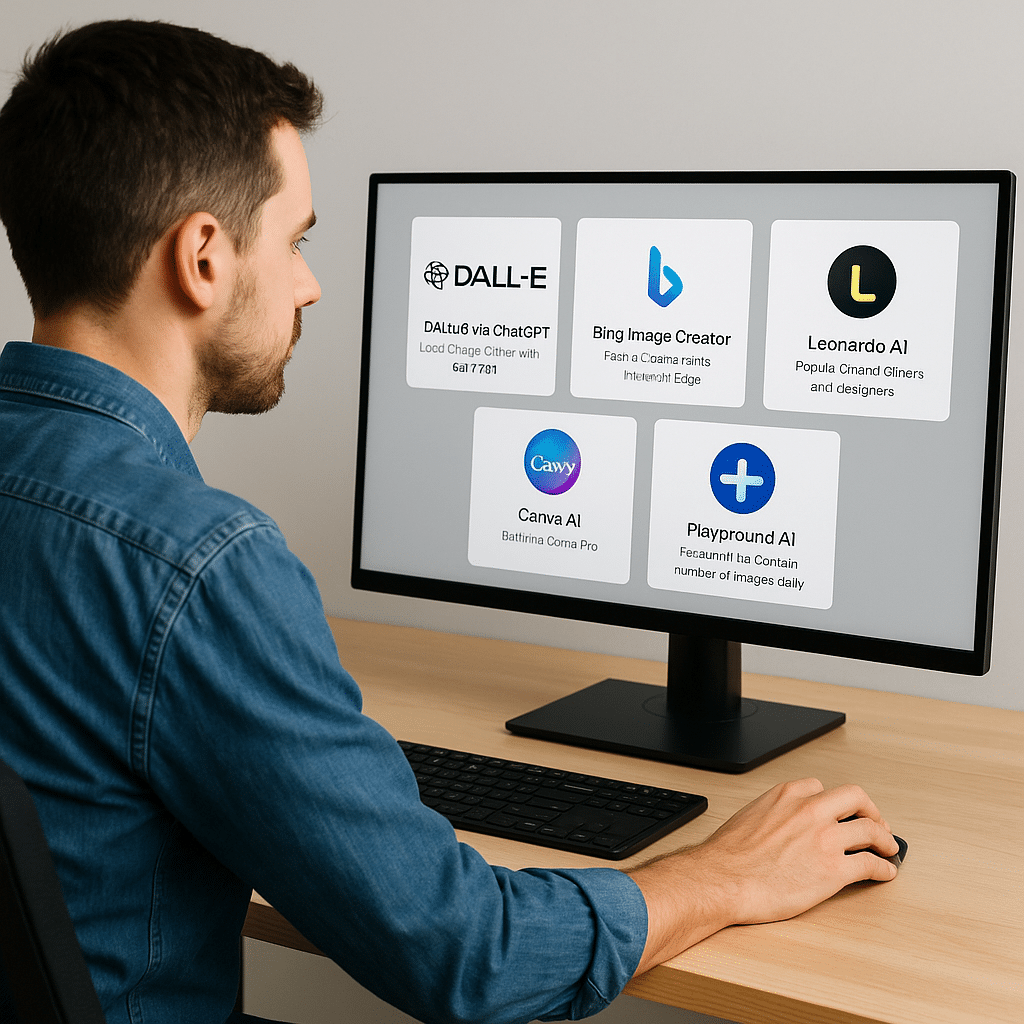
There are now many tools—both free and paid. Here are some of the best and easiest for beginners:
1. DALL·E via ChatGPT
Used directly in ChatGPT Plus (with GPT-4o). You can write prompts and edit images with so-called inpainting.
2. Bing Image Creator
Free and available through Microsoft Edge or Bing. Uses DALL·E 3 and only requires a Microsoft account.
3. Leonardo AI
Popular among gamers and designers. Plenty of styles, realistic lighting, and the option to train your own models.
4. Canva AI
Built into Canva Pro. Lets you generate images directly in your designs—e.g., for Instagram or presentations.
5. Playground AI
Free up to a certain number of daily images. Built on Stable Diffusion and gives you strong control over style and output.
How to use ChatGPT and DALL·E for images
If you have ChatGPT Plus, you can write:
"Create an image of an astronaut sitting and eating ice cream on the moon in Pixar style."
You can then:
- Choose between multiple image suggestions
- Click and edit parts of the image (remove, change, add)
- Download the image directly in high quality
This is especially useful for rapid prototyping, social content, and AI art.
Are AI images free and legal to use?
Yes, often—but it depends on the platform. Here’s a quick overview:
| Platform | Free? | Commercial use? |
|---|---|---|
| DALL·E (ChatGPT) | With Plus plan | Yes |
| Bing Creator | Yes | Yes (with terms) |
| Leonardo AI | Limited free | Yes |
| Canva AI | With Pro plan | Yes |
| Midjourney | No (paid only) | Yes |
Always read each platform’s terms, especially if you’ll use images for marketing or products.
Tips to get better AI images
AI can do a lot—but to get the best results, you need precise and creative descriptions. This is called prompt engineering, and even small tweaks to your text can produce remarkably different images.
Here are some of the best tips for writing prompts that work—for both beginners and advanced users:
🎨 Use style descriptors
Add a style to your prompt to influence the aesthetics. The AI can understand concepts like:
- in Pixar style
- as an oil painting
- digital painting
- 3D render
- vintage poster style
- minimalist vector graphics
You can also experiment by mentioning artists:
"in the style of Van Gogh" or "inspired by Studio Ghibli".
🌍 Specify location and environment details
An image becomes more convincing with a concrete scene:
- in Copenhagen in winter
- in a foggy forest
- a background with clouds and lightning
- in a futuristic Tokyo
The more context you add, the better control you have over both mood and lighting.
🎥 Use familiar references
AI models are trained on many well-known visual universes. You can therefore use:
- like a scene from Harry Potter
- inspired by Game of Thrones
- in Marvel style
- like in a Ghibli film
This works especially well if you want a recognizable style without having to explain everything yourself.
👤 Add mood and emotion
Images become stronger when you guide the AI with feelings and atmosphere:
- dark and dramatic
- gloomy and melancholic
- whimsical and bright
- playful and colorful
Mood affects colors, lighting, and composition.
🧠 Test and iterate
You rarely nail it on the first try—and that’s completely normal.
Do this instead:
- Remove or add a single word and see the difference
- Use “--v 5” (in Midjourney) or other parameters when available
- Translate your prompt to English if the output is better that way
📐 Experiment with aspect ratio and composition
Many AI services let you choose the image’s width and height. Consider:
- square (1:1) for profile photos and logos
- landscape (16:9) for backgrounds and slides
- portrait (9:16) for Stories and mobile content
Optionally add terms like “centered composition”, “wide angle”, “close-up portrait”, or “isometric view” to control how the subject is placed.
🔠 Use English if Danish doesn’t work well enough
Although many AI image generators understand Danish, English still tends to deliver more nuanced and precise results. Try translating your prompts to English and compare.
Top 5 free tools for AI images
DALL·E via Bing
🔹 Free access to DALL·E 3 right in your browser.
🔹 Good image quality and fast results.
Playground AI
🔹 Free for up to 100 images per day.
🔹 Supports both Stable Diffusion and its own models.
Canva (with free images)
🔹 Create graphics with AI images—perfect for social media.
🔹 Requires Canva Pro for full access.
Craiyon (formerly DALL·E mini)
🔹 Simple and completely free.
🔹 Limited quality, but fun for quick tests.
Artbreeder
🔹 Blend images and create portraits.
🔹 Great for character design and art projects.
How to get started with AI art as a beginner
All you need is a browser and a bit of imagination. Start with Bing Image Creator or Playground AI, and experiment with prompts in Danish and English.
If you have ChatGPT Plus, try DALL·E directly in the chat—it’s the easiest way to create both fun and impressive images.
AI image generation isn’t just for artists—it’s for everyone.
Ready for the next step?
We recommend starting with Bing Image Creator as your first tool. It’s free, fast, and only requires a Microsoft login:



