Martin Jørgensen
If you have damaged files on your drive, CD, DVD, Blu-ray or similar media, IsoBuster from Smart Projects can help. IsoBuster is a data recovery tool that finds and restores data you might otherwise have lost.
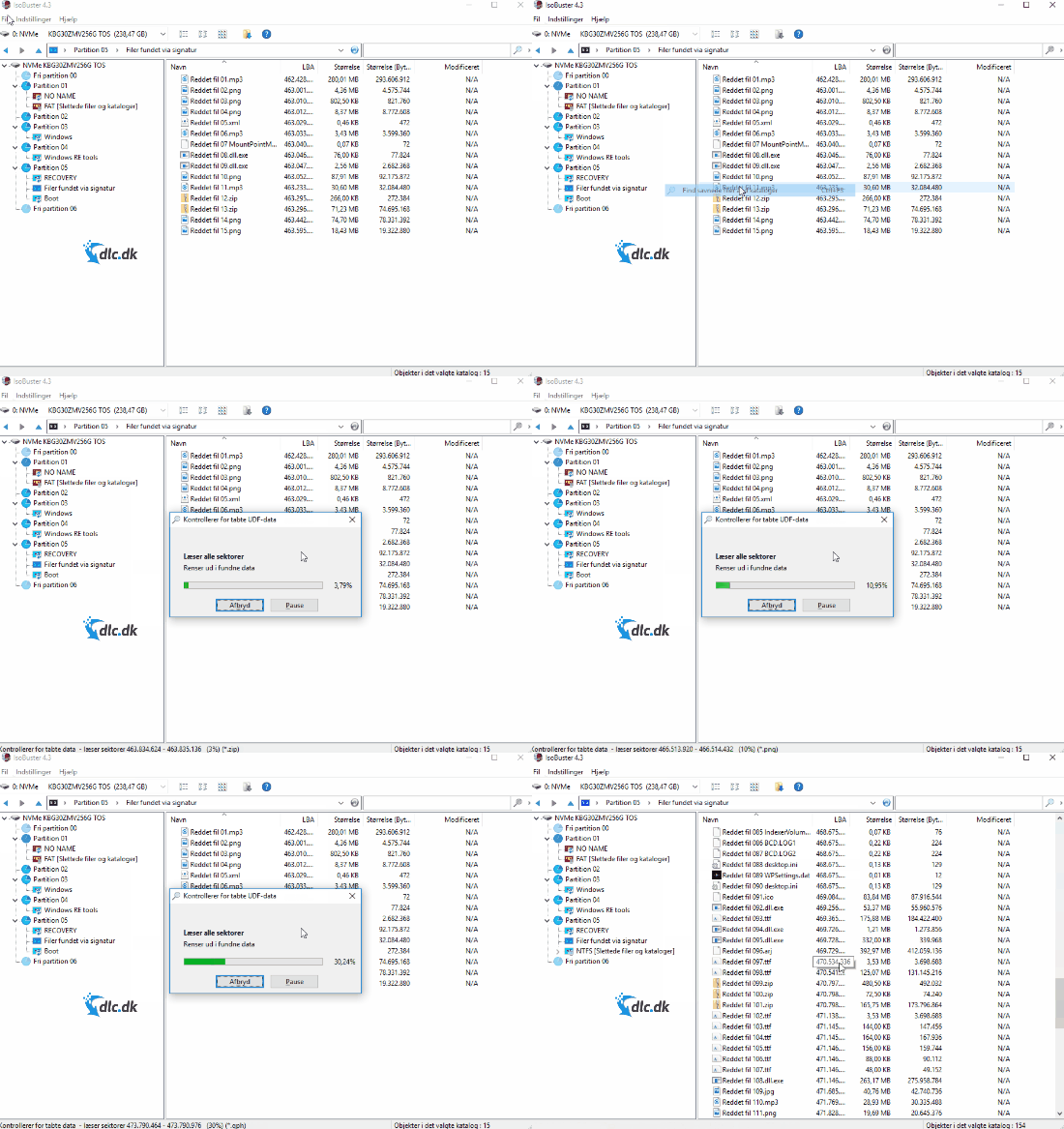
When you choose to scan for lost files, IsoBuster quickly locates files you didn’t even realize needed attention. IsoBuster is purpose-built for this task, yet it also includes a long list of extra features.
Create secure backups
Once you’ve recovered your data, it’s a good idea to make sure you have backups of your files that can’t be hacked or corrupted. You can do this by creating encrypted backups of your files, which IsoBuster can also help you with. It can additionally create system backups, so you don’t have to worry about losing your programs if your computer crashes.
Focus on ease of use
Working with data files on your computer can quickly get complex and technical. Fortunately, IsoBuster guides you through the process. The program can be installed in 34 different languages, including Danish. That way you don’t have to wrestle with difficult tech terms, saving you valuable time.

Installation only takes a few seconds, and the program is ready to help.
Convert files
After your files are located and recovered, you can convert them so they’re usable on your computer. This lets you convert between different media types and formats.
Extract files
In addition to converting and recovering data, you can also use IsoBuster for file extraction. For example, if you’ve downloaded a game or similar in .bin format, IsoBuster can unpack the file so you can access the game’s installer.
The developers behind it
IsoBuster is developed and published by Smart Projects, a Belgian tech company. It’s owned by Peter Van Hove, who initially developed IsoBuster as a hobby. In its early phase, the program focused mainly on CD, DVD, and BD data recovery software. Popularity grew quickly, and Van Hove’s hobby became a full-time job, with ongoing development so that today it can also handle Blu-ray discs, HD DVD, optical discs, flash and solid-state media.
Today, IsoBuster handles almost everything
Beyond the formats many users already know, IsoBuster can handle a wide range of lesser-known formats as well. The program is updated regularly so you can always work with virtually any file format. Among these more obscure formats you’ll find CD-i, VCD, SVCD, SACD, CD-ROM XA, DVD+R, BD-RE, R RRM, and many more.
Even more features
This page only mentions a small fraction of what IsoBuster can do. The program is capable of far more than its core purpose as a data recovery tool. The list of additional features is so long we can’t cover it all here. If you want to explore every option, click right here to read much more about the program and its capabilities.
The full experience
When you download and install IsoBuster from this page, you’ll be asked to enter your email if you’ve purchased a license. You can also use the free version by clicking the Trial button in the lower-right corner.
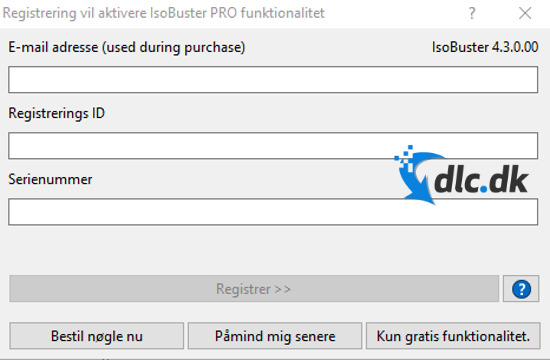
This lets you test a number of features before deciding whether to buy the full edition. The trial doesn’t unlock everything, but you still get access to the basics. Decide whether you need the features offered in the full version.
Availability
At the time of writing, the program is only available for computers running Microsoft Windows as the operating system. IsoBuster supports all Windows versions from Windows 2000 up to Windows 10. If you use macOS or Linux, you’ll need an alternative.
IsoBuster is best-in-class
IsoBuster is a top-tier technical tool that can locate, recover, and convert your damaged or lost data files. It works with CDs, DVDs, Blu-ray discs, and many other formats. Beyond its core function, the program also packs a long list of extras. You can, for example, create backups of your files and your computer’s system, which is always a smart idea. The program also makes it possible to extract files of virtually all types. If you’ve downloaded a compressed file to save space, IsoBuster can unpack it so you get access to everything inside. The program is available in Danish, which helps you through the technical aspects, and it only takes a few seconds to download and install—so you don’t waste time on setup or learning the basics.
IsoBuster is currently only available for Windows, and the full version is paid. However, you can download a free trial here that includes many of the most important core features. Some functionality isn’t available in the trial, so consider whether you need those features. The trial lets you test the program for free before deciding if you want to buy the full edition.
IsoBuster can convert and recover data from CD, DVD, and Blu-ray, and create encrypted backups of your files. Download a free trial here.
Top 5 tips for IsoBuster
IsoBuster is updated frequently with improved support for new file systems and drive types. Download the latest version to avoid bugs and missing features.
It’s tempting to scan just one folder, but a full scan finds more lost or hidden files on damaged media.
If you only need specific file types (e.g., images or videos), you can save a lot of time by filtering during extraction.
Avoid restoring files to the same drive you’re trying to recover from. It can overwrite data and reduce your chance of a successful recovery.
IsoBuster can create a copy of the entire drive as an image file. It’s the safest way to work if you want to avoid further damage to a physical medium.