
 Martin Jørgensen
Moz Pro – The SEO tool for serious digital marketers.
Moz Pro is one of the most recognized SEO tools on the market, used by agencies, companies, and solo marketers to improve their visibility on Google. It’s an all‑in‑one toolkit covering everything from keyword research and rank tracking to site audits and backlink analysis.
We tested Moz Pro on a Danish website and quickly found that the tool provides a clear overview of where your SEO effort should focus. That makes it especially relevant for Danish businesses that want to compete online without wasting endless resources on guesswork.
Features in Moz Pro – battle-tested on Danish websites
When we tested Moz Pro on three different Danish websites (an online store, a local business, and a content site), we got a clear picture of how each feature works in practice. Here are our experiences, concrete tips, and the long-tail keywords you can target in Denmark.
Keyword Explorer – analyze keywords by volume, difficulty (KD), click-through rate, and related suggestions
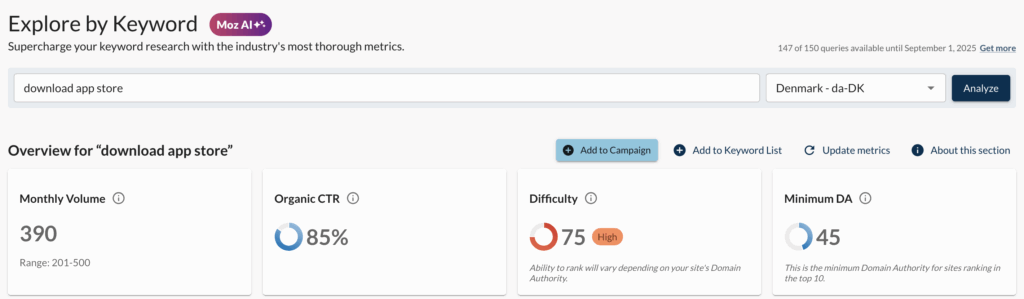
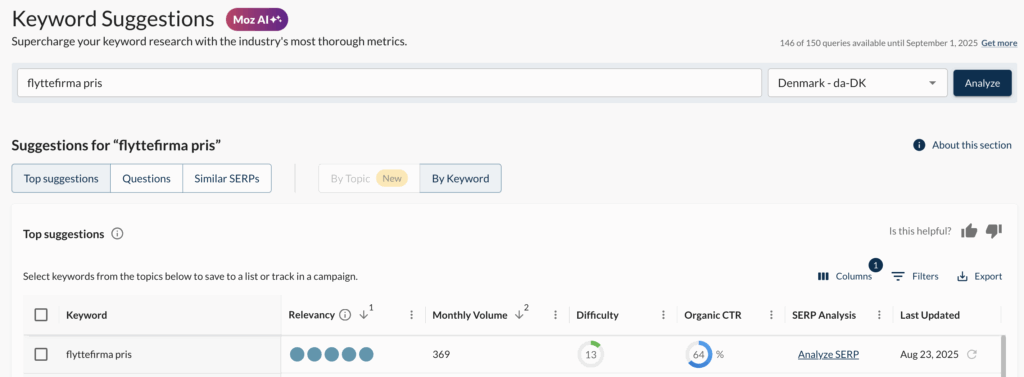
Keyword Explorer is without a doubt Moz Pro’s strongest feature when you want to find Danish long‑tail keywords with low competition. We set Country: Denmark and entered topics like “flyttefirma pris” and “billig bredbåndsløsning.” The result was hundreds of suggestions with search volume, Keyword Difficulty (KD), and click-through rate (CTR).
Tips from our test:
- Use the Difficulty < 30 filter to find quick wins. On our test site this produced 12 new keywords we turned into low‑competition blog posts.
- The “Questions” tab is brilliant for FAQ sections that can hit “People Also Ask” in Google. For example, we found “hvad koster flyttefirma i København?” with low KD and high CTR.
- Save keywords in Keyword Lists and build topic clusters (e.g., “price,” “offer,” “best in test”).

Long‑tail angles to target:
- “Moz Pro keyword research for the Danish market”
- “best tool to find long‑tail keywords in Denmark”
- “how to find low KD keywords in Moz Pro”
Rank Tracker – track your Google rankings and see changes over time
Rank Tracker provides a clear overview of how your keywords perform on Google, both nationally and locally. We set up tracking across Denmark as well as in Copenhagen, Aarhus, and Odense to see local SEO differences.
Tips from our test:
- Create separate segments: Brand, Non‑Brand, and Local. For instance, non‑brand keywords sat around positions 8–12, while branded queries already dominated page 1.
- Enable device tracking. We noticed mobile rankings were worse than desktop on one ecommerce site — a sign to improve mobile optimization.
- Set up automated reports so leadership or clients can see progress without you pulling numbers manually.
Long‑tail angles:
- “best rank tracking tool for local SEO in Denmark”
- “how to measure rankings in Google with Moz Pro”
Site Crawl – technical audit of your website (404 pages, duplicate content, slow pages, etc.)
Site Crawl was an eye‑opener, especially for our ecommerce case. On the very first scan Moz Pro found:
- 27 404 errors
- 15 pages with duplicate title tags
- and 9 pages that were far too slow for Core Web Vitals.
Tips from our test:
- Always fix 404s first — they drain link equity and confuse users.
- Use canonical tags on faceted pages (e.g., sorting by color/size) to avoid duplicate content.
- Run the crawl weekly so you spot new issues before they become a problem in Google.
Long‑tail angles:
- “how to run a site audit with Moz Pro step by step”
- “Moz Pro crawl finds 404 errors and duplicate content”
Link Research – overview of backlinks, anchor text, and Domain Authority (DA)
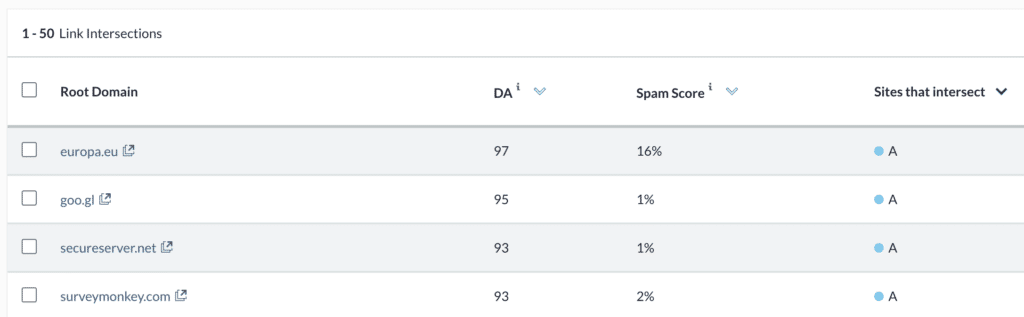
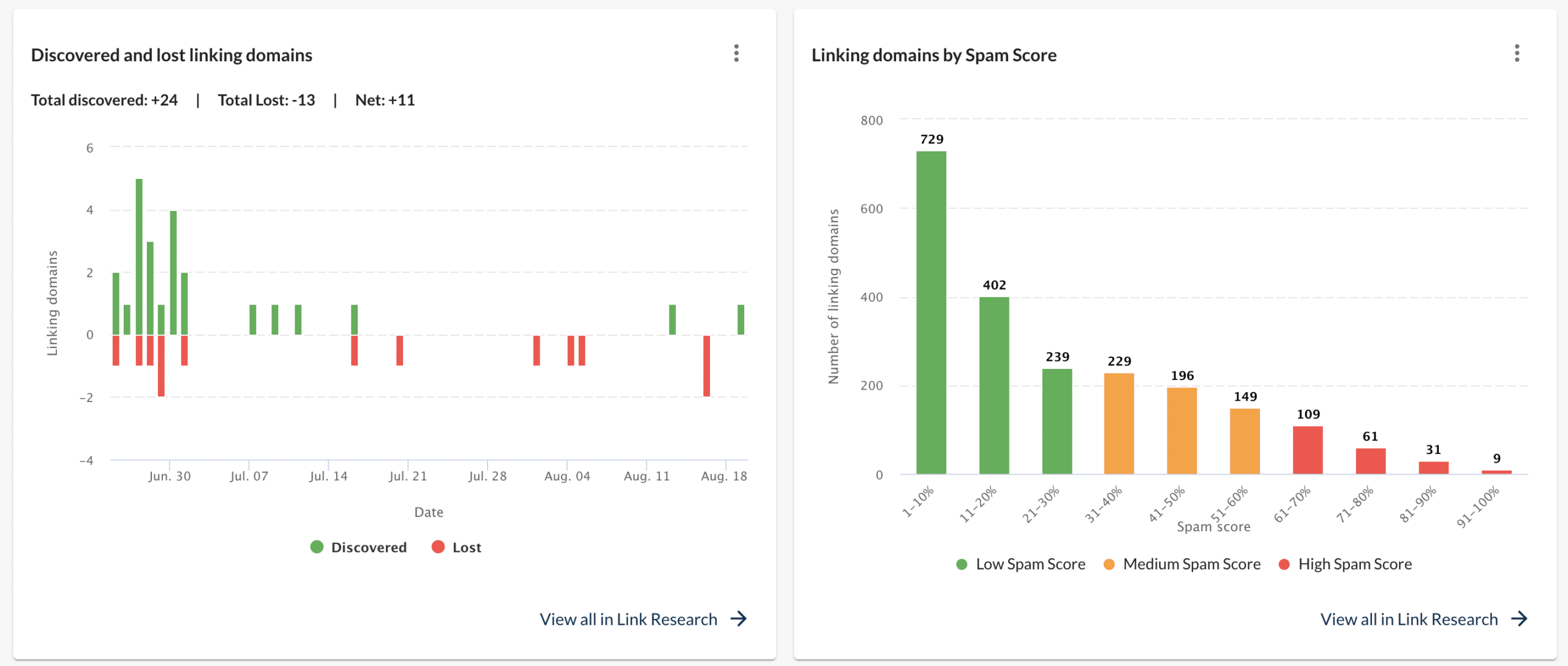
Link Research is Moz’s take on a backlink database. We compared our test site against competitors and found over 40 domains linking to them but not to us.
Tips from our test:
- Use Link Intersect to find link opportunities — we uncovered local business directories that were ideal outreach targets.
- Review your anchor text profile: our site had too many exact‑match links (“billig flyttehjælp”), which can look unnatural.
- Watch Spam Score and filter out poor domains before you chase links.
Long‑tail angles:
- “Moz Link Explorer vs. Ahrefs for link building”
- “find backlinks and Domain Authority with Moz Pro”
On-Page Grader – actionable suggestions to improve individual pages
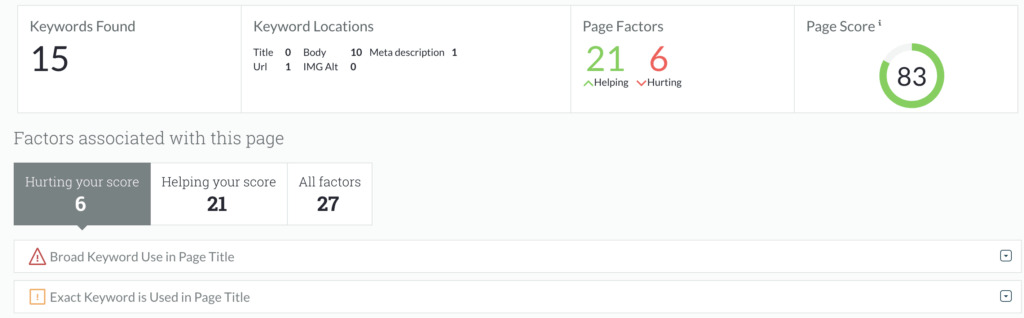
On-Page Grader is perfect when a page sits at position 8–20 in Google. We tested it on a broadband guide at position 11. After following the recommendations—updating the title, adding internal links, and writing an FAQ section—the page moved to position 5 within two weeks.
Tips from our test:
- Use On-Page Grader on pages that are almost on page 1 — that’s where the impact is greatest.
- Add secondary keywords in H2s — it gave us quick wins on long tails.
- Include a “Last updated” date when you optimize older articles. It improved CTR in the SERP.
Long‑tail angles:
“use On-Page Grader to lift pages from page 2 to page 1”
“on‑page optimization with Moz Pro recommendations”
What is it like to use?
The Moz Pro interface is intuitive, but you need a short adjustment period because the tool presents a lot of data. We found the dashboard quickly gives a “helicopter view,” while you can also dive very deep into each report.
One plus is the ability to schedule automated reports and receive email updates on your SEO efforts. A small downside: some advanced features feel slower and less up‑to‑date than competitors like Ahrefs and Semrush.
Moz Pro compared to competitors
- Ahrefs: Stronger backlink index, faster crawling.
- Semrush: Better for PPC and competitive research.
- Moz Pro: Best for usability and standout learning resources (Moz Blog, Whiteboard Friday).
For Danish users, Moz is especially good if you want an easy start with SEO without drowning in advanced metrics.
Top 5 tips for Moz Pro
1. Use Keyword Explorer for Danish long‑tail keywords
Filter for Denmark and find low‑KD keywords — it makes it easier to rank faster for specific queries.
2. Set up Rank Tracking by location
If you work with local SEO, track your rankings in cities like Copenhagen or Aarhus to see how you perform locally.
3. Run Site Crawl weekly
Run a crawl every week to find and fix technical issues. Small problems can quickly cost valuable organic traffic.
4. Combine Moz Pro with Google Search Console
When you connect Moz Pro with GSC, you get extra insight into clicks and CTR — giving a more complete view of your SEO performance.
5. Follow the Moz Blog for best practices
Moz Blog and Whiteboard Friday provide the latest advice on Google’s algorithm updates and practical SEO tactics you can apply right away.



