
 Martin Jørgensen
Theme Hospital – classic hospital management with dark humor
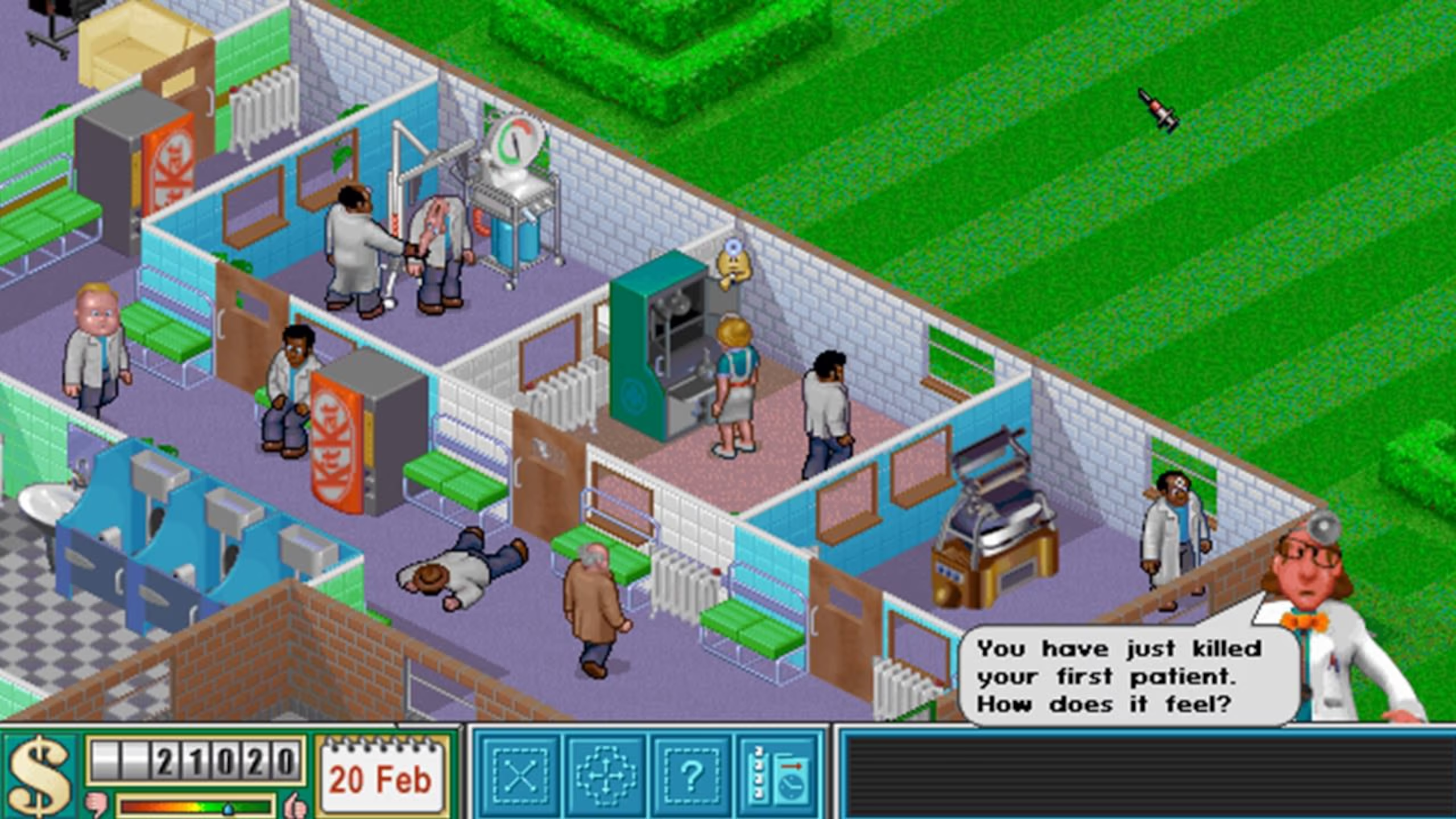
For decades, strategy games have held a special place for many players, and Theme Hospital is one of those titles people still mention with a smile. Its blend of dark humor, tactical planning, and steadily rising difficulty makes it surprisingly addictive even today.
In Theme Hospital you manage every aspect of a hospital. It’s not just about building rooms — you also need to ensure patients don’t die in the hallways, staff don’t burn out, and your finances don’t spiral out of control. The game starts gently, but as new diseases, machines, and requirements are introduced, complexity ramps up fast.
We tested Theme Hospital on a standard Windows 11 PC via DOSBox. The setup took a bit of extra work, but the game then ran smoothly without technical issues.
Gameplay and features
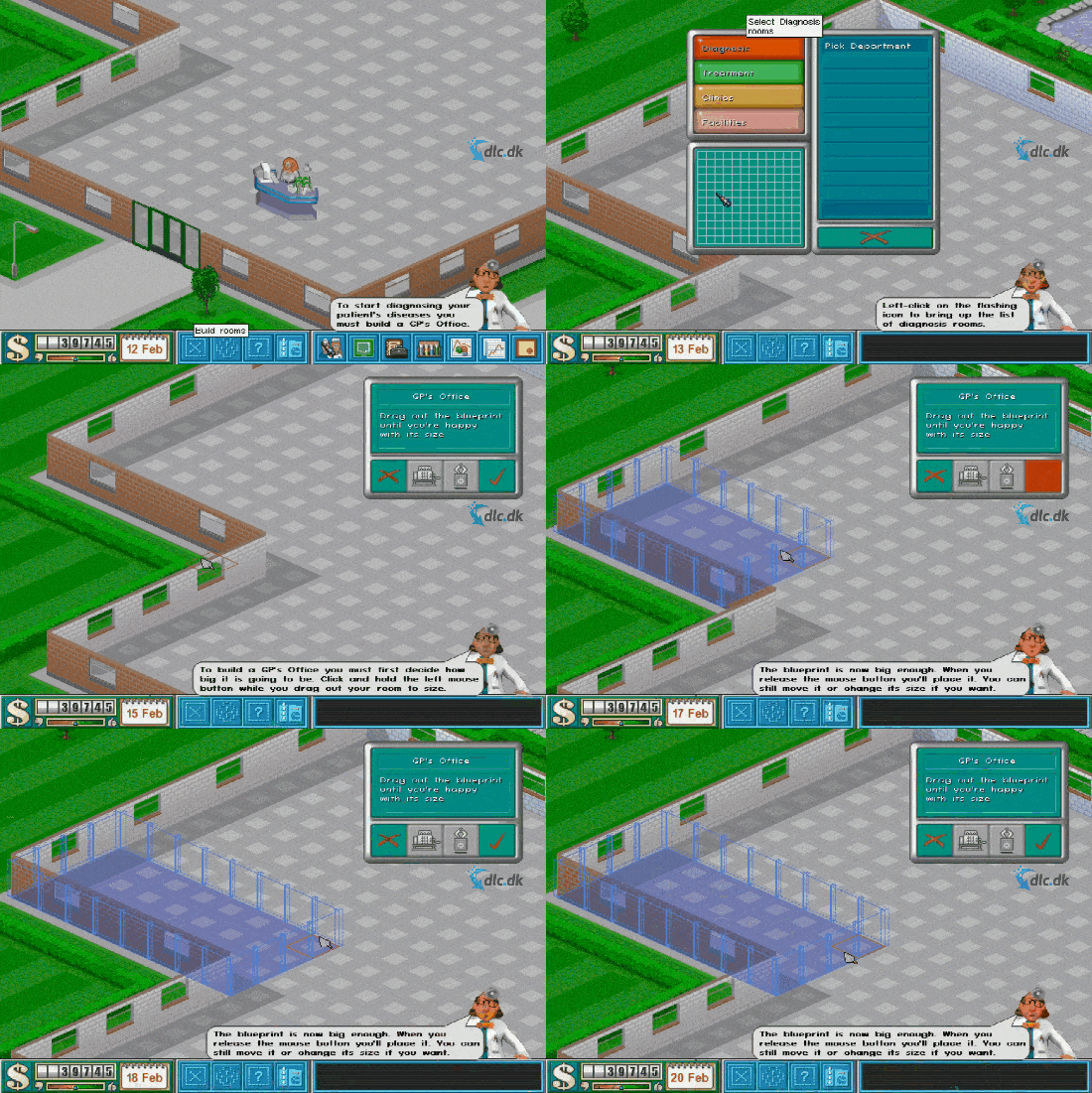
Each level has fixed objectives — typically a mix of profit, reputation, and cure rate. You start with a limited budget and must prioritize carefully: invest in better diagnostics, hire more doctors, or spruce up the surroundings?
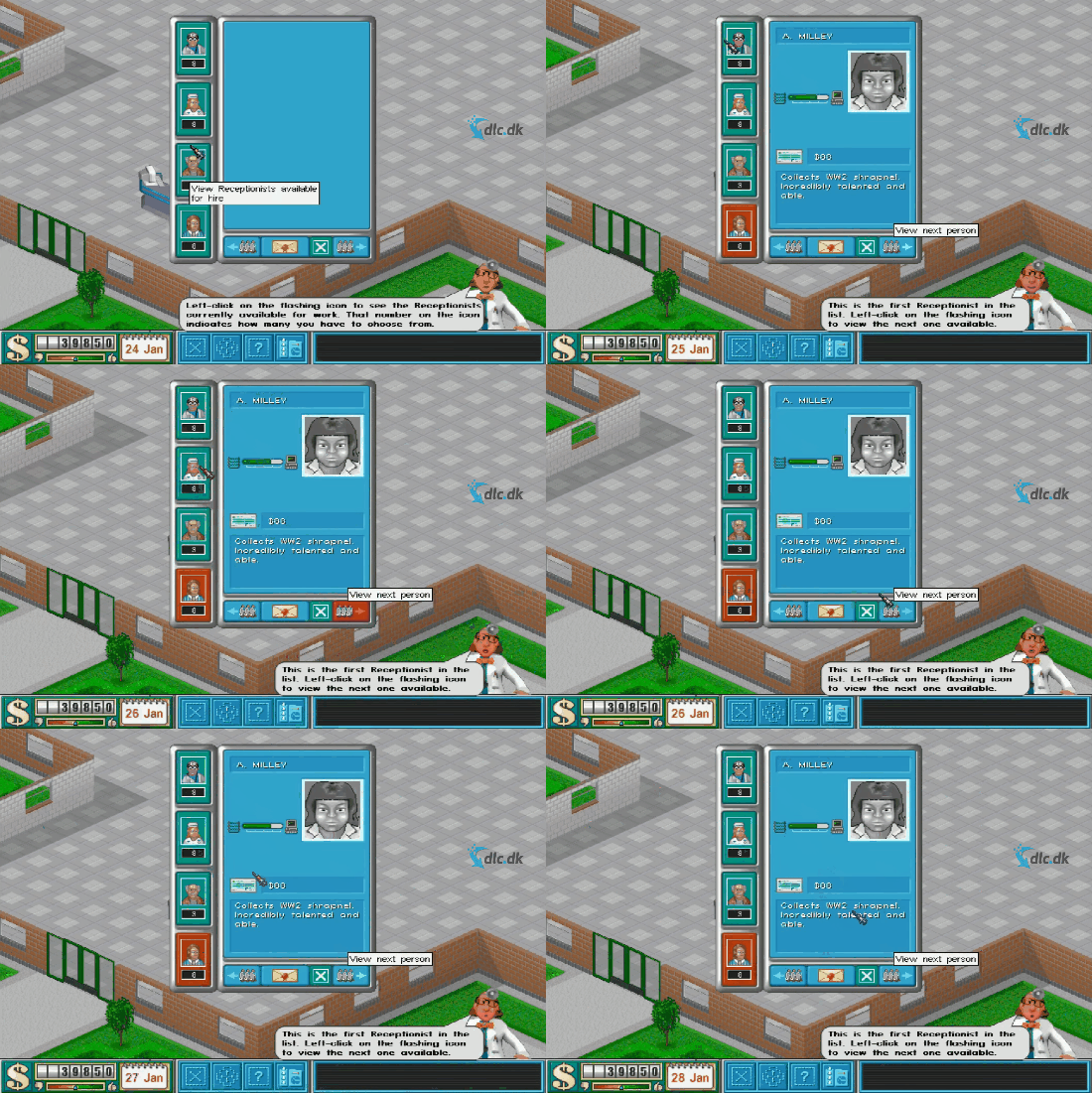
You design the hospital’s layout and decide where to place diagnosis rooms, treatment rooms, waiting areas, and staff facilities. You’ll also hire doctors, nurses, janitors, and receptionists — and make sure they receive additional training. In our test it quickly became clear how fast a hospital can collapse if staff don’t match the tasks.
Diseases are a huge part of the game’s identity. They’re fictional, humorous, and often completely absurd — yet they still require correct diagnosis and treatment to avoid unhappy — or dead — patients.
Graphics and audio
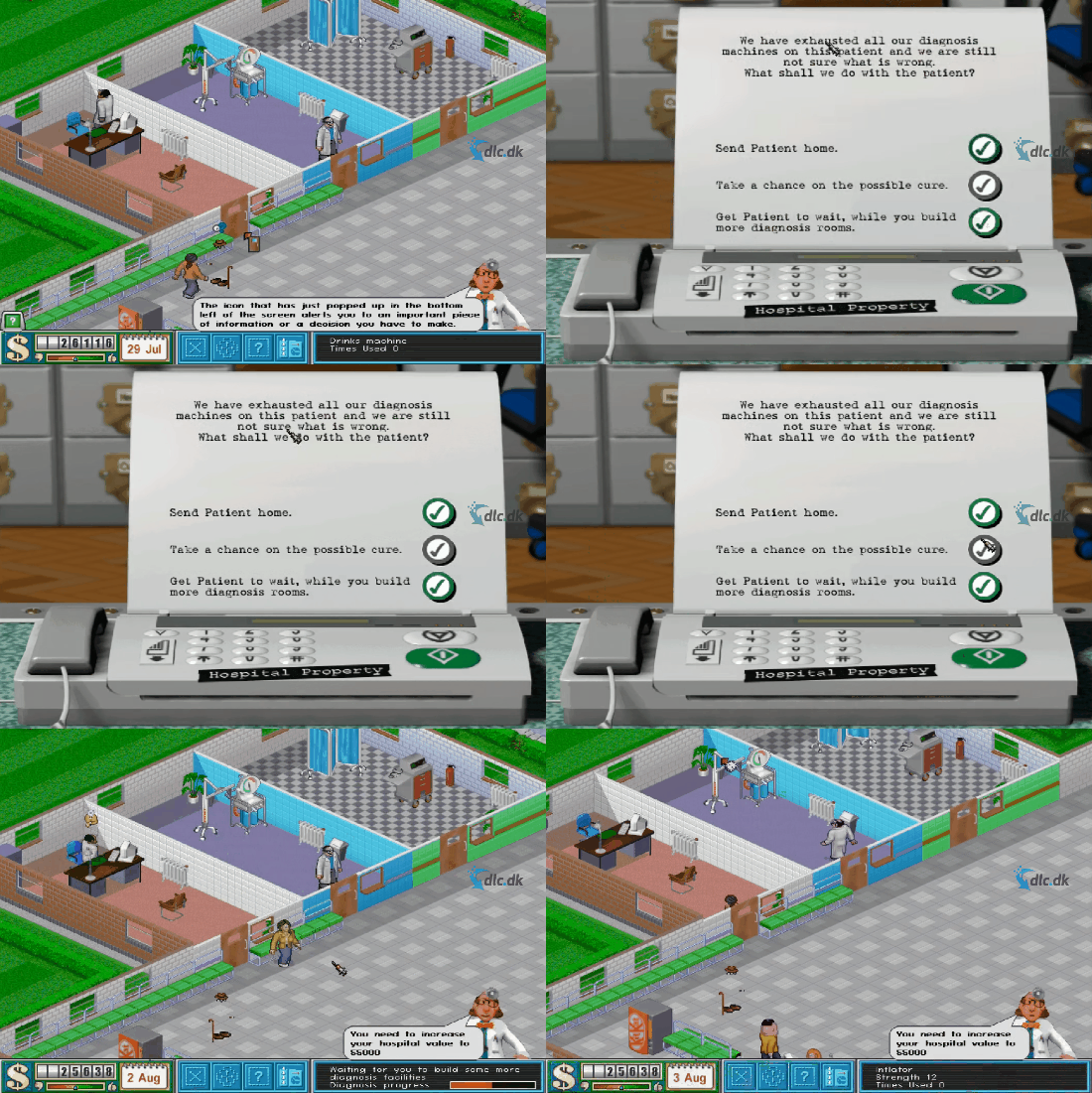
Theme Hospital originally launched in the late ’90s — and you can tell. The isometric graphics are colorful and fairly simple, which gives the game much of its charm. Animations are clear, and it’s easy to understand what’s going on even when the hospital gets big and busy.
The sound and music are understated but atmospheric. The iconic announcer and patients’ little comments add to the humor and bring the hospital to life.
Ease of use and difficulty
The game is surprisingly easy to pick up. Objectives are clearly explained, and new features are introduced gradually. At the same time, poor planning is punished — which makes it especially satisfying when everything starts to click.
Theme Hospital strikes a fine balance between relaxed management and serious strategic planning, appealing to both newcomers and seasoned strategy fans.
Top 5 Theme Hospital tips
Plan your hospital from the start
A poor layout leads to long lines and unhappy patients later in the game.
Train staff continuously
Untrained doctors and nurses are costly in the long run — extra training pays off quickly.
Watch the patient flow
Long distances between diagnosis and treatment rooms dramatically reduce efficiency.
Spend on the environment
Radiators, plants, and benches affect mood and productivity more than you might think.
Respond quickly to problems
Rats, trash, and stressed staff escalate fast if ignored.
Availability and compatibility
Theme Hospital was built for older systems and requires DOSBox to run on modern Windows PCs. In our test, setup took just a few minutes and the game ran stably afterward.
The game is best suited to Windows users who don’t mind a bit of retro setup to access a true classic.
Alternatives to Theme Hospital
If you like the concept, several related games are worth a closer look. SimTower focuses on building and running a skyscraper, 1 lets you manage a farm, while Two Point Hospital is a modern spiritual successor with the same tongue-in-cheek humor.
A strategy game that still holds up
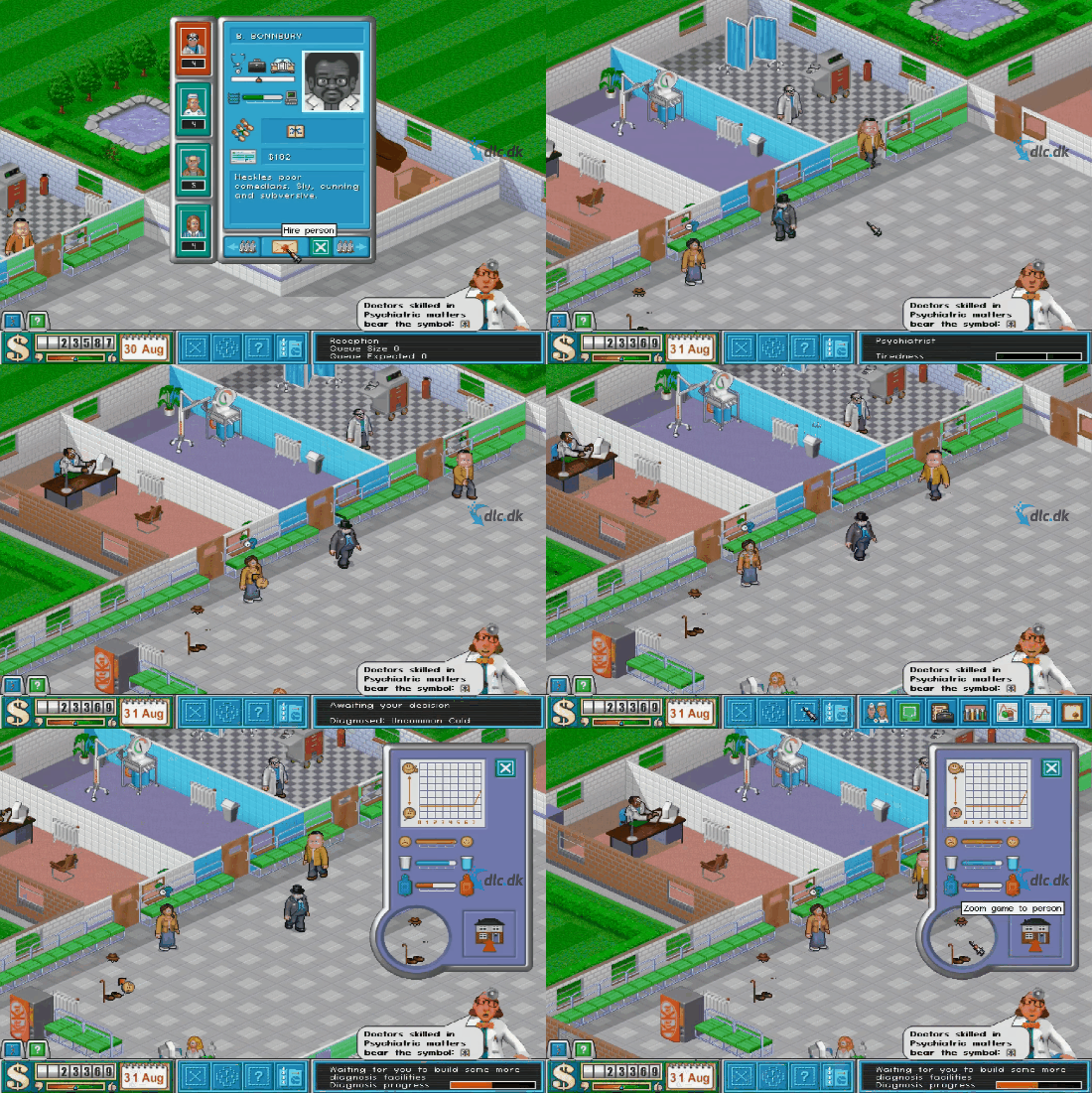
Theme Hospital is one of those rare games that remains entertaining many years after release. The combination of humor, strategy, and management still works surprisingly well, and it’s easy to see why it has cult status.
If you love classic strategy games and aren’t afraid of a bit of retro, Theme Hospital is still an easy recommendation.
Theme Hospital FAQ
Yes. Theme Hospital is an older game, so on modern Windows it typically runs via DOSBox. Once DOSBox is set up, the game usually starts without fuss.
Yes. In our Windows 11 test, the game ran stably via DOSBox. On Windows 10 the experience is usually the same as long as DOSBox is configured correctly.
Yes, but not as a native app. On macOS and Linux you typically play it through DOSBox, just like on Windows.
Start with the basics: reception, a waiting area (with benches), a couple of diagnosis rooms, and at least one treatment room. Skipping diagnostics quickly leads to queues and poor ratings.
It’s almost always wait times and long walking distances. Check whether rooms are too spread out, if you’re short on staff, and whether there are enough benches and heat in waiting areas.



