
 Martin Jørgensen
Total Commander is still one of the best file managers for Windows
Total Commander is a classic file manager for Windows that still has a loyal following among IT pros, developers, and power users. While Windows File Explorer has become prettier over the years, Total Commander remains faster when you truly need to move, rename, compare, and organize many files at once.
In our test on a typical Windows 11 PC, Total Commander didn’t feel “smart” in the modern sense. What it felt was fast. Especially with large folders, batch renaming, and moving files between two locations, it’s clear why many users still swear by it over the regular File Explorer.
Two panes make a real difference day to day
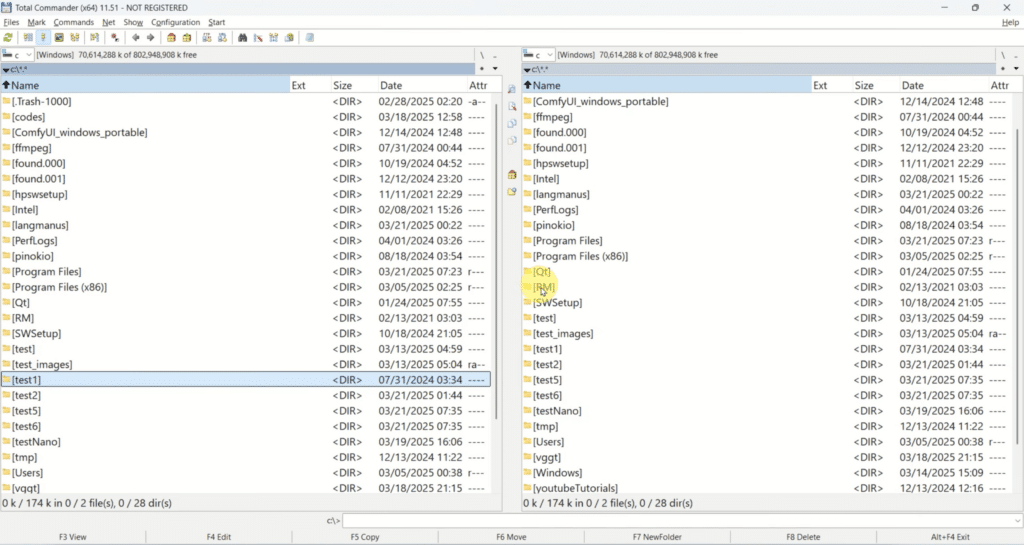
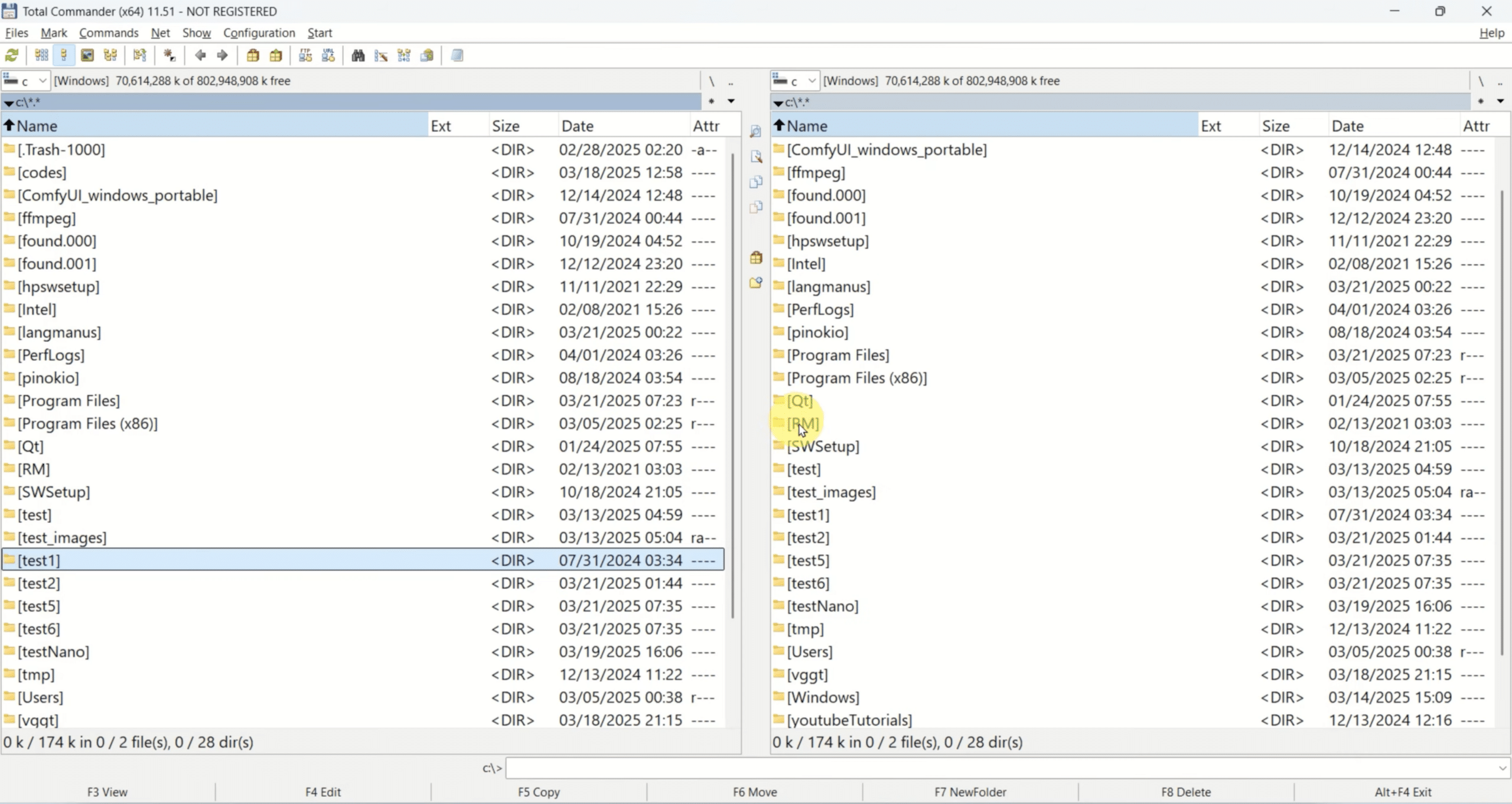
The heart of Total Commander is its familiar side-by-side dual-pane layout. It sounds simple, but in practice it makes a big difference if you frequently work with lots of files.
You can keep one folder open on the left and another on the right, which makes copying, moving, and comparing much more straightforward. That’s especially true if you work with downloads, backups, photo folders, code projects, or server files.
This is also where Total Commander feels more like a work tool than a glossy consumer app. The focus isn’t on animations or oversized icons—it’s on speed and precision. The app supports tabs, advanced search, history, favorites, and a powerful Multi-Rename tool that remains one of the features users come back for.
FTP, synchronization and archiving in one app
What makes Total Commander extra interesting is that it’s more than a file browser. You also get a built-in FTP client with FTPS support, folder synchronization, and handling of archives like ZIP, 7Z, RAR, TAR, and CAB directly in the app. In many cases, archives can be treated almost like regular folders, which keeps your workflow smooth.
For web developers and technicians, it’s especially nice that you can work locally and against a server in a way that still feels fast and practical. Once you get used to the setup, you save a lot of clicks compared to jumping between multiple separate programs.
We found folder comparison and synchronization particularly useful for keeping test folders and backup copies in check. It’s not flashy, but it works.
Not pretty – but extremely effective
It’s fair to say that Total Commander looks old-school. It does. If you’re used to modern apps with big buttons, rounded corners, and a lighter onboarding, the program can feel a bit dry at first launch.
But here’s the point: the retro look is part of its strength. You get a tool built for people who actually work with files rather than click around now and then. Keyboard shortcuts, customizable buttons, user-defined views, and plugins let you shape the program to very specific workflows.
In the United States, it will especially appeal to users who still prefer a “real desktop application,” where you feel in control instead of being locked into a simpler default solution.
Is Total Commander free?
Total Commander can be downloaded and tried as shareware for 30 days. After that, you need to buy a license to continue legally. The license is a one-time purchase, and registered users can update to newer versions for free. The official order page lists a price of €42 (plus VAT in the EU).
That doesn’t make the program free in the long run, but it does make it attractive for people who prefer a one-time purchase over a subscription.
Who should download Total Commander?
Total Commander isn’t for everyone. If you only open your “Downloads” folder occasionally and move a few photos, Windows File Explorer is probably enough.
But if you often work with:
- large volumes of files
- backups and synchronization
- FTP and server folders
- batch renaming
- archives and compressed files
- more efficient navigation in Windows
then Total Commander is still one of the sharpest tools in its class.
It’s the kind of program you either uninstall after five minutes because it seems dated—or end up using for years because it makes everyday work faster.
Why Total Commander still holds up in 2026
The most impressive thing about Total Commander isn’t any single feature. It’s that the program still feels relevant at a time when many classic Windows tools have been watered down, overdesigned, or locked behind subscriptions.
Total Commander doesn’t make a big fuss. It just does its job quickly, reliably, and without unnecessary fluff. And for the right audience, that’s exactly why it’s still worth installing.
Top 5 tips for Total Commander
Learn the key keyboard shortcuts first
Total Commander truly shines when you use the keyboard. Start with shortcuts for copy, move, rename, and search so it feels like a productivity tool—not just another file browser.
Use Multi-Rename for big cleanups
If you have hundreds of photos, documents, or downloads with messy names, the Multi-Rename Tool is one of the most powerful features in Total Commander. It saves surprising amounts of time, especially for consistent file naming.
Save your FTP connections properly
If you work with web servers or remote files, spend a moment organizing your FTP and FTPS connections from the start. It makes Total Commander far more valuable as a daily tool for maintenance and uploads.
Use synchronization for backup and checks
Folder sync is perfect for backups, project folders, and mirroring between drives. It’s also a great way to spot missing files or small differences between two folders without checking everything manually.
Customize buttons and views for your workflow
The more Total Commander matches how you work, the better it becomes. Customize the toolbar, views, and favorites so the features you use most are always at your fingertips.



