Martin Jørgensen
Over the past few years, the words "security" and "monitoring" have become especially important in many households. As media and technology have evolved, we now live in a world where computers and smartphones are ever-present—at work, in school, at the dinner table at home, and even on the annual family vacation.
These innovations mean many everyday tasks can be handled with just a few clicks, making life a bit more manageable in a busy schedule. We also end up storing a large amount of different data on our computers and smartphones in the form of personal information, passwords, photos, e-mails, and much more, often synchronized across our computer and phone. This applies to children, teenagers, and adults alike. For that reason, it’s essential to protect our mobile devices to prevent unauthorized access to this data.
Today we can get in touch with family and friends faster than ever, no matter where we are in the world. In short, technology has given us a lot of possibilities. That also means there are many programs for your computer and smartphone designed to give you everyday peace of mind. One of these is the TrackView monitoring app.
What can you do with the TrackView monitoring app?
There are now countless security and monitoring tools to choose from, which makes it hard to know which ones will help you most. For example, the market offers a wide range of antivirus, anti-spyware, and backup programs, which you can explore in our security software category, but what exactly can TrackView do for you in terms of security and monitoring?
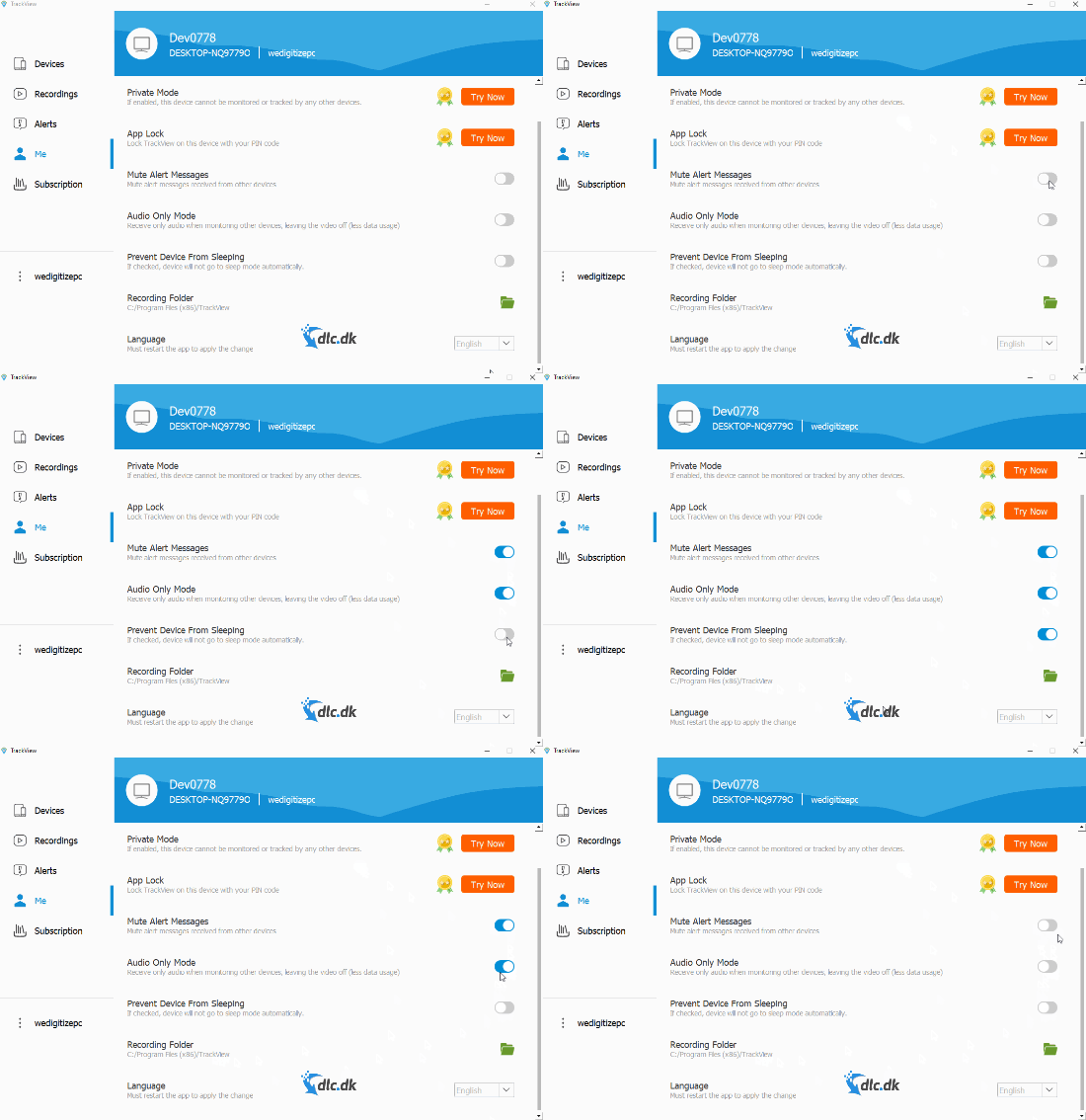
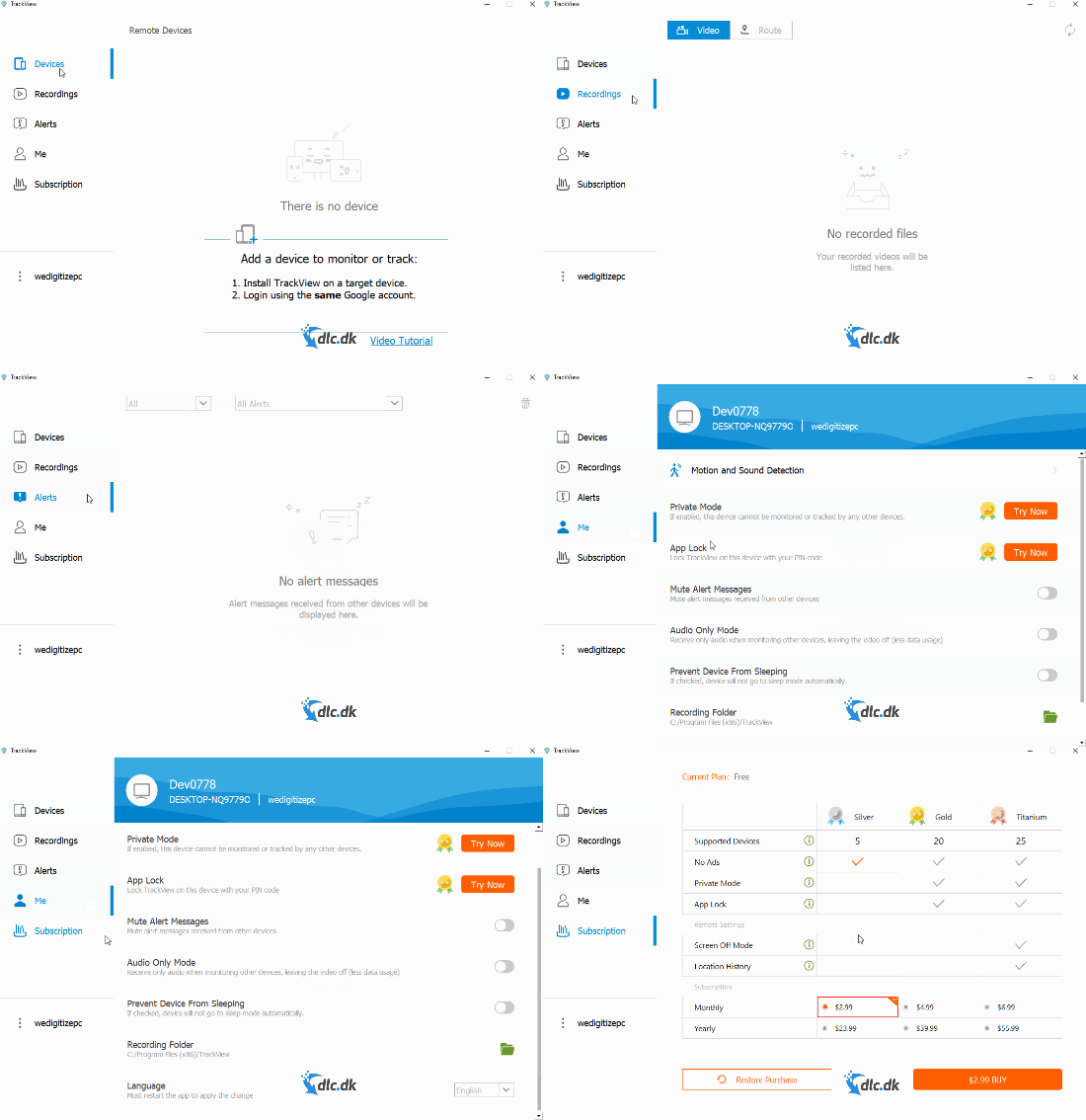
Almost all of us have been in a situation where our phone mysteriously disappears and we wonder where it actually is. That’s one of the situations where TrackView can help. In short, TrackView is a monitoring app that works across your platforms. With it, you can track the location of a lost phone, track your car, locate family members, and video-monitor your home while you’re at work. TrackView can provide peace of mind in many everyday scenarios—and it’s free. If TrackView sounds interesting, you can read much more on the official website by clicking here.
What does installing TrackView require from you?
To use the TrackView monitoring app, a few things are needed before you download. You must have at least two devices—for example, a computer and a smartphone—that will work together after installation. When you’ve installed the app, you’ll be asked to log in with an email. You simply need a Gmail account that TrackView can link to your devices.
Accessibility is key
It’s usually in a developer’s best interest for as many users as possible to benefit from their software, which makes accessibility very important. TrackView places a strong emphasis on this. TrackView supports Windows, Mac, iOS, and Android.

TrackView also supports WiFi, 4G, and 5G, so you can use the app no matter where you are.
The developers behind TrackView have generally ensured the software is designed so as many users as possible can enjoy it. To get started, follow the manual on TrackView’s website by clicking here. TrackView has also created a YouTube video that illustrates step by step how to use the app, which you can watch by clicking here.
Support
Even when software is designed to be user-friendly, questions or unforeseen situations can arise where you need support. It’s important to be able to get answers quickly and easily so you can get back to using the app. The developers behind TrackView have made sure you can get help fast via the official website. If you have general questions about the app and its features, you can read the most frequently asked questions by clicking here.
Other security-focused programs
Today, monitoring software comes in many forms. In recent years there has been growing focus on securing mobile devices, which is reflected in the range of available tools. You can also visit our overvågningskategori, where you’ll find a number of reviews of different monitoring programs to explore.
A solid piece of software
To briefly summarize the advantages of downloading TrackView to your devices: TrackView is free and lets you monitor your devices across platforms, which can help you find your smartphone or computer if the unexpected happens. The app is available on many platforms. Its features are user-friendly and easy to navigate, and if you still have questions, there’s plenty of support available. All in all, TrackView is a monitoring app we warmly recommend.