

 Martin Jørgensen
Looking for an exciting shooter for your computer? Download Warsow for free and play online against players from all over the world!
Here at Download.dk, we are always on the lookout for exciting and entertaining games for our site! In this article, you can learn more about the shooter Warsow, a so-called “first-person shooter,” which means you see the game from your character’s perspective. Your weapon is front and center, and the mouse cursor is your crosshair. Warsow has been around for quite a few years now, but in many ways it’s still a solid game that you can play both offline and online against other players!
Warsow is available for Windows, Mac, and Linux. That’s a huge advantage, since you can play it on virtually any computer—and you can also compete with friends even if they use a different operating system than you. You can see a short gameplay snippet in the GIF below.
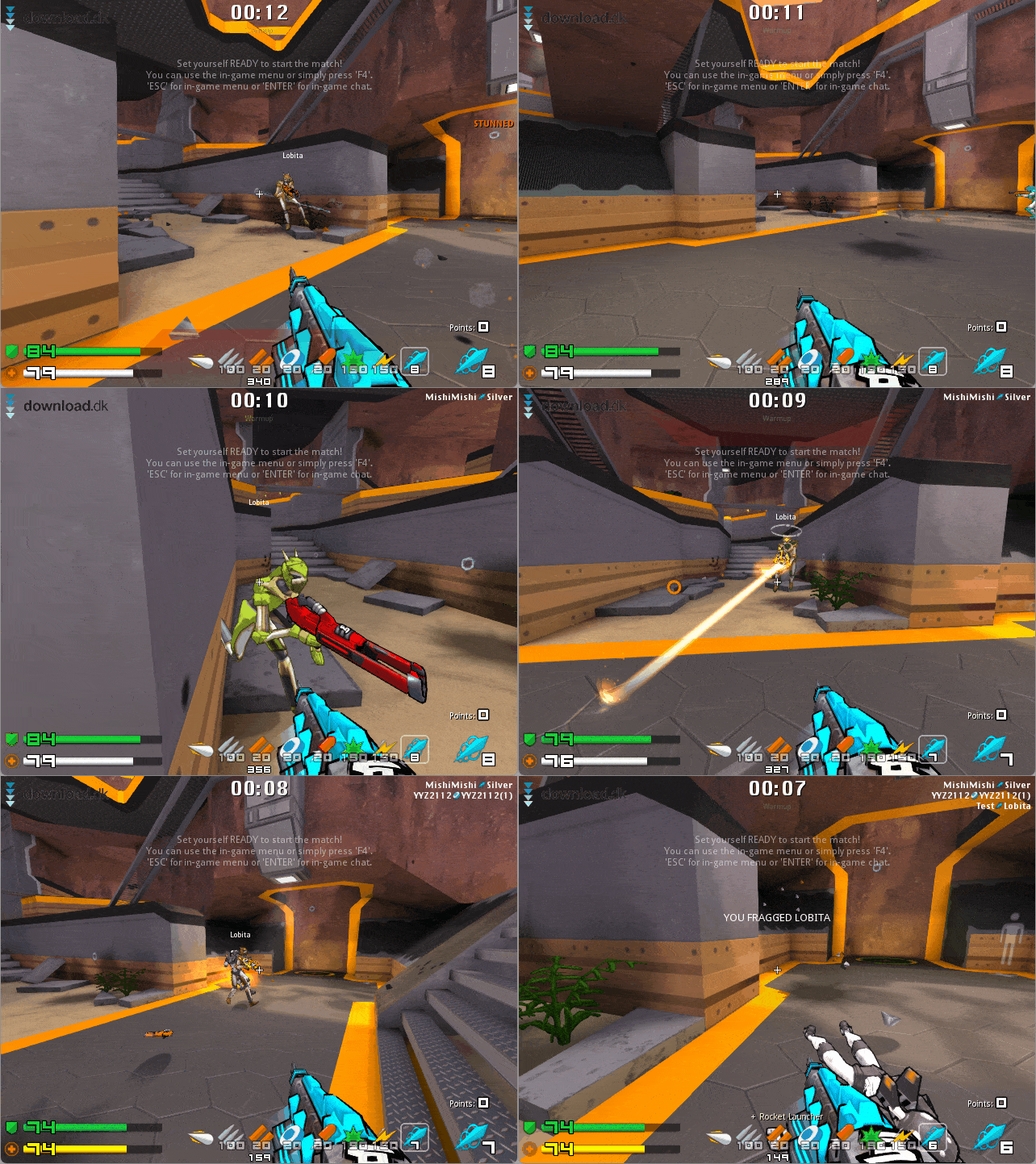
Our mini review is divided into several sections. First, we look at how to download and install Warsow, then we dive into the gameplay itself. Finally, we summarize our overall verdict in a conclusion. Enjoy the review—and good luck in the arena!
Download and installation
When you click the download button at the bottom of the page, you’re automatically taken to Warsow’s official website, where you can download the game. All installers for Windows, Mac, and Linux are available there. We tested the Windows version while preparing this review, and the installer for version 2.1.2 was about 430 MB.
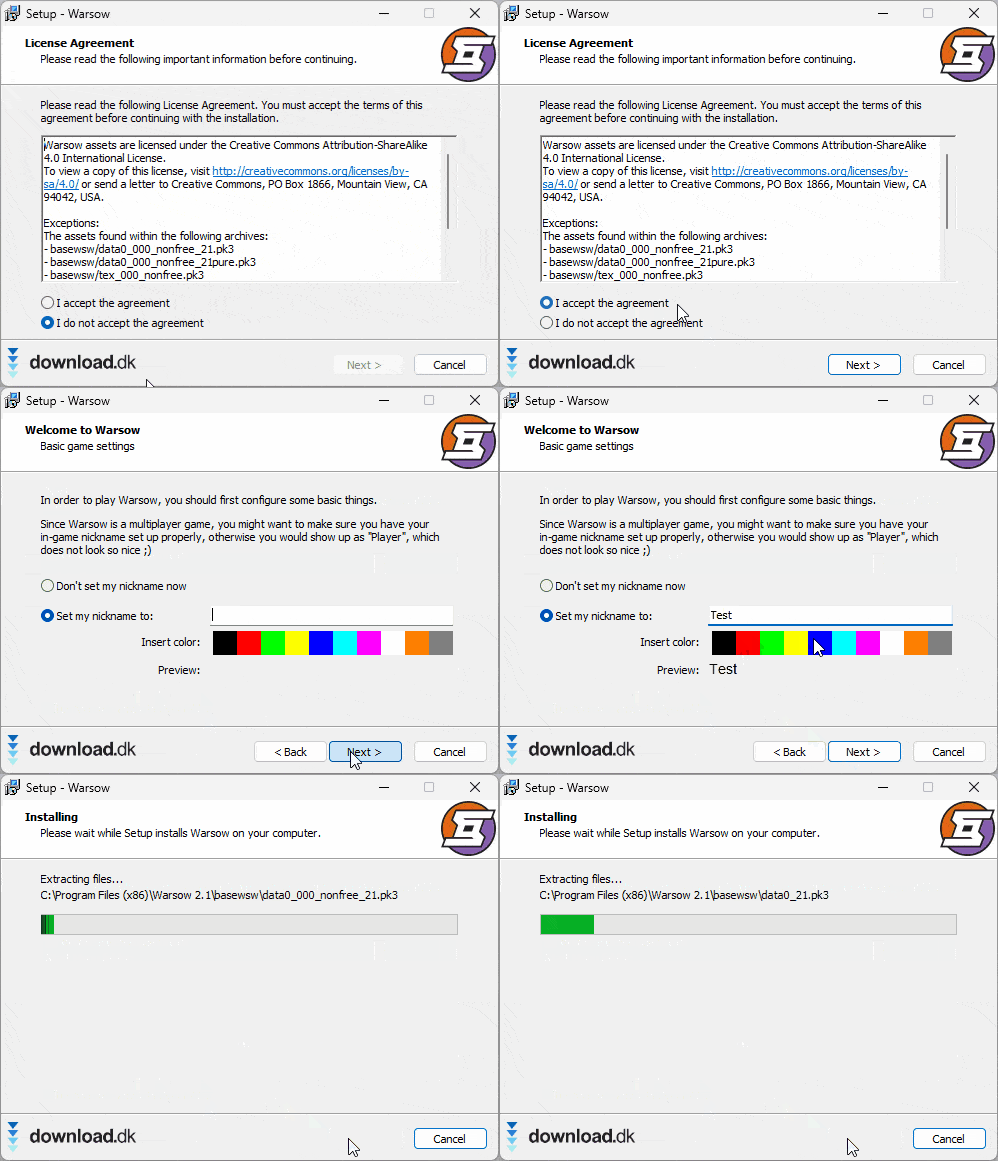
The GIF above shows the installation process on our Windows 11 PC. During setup, we could choose our in-game nickname and color, but as you can see in the screenshot below, you can skip this step and set these later under “Options” in the main menu.
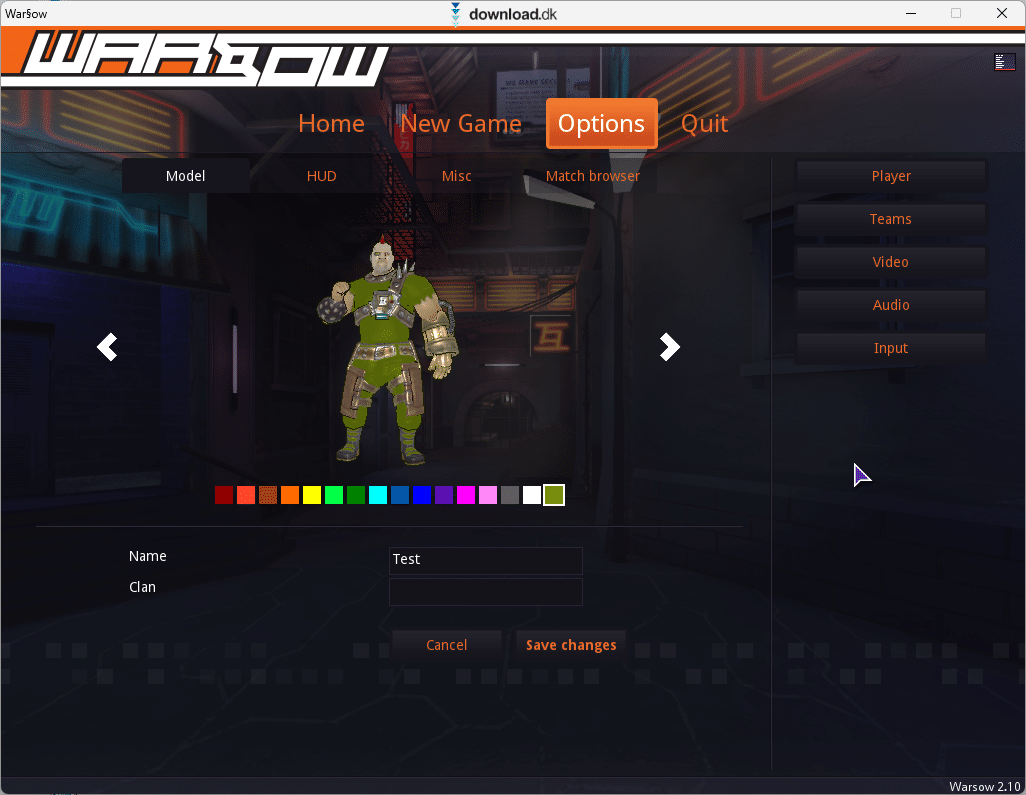
After installation, Warsow took up approximately 455 MB of space on our hard drive.
Get started with the tutorial level
At its core, Warsow is a shooter like many others, but it still takes practice to get really good at it. After installing the game, we recommend starting with the tutorial level. It introduces the most important controls so you’re prepared when you later play against AI bots or other players online. Start the tutorial by choosing “New Game” in the main menu and then clicking “Gameplay tutorial.”
At the beginning, you’re introduced to the controls. You can, of course, plug in a controller, but if you play with mouse and keyboard, movement is done with the WASD keys: move forward with W, left and right with A and D, and backward with S. Use the mouse to look around. Once you pick up different weapons, you can switch between them with the mouse scroll wheel.
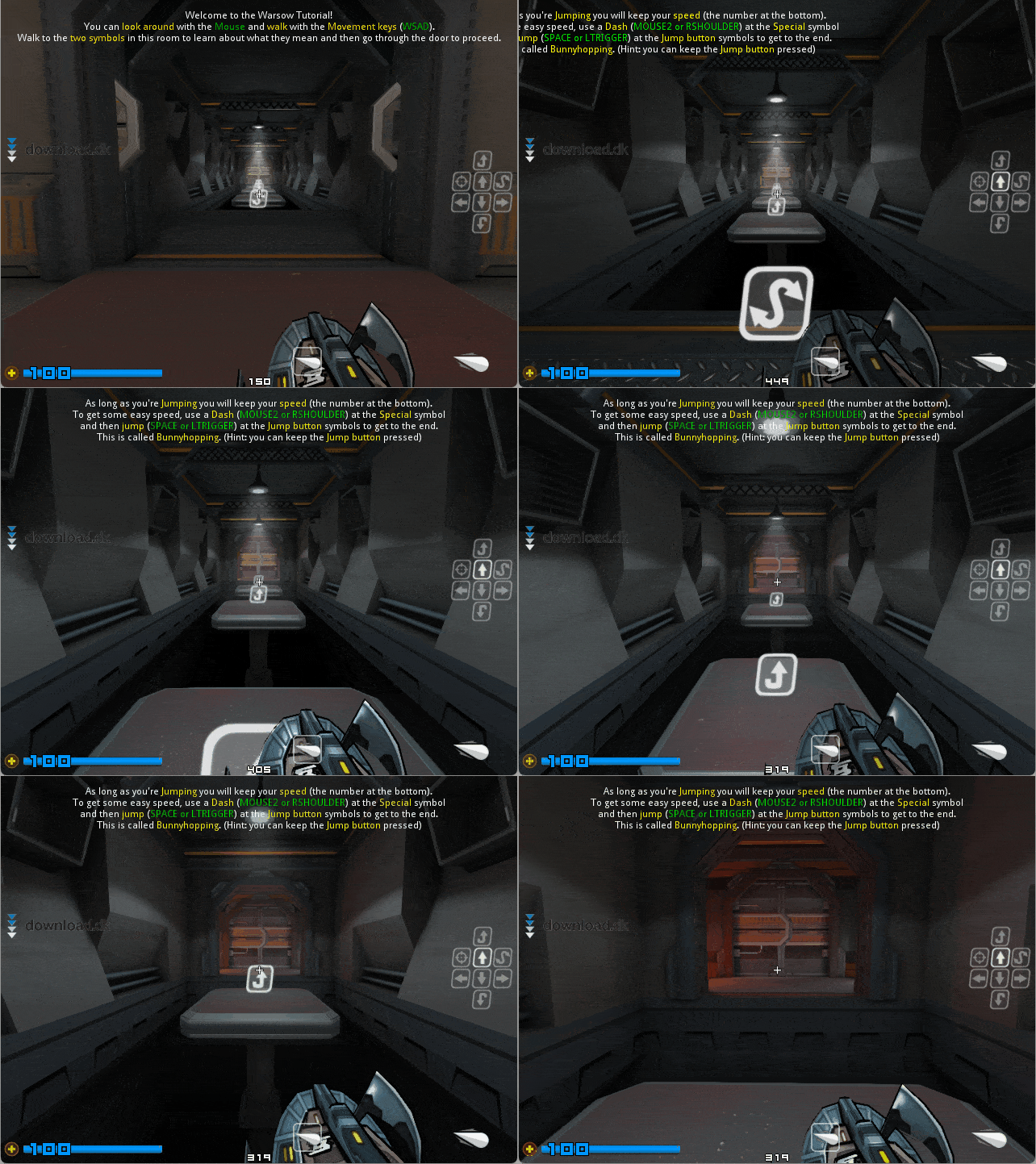
Warsow features many different maps with platforms, ramps, rails, and more, so it’s important to practice moving quickly and timing your jumps. In the tutorial, you learn that right-click performs a “dash,” where your character makes a rapid hop forward to boost acceleration. You can see this in the GIF above: a dash is used first to gain speed, then several platforms are cleared to reach the other side of the room. The dash can also be combined into a “wall jump,” using a wall to spring to another platform.
Near the end of the tutorial level, the game introduces the different weapons. You can read more about them in the next section.
The different weapons
In Warsow’s tutorial, you’re presented with the game’s weapons and their strengths. All weapons are also described in the list below:
- Lasergun: Fires a continuous beam that can also push enemies back. The Lasergun never needs to reload.
- Machinegun: A very fast-firing weapon that’s effective at long range. Relatively short reload time.
- Grenade Launcher: Use this to lob grenades in an arc. Medium reload time.
- Electrobolt: Great for heavy damage at long distances. Long reload time.
- Rocket Launcher: Fires rockets that excel at relatively short ranges. Medium reload time.
- Riotgun: A shotgun-style weapon that fires spreading pellets. Medium reload time.
- Plasmagun: Fires plasma projectiles. Effective at both short and long range.
Maps, game modes, and servers
When you’re in the main menu and click “New Game” to start a match, you’ll see all of the game’s maps and modes. We counted the maps and, if we’re not mistaken, there are 37 to choose from. You can also pick between the following 11 game modes: Bomb and Defuse, Clan Arena, Capture the Flag, CTF: Tactics, Duel Arena, Deathmatch, Duel, Free for All, Headhunt, Race, and Team Deathmatch.
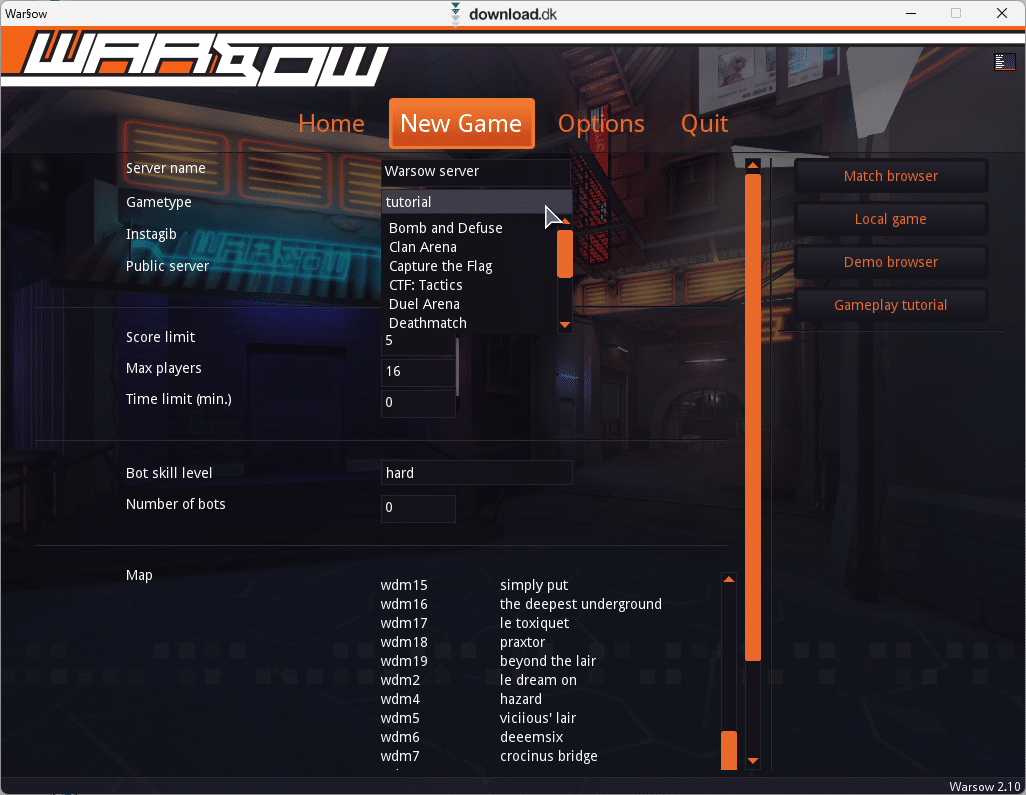
We unfortunately didn’t have time to try every map or mode, but there’s a huge amount of both, so we think it will take most players a long time to play through all the content. The graphics aren’t perfect, but thanks to the slightly cartoony visual style, it’s not a problem that everything isn’t fully realistic.
Besides starting a local offline game on your own computer, you can of course play Warsow against others over the internet. When we tested Warsow, there were several online servers to choose from, but only one had active players. That’s a shame. We don’t know if there are more players online in the evening, but it’s worth noting that Warsow hasn’t received a major update in years. The game is getting on in age, which may explain why it’s unfortunately not as popular as it once was.
Conclusion
Considering that Warsow is free and available for Windows, Mac, and Linux, we think it’s a solid game. It’s not perfect, and the graphics aren’t exactly cutting-edge, but it’s entertaining, and there’s a large selection of maps and modes to try. You can also challenge other people online. When we tested the game ourselves, there weren’t many players online, which may be because Warsow is somewhat old at this point. Our verdict: 3 out of 5 stars. Warsow can’t quite compete with modern shooters, but if you’re looking for a free FPS, it’s definitely worth a try!
Download Warsow


