
 Martin Jørgensen
Wing Commander – Classic space combat and heroic action
Wing Commander is one of the most iconic space combat simulators ever made. You take the role of a Second Lieutenant aboard the Confederation flagship, the Tiger’s Claw. As a new recruit, it’s your job to prove your worth and lead the fleet to victory—or lose your honor on the battlefield in deep space.
We tested the game on a Windows 11 PC, and installation was straightforward. Wing Commander isn’t demanding, but it’s best run through DOSBox or an emulator, since it’s a classic PC title from the early ’90s.
Gameplay and features
Wing Commander is known for its blend of intense 3D space combat and story-driven missions. You pilot your starfighter in realistic dogfights against enemy forces while receiving orders and objectives from your superiors.
Every mission affects the narrative—fail too many times and the Confederation loses territory and allies. The dynamic campaign system means you can actually lose the war, which was revolutionary at release.
Graphics and audio
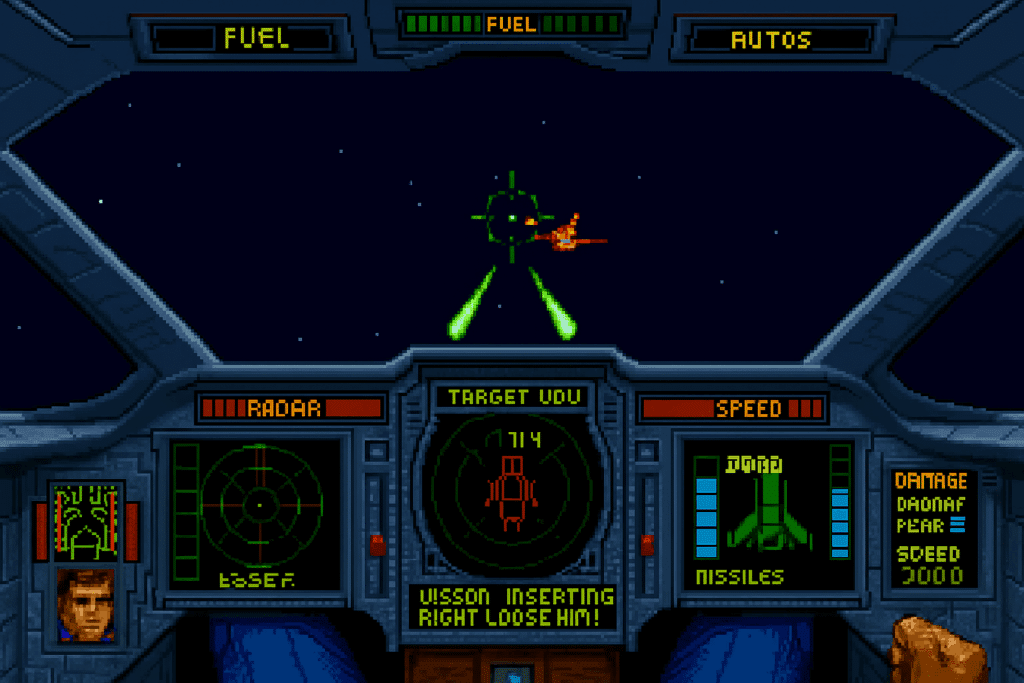
While the visuals feel simple today, Wing Commander was technically impressive when it launched. The space environments, laser cannons, and detailed cockpits still deliver an authentic retro vibe.
Music and sound effects boost the atmosphere and make battles more intense—especially when the warning alarm blares and your ship takes damage.
Challenges and controls
The game demands precision and quick reactions. It takes a little time to get used to the controls—especially without a joystick—but keyboard play still works great.
The opening missions serve as a learning curve, and the difficulty ramps up noticeably after that.
Software strengths and weaknesses
Wing Commander stands as a genre-defining classic that inspired later games like Star Wars: X-Wing and Elite Dangerous. Its cinematic storytelling and the real consequences of your choices make it worth playing today—especially for retro fans.
That said, it’s an older title, and new players may find the interface and graphics dated.
Top 5 tips for Wing Commander
Master your maneuvers early
Practice dogfighting maneuvers like “rolls” and “afterburner turns”—they’ll save you in tough missions.
Watch your shields
Constantly monitor front and rear shields. Reallocate energy to reinforce the side taking the most hits.
Save after every mission
The game punishes mistakes—save after each victory so you don’t have to start over.
Use your radar actively
Eliminate enemies in priority order—take out fast light ships first so you don’t get overwhelmed.
Read the briefing carefully
Mission briefings often include crucial tactical info that can mean the difference between victory and defeat.
Frequently asked questions
wing.exe. 


