Martin Jørgensen
With Ocenaudio, you can edit your audio recordings for podcasts and songs. There have never been more musicians than there are today—or at least more artists releasing their own material. With rapid advances in audio technology, anyone can set up a mini studio in their bedroom without major costs. Recording equipment has become cheaper, and as a result, so has the software.
You’ll probably struggle to find a free guitar or microphone, but finding free audio editing software is easy. Ocenaudio by Ocenaudio Team is one of those programs. With Ocenaudio, you get a suite of free tools to work with your audio recordings—whether they’re for podcasts, your new song, or anything else you dream up.
Mix your audio recordings with a wealth of effects
Ocenaudio is similar to Audacity in many ways. Both are free programs for Musik- og 1 with useful features to mix your tracks exactly how you want them. However, Ocenaudio feels more user-friendly and, to some extent, more versatile.
With Ocenaudio, you can confidently highlight sections of your tracks and apply effects exactly where you want them. You can even select two different places at the same time—for example, to process the chorus of your song identically in one go.
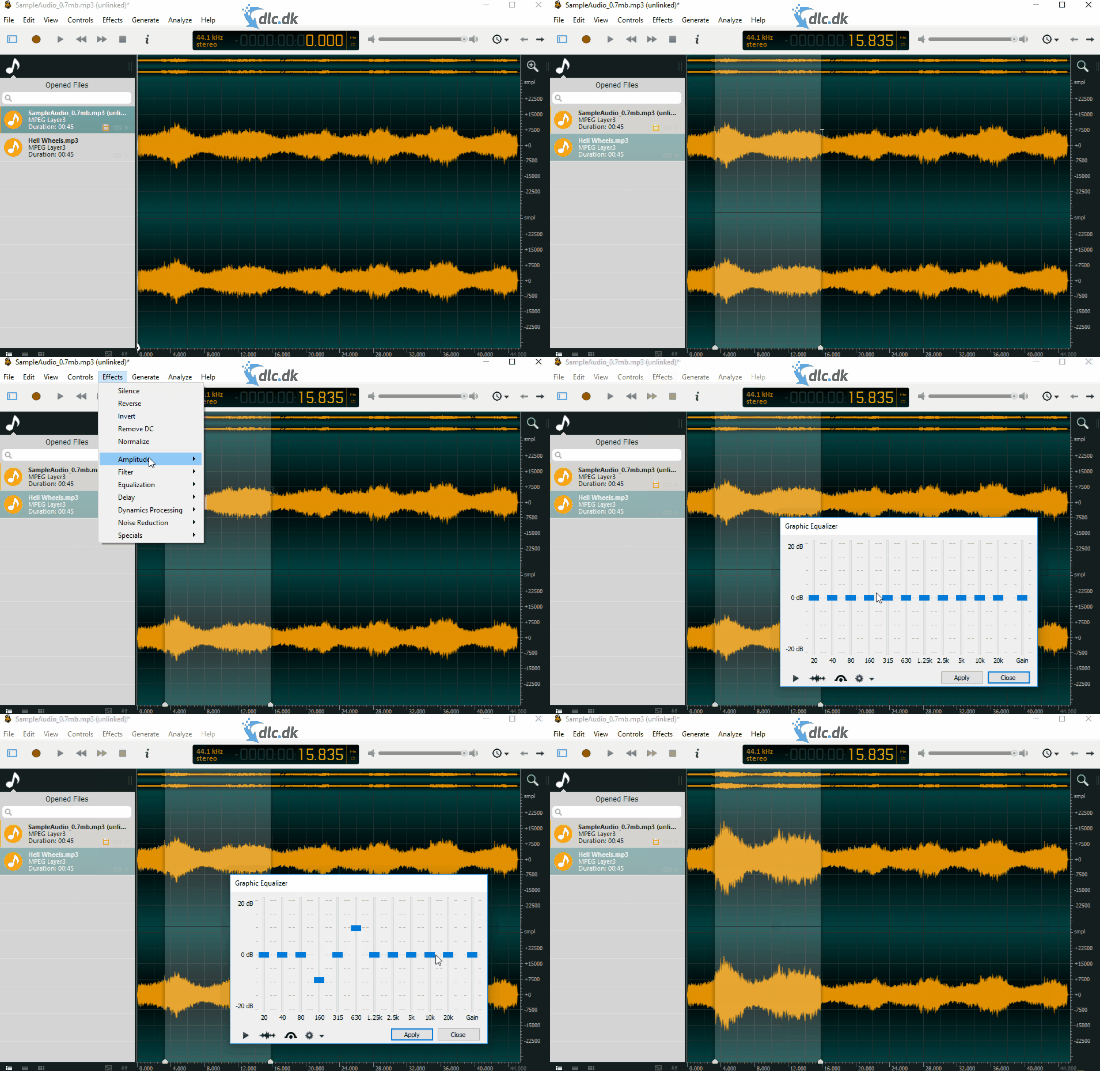
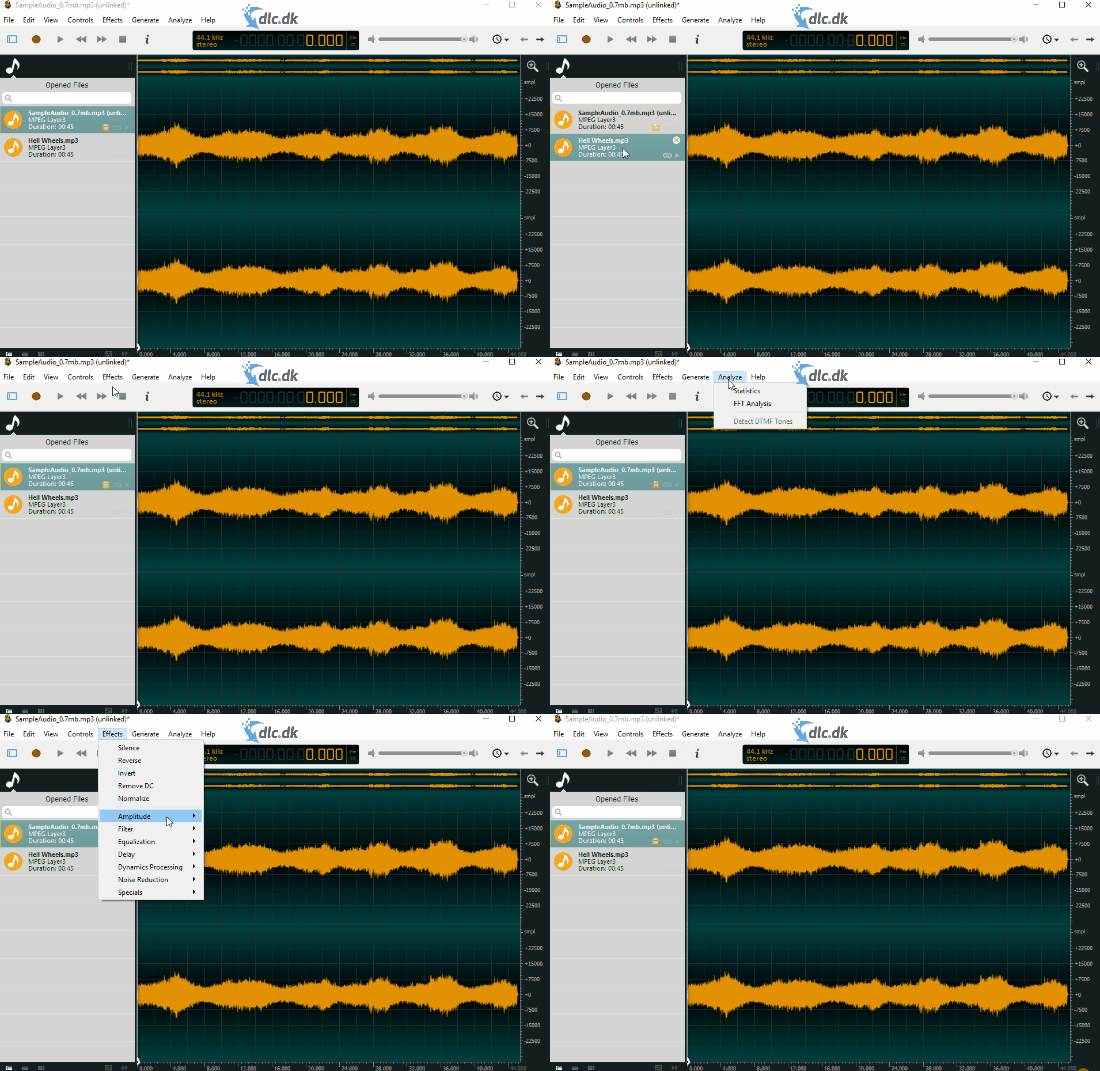
The most notable and useful effects for Ocenaudio users include Noise Reduction. It smartly removes background noise from a recording—something you’ll notice if you don’t have the best microphone. This feature helps tame that noise.
The Equalizer is also very handy for adjusting the different frequencies in your recordings. You can tweak the low-end and high-end sections so your recordings sound nicely balanced.
There are also a number of other effects, like delay and amplitude adjustments, to spice up your recordings if you feel like experimenting.
Work with multiple large files without Ocenaudio crashing
One thing that sets Ocenaudio apart from many other free audio editors like Audacity is its ability to handle many large audio files at once without issues like crashes or sluggish performance. This is one of Audacity’s weaknesses, which you can avoid with Ocenaudio.
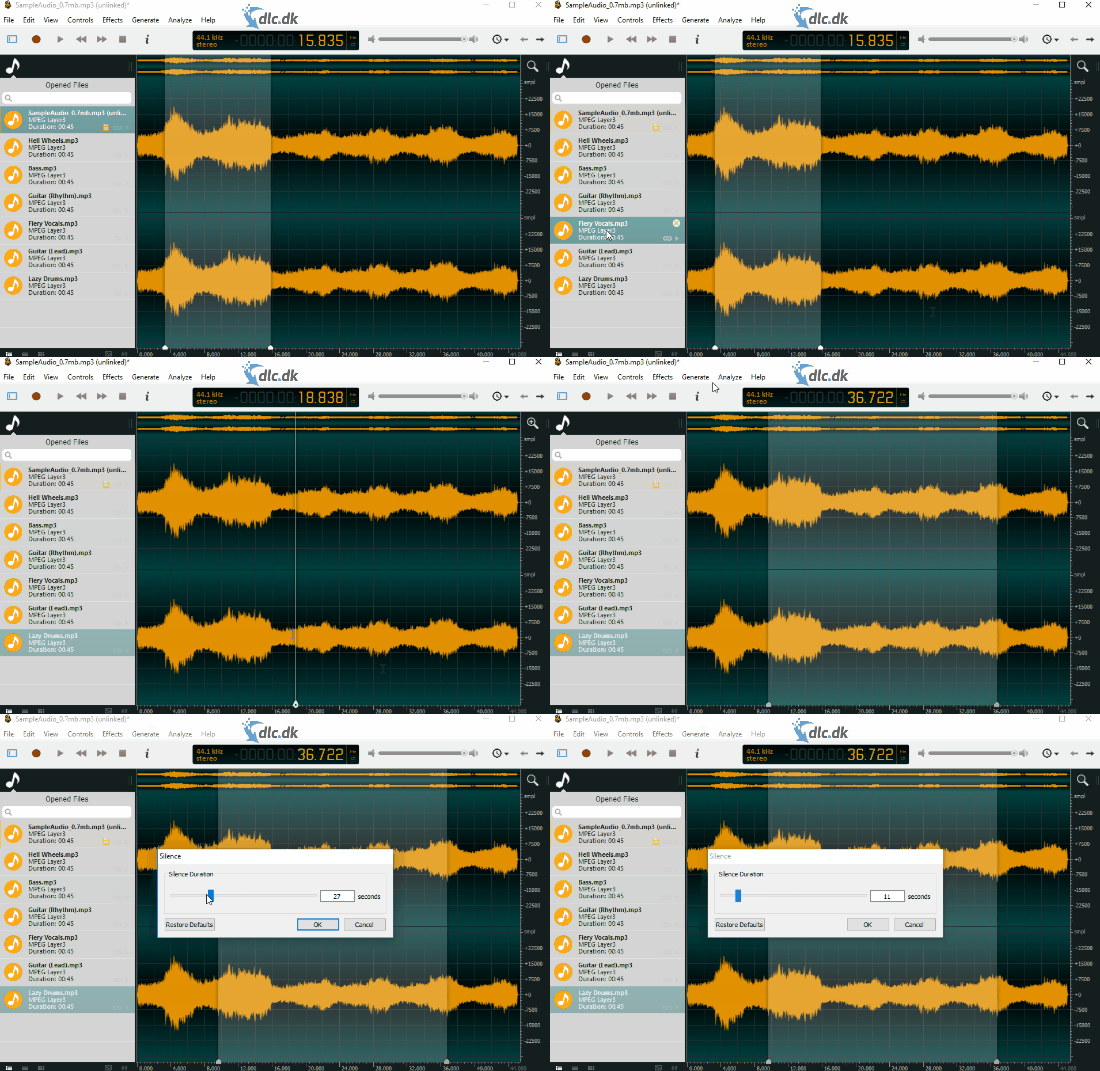
Ocenaudio makes heavy use of your system resources to manage your files—mobilizing extra resources and running many processes in the background. The result is a smoother experience that genuinely feels liberating and stress-reducing.
For anyone working with audio who needs powerful, free software
Ocenaudio is for people who work with audio in any way. Maybe you’re making a podcast and need a tool to keep your sound in check. Perhaps you’re a YouTuber and want something simple and straightforward to edit your recordings. Or you might be a musician who needs to mix different tracks together into a song.
Ocenaudio gives you all the basic tools you’ll need to manage your audio tracks. As mentioned, it’s free software, so you won’t get groundbreaking features—but that also makes it an excellent place to start if you’re new to audio editing and need a solid foundation.
Cut and paste parts of your audio files anywhere you want
One unique thing about Ocenaudio is its ability to cut and copy different sections of your audio files so you can paste them exactly where they fit best. This sets Ocenaudio apart from programs like Audacity, where you can’t freely cut and copy sections in the same way.
You can also add a variety of plugins to Ocenaudio if you’re missing effects you’d like to play with. The only downside is that Ocenaudio isn’t open source, so you can’t modify it yourself the way you can with Audacity.
User-friendly design that never feels overwhelming
One of Audacity’s biggest drawbacks is its design—it can feel like getting lost in a sea of cluttered features and options, which doesn’t make a great first impression. Ocenaudio recognizes this and takes a different approach.
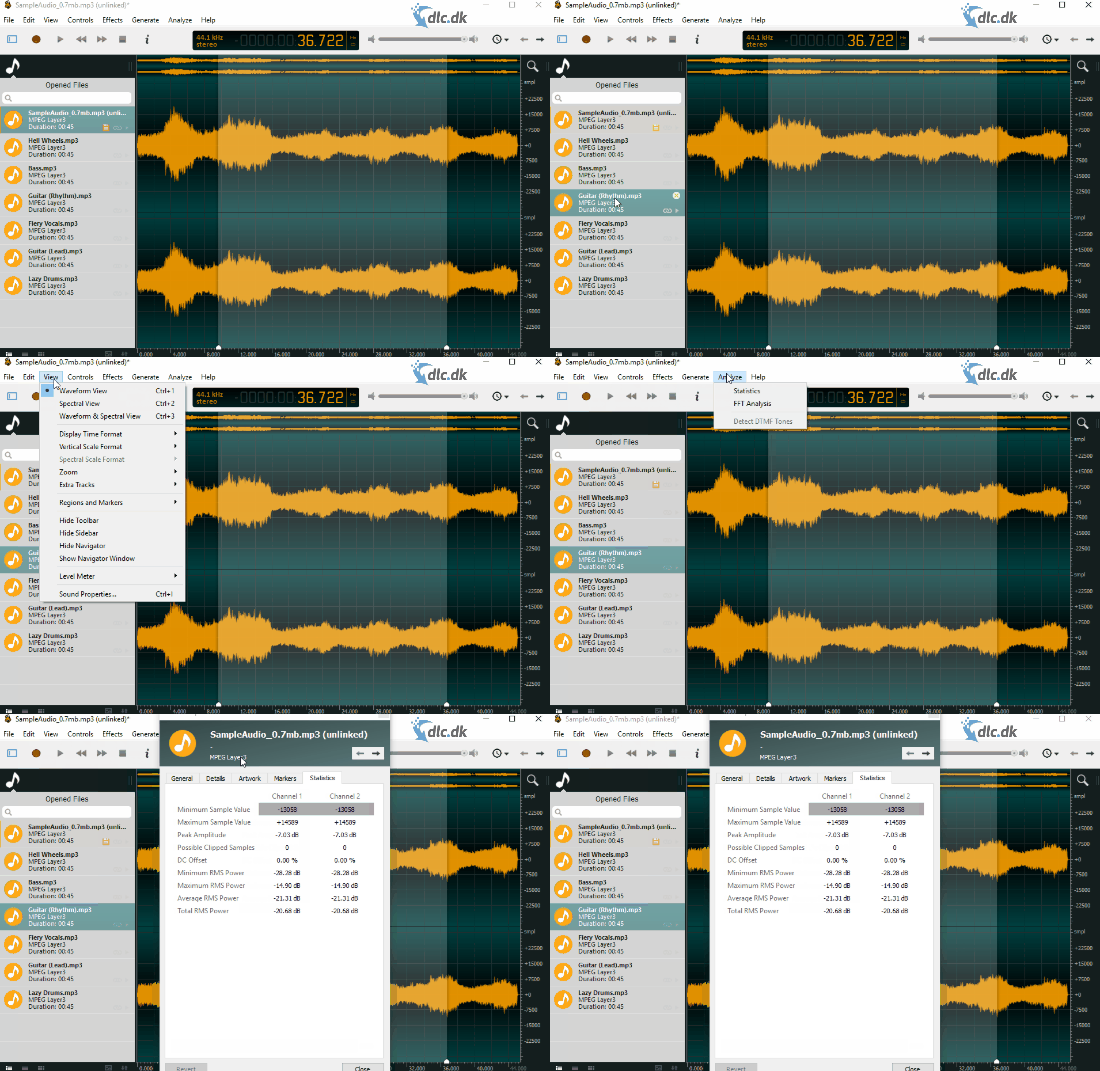
The interface is easy to navigate, and features are grouped so they’re simple to find and use. Just select the section of your audio file you want to edit and apply your effects. The files you’re working on appear in a panel on the left, so you can switch between them. When you click a file, it’s displayed as a waveform in the main view for a clear visual overview. Additionally, you can use the spectrogram feature to learn more about the characteristics of your audio files.
Additional software
When you finish mixing in Ocenaudio, you may want a great player to test how your files sound. We recommend VLC Media Player from VideoLAN. VLC Media Player is a powerful piece of software that lets you play both video and music files. If you’ve mixed your audio with video for YouTube, for example, you can also create subtitles with VLC Media Player.
One of the best free audio editors
Ocenaudio is one of the best free redigeringsprogrammer for audio you can download. It doesn’t suffer from the same issues and inconveniences as many comparable tools, making it absolutely worth a try.
Download Ocenaudio