
 Martin Jørgensen
SketchUp Pro is one of the most approachable 3D modeling programs on the market, and it remains a top choice for architecture, interior design, concept sketching, and fast visualization. What makes SketchUp Pro stand out is how quickly you can get productive without the software feeling too simple as your projects grow. That balance is exactly what makes it appealing to both professionals and ambitious hobbyists. SketchUp Pro is offered as a subscription, supports both desktop and web, and an active Pro plan also unlocks a range of extra features and services across the SketchUp ecosystem.
During our testing on a typical Windows 11 PC, it was especially clear how quickly you can go from idea to model. Where some CAD applications feel heavy right from startup, SketchUp feels more immediate. You draw, pull faces into 3D, and quickly get something visually useful on screen. That makes the program ideal for everything from simple room sketches and furniture ideas to more serious models where speed matters in day-to-day work.
Why SketchUp Pro is still popular
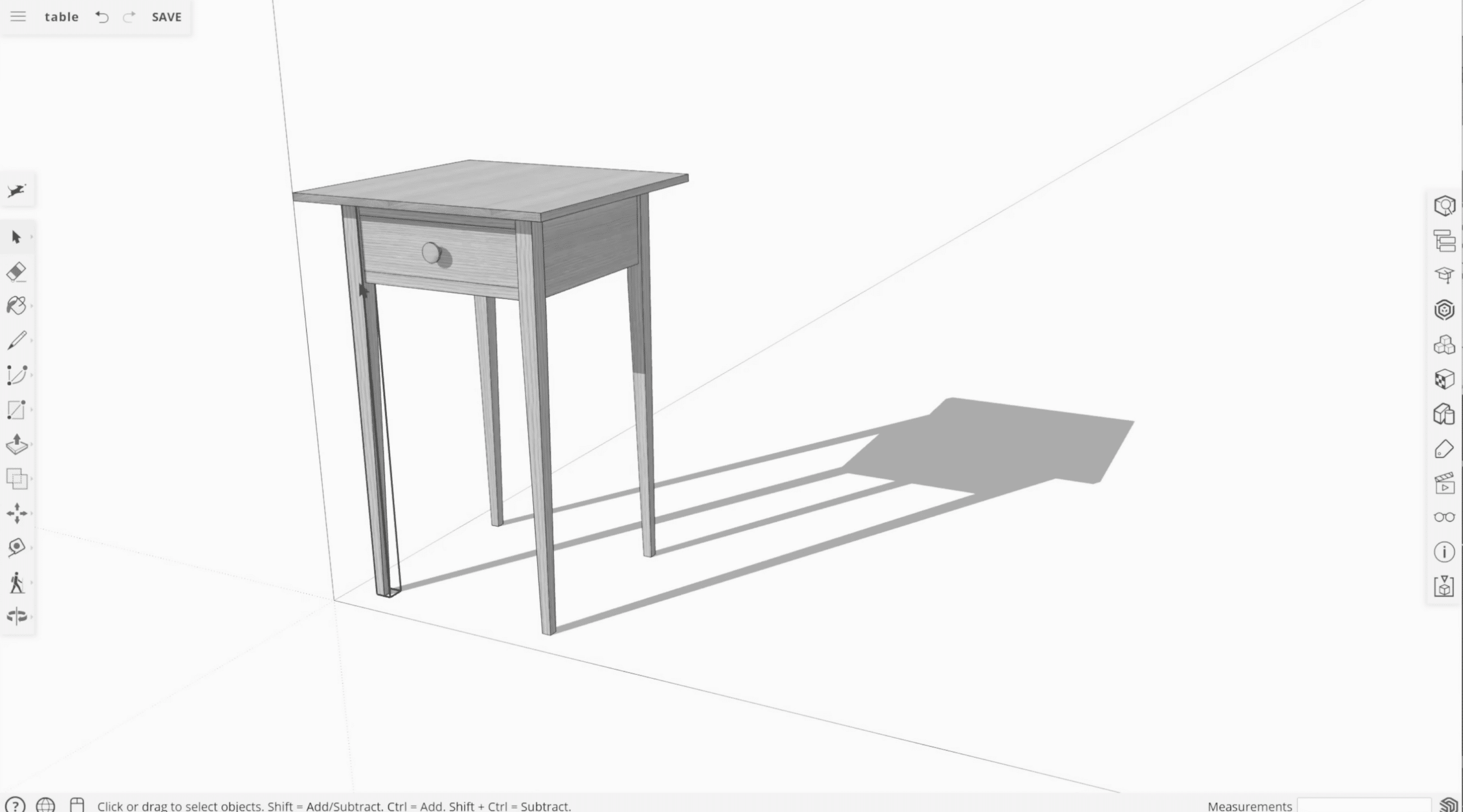
For years, SketchUp Pro has had a reputation as the 3D tool people actually use in practice. Not necessarily because it’s the most technically advanced in every area, but because the workflow is so easy to understand. You draw lines and faces, push/pull them into volume, and navigate the model without spending days on training.
It’s also a strength that SketchUp Pro is no longer just about the classic desktop app. The Pro subscription is part of a larger ecosystem with web access, cloud features, import/export, and integration with 3D Warehouse and several professional workflows. The SketchUp Pro plan is available as both a monthly and an annual option.
Features and workflow in practice
The most convincing part of SketchUp Pro is still its intuitive modeling. The software is built around a workflow where you can almost think with the mouse. That sounds simple, but in practice it’s a big advantage when you want to visualize an idea, test proportions, or present something quickly to a client or colleague.
We especially found that navigation remains one of the program’s clear strengths. Camera controls, zoom, and panning feel natural, which matters a lot when working in larger models. SketchUp isn’t necessarily the tool you choose for the most technically demanding engineering projects, but for architecture, interiors, landscape, and general 3D visualization, it’s still very strong.
The Pro version also gives you more professional import and export options along with extra features that lift the software beyond the free edition. SketchUp itself describes Pro as the subscription with the “classic SketchUp” experience combined with a more robust feature set.
SketchUp for Windows, Mac, and iPad
An important update compared with older SketchUp write-ups is that platform support should be described more precisely today. SketchUp for desktop can be downloaded for both Windows and macOS, and there’s also an official SketchUp solution for iPad. SketchUp for iPad isn’t just a viewer; it’s a full 3D modeling experience where you can create, edit, and mark up projects on the go. SketchUp notes on its current help page that the iPad version requires iPadOS 17 or later.
This makes SketchUp more flexible than before—especially for users in construction, interior design, and field work, where it makes sense to bring models to clients or job sites. Many people also search for terms like “SketchUp Pro for Windows” and “SketchUp for iPad,” which reflects this flexibility.
System requirements and performance
SketchUp Pro isn’t quite as “light” as many older descriptions make it sound. The official system requirements include at least 8 GB of RAM, a minimum of 6 GB of free disk space, and a modern GPU—SketchUp’s classic renderer requires OpenGL 3.1 support. SketchUp also recommends up-to-date graphics drivers.
In practice, that means the program still runs well on many recent mainstream PCs, but you shouldn’t present it as an ultra-light tool for any old office machine. Especially when working with larger models, heavy materials, and more demanding visualization, your graphics card and driver quality will make a noticeable difference.
Pricing, subscriptions, and free trial
This is another area where older copy needs updating. Today, SketchUp markets subscriptions rather than perpetual licenses, and the help pages point to Pro, Go, and Studio as the current plan types. SketchUp also offers a free trial with no credit card required; the official help resources describe a free Studio trial as the entry point for testing the platform.
It’s therefore better to say that SketchUp can be tried free for a limited time, and that pricing depends on the plan you choose and your region, rather than locking the article to a fixed price that will quickly become outdated.
Is SketchUp Pro worth the money?
For the right audience, yes. SketchUp Pro isn’t the cheapest option, but it’s one of the most effective 3D programs if you want to work quickly and visually. It’s especially good for users who want to avoid the steepest learning curve of classic CAD environments while still having a serious tool for professional use.
If you only need to make very simple models now and then, free or browser-based alternatives may be enough. But if you work with interiors, architecture, presentations, building concepts, or concept visualization, the Pro version makes more sense. SketchUp has hit a sweet spot where it feels professional without becoming unnecessarily heavy—and that’s still its biggest advantage.
When you want to go from idea to 3D without unnecessary hassle
SketchUp Pro remains a strong name in 3D modeling because it does something many competitors struggle with: it feels accessible without being unambitious. It isn’t the cheapest program, and it isn’t the most hardcore CAD tool on the market either. But for fast, visual, and efficient 3D modeling, it’s still among the most interesting choices for both professionals and skilled enthusiasts.
Top 5 tips for SketchUp Pro
Top 5 tips for SketchUp Pro
Use groups and components from the start
One of the first things new users should learn in SketchUp Pro is the difference between raw geometry and organized objects. If you turn walls, furniture, and details into groups or components right away, you’ll avoid a messy model later.
Master orbit, pan, and zoom
SketchUp feels dramatically better when navigation becomes second nature. Spend a little time learning the camera tools properly; it saves surprising amounts of time in larger models and makes everything feel smoother.
Keep the model clean as you go
Large SketchUp files get heavier faster than you might expect. Delete unnecessary elements regularly and use cleanup tools so you don’t end up with a model that feels more sluggish than it needs to.
Type dimensions directly as you draw
Many users overlook how fast SketchUp becomes when you enter precise dimensions instead of only dragging with the mouse. It produces cleaner models and makes the software more suitable for serious project work.
Consider iPad as a companion to desktop
If you work with clients, contractors, or projects in the field, SketchUp on iPad can be more useful than you think. It makes it easier to show, comment on, and adjust models without being tied to a desk.



