
 Martin Jørgensen
Smallpdf – powerful and simple PDF tool right in your browser
Over time, Smallpdf has cemented its position as one of the world’s most popular online PDF services—and for good reason. You get a complete PDF toolkit right in your browser – no installation, no hassle, and a focus on simplicity. It’s not just a PDF reader or editor, but a PDF toolbox with 20+ features for both personal and professional needs.
Whether you want to compress, edit, convert, sign, or merge PDF files, Smallpdf handles it in a few clicks with a modern, easy-to-use interface.
Top 5 tips for Smallpdf
You don’t need to create an account to use most tools. Upload your PDF, pick the action you need, and download the file again. It’s perfect for quick conversions or merging documents — even on mobile.
Smallpdf is known for reliable conversion to Word, Excel, and PowerPoint. Results typically preserve layout, fonts, and formatting far better than many other free PDF converters.
Connect Smallpdf with your Google or Dropbox account to work with PDFs directly from the cloud. It saves time and enables a flexible workflow — especially if you use Chromebooks or collaborate in teams.
Sending an invoice, contract, or sensitive report? The Protect PDF tool lets you add strong passwords with one click — a commonly overlooked but crucial security feature.
Create your digital signature once and reuse it. Perfect for freelance contracts, consent forms, or schoolwork. You can also save documents as templates for reuse in the Pro version.
Features and user experience
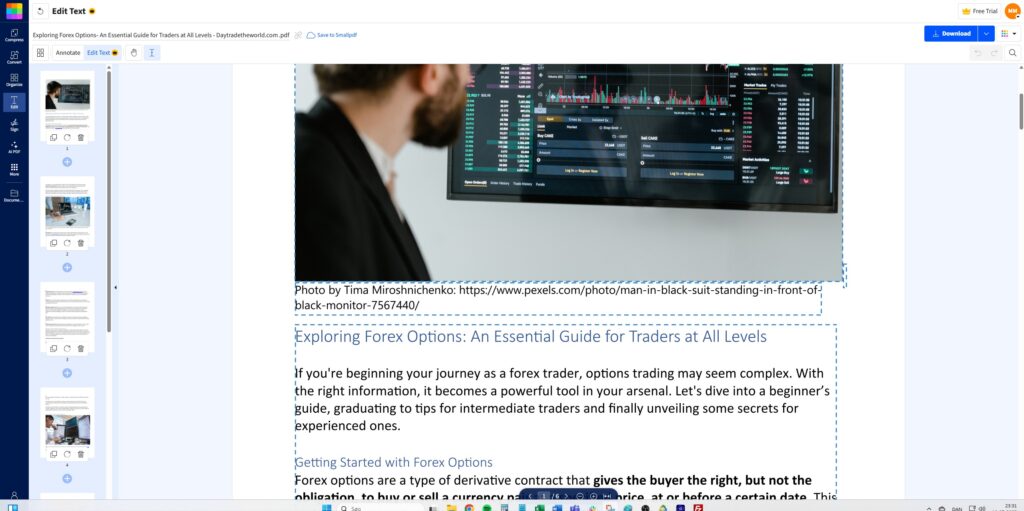
The service works on both desktop and mobile and can be used without signing up in its free version (with limitations). It supports drag-and-drop and integrates seamlessly with Google Drive and Dropbox. You get access to tools such as:
- Convert PDF to Word, Excel, PowerPoint, or JPG — and vice versa
- Electronic signatures and form filling
- Merge and split PDFs
- Compress PDFs to email-friendly sizes
- Protect PDFs with a password or remove one
- Rotate and edit existing pages
- OCR (Pro only)
The interface is colorful, modern, and intuitive, and it’s available in multiple languages (including Danish).
Free vs. paid version
The free plan provides access to 1–2 tools per hour. If you need unlimited access, batch processing, or OCR, upgrade to the Pro plan (about $13/month). The paid version is especially useful for small businesses and freelancers who regularly work with documents and contracts.
Smallpdf for Windows, Mac, Android and iOS
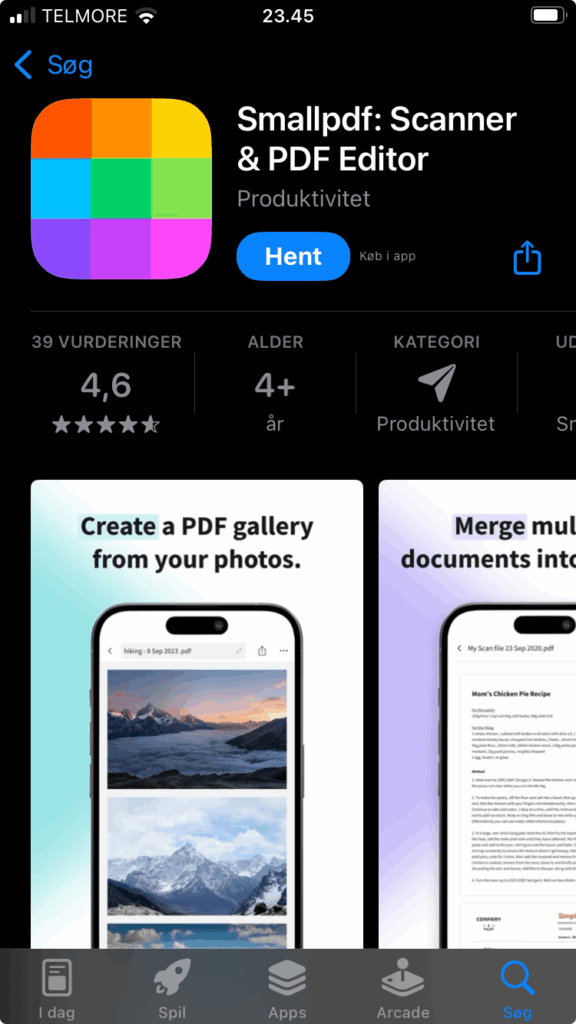
Although it’s primarily a web app, there’s also a desktop version for Windows as well as mobile apps for Android and iOS. These provide offline access and extra features, such as document scanning directly from your phone.
Security and GDPR
The company behind Smallpdf takes data security seriously and uses 256-bit SSL encryption. Documents are automatically deleted after one hour. The service is based in Switzerland and complies with GDPR, making it suitable for both personal and professional use.
Tips for using Smallpdf
- Drag & drop directly in your browser to use it without digging through folders.
- Use Google Drive integration to save PDFs straight to the cloud.
- If you send many contracts, save time with e-signatures and templates in the Pro version.
- Use the mobile app for scanning documents and uploading directly.
- Combine it with PDF24 Creator or PDFsam if you want offline alternatives.
Is Smallpdf worth the money?
Smallpdf is top-tier for usability and versatility. The free version is sufficient for most users, while the Pro plan is ideal for frequent or business-related PDF tasks. With strong GDPR compliance and a wealth of features, it’s both a safe and efficient choice.
"Metabeskrivelse:"Smallpdf: the fast online PDF editor and converter. Compress, merge, e-sign, and OCR in your browser on Windows, Mac, Android, and iOS.


